Posted by: kurtsh | June 28, 2011

INFO: Office Deployment Tools for the Enterprise

imageA coworker showed me this list.  (Thanks Mark)

This is a list of tools that companies can use to assist with the deployment of Office 2010 in their company.

It covers everything from deployment to on-going management to security to end user education.  (I have a separate post on end user training for Office 2010)

Tool

Function

Description

Microsoft Assessment and Planning Toolkit

System readiness assessment for Office 2010

MAP is an assessment and planning tool targeted at IT Professionals to help them begin the deployment process. The tool inventories your current environment and assesses the readiness of those computers for migration to the new technology, in this case Office 2010. MAP is an agentless tool, this means it can discover the computers in your network without installing any components on the target computers. MAP uses technologies already available in your IT environment to perform inventory and assessments.

Office Environment
Assessment Tool

OEAT assists in the discovery and Office 2010 compatibility of Office Add-ins and interfacing programs

OEAT scans client computers for add-ins and applications that interact with Office 97-2007 Office system, and Office 2010. The tool is designed to be used by IT Pros who are assessing application compatibility as part of their Office 2010 migration planning. The tool now incorporates functionality to compare the discovered add-ins and applications against the list of add-ins that are pledged to be compatible by ISVs who submit them to the Microsoft Independent Software Vendor (ISV) Application Compatibility Visibility Program.

Office Migration and
Planning Manager

Office file readiness assessment and migration tools

OMPM is a tool targeted at IT Pros assisting them to discover and assess compatibility of existing Office documents for migration from the binary document formats (Office 97-2003:.doc, .xls, etc.) to OpenXML formats (Office 2007 & newer:.docx, .xlsx, etc.). Additionally OMPM 2010 adds features to assess macro compatibility with Office 2010 and 64 bit Office compatibility. The toolkit also contains the Office File Converter (OFC) which enables bulk document conversions from binary to OpenXML formats.

Office Code Compatibility Inspector

OCCI provides guidance to a Office developer to remediate VBA code

OCCI is an add-in developers can use in Microsoft Excel 2010, Microsoft PowerPoint 2010, Microsoft Word 2010, and Microsoft Visual Studio 2008 to troubleshoot and resolve potential issues with Microsoft Visual Basic for Application (VBA) Macros and add-ins. The tool helps guide a developer in remediating issues in VBA code to expedite migration to Office 2010. The tool scans code in a project for known compatibility issues, and then notifies you if it finds items in the code from the object model that have changed in some way or have been removed.

Office Customization tool

OCT enables IT Pros to consistently customize the installation of Office

The OCT is part of the Setup program and is the recommended tool for most customizations. OCT allows IT Pros to maintain a standard set of customizations for deployment including:
Setup(install location, licensing, etc.), Features (control locally installed components), additional content(add/remove files and registry keys), and Outlook configuration. The OCT is available only with volume licensed versions of Office 2010 and the 2007 Office system. OCT is used to maintain Office deployment customizations – this only applies during initial deployment. Using the OCT to configure user settings establishes the initial default values for the settings. Users can modify most of the settings after Office is installed. If you want to enforce user settings, use Group Policy.

Config.xml
(Included in VL products)

Used to control install tasks for Office

Config.xml is used by IT Pros to further customize the Office installation. OCT is the primary customization tool, however config.xml can be used to further the customization and contains a few unique options. Config.xml is typically leveraged to install multiple languages and to setup a local install cache.

Microsoft Deployment
Toolkit

Common console to manage OS and application customization and deployments

MDT is the recommended process and toolset for automating Windows 7 and Office 2010 deployments. MDT 2010 Update 1 supports Office 2010 and readily exposes the Office customization options – including OCT and Config.xml. MDT can be used to combine Office installation with an OS deployment or build a task sequence to install applications only. MDT readily provides the infrastructure to reliably chain additional installation packages, such as interactive guides, add-ins, etc. MDT provides LTI deployment or it can be partnered with SCCM to facilitate ZTI.

User State Migration Tool

USMT scans a destination desktop and migrates user settings to new target image

USMT supports migrating user settings including user data and support application data. Office is one of the supported applications by USMT.

Compatibility Pack

Component is required by OMPM to perform file conversions

Open, edit, and save documents, workbooks, and presentations in the Open XML file formats, which were introduced to Microsoft Office Word, Excel, and PowerPoint beginning with Office 2007 and continuing with Office 2010. Existing installations of the compatibility pack were updated via update service

Office 2010
Deployment Kit for App-V

Deployment kit enables sequencing and deployment of Office 2010 with Microsoft App-V

The deployment kit is not a traditional tool but rather a kit of components to enable Office license activation and enablement of key virtual proxies to allow proper local system integration.

Office 2010 Security Guide

End-to-end solution to help you plan, deploy, and monitor the security configuration for Office 2010

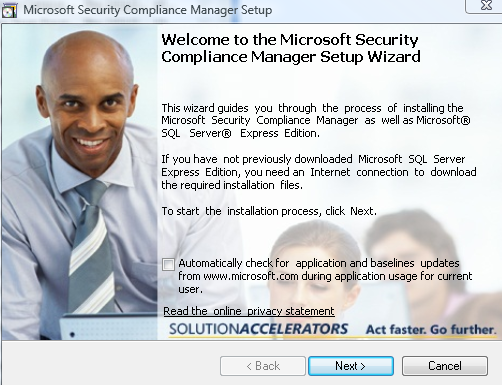
OSG 2010 is delivered via the Security Compliance Manager tool. This enables customers to take advantage of the experience of Microsoft security professionals, and reduce the time and money required to harden the environment. This end-to-end Solution Accelerator will help you plan, deploy, operate, and manage your security baselines. Access the complete database of Microsoft recommended security settings, customize your baselines, and then choose from multiple formats—including Desired Configuration Management (DCM) packs, Security Content Automation Protocol (SCAP), XLS, or Group Policy objects (GPOs)—to export the baselines to your environment to automate the security baseline compliance verification process. Use Security Compliance Manager to achieve a secure, reliable, and centralized IT environment that will help you better balance your organization’s needs for security and functionality.

Group Policy Admin templates

Office templates provide IT Pros the ability to enforce configuration policies

Admin templates provide several thousand potential configuration options IT Pros can leverage to further customize Office even after installation and primarily enforce policies in the Office applications. Some settings are policy enforced while others are user preferences only.

Office 2010 KMS Host Activation Pack

Volume activation in Office 2010 now aligns with Windows activation using KMS or MAK activation methods

KMS activates the computers, or KMS clients, from a KMS host server that contains a KMS host key that is supplied by Microsoft. This method replaces direct activation through Microsoft, and gives the local administrator control of the process. KMS activation is generally suggested for customers planning to activate 50 or connected client computers.

Sharepoint Service Configuration

Several collaboration features for Office 2010 are controlled by configurations on the SharePoint server.

Office Web Apps
Powerpoint Broadcast
Co-Authoring Administration
Excel Services Administration
InfoPath Forms Administration
Access Service Administration

Interactive Guides

(Also “Learn where Menu & Commands are in Office 2010”)

Menu and toolbar guides

These interactive guides show you where your favorite menu and toolbar commands are located in Office 2010. Just click the command or button that you want to find and the guide will show you its location in the 2010 version of the program. The locally installable versions are available for local installation by IT Pros at or before Office 2010 deployment.

Posted by: kurtsh | June 28, 2011

BETA: Microsoft Security Compliance Manager version 2

imageMicrosoft Security Compliance Manager (SCM) 2 enables organizations to take better advantage of their existing knowledge and investments, and customize security and compliance settings with ease. Customers can harden their machines to industry standards, monitor for configuration drift and address the configuration requirements of hundreds of regulations like SOX, PCI and HIPAA. Learn more.

New SCM 2 features include:

  • GPO import: SCM 2 can now import Group Policy Object (GPO) Backup files to allow organizations to import and compare their existing knowledge against Microsoft baseline recommendations. This long-awaited feature effectively helps you to customize and manage your organization’s existing knowledge stored in Active Directory.
  • Baseline setting customization: Modifying baselines just got easier. Adding, extending, or deleting settings from a baseline is an effortless process in this new version of the tool.
  • Local GPO functionality: Apply security baselines directly to client and server computers using the LocalGPO command-line tool, which enables you to secure stand-alone computers and test different baselines without using Active Directory to deploy them. Use this tool to create local policy snapshots that you can import into SCM 2 using the new GPO import capabilities, which you can then compare, customize, and export as needed.
  • Additional features: These include a new and enhanced UI that provides simpler navigation in the tool, and improved installation with SQL Server 2005 and later releases of SQL Server.

Version 2 of the SCM tool will release with a full complement of Microsoft product baselines, including these new and/or updated baselines:

  • Windows Internet Explorer 9
  • Windows Server 2008 R2 Service Pack 1 (SP1)
  • Windows Server 2008 SP2
  • Windows Server 2003 SP2

In more detail
Microsoft Security Compliance Manager (SCM) 2 provides security and compliance configuration recommendations from Microsoft, centralized baseline management features, a baseline portfolio, customization capabilities, and security and compliance baseline export flexibility to accelerate your organization’s ability to efficiently manage the security and compliance process for the most widely used Microsoft products and technologies. The formerly stand-alone product-specific security guides are now included in the SCM tool.

Version 2 of the SCM tool releases with a full complement of Microsoft security and compliance baselines, including a new Windows Internet Explorer 9 Security Baseline, and updated baseline versions for Windows Server 2008 R2 SP1, Windows Server 2008 SP2, and Windows Server 2003 SP2.

These new beta baselines provide:

  • Setting severity ratings, allowing you to quickly sort, prioritize, and apply Microsoft security and compliance recommendations.
  • Consolidated product baselines that eliminate EC and SSLF baseline components, and make viewing, customizing, and implementing your security baselines easier than ever!
  • New compliance-based settings groups allow quicker and easier compliance reporting and audit preparation, when used with the  GRC management solution within System Center.

Additional product baselines are currently in development, including baselines for: Windows 7 SP1, Microsoft Exchange Server 2007, Exchange Server 2010, SQL Server 2008 and SQL Server 2008 R2 (multiple roles), Office 2010, Windows Vista SP2, Windows XP SP3, and Windows Internet Explorer 8.

Call to Action

  • Join the Security Compliance Manager Beta Review Program:  Join the beta, and influence the development of this latest version of the tool.
  • Tell us what you think! Test drive the beta release, and send us your constructive feedback. We value your input; this is the perfect opportunity to be heard.

The beta will be available for download on Microsoft Connect through early August.

Note: New and existing users can access the beta version of Microsoft Security Compliance Manager 2 through Microsoft Connect. For existing users, simply download the beta and use the installation wizard to walk you through the upgrade process, and automatically transfer your existing baselines and settings.

Tell your peers and customers about Security Solution Accelerators! Please forward this to anyone who wants to learn more about security and Microsoft Solution Accelerators.

Already using Security Solution Accelerators? We’d like to hear about your experiences. Please send comments and suggestions to  secwish@microsoft.com.

imageSomething I learned today about the “Home Use Program” that customers with Software Assurance have:

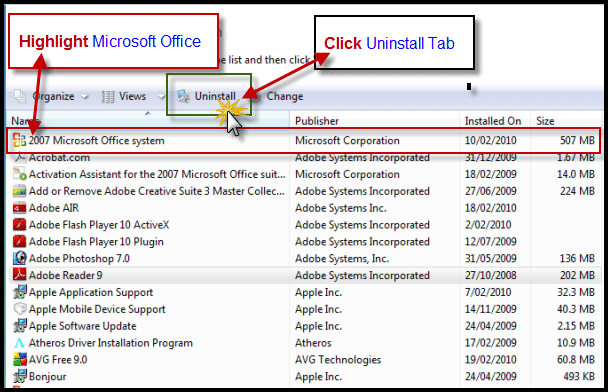
If a company decides to discontinue Software Assurance on their agreement, all HUP licenses will need to be uninstalled from end user home desktops as HUP is an SA benefit and it expires with the SA Benefits expiration.

This is from the Product List posted on www.microsoft.com/licensing.

Customers are not responsible for their individual employee’s compliance with the Home Use Program end user license terms.  Those terms are between Microsoft and the customer’s employee and do vary from the rights provided under the customers Volume Licenses (e.g. the employee may install only one copy of the HUP software). We do require that customers limit the Home Use Program access to employees and inform employees of when they should discontinue use of the Home Use Program software in conjunction with a lapse in Software Assurance coverage or employment termination.

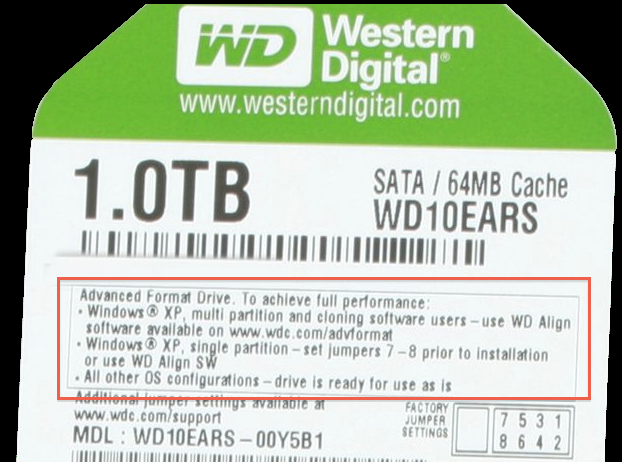
[Note:  4K sector drives are not a new thing however what IS new is that OEMs are starting to ship them in enterprise class systems and unbeknownst to some IT folk, these drives are not supported with older operating systems.]

imageOEMs have started shipping HDDs with 4K sectors. Windows Server 2003, Windows Server 2003 R2, or Windows XP are not supported on HDDs with 4K sectors.  If the HDD you receive has 4K sectors and you install one of these older versions of Windows on it, you will have an unsupported configuration.  http://support.microsoft.com/kb/2510009

For Windows 7 and Windows 2008 Server R2, Microsoft only supports the hardware 512 emulated mode 512e.

Support for Hard Disk Formats based on OS Version

Common Name(s)

Physical sector size

Logical sector size

Windows Version with Support

Legacy 512 Native, 512 Native, Legacy

512 bytes

512 bytes

All Windows versions

Advanced Format, 512-bye Emulation, 512e, 4k/512e

4 KB

512 bytes

Windows 7 with MS KB 982018
Windows 7 SP1
Windows Server 2008 R2 with MS KB 982018
Windows Server 2008 R2 SP1

4K Native, 4k/4k

4 KB

4 KB

Not supported as of Windows 7 SP1 or Windows Server 2008 R2 SP1. Microsoft is conducting an investigation into the feasibility of supporting these kinds of disks in the future and will issue the necessary KB articles when it is appropriate.

Other

Not 4 KB or 512 bytes.

Not 4 KB or 512 bytes.

Not supported

Microsoft released an update to several SDP Diagnostic Packages adding support to detect Advance Format Disks.

This KB also links to a hotfix that resolves a list of the known issues related with these disks on Windows 7 and Windows Server 2008 R2. http://support.microsoft.com/kb/982018

Some of the OEMs are using the same part numbers as the HDDs with 512 byte sectors, so please keep that in mind when you are spec’ing out your hardware.

clip_image002(This is not a recommendation.  It’s just what I did.  Caveat installer.)

I upgraded my Samsung Series 9 to 8GB of RAM.  It was pretty easy and took no more than 15 minutes with the right parts, and the knowledge that I was nuking my warranty since Samsung doesn’t support RAM upgrades on this laptop, despite the fact that the unit supports a max of 8GB but only comes with 4GB stock. 

PREPARATION:
Here’s what I used:

  1. Electronics-grade Philips head screwdriver
  2. A single 4GB PC3 8500 DDR3 SODIMM ($29)
  3. A willingness to invalidate my warranty

The casing was relatively easy to pry off once you realize that there are no fewer than TEN SCREWS holding the back metal plate in place.  These 10 screws include:

  1. 3 exposed screws near the front
  2. 4 screws at the sides of the port trays, hidden by small rubber circles
  3. 2 screws hidden under the larger rubber “feet” near the rear
  4. 1 screw hidden under the tiny rubber foot in the middle rear

…the case comes off after a little prying with a flathead screwdriver. 

clip_image003

INSIDE THE CHASSIS
Inside, there’s a curious sight:

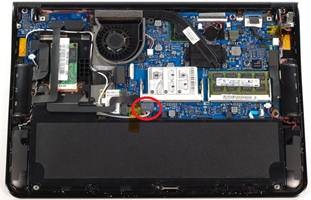
  1. There are two slots for memory DIMMS.  The Series 9, instead of having two 2GB DIMMs – one in each slot – it has a single 4GB DIMM in slot 0.
  2. There is an actual STICKER covering slot 1, providing instructions on how to install the second DIMM into the remaining slot.  (How nice of them.)

clip_image005I removed and read the sticker, and it explicitly shows that one needs to disconnect the power from the motherboard before installing the new memory purchased into slot 1.  The power is a 9 wire cable that is just below the empty memory slot. 

(The sticker that was attached to the empty slot is shown above along with the 4GB DDR3 DIMM I purchased from http://www.edgetechcorp.com/ram/Samsung/Samsung-Series-9-Notebooks/NP900X3A-(NP900X3A%252dA01US)-Memory for $28.  They delivered in 2 days and explicitly state that this memory is guaranteed to work on the Samsung Series 9.)  The location of the power cable is circled in RED to the right.

Once I disconnected the power, I inserted the DIMM firmly at an angle then locked it into place by gently pushing it down against the motherboard, then reconnected the power.  

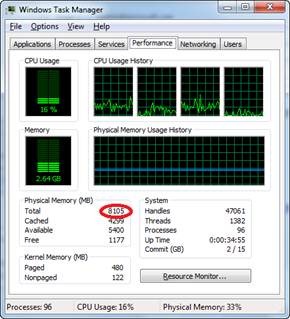
Once I reattached the cover and boot up, I found that the machine automatically detects the new memory and Windows finds 8GB of RAM available.

I asked my coworker, Michael Ghekiere, the question, “How can I find a specific folder in Outlook?” and this is what he gave me as a solution.  Pretty cool out of the box thinking.

I have a massive folder hierarchy within Outlook/Exchange and I’d accidentally dragged and dropped a folder from somewhere in the hierarchy to somewhere else and I couldn’t figure out where the folder got placed in my Mailbox hierarchy.  Surely you’ve had the same issue where you accidentally “lost a folder” somewhere when your drag and drop failed.

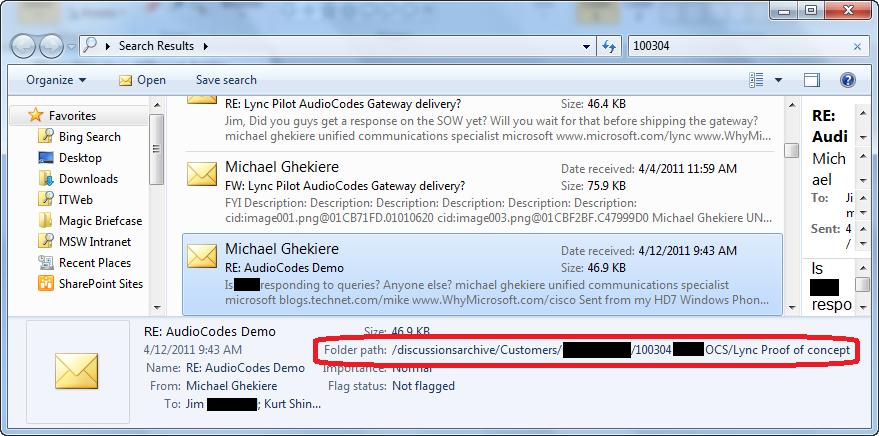
imageIt turns out that Outlook’s search will not work for “folder names” but it will work for mail items.  If you know the content of at least ONE mail message that exists in the folder that you lost, then you can search for that email WITHIN OUTLOOK and it will tell you in the mail object’s properties what folder the email is, but it won’t tell you how to get to that folder from within the hierarchy.

So this is the solution that Michael Ghekiere came up with.  Something to save in the back of your mind.  It involves using Windows Search to find the folder instead of using Outlook’s search:

  1. Try the search from Windows 7’s search pane.  Search in the START menu for a message you know is in the folder you lost.
  2. Right-click on the message, click “Show Conversation”
  3. Browser window appears. Select the message in the window.
  4. In the bottom pane of the explorer will be some message properties, including a full folder path. Hover over that path.  There you go!

image

Posted by: kurtsh | June 20, 2011

INFO: Samsung Series 9 ultrathin Windows 7 laptop

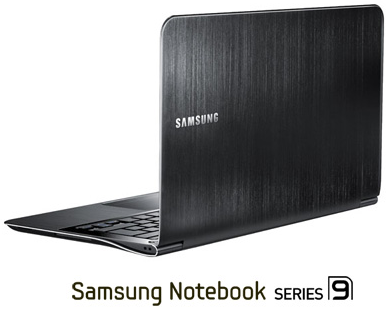
imageI love my new Samsung Series 9.  This is the first ultraportable laptop that I’ve ever used that TRUMPED my previous full-sized laptop.

The biggest difference (besides the obvious size/look & feel differential) is the switch from Core2Duo to Core i5 w/ Sandy Bridge architecture.  The performance on this thing is stunning.

I created the following table from a variety of sources to compare it to “the other guys”.

Attribute

Samsung Series 9

Apple MacBook Air

Processor Core i5 2537M 1.40GHz, 3MB cache w/SpeedBoost to 2.3Ghz (Sandy Bridge) Core2Duo 1.86Ghz (optional Core2Duo 2.13Ghz with 6MB cache)
Memory 4GB DDR3 1066
(8GB RAM max)
2GB DDR3
(4GB RAM max)
Dimensions .64” thick .68” thick
Screen size 13.3”Active Matrix TFT 13.3”
Display technology LED-backlit 400NIT SuperBright Plus LED-backlit
Resolution 1366×768 1440×900
GPU Integrated Intel HD 3000 GPU nVidia GeForce 320M (256MB) GPU
External Display Port Mini-HDMI
(w/Mini-HDMI-to-VGA dongle)
Mini-DisplayPort
Wireless Display Yes (Intel Widi) No
Front facing camera Yes (1.3Mp) Yes (1.3Mp)
Storage 128GB SSD 128GB flash storage(optional 256GB)
Keyboard Backlit+Matte finish Non-backlit+Glossy finish
Pointing Device ClickPad (Multi-touch gesture) Trackpad (Multi-touch gesture)
Speaker 3 watt (1.5Wx2) stereo speakers + 1.5 watt subwoofer Stereo speakers
Audio ports Headphone+Microphone Headphone only
Ethernet Built-in Gigabit Add-on 100Mb USB adapter
WiFi 802.11 b/g/n 802.11a/b/g
Expansion MicroSD slot SD slot
TPM TPM 1.2 (A02US only; not A03US) No TPM available
Bluetooth 3.0 2.1
USB 3.0 2.0
WiMax Yes No
Battery
(Company reported)
LiPoly 7hrs LiPoly 7hrs
Battery
(3rd party tested)
5hrs 22min (CNet) 4hrs 58min (CNet)
Weight 2.89lbs 2.9lbs
Warranty 3 years, all-inclusive warranty.  International parts & labor parts & labor; 3 years technical phone support 90 days phone support + 1 year limited hardware warranty.  Similar 2 year US-only protection available through AppleCare for $250
Price $1,599 + free Xbox 360 4GB $1,299 (requires $1,599 for 256GB)


Other noticeable differences:

  • TEMPERATURE
    Runs cool… even when SpeedBoosting!  Not gonna burn your lap… unlike the MacBook Air which may leave a scorch mark on a wooden boardroom table.
  • CHASSIS
    The laptop is encased in “Duralumin”, a metal composite used to build jet airliners for it’s strength & lightweight.  It is of very sturdy construction as a result.
  • NETWORK PERFORMANCE
    The Series 9 has a native, integrated gigabit network adapter with actual performance of up to 1Gb/sec data transmission rates due to its integration with the PCI-E bus.  The Macbook Air’s lesser 100Mbps network adapter is a USB adapter that not only takes up a USB slot, but is relegated to USB data channel performance.
  • SALES TAX
    An interesting thing about the Samsung is that you can buy it out of state and avoid paying sales tax.  For example:  In CA, you can pick up the Samsung from Amazon and be tax free & shipping free.  Not so much with the MacBook Air:  Apple’s likely got a store in your state and if that’s the case, you’re paying sales tax.  This is roughly a $140 premium for really no value.
  • WIRELESS DISPLAY
    Something that no one seems to mention is because the Samsung Series 9 leverages the integrated graphics processor – the HD 3000 – on the Core i5, Intel’s Wireless Display technology or “WiDi” is available to the user.  This allows users of the Series 9 to wirelessly transmit their laptop screen at 1080p full 30fps to their consumer HD TV using a WiDi receiver, requiring no additional hardware on their PC.  Great for video sharing!

A few great links for the Samsung Series 9:

  1. Samsung’s official site for the Series 9 including marketing photos:
    http://www.samsung.com/ca/consumer/office/mobile-computing/performance/NP900X3A-A01CA/index.idx?pagetype=prd_detail&returnurl=
    &pid=ca_mobilecomputingtype_keyvisual1_np900x3a_20110504
  2. TechRepublic’s very excellent hardware tear down of the Series 9:
    http://www.techrepublic.com/blog/itdojo/samsung-series-9-worthy-rival-to-apple-macbook-air/2607
  3. Tej Babra’s look at the Intel WiDi Wireless Display feature of the Series 9:
    http://www.tejbabra.com/index.php/reviews/samsung-series-9-laptop-review-with-intel-widi/
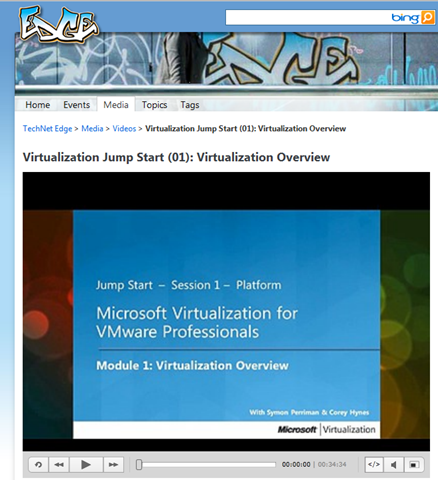
imageAnnouncing Microsoft Virtualization Jump Start Training Videos!

Just after MMS 2011, Microsoft Learning hosted another new and exclusive Jump Start virtual training event – “Microsoft Virtualization for VMware Professionals.” We are thrilled to announce availability of the HD-quality video recordings – FREE – on TechNet Edge, MS Showcase, the Zune Marketplace, iTunes! Additionally, every module will be made available (with assessment questions) on the Microsoft Virtual Academy (MVA) later this month.

Who is the target audience for this training?

  • IT Professionals, Virtualization Engineers, Data Center Managers, IT Decision Makers, Network Administrators, Storage/Infrastructure Administrators & Architects.
  • Microsoft customers and partners currently using VMware.
  • Companies using VMware searching for real-world answers as they consider whether or not Microsoft Virtualization truly fits their needs.

What’s the high-level overview?

  • The 15-hour course is broken into three sections: (1) Platform, (2) Management, and (3) VDI
  • “Team-teaching” approach led by Microsoft partner and virtualization architect, Corey Hynes, and Microsoft Technical Evangelist, Symon Perriman
  • Every module is an engaging discussion, packed with best practices and real-world demonstrations

Where do I go for this great training?
The HD-quality video recordings of this course are on TechNet Edge. If you’re interested in one specific topic, I’ve included links to each module as well.

Where can people learn more?
Clearly, virtualization experts worldwide are taking a new look at Microsoft Virtualization. After this Jump Start, we hope you’ll want to learn why. Check out the Microsoft Learning “Virtualization Training Portal” to better understand virtualization-specific certifications and where to find instructor-led classes to help you and your team. Of course, these videos will also be posted to the Microsoft Virtual Academy (MVA) where you can learn at your own pace.

Posted by: kurtsh | June 16, 2011

INFO: Optimizing your Windows 7 slate for touch

image

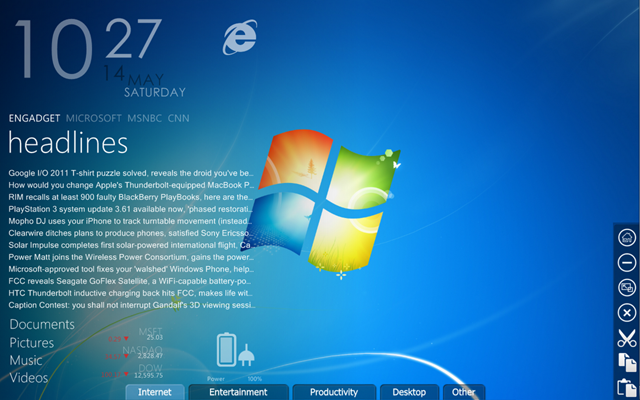
Justin Campana has a special web site dedicated to optimizing your Windows 7 tablet/slate device for touch control.

His configuration was designed for the Asus Eee Slate EP121 Tablet PC but it should work for any slate.

He has a set of free tools that he uses to get the interface that you see on the right.

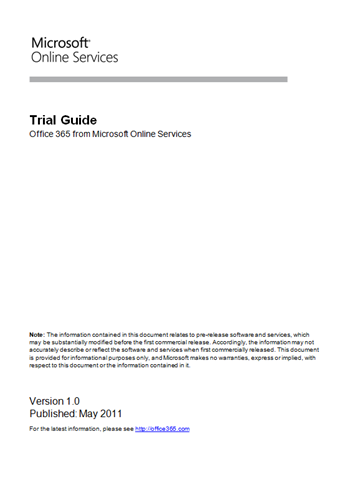
imageOver 100,000 customers are actively using the beta of Office 365 and will go into production on June 28th.

There is a 73 page document that goes over the different steps for running a trial.

Adoption procedures are grouped into the following scenarios:

  • Scenario 1: Signing Up for a 30-Day Trial
  • Scenario 2: Performing the “Start Here Tasks”
  • Scenario 3: Adding a Custom Domain to Office 365
  • Scenario 4: Managing Exchange Online
  • Scenario 5: Managing a SharePoint Site Collection
  • Scenario 6: Preparing Your System for Office 365
  • Scenario 7: Using Exchange Online
  • Scenario 8: Using SharePoint Online
  • Scenario 9: Using Lync Online
  • Scenario 10: Getting Support
  • Scenario 11: Converting a Trial Account to Paid Subscription

DOWNLOAD:  Microsoft Office 365 Guides for midsize business and enterprises
http://www.microsoft.com/download/en/details.aspx?id=26123

« Newer Posts - Older Posts »

Categories