image

Wait.  I know what App-V is… but what’s User Experience Virtualization?  Well, think of it as a hyper-reliable solution to roaming profiles.  I’ll let the blog post tell the story.

We are pleased to announce that the beta versions of Microsoft Application Virtualization (App-V) 5.0 and a new MDOP product Microsoft User Experience Virtualization (UE-V) are now available for download from
Microsoft Connect.

UE-V is an enterprise-scale user state virtualization solution that delivers a user’s personal Windows experience across devices, is simple for IT to deploy, and easily integrates with existing management tools.

Some of the main features of UE-V are:

  • Users retain their application experience without having to reconfigure applications when they log in from a different Windows instance – regardless of whether it is a rich desktop or virtual desktop session.
  • Automatically delivers a personal experience to Windows 7, Windows 8, Windows Server 2008 R2, and Windows Server 8 based devices, giving users the flexibility to work from anywhere.
  • If a user accidently applies unwanted changes, IT can simply roll back to the initial state.
  • Seamlessly integrates with Microsoft desktop virtualization products to roam the user experience in heterogeneous environments.

Some of the new features in the App-V 5.0 Beta are:

  • Flexible virtualization choices let virtual applications work more like traditionally installed applications, allowing local and virtual applications to communicate and enabling control of which virtual applications can share environments.
  • There’s no dedicated drive letter required, and no 4 gigabyte maximum package size. It’s easy for IT to work with and take action on App-V diagnostic information because App-V logs Windows events instead of separate log files.
  • Easy and efficient to use in VDI environments, allowing IT to make the best use of expensive disk resources without changing the way they get their jobs done.
  • Web-based management makes it easy for busy IT professionals to get their work done while away from their desk.
  • Rich PowerShell scripting allows IT to automate repetitive tasks and to integrate App-V with existing processes.

These products will be part of a future version of the Microsoft Desktop Optimization Pack (MDOP). If you want to learn more about App-V 5.0 and UE-V now, check out the Windows for your Business Blog were we have posted even more information about the products.

BLOG:  Microsoft User Experience Virtualization and Microsoft Application Virtualization 5.0 Betas Now Available
http://blogs.technet.com/b/mdop/

BLOG:  Introducing User Experience Virtualization (UE-V) and App-V 5.0
http://windowsteamblog.com/windows/b/business/archive/2012/04/04/introducing-ue-v-and-app-v-5-0.aspx
Hortonworks is one of the most emblematic companies in the Hadoop and Big Data movement. In this episode Bruno Aziza speaks with Eric Baldeshwieler, Co-Founder and CEO, Hortonworks about the how Hortonworks came to be one of the leaders in the Hadoop and Big Data space today.

Learn more about how SQL Server 2012 delivers robust BI solutions including Hadoop support at: http://www.microsoft.com/sqlserver

Hortonworks CEO Eric Baldeschwieler talks with Microsoft Director of BI Bruno Aziza

For more interviews about Business Intelligence and real world applications, visit Microsoft’s BizIntelligenceTV at http://www.youtube.com/user/MicrosoftBI.

Visit Microsoft’s Business Intelligence site at http://www.microsoft.com/bi.

This week, legendary thought leader Guy Kawasaki chats with Bruno Aziza about his new book Enchantment: The Art of Changing Hearts, Minds and Actions. Guy shares some philosophies from the book, including how to connect with and inspire employees, when forgiveness might be easier than permission and why companies should do away with the post-mortem. He also shares his thoughts on improving any presentation. Check out this week’s episode, with one of the most celebrated business leaders of our time!

Guy Kawasaki, the renowned venture capitalist and author of the new book about influence and persuasion titled Enchantment: The Art of Changing Hearts, Minds, and Actions. It has some unusual suggestions for how to avoid BI system development pitfalls. For one thing, he believes a BI failure should be analyzed before the project has even been launched.

Enchantment: Guy Kawasaki on Changing Hearts, Minds and Actions

For more interviews about Business Intelligence and real world applications, visit Microsoft’s BizIntelligenceTV at http://www.youtube.com/user/MicrosoftBI.

Visit Microsoft’s Business Intelligence site at http://www.microsoft.com/bi.

In the latest episode of BITV, Bruno Aziza catches up with Malcolm Gladwell, author of books such as The Tipping Point, Blink, and recently, Outliers: The Story of Success. Malcolm and Bruno discussed topics from Outliers including structural dimensions of success, why certain people thrive in difficult environments, and the 10,000-Hour Rule. These principals are applied to real world examples ranging from why professional hockey and soccer players tend to be clustered around the same birth month to why some cultural differences can be an indicator in the likelihood of a plane crash. Watch the latest BITV video to learn more about Malcom’s fascinating theories.

Malcolm Gladwell and Analytics

For more interviews about Business Intelligence and real world applications, visit Microsoft’s BizIntelligenceTV at http://www.youtube.com/user/MicrosoftBI.

Visit Microsoft’s Business Intelligence site at http://www.microsoft.com/bi.

Microsoft’s Director of Business Intelligence interviewed the principal behind the primary character in the book, “Bringing Down the House”, the story of the MIT Blackjack team.

The question is:  Why?

Jeffrey Ma won millions—and inspired the Hollywood film 21—when he masterminded a card counting scheme involving his fellow MIT classmates and took on Vegas. Ma has now parlayed his love for analytics, gambling and sports into a career as an analyst, author and speaker. In the latest BITV episode, Bruno Aziza gets Ma to share what blackjack can teach us about predictive analytics and business intelligence. Can you take on the house?

The Gambler: Jeffrey Ma Brings Down the House

For more interviews about Business Intelligence and real world applications, visit Microsoft’s BizIntelligenceTV at http://www.youtube.com/user/MicrosoftBI.

Visit Microsoft’s Business Intelligence site at http://www.microsoft.com/bi.

Microsoft Business Intelligence account on YouTube is bursting with new content from the Gartner Business Intelligence Summit this past week.
http://www.youtube.com/user/MicrosoftBI

If you’re interested in checking it out, start at the Day 1 video where Bruno Aziza gives a quick recap of the first day of the 2012 Gartner BI Summit. There are many exciting conversations going on right now centered around Big Data, Cloud and Mobile BI. Head to Microsoft.com/BI and read about our customer stories and download the latest bits and demos. If you are at the Summit in person, make sure to check out our booth. Microsoft is the only booth with a theater and 12+ sessions for you to view. Visit Booth #6 to experience the power of BI first hand!

Bruno Aziza, Microsoft’s Director of Business Intelligence at Gartner’s BI Summit


There’s a lot more on the channel but here’s the wrap up for the summit:

Gartner Business Intelligence Summit Wrap Up


Visit Microsoft’s Business Intelligence site at http://www.microsoft.com/bi

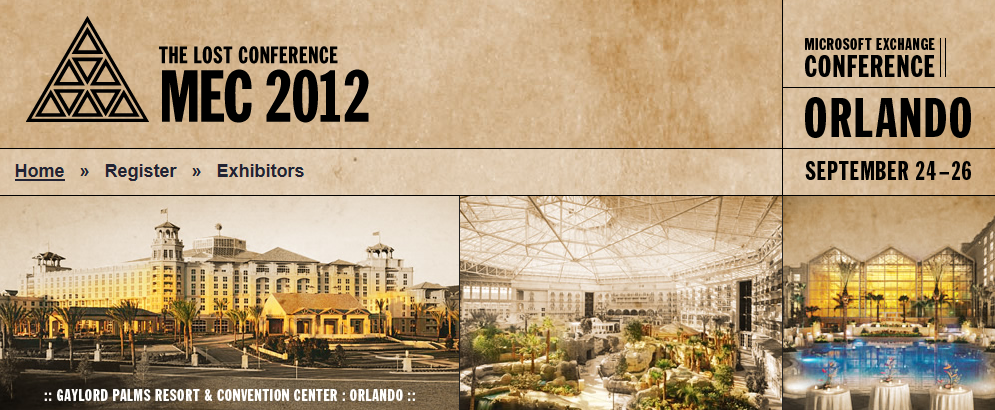
Here we go.  The Microsoft Exchange Conference 2012 registration just went live!  Registration is $1800 for a limited time.  When those registrations are taken, the remainder go for $2000.

image

From the Exchange Blog:

I hope those of you who signed up for more information already saw the email about Microsoft Exchange Conference 2012 (MEC) registration. The lost conference is back, taking place September 24-26 in Orlando, Florida at the Gaylord Palms Resort & Convention Center. Kudos to Dan Bobke for narrowing the coordinates down to the lake in Kissimmee in the comments to my last post (see MEC is Back!). I think he may have gotten the closest.

This is the Exchange event you will not want to miss! This will be your best opportunity to go deep on the next major release of Exchange. Going into beta later this summer, Exchange 15 will bring a ton of new capability and value to the table and we’re pumped up to spend the week giving you the end-to-end story of this next release in the family.

At MEC 2012, you will:

  • Get exclusive Exchange 15 content directly from the engineering team
  • Get hands-on experience with Exchange 15
  • Enjoy unparalleled access to Exchange team members, Masters and MVPs
  • Preview amazing new products from select vendors
  • Build personal relationships throughout the Exchange community

Visit MECisback.com and reserve your spot at MEC 2012 before the opportunity disappears. It is going to be epic!

Taken from: http://blogs.technet.com/b/exchange/archive/2012/04/03/mec-2012-registration-is-open.aspx

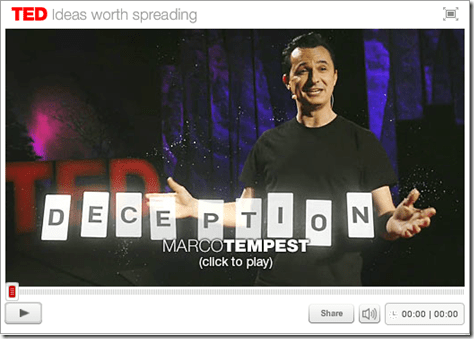
Wanna see some magic using Microsoft’s Kinect?

TED Talks Marco Tempest spins a beautiful story of what magic is, how it entertains us and how it highlights our humanity — all while working extraordinary illusions with his hands and an augmented reality machine.

image

  • DOCUMENTARY OF “THE MAKING OF”
    If you’re interested in the “making of” of this performance, check out the documentary posted here. 
    https://vimeo.com/39346593

image

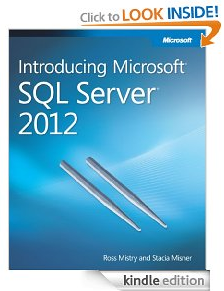
Check this out:  Totally free, Kindle users can download the Introducing Microsoft SQL Server 2012 eBook at no cost over Whispernet!

Introducing Microsoft® SQL Server® 2012 explores the exciting enhancements and new capabilities engineered into SQL Server, ranging from improvements in operation to those in reporting and management. This book is for anyone who has an interest in SQL Server 2012 and wants to understand its capabilities, including database administrators, application developers, and technical decision makers.

So go get it!

http://www.amazon.com/Introducing-Microsoft%C2%AE-Server%C2%AE-2012-ebook/dp/B007PJ6DSW

imageFolks – I’m noticing that a lot of people seem to think WiDi is available on all Intel Core Series Processors.  I’m quite certain that this is not so.  You need to also have an Intel Centrino Wireless Network Adapter for the WiDi software to work. 

Here’s the system requirements for Intel Wireless Display:

System Component Requirements for WiDi:

  • Processor:  ONE of the following:
    Intel® Core™ i7: 640M; 660LM; 640LM; 620LM; 620M; 610E; 690UM; 680UM; 660UM; 640UM; 620UM; 660UE; 2710QE; 2820QM; 2720QM; 2635QM; 2630QM; 2657M; 2649M; 2629M; 2620M; 2617M; 2540M; 2520M; 2510E; 2640LM; 2620LM; 2630UM; 2610UM; 2530UM; 2920XM
    Intel® Core™ i5: 580M; 560M; 540M; 520M; 480M; 460M; 450M; 430M; 580UM; 560UM; 540UM; 520UM; 470UM; 430UM; 2540M; 2520M; 2410M; 2537M
    Intel® Core™ i3: 390M; 380M; 370M; 350M; 330M; 330E; 2310M
  • Graphics:
    Intel® HD Graphics
  • Wireless: ONE of the following:
    Intel® Centrino® Wireless-N 1000, 1030
    Intel® Centrino® Advanced-N 6200, 6205, or 6230
    Intel® Centrino® Wireless-N + WiMAX 6150
    Intel® Centrino® Advanced-N + WiMAX 6250
    Intel® Centrino® Ultimate-N 6300
  • Software
    Intel® My WiFi Technology (Intel® MWT)2 and Intel® Wireless Display1 must be pre-installed and enabled.
  • OS
    Windows 7 64-bit*, Home Premium, Ultimate or Professional
    Windows 7 32-bit*, Home Premium, Ultimate, Professional or Basic

INTEL LINK: System Component Requirements for WiDi
http://www.intel.com/support/wireless/wtech/iwd/sb/CS-031059.htm

——————-

FOLLOW UP:
The reason I wrote this post was that there’s a lot of chatter on the Internet about people not being able to get WiDi working but near as I can tell, everyone seems to think that just because you have an Intel processor in your laptop – that entitles you to have a computer that will work with WiDi and that’s just not so. WiDi has specific requirements and one of those requirements are an Intel Centrino WiFi adapter. Many laptops have both Intel processors but very commonly also have BROADCOM WiFi Mini-PCI-Express adapters in them, which are great… but will not allow WiDi to work.  (Note: Broadcom was a former client of mine and I have a great deal of respect for Broadcom technology… hi Dave… but in the case of WiDi, you need an Intel component.  Sorry!)

I myself had to open one of my laptops and swap out the Broadcom PCI-E adapter out for an Intel Centrino WiFi adapter… and lo and behold, WiDi lit up like a Christmas tree once I’d gotten the new WiFi adapter working.

« Newer Posts - Older Posts »

Categories