Are you a TechNet or MSDN subscriber? Go get the Windows 8 Release Preview now!
(Here’s the link to the TechNet download for those interested)
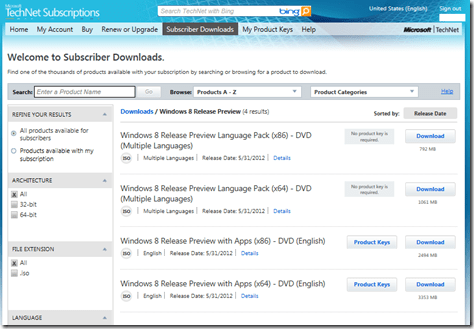
(And here’s the link to the MSDN download for those with that subscription)

Are you a TechNet or MSDN subscriber? Go get the Windows 8 Release Preview now!
(Here’s the link to the TechNet download for those interested)
(And here’s the link to the MSDN download for those with that subscription)
Comments Off on BETA: Windows 8 Release Preview available on TechNet & MSDN now
Posted in Uncategorized
UPDATE 9/10/12:
I probably should have updated this a long time ago but just so everyone knows, the surgery was successful: My Samsung Series 9 works like a champ and is actually rocking Windows 8 now… and it has the vaulted ‘gesture support’ on the touchpad to reveal the Charms bar, the Configuration bar, and the Task bar. But I’ll have a post on that later.
———————————-
ORIGINAL POST:
I suspect anyone that has a Samsung Series 9 has possibly seen some of the same issues that I’ve had with this model.
While it’s the thinnest laptop I’ve ever owned, it hasn’t been without its flaws. I will concede that I work the living daylights out of my equipment (I am after all a travelling tech) but I’ve never had a laptop with quite this many hardware challenges. Let’s just say that it’s been a version 1.0 experience for certain… most of which I understand were fixed in the 2nd generation Series 9s, but I don’t have the luxury of owning one of them so… yeah.
Here’s a list of current issues that I’ve had:
It’s this last issue that was the straw that broke the camel’s back. I can’t very well use the laptop if I can’t charge it. The good news is that the laptop is STILL under warranty. The warranty, if you recall, is really really long on this device. (3 years I think) and as a result, I was able to get the power socket fixed.
According to our office tech, Samsung traditionally does all the repair work for the Samsung Series 9 but for some reason they’re allowing field IT techs to do it now. In any case, they sent him the part to fix my power socket problem and lo-and-behold…
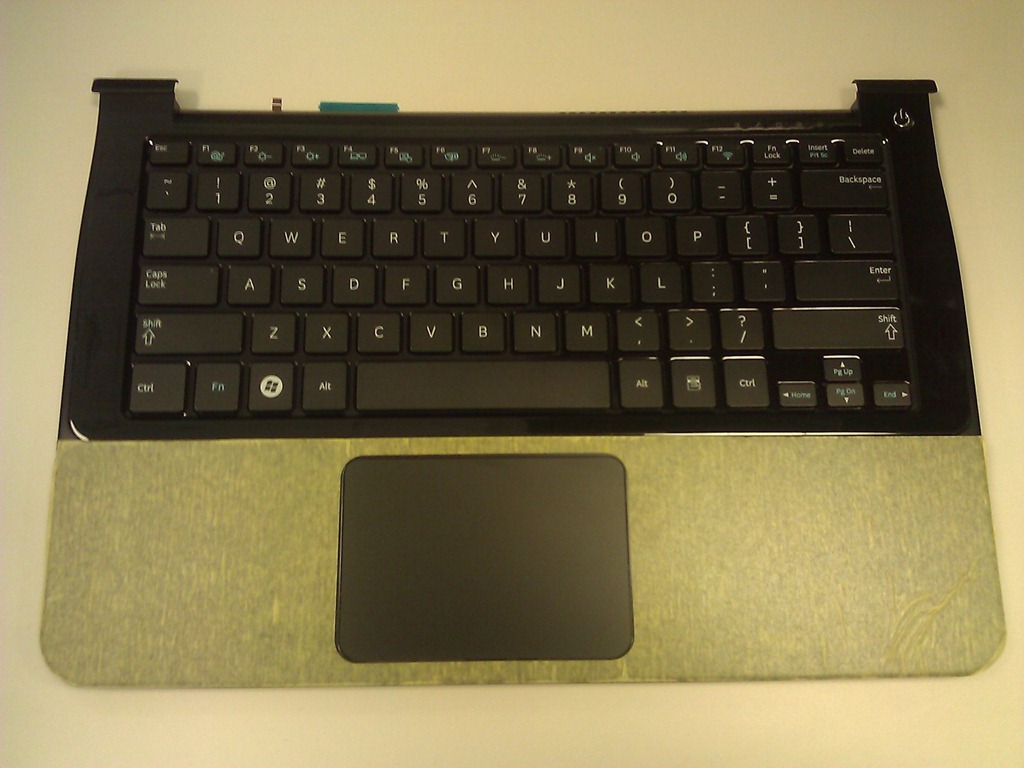 THE VAUNTED REPLACEMENT FACEPLATE
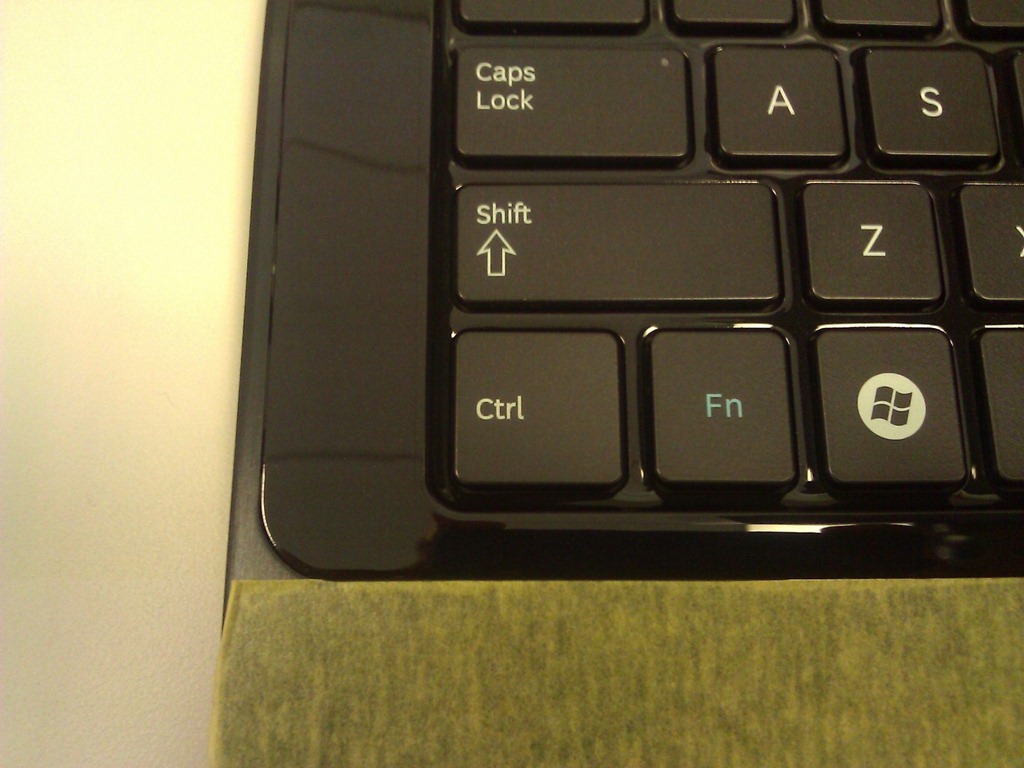
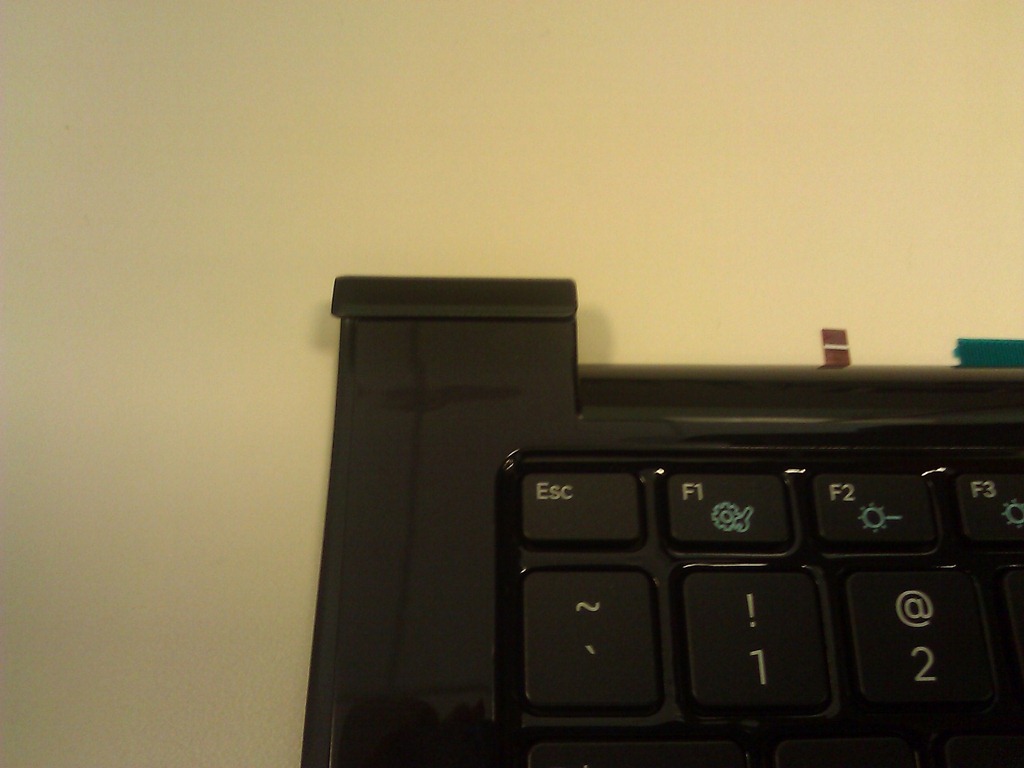
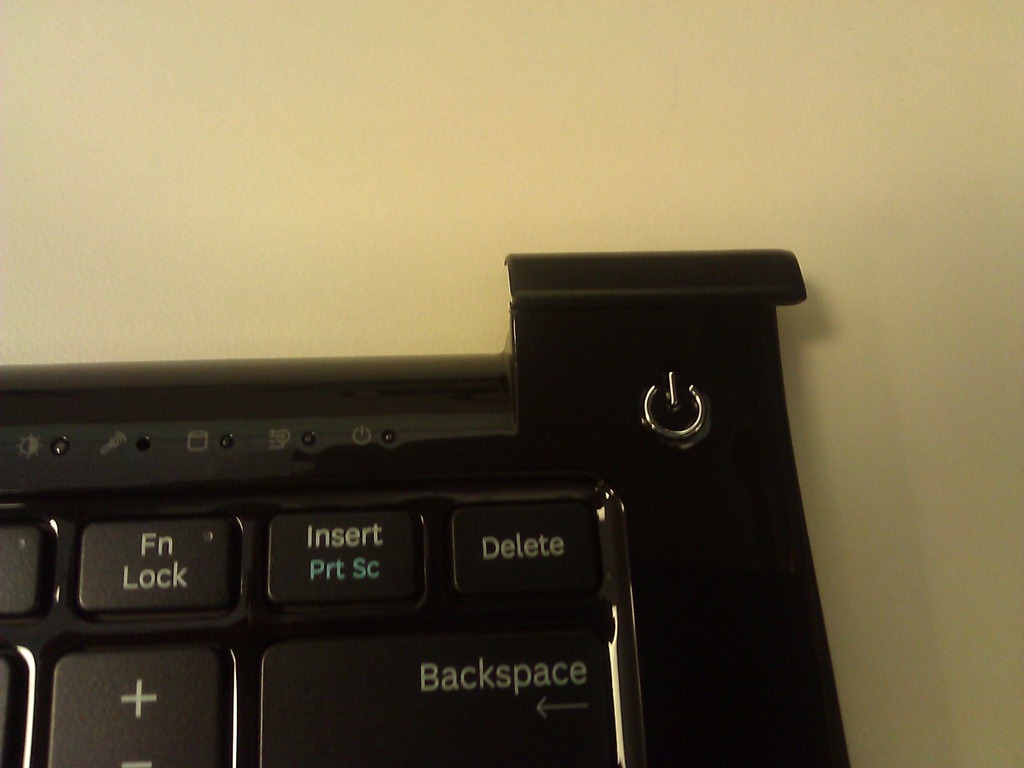
It’s the ENTIRE face of the laptop that needs to be replaced. To the right, you are looking at the part that was sent.
This piece effectively fixes EVERY PROBLEM I listed above. It fixes the warped metal, the power socket, and the cracks near the keyboard – and the associated issues with the keys.
This is pretty exciting. I can imagine my laptop being BRAND NEW as a result of this new piece being replaced. Having messed around with the unit myself, I can confidently say that this shouldn’t be terribly hard to replace. My tech estimated 2-3 hours tops which sounded very reasonable… but maybe not to you. One thing that needs to be done is that the ClickPad will require a new mandatory driver update I guess, and that’s something that’s gonna eat time. Another thing is that he hadn’t done this before (since other Series 9s got sent into Samsung previously) so he’s kinda sandbagging admittedly. I didn’t care so since I have my Sony Series S, so great.
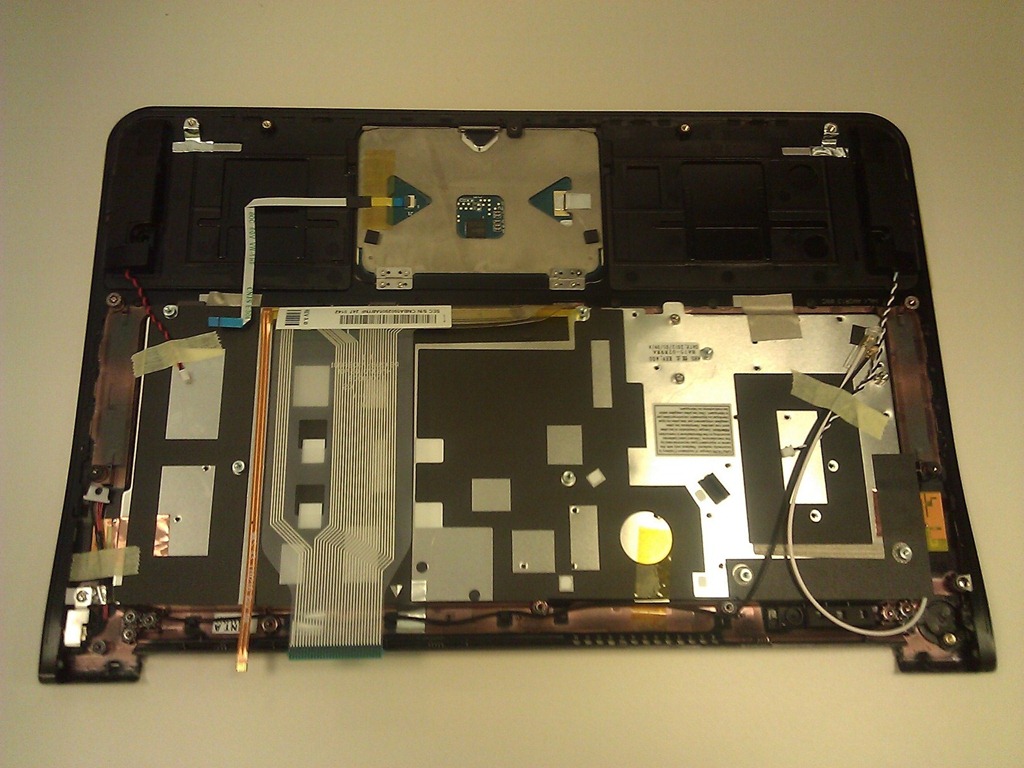 WHAT THE INTERNALS LOOK LIKE
When you flip it over, you can see how the components below the motherboard are laid out, and how the ClickPad is an integrated part of the chassis as with most laptops these days.
The bottom line however is that all the components and the mother board, etc. will need to be ‘moved over’ to this other keyboard/faceplate. Even the monitor will need to be moved instead of the other way around… i.e. moving the plate onto the old laptop.
Weird ‘eh?
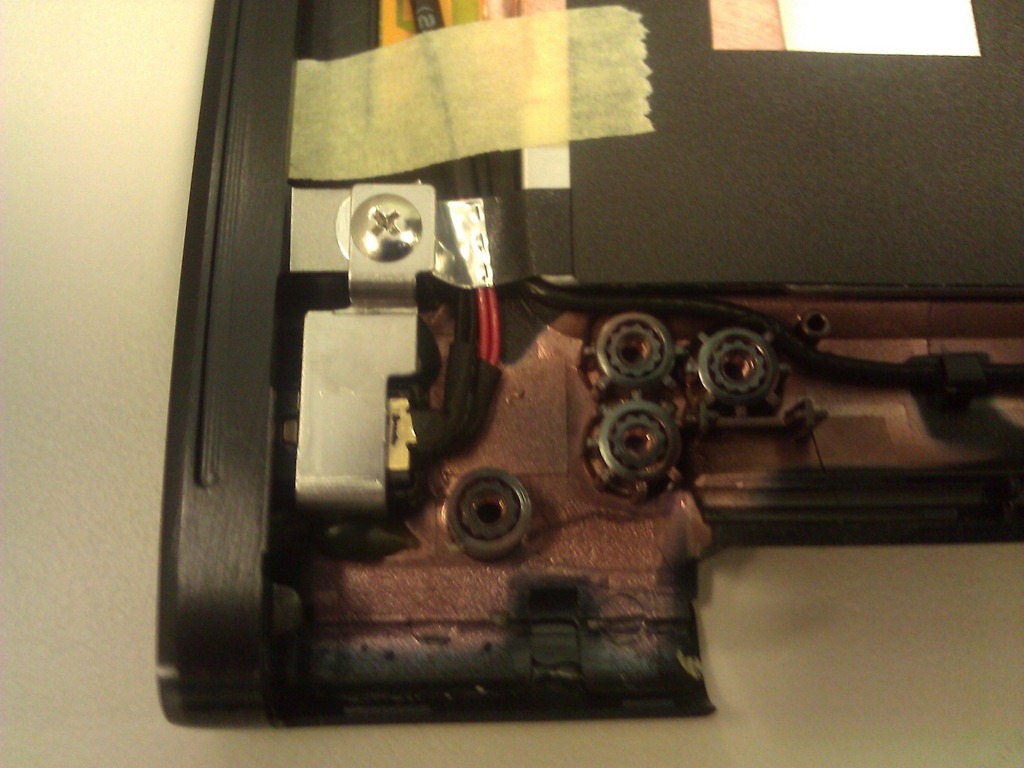 THE POWER SOCKET.
One thing that our tech mentioned was that Samsung changed the design of this part. In early revisions, the power socket could get bumped around resulting in the loosening of the jack – the very experience that I had – and this was due to some plastic part that would erode or get worn out or something.
So supposedly, this replacement will prevent this from happening again. Thank God. My envy of the new generation of Series 9 machines can take it a notch down for at least a tiny while.
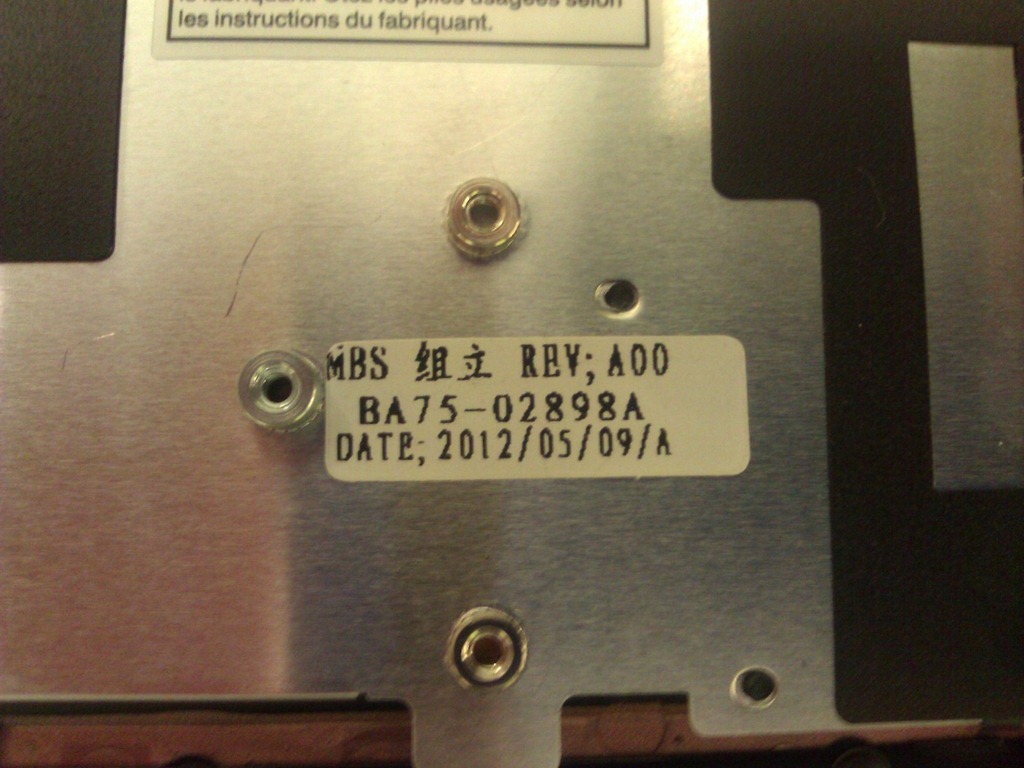 WHAT’S THE PART NUMBER, DUDE?
The replacement part has a part number on it: BA75-02898A and it reads REV A00. The date on the part was VERY new. I’m writing this as of 5/25/12 and the date on the part read, 2012/05/09.
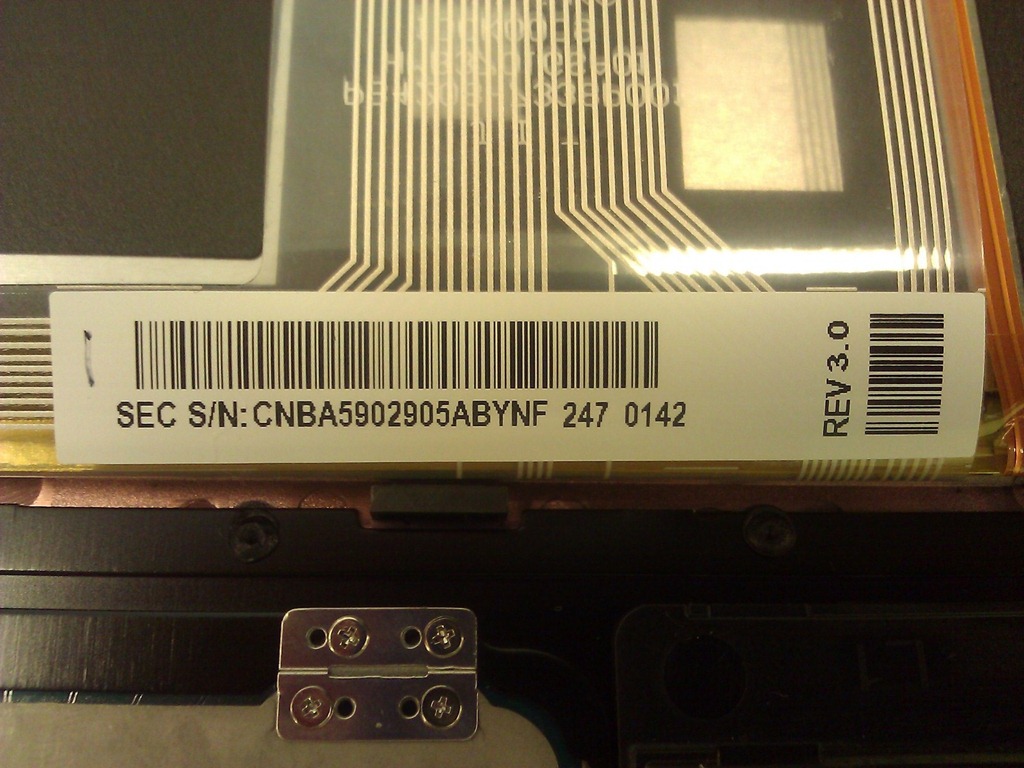
I also noticed a S/N on the part along with the label “SEC S/N: CNBA5902905ABYNF 247 0142” & “REV 3.0”. I assume this was on the cable for the keyboard and not related to anything else. Nonetheless I took a picture of it too.
 IS IT FIXED?
Honestly, I don’t know yet. I haven’t actually applied the new part. I am going to be out of town with my equipment for a while and so I can’t have our tech fix the laptop. I need my equipment operational (and I can get along with the power socket using my Far East power supplies) so I’m putting off the fix for a while.
But looking at the part, you can see that the crack, the warped metal, and the power socket issue should all be resolved once I get this baby into the shop.
Comments Off on INFO: Repairing my Samsung Series 9’s power socket issue
Posted in Uncategorized
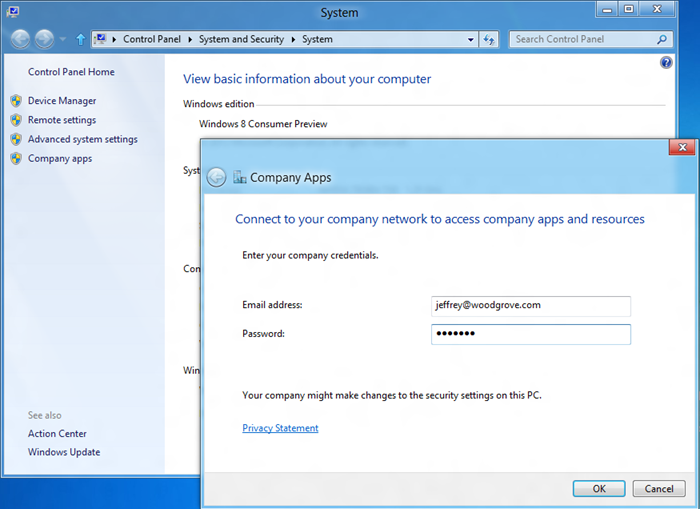
About a month ago, our President of Windows, Steven Sinofsky, posted a blog entry that went over how Microsoft is focused on improving our support for the consumerization of IT for our Enterprise customers. This includes Enterprise Application publishing, establishing a Enterprise application self-service portal, centralized management technologies including System Center, policy management for security & protection, etc.
I’ve noticed that no one I know has read this post so I thought I’d bring attention to it by reposting the intro here on my blog:
With more and more people providing their own hardware for work, the "bring your own" PC is becoming more commonplace and IT Pros want to have the confidence that they can support their clients who follow this trend. The presence of BYO does not change the need for IT Pros to manage, secure, and remain accountable for the network assets of an organization, and we all know that written policies can only go so far.
This post focuses on managing WOA PCs, which are designed with this "consumerization of IT" in mind. PCs of all form factors built on x86/64 architecture have the full complement of management tools available to them, especially those supported by third-party code running on the system. Since WOA PCs only support third-party code through the Windows Store and WinRT-based applications, we set out to develop industry-leading management capabilities that support BYO or company-deployed WOA PCs. This post was authored by Jeffrey Sutherland, a program manager lead in our Management Systems group.
–Steven
POST: Managing "BYO" PCs in the enterprise (including WOA)
http://blogs.msdn.com/b/b8/archive/2012/04/19/managing-quot-byo-quot-pcs-in-the-enterprise-including-woa.aspx
Comments Off on INFO: “Managing "BYO" PCs in the enterprise (including WOA)”
Posted in Uncategorized

April’s digital edition of TechNet Magazine is now available for download.
DOWNLOAD: TechNet Magazine – April 2012
http://download.microsoft.com/download/6/5/B/65B90946-C53B-41D3-A26D-FC6E6664BEB8/April2012.pdf
Comments Off on DOWNLOAD: TechNet Magazine, Digital Edition – April 2012
Posted in Uncategorized
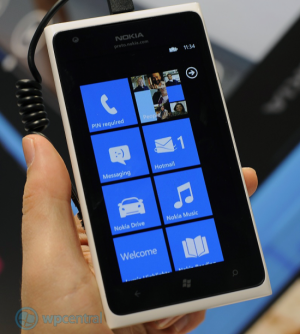 Since being launched 2 months ago, Windows Phone has grown to 7% marketshare, overtaking iPhone which sits at 6%. Yes, you read that correctly. And this was accomplished with the release of the Nokia Lumia 800c, the Chinese CDMA version of last year’s smaller, less advanced model of the Lumia line which lacked 4G LTE capability:
The bigger news is that Nokia’s flagship device, the Nokia Lumia 900, has been approved by China Telecom & the State Radio Regulation Committee and is set to be released for purchase in June 2012, just on the heels of the Lumia 800c’s incredible success:
The Nokia Lumia 900 is, for those unaware, the ‘showcase’ design that is taking the United States by storm through AT&T, effectively DOUBLING Windows Phone US Marketshare in it’s 2 months of existence from 1.8% to 3.6%.
For those looking at worldwide markets, this news follows the recent revelation that Windows Phone is outselling iPhone in Russia, with Nokia doing an effective job making the Lumia series the phone of choice for Symbian owners moving into the smartphone market.
Comments Off on NEWS: Windows Phone marketshare reportedly overtakes the iPhone in China
Posted in Uncategorized
Almost exactly a year ago, I posted a list of the podcasts I’m currently listening to. I realized that I’m asked for this list more often than I ever thought I would so I guess it’s time to promote this list to it’s own blog page as well as publish some of the new podcasts that got added to the ol’ OPML file for my Windows Phone podcast list.
In addition to the podcasts I’d listed before, here’s a little more of the stuff that keeps me awake while I’m driving from Irvine to Simi Valley to Pasadena to Downtown Los Angeles:
 Freakonomics Radio
  PC Perspective
  What The Tech
 Comments Off on COMMENTARY: Tech podcasts I’m currently listening to on my Windows Phone 7 & Zune (5/19/12)
Posted in Uncategorized
 I was looking something up and discovered that Quickstart Intelligence is delivering the BETA training (Official Microsoft Curriculum) for System Center 2012 Operations Manager & Configuration Manager.
They are also delivering 2 CUSTOM COURSES, which appear to be produced by Quickstart themselves. They are NOT eligible for Software Assurance since they aren’t Official Microsoft Curriculum, but they may be interesting to the individual looking for this training.
Comments Off on TRAINING: BETA System Center 2012 Courses at Quickstart for SCOM 2012 & SCCM 2012
Posted in Uncategorized
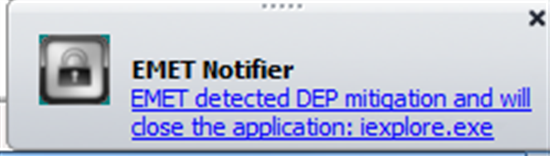 We are pleased to announce the release of a new version of our Enhanced Mitigation Experience Toolkit (EMET) – EMET 3.0.
EMET it is a free utility that helps prevent vulnerabilities in software from being successfully exploited for code execution. It does so by opt-ing in software to the latest security mitigation technologies. The result is that a wide variety of software is made significantly more resistant to exploitation – even against zero day vulnerabilities and vulnerabilities for which an update has not yet been applied.
This new version of the tool being released today addresses top feedback themes we have heard from users: EMET needs more enterprise configuration, deployment and reporting options. We have seen growing interest in adoption from enterprise and large scale networks and this new version includes enhancements for that segment. Here are some of the highlights of and new features in EMET 3.0.
—————————-
BLOG POST ANNOUNCEMENT:
http://blogs.technet.com/b/srd/archive/2012/05/15/introducing-emet-v3.aspx
SUPPORT ARTICLE:
http://support.microsoft.com/kb/2458544
DOWNLOAD:
http://www.microsoft.com/en-us/download/details.aspx?id=29851
Comments Off on RELEASE: Enhanced Mitigation Experience Toolkit (EMET) – EMET 3.0
Posted in Uncategorized

Today we’re excited to share all session recordings from Project Conference 2012 in Phoenix, Arizona with the greater Project community.
Over 1250 people from 44 countries made the trip–75% for the very first time. The week featured 94 handpicked sessions with 20 delivered by customers eager to share their experiences.
Many sessions were standing room only and from the evaluations, many only wished they could have attended more of them. Zach Heisinger, first time attendee, tells us he’s already looking forward to the next Project Conference. His only complaint? "I wish certain sessions could be offered more than once during the conference. That way I wouldn’t have to pick one great session over another great session." So, we’re excited to share these recordings with all of you as it represents a collection of the best content out there from our customers, partners, and industry leaders.
This year’s Conference focused on Project 2010 momentum and offered attendees both networking as well as training opportunities. We’ve said before, 2010 marks the biggest release in over a decade, but product innovation didn’t end with its release. You’ll find 87 recordings totaling over 100 hours of content. We suggest getting started by viewing both keynotes, first from Microsoft Office Division CVP Kirk Koenigsbauer and then from Microsoft Project GM Ludovic Hauduc. Then jump into some of the top rated sessions at the conference:
You can view all sessions on the Microsoft Project Showcase Channel:
http://www.microsoft.com/en-us/showcase/Search.aspx?phrase=microsoft+project+conference+2012&sf=ActiveStartDate
The Project Conference 2012 web site is here:
http://www.msprojectconference.com/Pages/default.aspx
Comments Off on VIDEO: Microsoft Project Conference 2012 session recordings are now posted!
Posted in Uncategorized
![clip_image002[4]](https://kurtsh.com/wp-content/uploads/2012/05/clip_image0024.jpg "clip_image002[4]")
For those of you attending E3 as our guests, here’s a few things to know:
NOT PUBLIC:
Something to remember is that E3 is not a public event & is 18 & over only. It’s reserved for individuals in the Electronic Entertainment industry that have credentials to back it up. They usually require that you provide two forms of proof that you are actually affiliated with the gaming industry. Registration is typically several hundred dollars unless you have press credentials.
DATES/TIMES:
Show registration is open June 4-6th from 8AM-6PM. This is when you’d get your badge.
Show/expo floor opens June 5th at 12Noon-6PM. On June 6th and 7th, it opens at 10AM and closes up at 5PM.
http://www.e3expo.com/show-info/1461/e3-2012-show-hours/
LOCATION:
Los Angeles Convention Center
1201 South Figueroa Street
Los Angeles, California 90015
http://www.lacclink.com/
 PARKING:
Parking is $12 in the convention center however it may be full if you get there in the middle of the day. The next available parking is “around” LACC including at LA Live, the restaurant and bar complex next door, which is typically $20.
http://www.e3expo.com/show-info/1103/frequently-asked-questions/
NEWS:
Upcoming news & pre-announcements are made on the E3 Insider web site – not on the E3EXPO.COM web site.
http://www.e3insider.com/
KEYNOTE:
The E3 keynotes are usually when the biggest news bullets are revealed. Microsoft, Nintendo, Sony, Electronic Arts, and a couple others are usually the big keynotes that are covered by the press.
The one that matters – the Microsoft keynote 🙂 – will be available on SPIKE TV but for those without SPIKE, it will be also available via Internet streaming over Xbox Live, so for Xbox 360 owners with Gold Accounts, there won’t be any need to try to attend the keynote since they’ll be able to watch it from the comfort of their own home.
http://www.engadget.com/2012/05/04/spike-tv-live-microsoft-xbox-entertainment-evolved-e3/
Comments Off on EVENT: E3 Expo @ Los Angeles Conv Ctr & Microsoft Keynote (June 5-7)
Posted in Uncategorized
 kurtsh


You must be logged in to post a comment.