Posted by: kurtsh | June 10, 2012

INFO: E3 2012 – My observations (Part 1)

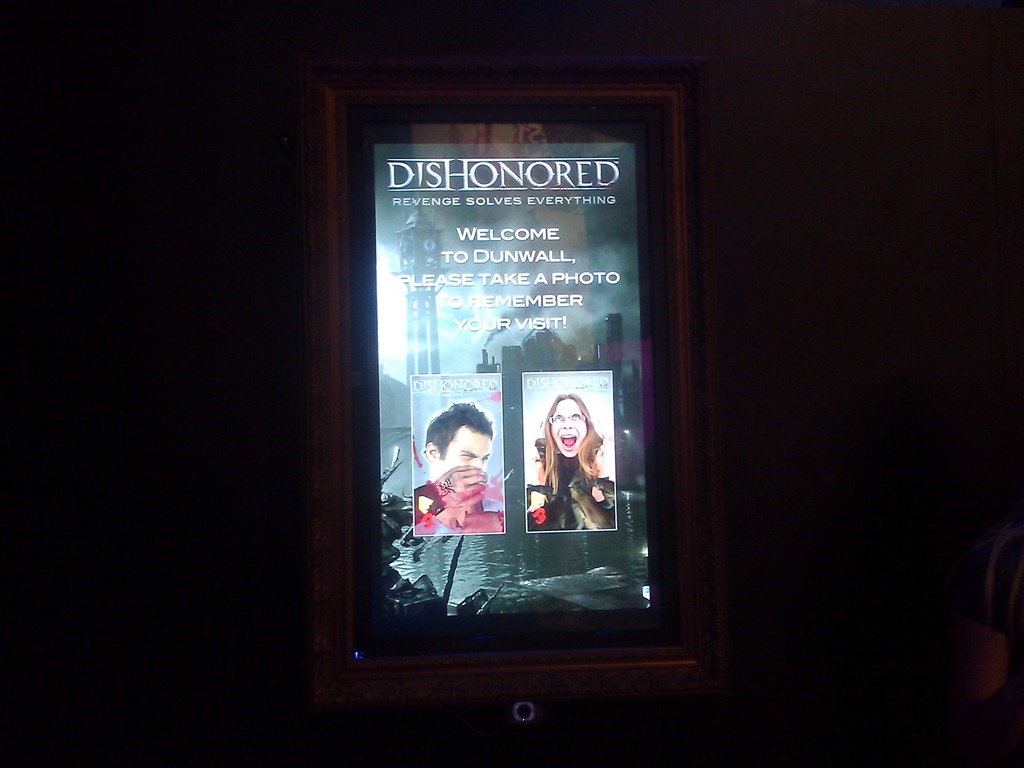
As usual, here are my observations and photos from my quick perusal of E3.

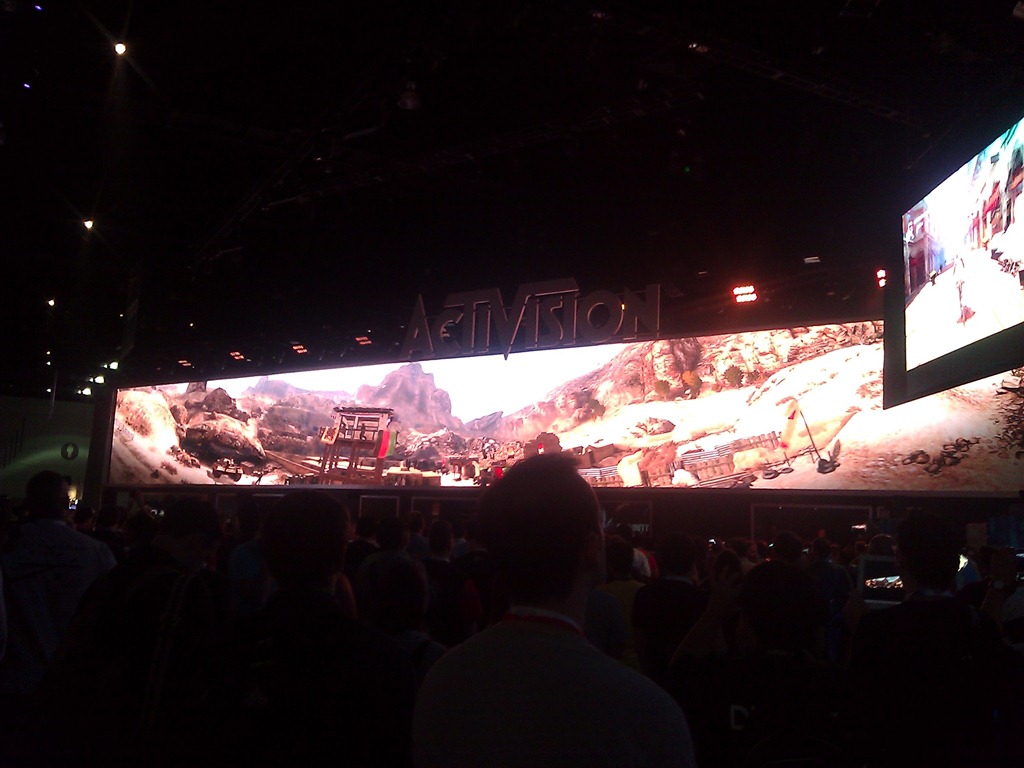
WP_000174HALO 4
There’s no question, upon entering the Microsoft booth, who the big dog is.  Halo 4 featured a massive theatre showing gameplay demos of the upcoming title, featuring a new enemy – the Forerunners – the apparent creators of the Halo ring world network.  Two things stand out about the demonstration and the upcoming title:

1) The Halo engine appear to have had, WP_000178yet another, detail & frame rate upgrade.

2) Multiplayer is gonna be cwwwazzzzzy.

The line to get into the Halo 4 preview was around the booth and down the hall, with a wait time of more than 2 hours so regardless of what you read or hear about a lack of "attention” paid to Halo, I can assure you – there was a lottttttt of people waiting to see it.  So much so that I couldn’t get in.  Even when using my badge. Wah.

WP_000179DANCE CENTRAL 3
The undisputed ‘best’ dance-oriented game on the market is Harmonix’ Dance Central.  The introduction of 2 player dancing in the last release, Dance Central 2, provided multilevel fun with major Top 40 titles from Florida, Lady Gaga, and other high profile performers. 

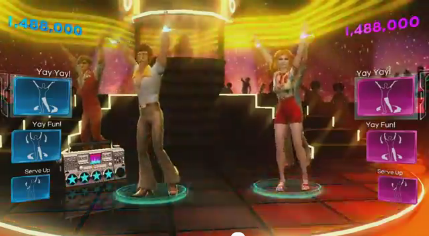
This year however, it’s clear that the emphasis is on improving the depth of the music in the catalog including what I think is exclusive license to much of Usher’s music and Usher’s dance moves.  There is also the introduction of the greatest dance hits from past eras going back to the 70’s, image80’s, 90’s, and 2000 decades.  They’ve also made some emphasis on changing the player avatar’s look and feel to embrace the era of the music being played.

I honestly wasn’t that enthused by the direction this title was headed until I heard the music they were showcasing and suddenly it made sense.  While other titles are double downing on current titles much like what we’re doing with Usher, we’re also grabbing rights to major floor hits like Gloria Gaynor’s, “I Will Survive”, “Doin’ the Butt”, & “Electric Slide”.  If you hear some of these songs, you can’t help but start tapping your foot.  You might not like Katy Perry… but you’ll like these songs & the proof is in the album sales.

Posted by: kurtsh | June 10, 2012

INFO: E3 2012 – Microsoft’s Keynote Announcements

Our official coverage is located at the Xbox E3 Web site at:
http://www.xbox.com/en-US/e3/

Microsoft E3 2012 Press Conference

Here’s the list of announcements we made at the keynote in case you’re interested:

HARDCORE GAMER STUFF:

CASUAL GAMER STUFF:

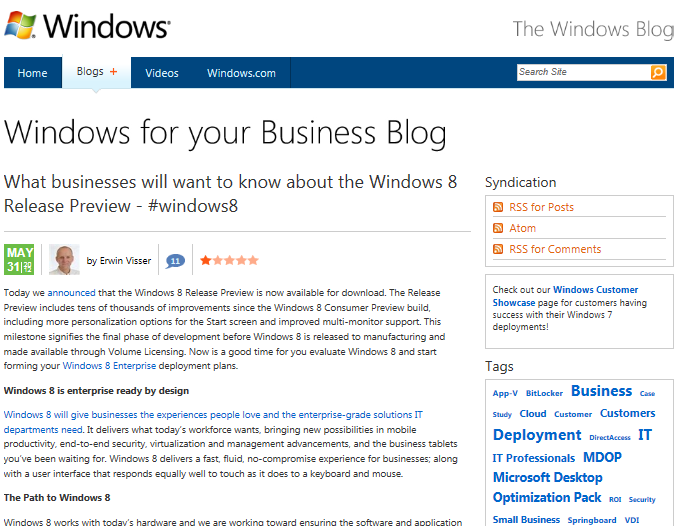
imageAre you an IT Pro?  Are you responsible for a business? 

Do you have an interest in what Windows 8 can provide on an Enterprise level?

We have a web site for you:  The Windows 8 Enterprise site

Here, we highlight the announced Enterprise features for business including:

  • Windows-to-Go – Boot from USB Flash
  • DirectAccess, BranchCache, Mobile Broadband capabilities
  • Trusted Boot, BitLocker Drive Encryption, AppLocker
  • Windows 8 Tablet Improvements
  • Business Application Compatibility

There is also pointers to the Windows for your Business blog.

Posted by: kurtsh | June 10, 2012

BETA: The Sixth IE10 Platform Preview

imageWith Windows 8 Release Preview, we included Internet Explorer 8 Platform Preview 6.   The primary goals overall for the browser include:

  • Fast & fluid user experience
  • Touch friendly experience
  • Optimized for web-based applications

Changes made to IE10 in this release include:

  • Touch-friendly Adobe Flash in Metro style Internet Explorer 10
  • “Do Not Track” on By Default in IE in Windows 8
  • Vendor prefixes, and moving the Web forward from experimental to stable

BLOG: The Sixth IE10 Platform Preview
http://blogs.msdn.com/b/ie/archive/2012/05/31/windows-release-preview-the-sixth-ie10-platform-preview.aspx

Posted by: kurtsh | June 10, 2012

BETA: Visual Studio 2012 RC Available Now!

I forgot to post this.  My bad.  Here’s a copy & paste of the VSTeam’s blog post.

imageToday, we’re excited to announce that Visual Studio 2012 RC is now available for download on our Visual Studio product website.

Since the release of Beta, we’ve been hard at work making final touches, addressing top customer feedback from Beta, and improving performance across the IDE. Take an in-depth look at what’s new in the Release Candidate (RC) of Visual Studio 2012 RC and .NET Framework 4.5 on Jason Zander’s blog. We also encourage you to check out the new Windows 8 App Developer Blog to learn more about how to build great Metro style apps for Windows 8.

Last week, we gave you a sneak peak at the user interface updates coming in RC and even gave you a behind the scenes look at what’s coming in RTM for the dark theme. Keep an eye out for upcoming posts here on the Visual Studio blog as we have a great line up planned.

If you encounter a bug or an issue, please report it through the Visual Studio, LightSwitch, and Blend Connect sites. We also want to hear your suggestions or feature ideas/improvements so please add your suggestions to UserVoice or vote on other user’s suggestions.

Enjoy!

imageQuickly learn tips, shortcuts, and common operations in the new Windows Powershell 3.0, Windows PowerShell Workflow, Windows PowerShell ISE, Windows PowerShell Web Access, Server Manager for Windows Server 2012 Release Candidate, WinRM, and WS-Man.

The PDF files in this download are short-form Quick Reference (also called "cheat sheet") guides for IT professionals and scripting enthusiasts who want to learn tips, shortcuts, common operations, limitations, and proper syntax for using Windows PowerShell 3.0 and Server Manager in Windows Server 2012 Release Candidate.
The following files are contained in this download.

  • PowerShell_LangRef_v3.pdf – This four-page reference describes operators, arrays, useful commands, methods, and other tips for using Windows PowerShell 3.0. Also included is a Windows PowerShell reading and tutorial resource list. This quick reference is provided by PowerShell Magazine.
  • PowerShell_ISE_v3.pdf – This two-page reference describes keyboard shortcuts and hotkeys that you can use to navigate Windows PowerShell Integrated Scripting Environment (ISE) more quickly, and introduces the new ISE object model. Also included are tips for configuring $ps.ISE options, profiles, and properties. This quick reference is provided by PowerShell Magazine.
  • PowerShell_Examples_v3.pdf – This two-page reference describes how to perform popular IT management and scripting tasks by using Windows PowerShell 3.0, including how to fetch data by using Management OData IIS Services, how to schedule jobs, how to install Windows PowerShell Web Access by using Windows PowerShell cmdlets, and how to create new SMB file shares. This quick reference is provided by PowerShell Magazine.
  • Quick_Reference_SM_WS12.pdf – This two-page reference describes common tasks that you can perform in the new Server Manager console in Windows Server 2012 Release Candidate. Quickly learn how to manage remote servers that are running older versions of Windows Server by using the new Server Manager; how to run Server Manager deployment cmdlets for Windows PowerShell; how to save and export Server Manager settings, such as the servers you have added to the server pool, and custom server groups that you have created; where to find Server Manager log files; how to run popular WinRM commands such as creating a new listener; how to install roles and features on offline VHDs; and where to find documentation to help you manage multiple, remote servers by using Server Manager and Windows PowerShell.

This is pre-release content, and is subject to change before final release. No warranties or guarantees are provided with the documentation available for download on this site. Use of this documentation and any recommendations contained herein is entirely at your own risk.

Content in this download package that is produced by PowerShell Magazine is solely the property of PowerShell Magazine, is under copyright, and should not be reproduced or excerpted without the permission of the PowerShell Magazine editorial board. Statements or opinions expressed in content provided by PowerShell Magazine do not represent the views of Microsoft Corporation.

imageThere’s a whopper of a guide called “Understand and Troubleshoot Hyper-V Replica in Windows Server "8" Beta” that’s 5.1MB.

This Understanding and Troubleshooting Guide (UTG) enables you to learn technical concepts, functionality, and troubleshooting methods for Hyper-V Replica in Windows Server “8” Beta.

This UTG provides you with:

  • A technical overview and functional description of this feature.
  • Technical concepts to help you successfully install, configure, and manage this feature.
  • User Interface options and settings for configuration and management.
  • Relevant architecture of this feature, with dependencies, and technical implementation.
  • Primary troubleshooting tools and methods for this feature.

WHITEPAPER: “Understand and Troubleshoot Hyper-V Replica in Windows Server "8" Beta”
http://www.microsoft.com/en-us/download/details.aspx?id=29016

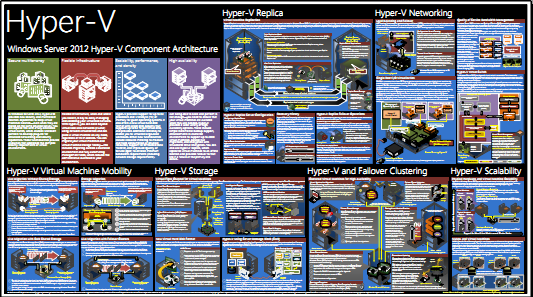
imageInterested in Hyper-V for Windows Server 2012?

This poster provides a visual reference for understanding key Hyper-V technologies in Windows Server 2012.

This Hyper-V poster focuses on:

  • Hyper-V Replica
  • networking
  • virtual machine mobility (live migration)
  • storage
  • failover clustering
  • scalability

DOWNLOAD: Windows Server 2012 Hyper-V Component Architecture Poster
http://www.microsoft.com/en-us/download/details.aspx?id=29189

——————-

You can find previously published posters here:

Posted by: kurtsh | June 10, 2012

RELEASE: IIS Media Services 4.1 (32/64-bit)

imageIIS Media Services 4.1 posted last week.  For a detailed breakdown of the improvements, check out http://www.iis.net/download/ServeMedia & even better, http://blogs.iis.net/akucer/archive/2011/11/09/iis-media-services-4-1-released.aspx.

Do you already have IIS Media Services 4.0 installed?
This download adds additional features and enhancements to your existing IIS Media Services 4.0 installation, including:

  • Performance enhancements for the On-Demand Smooth Streaming and Live Smooth Streaming modules.
  • Support for managing Live Smooth Streaming publishing points programatically by using IIS Smooth Streaming Management REST Services.

Is this a new installation of IIS Media Services?
This download installs the features for both IIS Media Services 4.0 and IIS Media Services 4.1 at the same time.
IIS Media Services is a set of media-related extensions for Internet Information Services (IIS) 7 and higher. IIS Media Services provides an integrated HTTP-based media delivery platform, and includes:

  • Smooth Streaming. Enables adaptive streaming of on-demand media files for Smooth Streaming-compatible clients, including Microsoft® Silverlight®.
  • Live Smooth Streaming. Enables adaptive streaming of live media broadcasts for Smooth Streaming-compatible clients and for Apple® mobile digital devices.
  • Bit Rate Throttling. Meters the speed at which media is delivered to a player.
  • Web Playlists. Enables secure sequencing and server-side control of media content.

You can also download additional IIS extensions related to IIS Media Services:

  • Advanced Logging, providing real-time client- and server-side logging.
  • Application Request Routing, providing HTTP proxying and caching.
  • Transform Manager, supporting media workflows, watch folders, and batch encoding/transmuxing of H.264-encoded content for Smooth Streaming and HTTP Live Streaming.

DOWNLOAD: IIS Media Services 4.1
64-bit: http://www.microsoft.com/en-us/download/details.aspx?id=27955
32-bit: http://www.microsoft.com/en-us/download/details.aspx?id=27956

imageThis is one of the most exciting plug-ins for Internet Explorer I’ve seen in a while.  It actively blocks cookies and other tracking mechanisms used on web sites as you surf using Internet Explorer.

What make this plug in interesting is that it’s VERY stable, very thorough, and does a great job reporting what it’s blocked.  There are other tools like Ghostery that I’ve tried that were unfortunately unstable and in my case, extremely difficult to uninstall.  (Ghostery required that I boot into “safe mode” to get rid of it’s install files – unbelievable.)

It’s also educational, telling you what trackers are on each site, why advertising trackers are different from normal cookies that exist for convenience, and why trackers in many cases should be considered unacceptable.

http://www.abine.com/videos.php

Here’s a description of the product.  I encourage you to check it out.  It’s a great compliment to Internet Explorer 9’s tracking protection.

Do Not Track Plus
Stop companies from tracking you

Ad companies and social networks are tracking everything you do on the web. They know what sites you visit, when you visit them and how often you do…and they know who you are. DNT+ blocks the tracking so you can browse freely and safely.

  • Free tool that puts you back in control of your information
  • Best available blocking stops more than 600 trackers
  • Compatible with Mac or PC for Chrome, Firefox, Safari, and Internet Explorer
  • Automatically updates to catch new trackers

« Newer Posts - Older Posts »

Categories