Posted by: kurtsh | April 27, 2013

NEWS: Windows Messenger is done. Onward to Skype.

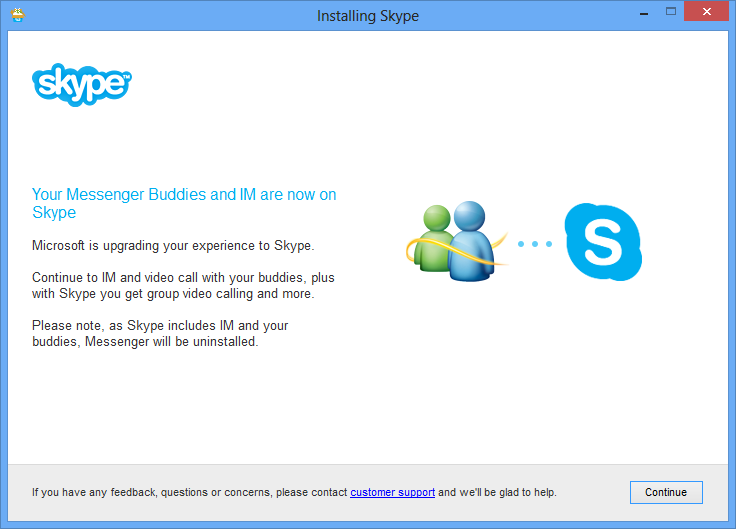
It’s over.  Windows Messenger has officially been replaced with Skype.  Logging into Windows Messenger will result in an upgrade process which will uninstall Windows Messenger and install Skype instead.

image

For those making the transition, here’s some information:

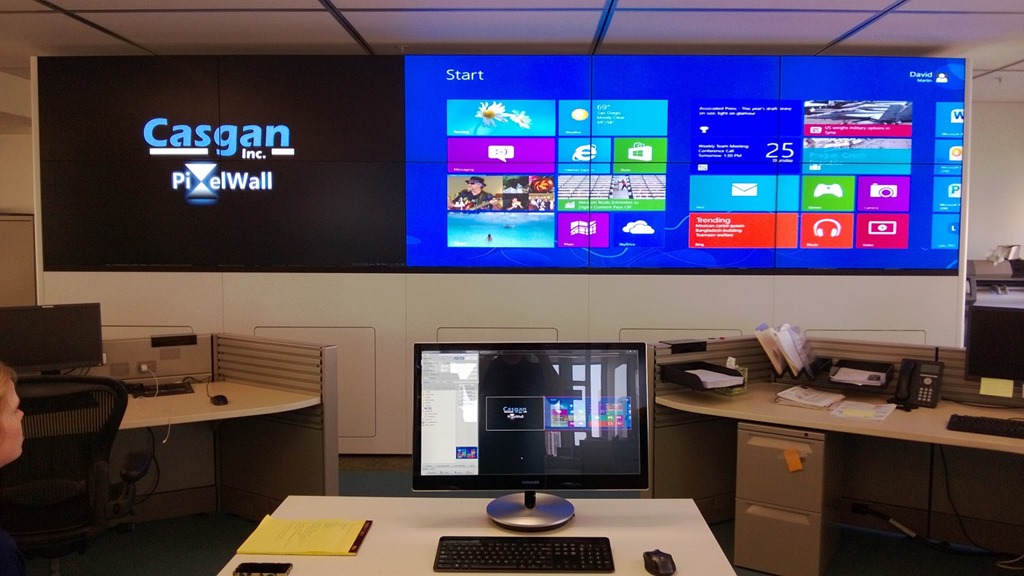
Damn.  I want one for my next Super Bowl Party/Sake Tasting/Xbox Gaming Night.  I think I’ll start an Indiegogo campaign for one or somethin’.

WP_20130425_004

Windows 8.  It’s HUUUGE.

clip_image002

Registration is open for E3 in Los Angeles (June 11-13) if you’re interested in going.  And as usual, it is free for Industry Affiliates – i.e. people directly involved with the Electronic Entertainment industry.

To register yourself for E3, go to:

Then attend as an Industry Affiliate.  (There’s no company code necessary)  This is a the “free” registration pass, again, for individuals that are involved in the Entertainment industry.  The key here is that you will need to submit 2 scanned forms of company ID to E3 registration via email… and they are very explicit about what they’ll accept.

Taken from the E3 Registration site:

In order to apply for FREE admission as a member of the interactive entertainment industry, you must submit two of the credentials listed below. At least one document must contain both your name and the name of your company.    

All registrants should also include their company’s website address which should be a fully operational site through which your Company Business can be validated.     

Registrants should have a valid employee email address to which their final E3 confirmation can be sent.   

Instructions for submitting these credentials will be emailed to you after you submit your online Registration Application.               

Acceptable forms of EMPLOYEE/COMPANY ID include:

  • Insurance Card listing both employee name and company name
  • Paycheck Stub verifying current full-time employment within the industry
  • Company Credit Card listing both employee name and company name
  • W-2 Form
  • Current Business License indicating type of business
  • Current Retail Sales Tax License
  • Current Resale Tax Certificate
  • Invoices within the last 6 months that show purchases of products related to the industry* 
  • Current Federal resale tax certificate (VAT)

*Retail attendees are eligible for complimentary admission to E3 only if they are responsible for company purchasing.  If you are unable to document your buying power by supplying company invoices, purchase orders or other purchasing transactions, you may qualify for a paid admission and should visit www.E3Expo.com to register for a 3-day Expo pass.

To submit your credentials to complete your registration, see the instructions below:

Submitting Your E3 2013 Industry Credentials

Scan and email your industry identification to Credentials at e3expo dot com. Be sure to include your full name, your registration number and your email address on ALL documentation.

You will receive an email confirming or denying your registration request approximately two weeks after the E3 2013 Registration Team receives your required industry credentials.

For additional questions, please contact the E3 Registration Customer Service team at 877-216-6263. For calls outside the U.S. please dial 708 486-0718. Customer Service hours of operation are 8:30 am to 5:00 pm CST. The Registration Customer Service team can also be contacted at E3 at compusystems dot com.

Posted by: kurtsh | April 24, 2013

INFO: Hyper-V for Windows Server 2012 resources

imageimageA ton of Hyper-V for Windows Server 2012 resources are coming out now. 

Gotta catch ‘em all!

Posted by: kurtsh | April 24, 2013

WEBCAST: Xbox “A New Generation Revealed”

imageLock & load, folks.  28 days ’til it’s ‘go’ time. 

A New Generation Revealed. Be part of this historic online event, featuring a live stream, video, images, updates and more.

DETAILS:
Tuesday, May 21, 2013
10:00am

EVENT UPDATES: A New Generation Revealed

https://www.facebook.com/events/547312295312565/?ref=3

Posted by: kurtsh | April 23, 2013

NEWS: Microsoft on Privacy & How to Protect Yourself

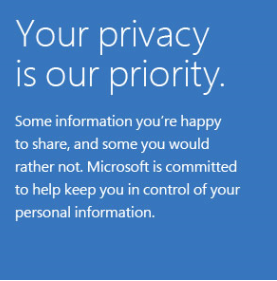
imageYesterday, Microsoft launched an initiative focused on online privacy in order to communicate Microsoft’s concern for customer privacy and to empower users with knowledge that can help them protect their privacy online. 

It is also a reflection of the importance that our company’s leadership places in our privacy work.  The www.microsoft.com/yourprivacy web site guides consumers to learn how Microsoft can protect your privacy

There are also blogs on:

Posted by: kurtsh | April 23, 2013

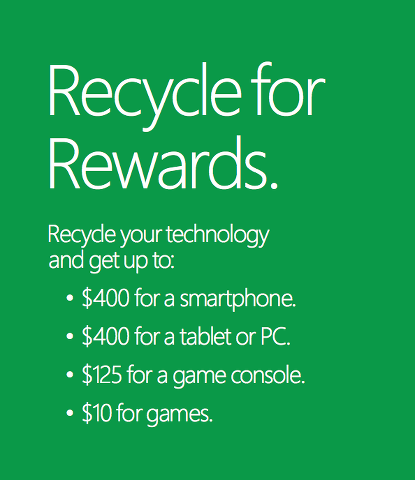
OFFER: Recycle for Rewards… up to $400 in gift cards

image

    Recycle your old technology at the Microsoft retail store.

    To get started, simply bring your computer, phone, or other device to the Answer Desk at the Microsoft retail store. We will appraise its value based on condition and current market value. If it’s determined to have value,* we will provide you with a Microsoft retail store credit.* If it doesn’t have value, we will wipe it of all data and safely recycle it for you. The process is fast, easy, and free of charge.

    Devices accepted:

    • Qualifying laptops and tablets.
    • Cellular phones.
    • Digital-audio players.
    • Video-game consoles and games.

    LOCATION:
    Microsoft Store Los Angeles
    (Westfield Century City)

    10250 Santa Monica Blvd
    Los Angeles, CA 90067
    Phone: (310) 228-3550

    Wow.  Virgin Gaming just kicked it up a notch.  Presenting 3 ways to get PAID TO PLAY video games on Xbox 360.  Introducing the new “Xbox Tournaments” app featuring Virgin Gaming.  Here’s a video on how to download this FREE app and get started:

    Video tutorial on how to set up the Xbox Tournaments app

    From Vertigo:

    Gamers can participate in a variety of games and challenges for prize money. The platform supports several top games so it’s likely you can win prizes playing games that you already know and love. If your game isn’t there yet, no worries, more will be added in the future.

    You don’t need to be a hard-core gamer to enjoy the platform either. Virgin Gaming has something for every skill level; even free tournaments if you’re not yet up to accepting a paid challenge. And if you’re not interested in a tournament, the app offers “Head to Head” matches, where players challenge each other to a game with a mutually agreed upon jackpot and rules. In addition, the application has deep integration with Xbox LIVE friends to make it easy to see what your friends are playing and then compete against them. After you win, share it with the world through in-app Facebook sharing.

    Since your money is on the line, the application offers extensive information about gamers’ reputations, win/loss history, and feedback. Virgin Gaming also supports you through match support, instructional videos, and FAQs. You can also monitor your complete transaction history and make deposits directly into your gaming account via your Xbox LIVE account.

    Mouse without Borders is a free tool that makes you the captain of your computer fleet by allowing you to control up to four computers from a single mouse and keyboard. This means that with Mouse without Borders you can work across computers.

    • Drag and drop files
    • Copy & past text and images
    • Share one keyboard & mouse
    • Lock & login all PCs at once
    • Send screen cap from one PC to another

    Mouse Without Borders

    DOWNLOAD: Microsoft Garage Mouse without Borders (v2.1.2.1212, 1/28/2013)
    http://www.microsoft.com/en-us/download/details.aspx?id=35460

    ANNOUNCEMENT: Original 1.0 Release Announcement (9/9/11)
    http://blogs.technet.com/b/next/archive/2011/09/09/microsoft-garage-download-mouse-without-borders.aspx#.UXQI2Crn8eM

    imageInterested in a tool that delays email transmission by 10 seconds minimally and provides both the ability “undo send” as well as send future transmission times for outbound email?

    Here’s a free addin for Outlook that will allow you to do that:  “Mañana Mail”, a Microsoft Research add-in for Outlook.  Here’s the product description:

    Faster is not always better. With the Mañana Mail add-in for Outlook, you can send an e-mail at 9am with a single click, and you can edit or cancel it up until that point. It also gives you about ten seconds to undo sending any email. Research shows that important emails are often not urgent. Give yourself the chance to think it over, and let the recipients read it carefully at work instead of while they are distracted at dinner.

    The following are the instructions for the tool which are deposited into your inbox once installed on Outlook and you “stop & restart” the application.

    Mañana Mail Instructions

    imageCanceling or editing pending mañana mail
    You can undo or edit mañana messages up until their scheduled delivery time.  To do this, click on the Outlook “Outbox” folder (on a computer with the Mañana add-in installed).  A separate window will open displaying the list of pending messages.  Mañana messages do not appear in your Outbox.  Clicking on the “x” next to a message will cancel the delivery and will re-open the message.  You may then either delete the message or edit it and send it again (either immediately or mañana).  Unfortunately, you cannot do this from your phone at present because there is no add-in available for the phone.

    imageSending mañana mail
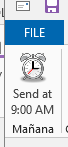
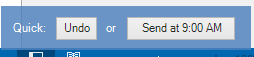
    If you send a message mañana, it will be delivered at 9:00am (or whatever your designated time is) regardless of whether or not your computer is on.  For example, if you are using a laptop computer, you may turn it off after sending.  It will appear in your “Sent Mail” after it is sent.  There are two ways to send mañana messages, but you must be using a computer with mañana mail installed (i.e., not from your phone).  First, when you are composing a message, you may press the “Send at 9:00am” button located in the Mañana section under the “Message” tab of the ribbon.  Alternatively, you have about ten seconds after you press send on a regular message to reconsider and click on the “Send at 9:00” button that appears in the floating blue box on the screen.  Note: mañana mail can only be sent when your computer is online and can connect to the Exchange server.

    Changing the outgoing time for mañana mail
    Click on “File”, “Options”, “Add-Ins”, “Add-in options” to change the time mañana messages are sent.

    Undo
    In the spirit of sending well thought out email, the Mañana add-in delays all outgoing messages by about ten seconds in order to give you an opportunity to cancel (undo) or send them mañana.  Simply look for the floating blue box after you click send.  Warning: if you close Outlook before the ten seconds have elapsed and the blue window has disappeared, mail may remain in the Outbox.

    « Newer Posts - Older Posts »

    Categories