imageBrand new training available for System Center 2012 R2 including videos & PowerPoint download:

View this Jump Start to learn what’s new with System Center 2012 R2. Discover the new capabilities in infrastructure provisioning and monitoring, automation and self-service, IT service management, and application monitoring.

Microsoft Senior Technical Evangelist Symon Perriman and several other presenters show how the next version of System Center delivers an end-to-end cloud management stack through advanced integration with Windows Server 2012 R2 and Windows Azure.

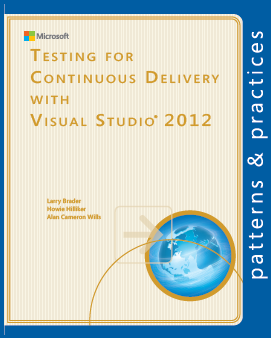
Free from Microsoft Press – a 248 page, eBook in ePub & PDF format.

imageThis book is aimed at test engineers, managers, developers, and folks interested in understanding the changing world of test. Over the last several years, software testing has changed a great deal. In the past, test plans were on paper, filed away and out of sight. Today they are—or can be with Visual Studio—living documents, as manual and automated tests are integrating into the test workflow supported by the test infrastructure.

Today you no longer have to set up physical boxes; instead you can set up and automate virtual environments composed of virtual machines to meet your testing environment needs. With Visual Studio and Team Foundation Server, the pain of dealing with a heterogeneous test infrastructure is reduced, the cost and effectiveness of testing a product is improved, and regression testing becomes cost effective instead of a nightmare.

Knowing how to test is important, but understanding how this new infrastructure is changing the business of testing and software delivery is critical. Today’s businesses require nimble teams that can support continuous delivery and deal with updates and bugs in an agile fashion. It’s what your customers have come to expect.

In this guide, we follow a team as they move from a conventional approach to testing towards one more suited to the needs of present-day development. We see how they address the costs and the pain of their old methods by adopting the testing infrastructure of Visual Studio 2012.

imageAttention Android-based Phone users:  Office is now available at no charge if you have an Office 365 subscription.  That is all.
Smile

image

My favorite messaging app isn’t Skype or Lync.  It’s GroupMe.  And it’s free.

Whhaaa?  Yup.  It’s a group messaging app that serves a very specific but very useful purpose. 

Messages are instantly sent across either the Internet to the recipient’s GroupMe app on their mobile device or via SMS text msg if they don’t have it installed. 

Recipients can either use the smartphone app to reply or transmit photos & if they received the message via SMS text message, they can reply (or send a photo) and automatically reply to the rest of the group.  Note to Verizon Wireless Windows Phone users:  Group replies are not available via SMS text messaging without using a tool like the GroupMe app.

  1. NO COST MESSAGING: Saves on text messaging charges since the default transmission medium is the Internet.
  2. FAST, FAST, FAST: Much faster transmission than text messaging, especially between carrier networks where texts are buffered and may experience significant delays.
  3. RELIABLE: More reliable, less latent than WhatsApp.
  4. PRIVATE:  Secured messaging. Text messages on the other hand, are readable by anyone… as witnessed by “Texts from Last Night”
  5. INTERNATIONAL: Works internationally over the Internet, avoiding cross-network texting complications.
  6. GROUPS: Enables group messaging – Verizon doesn’t allow txt msging with groups.
  7. HISTORY:  Provides past message history for new members joining a group.
  8. FALLBACK TO SMS: Falls back to SMS text messaging if the transmission with the app fails
  9. CROSS PLATFORM:  Runs on iOS, Android, Windows Phone, Blackberry
    (Windows Phone app:
    http://www.windowsphone.com/s?appid=4116f88c-ad1b-464a-b12d-c5f52b2e16e2)
  10. DESKTOP:  Desktop browser users can communicate on the GroupMe network via a web browser. (https://web.groupme.com/groups)

And it’s a Microsoft technology… so sign up & get the app here!

Posted by: kurtsh | July 30, 2013

INFO: Surface Pro folio case.. “Manvex Slim”

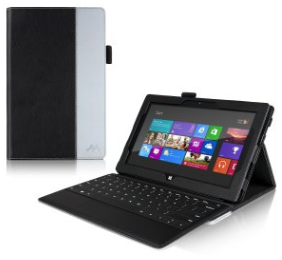
imageI’ve been evaluating Surface Pro cases since my Surface Pro has been not just my favorite mobile device but also my primary COMPANION device.

The case I’ve concluded has been the best that I’ve evaluated has been the ‘Manvex Slim’.  It’s certainly not the cheapest but it’s manufactured very well and is a v2.0 of the product so they’ve gotten rid of all the annoying issues of the v1.0.

The folio is perfect for folks that:

  • Want to put their Surface Pro on their laps
  • Protect the exterior of their Surface Pro
  • Need a stylus holder
  • Want the display at a different angle other than 22 degrees

So take a look at it.  It’s a little more expensive but trust me:  The $31 is worth it.

Posted by: kurtsh | July 30, 2013

BETA: Windows 8.1 Enterprise Preview Now Available

Look what dropped today.

imageToday, I’m excited to announce that Windows 8.1 Enterprise Preview is now available for download for customers to start testing the operating system in their environments. Windows 8.1 Enterprise Preview builds on the Window 8.1 Preview which is currently available, adding premium features designed to address mobility, security, management and virtualization needs of today’s enterprise.

Here are the premium features that will be offered to customers as a part of the Windows 8.1 Enterprise edition:

  • Windows To Go Creator: IT organizations can create a fully manageable corporate Windows 8.1 desktop on a bootable external USB drive. The drive can be used to support Bring Your Own Device scenarios or be given to contingent staff to access the corporate environment without compromising security.
  • Start Screen Control: IT departments can now control the layout of the Start screen on company-issued devices to ensure key apps are easily accessible. IT departments can also prevent users from customizing their Start screen to ensure consistency across individual workgroups or the entire company.
  • DirectAccess: Users can seamlessly access resources inside a corporate network remotely without having to launch a separate VPN. Also, IT administrators can keep remote users’ PCs up-to-date by applying the latest policies and software updates.
  • BranchCache: Employees in branch offices no longer need to download content multiple times across their Wide Area Network (WAN) as BranchCache caches files, websites and other content from central servers locally on hosted cache servers or PCs.
  • Virtual Desktop Infrastructure (VDI): Users will enjoy a rich desktop experience and the ability to play 3D graphics, use USB peripherals and use touch-enabled devices across any type of network (LAN or WAN) for VDI scenarios, thanks to enhancements in Microsoft RemoteFX and Windows Server 2012.
  • AppLocker: IT organizations can create a more secure environment by restricting the files and apps that users or groups can run on a PC, increasing the security of the device and the data it holds.
  • Windows Enterprise Side-Loading: Internal Windows apps can be side-loaded on domain-joined PCs and tablets running Windows 8.1 Enterprise.

Read more:

image

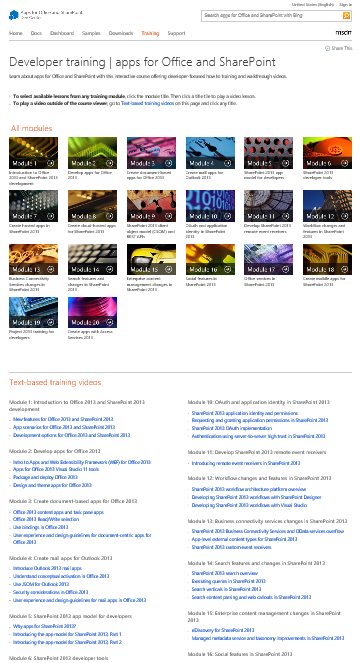
An entirely new set of video-based SharePoint 2013 & Office 2013 Developer training just hit MSDN.  And it’s a massive.

What was released?

The original training package released at Preview in July 2012 contained in-depth developer training content for many new features in Office and SharePoint. This version refreshes the previously released training package and provides updated materials to match the release-to-market (RTM) version of Office 2013 and SharePoint 2013. All videos are instructor-led and include slide shows. Most videos contain at least one demo that shows the concepts in detail.

The developer training package includes:

  • 56 videos
  • Over 20 hours of video instruction

The material is separated into the following 20 modules. Each module contains one or more videos lasting anywhere from five minutes to an hour.

  • Introduction to Office 2013 and SharePoint 2013 development
  • Develop apps for Office 2013
  • Create document-based apps for Office 2013
  • Create mail apps for Outlook 2013
  • SharePoint 2013 app model for developers
  • SharePoint 2013 developer tools
  • Create SharePoint-hosted apps in SharePoint 2013
  • Create cloud-hosted apps for SharePoint 2013
  • SharePoint 2013 client object model (CSOM) and REST APIs
  • OAuth and application identity in SharePoint 2013
  • Develop SharePoint 2013 remote event receivers
  • Workflow changes and features in SharePoint 2013
  • Business Connectivity Services changes in SharePoint 2013
  • Search features and changes in SharePoint 2013
  • Enterprise content management changes in SharePoint 2013
  • Social features in SharePoint 2013
  • Office Services in SharePoint 2013
  • Create mobile apps for SharePoint 2013
  • Project 2013 training for developers
  • Create apps with Access Services 2013

Read more here:

The 41MP Nokia Lumia 1020 on AT&T, powered by Windows Phone 8.
(If you’re wondering why you need a 41MP smartphone, here’s your reasons why)

image

Click for the full size infographic.

Taken from:

imageTIL that CTRL+ALT+H will “Highlight” a selection of text in Word 2013.  
Also, CTRL+ALT+M will “Comment” a section of text in Word 2013.

If you’re reviewing a document and want to mark it up visually, this is pretty important.  It used to be so easy to figure out what the keyboard shortcut is for a given feature in Office.  If you just hovered over the menu item, it would tell you.

Now, the closest I’ve found as an official reference is this, but it’s frankly incomplete:

Now, this fellow has written up a nice page that seems much more exhaustive:

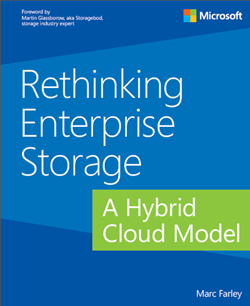
We’re offering a new free eBook from Microsoft Press called “Rethinking Enterprise Storage: A Hybrid Cloud Model”, as announced by the MSPress blog:

imageThe information technology (IT) world has always experienced rapid changes, but the environment we are in today is bringing the broadest set of changes that the industry has ever seen. Every day more people are accessing more data from more sources and using more processing power than ever before. A profound consequence of this growing digital consumption is that the corporate data center is no longer the undisputed center of the computing universe. Cloud computing services are the incubators for new applications that are driving up the demand for data.

IT managers are trying to understand what this means and how they are going to help their organizations keep up. It is abundantly clear that they need the ability to respond quickly, which means slow-moving infrastructures and management processes that were developed for data center-centric computing need to become more agile.  Virtualization technologies that provide portability for operating systems and applications across hardware boundaries are enormously successful, but they are exposing the limitations of other data center designs, particularly constraints that hinder storage and data management at scale.

It is inevitable that enterprise storage technologies will change to become more scalable, agile, and portable to reflect the changes to corporate computing. This book examines how storage and data management are being transformed by a hybrid cloud storage architecture that spans on-premises enterprise storage and cloud storage services to improve the management capabilities and efficiency of the organization. The Microsoft hybrid cloud storage (HCS) solution is an implementation of this architecture.

…

« Newer Posts - Older Posts »

Categories