imageIf you’re like me, you have a TON of those old “circular tip” shaped Lenovo Power Adapters.  They were used for the ThinkPad laptops like the ThinkPad X201T convertible tablet/laptop.

I have 6 of these old adapters & as a result, I’ve been using these 3rd party adapters that convert these old style power adapters to the new interface used by the ThinkPad X1 Carbon Touch.

Here’s the listed specs.  I don’t anything about this company.  All I know is that I bought 4 of these and they all work beautifully with my old power adapters.  Saves me a ton of money by reusing my old accessories on my new laptop.  I leave them around at the office, home, and in my bag now.

  • Adapter for Lenovo ThinkPad X1 Carbon 0B47046 Laptop.
  • Length: 7" (7 Inch) long.
  • voltage:19V
  • Connector:one side is 7.9×5.5mm female plug, another side is Square male plug for X1 Carbon Ultrabook.

This has been floating around the Internet for years so it’s nothing new but for anyone that puts a premium on battery life on their Surface Pro (original or Pro 2) like I do (I specifically need to extend the battery because 90% of what I do with it is take handwritten notes using the stylus & OneNote) then this might interest you.

Adjusting Max Processor State in Windows 8
In order to extend the battery life a bit, all you have to do is change the the maximum processing power percentage assigned to the Power Options profile on your device from 100% to 80%.  This provides a noticeable difference in battery life – some have reported up to 1-2 hours, & for most purposes like inking in OneNote or browsing, you’ll probably won’t see any change in performance.

To accomplish this:

  1. Right click on the battery icon in the System Tray & select “Power Options”.
  2. Select a Power plan by clicking on a circular radio button in the list of plans.  You may select any Power Plan however I select “Power saver”.
  3. Click the “Change plan settings” link next to the plan then click “Change advanced power settings”.  You will see the following dialog box appear:

    image

  4. Expand the selection for “Processor power manager but clicking the “+” next to it.  It should reveal “Maximum processor state” as on of the list items.
  5. Expand the selection for “Maximum processor state” and select “On battery”.  This should allow you to change the percentage of processor time used by the device.
  6. Change the “On battery” setting to “80%”.
  7. Click the “Ok” button which will close the dialog.  You may need to then click “Save Changes” in the following window.

I’m going to run some tests on how this affects the Surface Pro & Surface Pro 2 but the results have been promising so far.  I suspect that with this setting, I may be able to get as much as 9 hours on my Surface Pro 2.

We released another FREE eBook for folks to download.  This is a shorter, 70pg, 6.0MB book targeting architects of .NET applications called “.NET Technology Guide for Business Applications”.

imageKey takeaways

Select your architecture approaches and development technology based on your specific application’s priorities and requirements.

A single architecture and approach won’t work for every type of application. The Microsoft development stack and .NET are extremely flexible and offer many possibilities, but it’s essential that you choose specific approaches and technologies based on the kind of application—or even subsystem—you build. Each application will have very different priorities and tradeoffs that must be taken on different paths.

Business application modernization goes further than simply building mobile apps. Mobile applications must rely on and extend your foundational business applications.

To be successful, mobile apps must be built with deep integration into your current foundational business applications. Mobile business apps should be part of the larger enterprise ecosystem and substantially extend foundational business applications, whether the foundational systems are established legacy applications or new, large, mission-critical applications built with innovative, scalable, and elastic services.

Positioning your application or subsystem within a global patterns segmentation will help you to choose the right approaches and technologies.

It is fundamental to position your application/subsystem in the right segmentation area. The right approaches and technologies for each of the following application types could potentially be very different:

  • Emerging application patterns
    – Devices and services
  • Established application patterns
    – Small and medium-sized business applications
    – Large, mission-critical business applications

Read more here:

Posted by: kurtsh | November 18, 2013

DOWNLOAD: “Office Remote” app for Windows Phone 8

imageThis is cool.

Office Remote turns your phone into a smart remote that interacts with Microsoft Office on your PC. The app lets you control Word, Excel, and PowerPoint from across the room, so you can walk around freely during presentations.

With Office Remote, you can start your PowerPoint presentation, advance the slides, see your speaker notes, and control an on-screen laser pointer with a touch of your finger — all from your phone. You can also navigate between Excel worksheets and graphs, and control data slicers from the palm of your hand. And you can scroll through a Word document or quickly jump to specific sections or comments.

App requirements:

  • Microsoft Office 2013. This app does not work with Office 2013 RT or earlier versions of Office.
  • Bluetooth on your PC
  • The desktop add-in for Office Remote must be installed on your PC http://aka.ms/officeremotepc

imageOffice Remote has the following features:

  • PowerPoint:
      • Jump to the next, previous, and last slide
      • View slide thumbnails and jump to a slide
      • View speaker notes on phone
      • View presentation timer and slide numbers
      • Laser pointer using touch on your phone
  • Excel:
      • Change worksheets by swiping
      • Use Slicers, PivotTable, and Filters
      • Jump to any named object in your workbook
      • Move up or down the worksheet
      • Change the zoom level
  • Word:
      • Jump to headings
      • Jump to comments
      • Screen up/down
      • Line up/down
      • Change the zoom level

Read more about it here:

This was a pretty interesting post so I decided to amplify it a bit.

Architect Update: Migrating Google Drive Content to Office 365
We’ve had many requests for the ability to quickly migrate content from Google Apps to Office 365 as companies make the decision to move to the Microsoft cloud platform. So we are pleased to let you know that there is now an easy way to bulk migrate the content stored in your enterprise Google Apps account to SkyDrive Pro used for an Office 365 tenancy.

image

What you get is a simple interactive Wizard that once authenticated to access to your enterprise Google Apps account, will automatically discover Google Drives and SkyDrive Pro areas (note that the SkyDrive Pro accounts must already exist). You can then select the content to copy over, taking metadata and versions, as well as folder structures and permissions. It will also convert content from Google Docs format to Microsoft Office formats.

Interesting?  Read more here:

(Thx Mary Branscombe for the great tip)

image

Midnight on 11/22 will mark the beginning of a new generation of games and entertainment with the arrival of Xbox One.

Over 9,500 retail locations will open at midnight for our fans to pick up their consoles.

An hour long TV special will be aired on Spike TV, Xbox Live and Xbox.com at 11pm EST on Thursday, Nov.  21st, featuring live performances by Macklemore & Ryan Lewis and Deadmau5, along with a variety of stunts that celebrate our games.

…begun, the console wars have…

Posted by: kurtsh | November 17, 2013

EVENT: Upcoming Microsoft Conferences for 2013-2014

imageimageimage

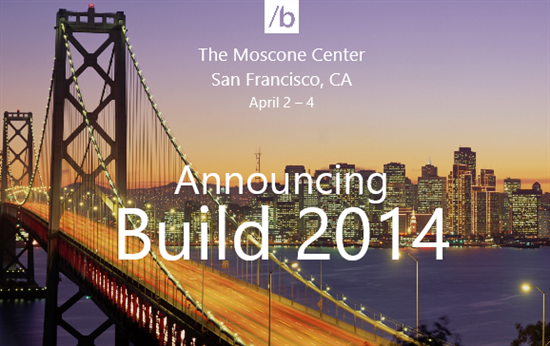
For those of you involved with Microsoft technologies, looking to budget & book for the upcoming year’s educational & networking events, this is my list of upcoming conferences, registration URLs, and their locations in order of executions based on my own knowledge:

The following events are not listed/unannounced:

  • Security Development Conference
    (Last event was May 14-15, 2013 in San Francisco, CA)
  • BUILD Developers Conference
    (Last event was June 26-28, 2013 in San Francisco, CA)
  • Microsoft Management Summit
    (MMS was officially announced as being merged into TechEd North America 2014 in Houston, TX.  Last event was April 8-12 in Las Vegas, NV)

image

If Identity, Access, Directories, Information Protection, and the Cloud are important to your work, or if the following products ring a bell:

  • Forefront Identity Manager 2010 R2 w/ Role-based Access Control
  • Active Directory
  • Windows Azure & Azure Active Directory
  • Rights Management Services
  • Office 365

…you may want to consider attending this conference held in part in Redmond, WA on the Microsoft campus called “Directories, Devices & Identity: Redmond Summit 2014” by the Oxford Computer Group.

“Directories, Devices and Identity”
Redmond Summit 2014, Oxford Computer Group
January 7-9, 2014

If your organization needs to offer new services, our summit will help you get you where you need to be. It will show the different ways in which identity can support new business demands.Technical and business discussion sessions will help decision-makers and technicians understand the technology and what it can achieve. The summit has two tracks:

  • The technical track includes in depth presentations by Microsoft product team members, OCG consultants and architects, and others. They’ll address topics including hybrid cloud, FIM 2010 R2, RBAC, Azure AD, information protection, Office 365, and more. 
  • On the business track delegates will learn from other customers’ experiences with a series of case studies. You’ll get an accurate view of the direction of Microsoft identity products helping you plan for the future.

Day one the first afternoon allows attendees to interact with experts and learn about Identity Management, Data Loss Prevention and Multi-factor Authentication in 12 instructor-led learning labs, from which you choose six.

Days two and three are packed with business and technical presentations on subjects including audit automation, Azure, authentication, attestation, hybrid IT given by some of the leading lights in the field. Their knowledge will help you make the right decisions for your organization’s technical wellbeing into the future.

Price per delegate $800.

This should be great event for individuals involved with Active Directory & responsible for integrating the Cloud into their environment, specifically Office 365 & Windows Azure.

I got asked this question just a moment ago and thought I’’d post this:

Q: Where’s the Group Policy Templates (.ADMX) files for Windows 8.1?  You have spreadsheets that are downloadable that go through what each policy is for Windows 8.1 but you don’t have a download for the actual .ADMX files themselves?

Take a look at this on our Springboard Series blog:  (Our Windows Deployment blog)

This blog post we just published talks about the Windows 8.1 policies specifically.  Ben Hunter, the Microsoft writer of the post says in the comments that the ADMX files have not been posted yet.  I have our Client Specialist looking into what is the ETA is for a formal download of the packaged Group Policy Templates for Windows 8.1.

The commenters however point to the C:\Windows\PolicyDefinitions directory on a Windows 8.1 installation for the .ADMX files.  Here’s a snapshot of the directory on my machine so you may want to take a look at that:

image

Xbox One

You're invited to celebrate the launch of Xbox One.


Be part of history when you buy your Xbox One at our launch event at Milk Studios in Los Angeles on November 21. Count down to midnight with great games, entertainment, and special gifts.

Join us at Milk Studios
The first 500 to purchase an Xbox One entertainment system or Xbox One game on-site can enjoy an exclusive VIP concert with deadmau5 and 7Wallace.*

The first 1,000 to purchase an Xbox One entertainment system on-site get exclusive giveaways including:
Powerstar Golf**
LocoCycle**
6-month Xbox Live Gold membership
And more…

LOCATION:
Milk Studios • 855 N Cahuenga Blvd (entrance on Cole Ave)
Los Angeles • Must be 18+
Thursday, November 21
Purchase begins at 10 A.M. • Doors open at 6 P.M.

* Must be 18 years of age or older. Qualifying purchase of Xbox One system or Xbox One game must be made onsite at Milk Studios-LA, 855 N Cahuenga Blvd, Los Angeles, CA 90038. Purchases will begin at 10 A.M Pacific Standard Time and console fulfillment begins at 12:01 A.M. No limit to consoles or games purchased. Doors open at 6 P.M. for gaming and concert. Limit 1 concert invite per person, irrespective of consoles or games purchased. Offer not valid on prior purchases and is non-transferable. Taxes, if any, are the sole responsibility of the recipient.

**    Powerstar Golf and LocoCycle will be provided via a game download card.

Be part of history. Attend our launch event, and countdown to midnight with games, entertainment, and special gifts. | View as web page

« Newer Posts - Older Posts »

Categories