In case you don’t follow me on Twitter, here’s a listing of the deals I found on at CES 2014 (so far) while scouring the show floor.  They will probably expire once CES is over as of Friday 1/10/14 afternoon, so you might want to jump on them now if you’re interested.

  • InfoMotion’s 94Fifty SmartSensor basketball available for$249 ($50 off) at http://t.co/Cd8HPfgEQ9 Use promo code "CES050".
  • Sphero_Nubby_Promo_1024x1024[1]Sphero Bluetooth Remote Controlled ball show special. Sphero 2 w/ nubby cover for $99! ($30 off) Use discount code "ces2014". http://t.co/lW7XL1hbGL
  • Creative Soundblaster AXX200 Wireless Speaker. NFC/BT, 15hr, SDcard slot, ext batt, SBchip: $149 ($150 off) http://t.co/8tfhG4Bls1
  • Amaryllo iCam. Worlds 1st Skype wireless IP camera. Motion detect. Recording. All over Skype. Awesome! #ces2014 http://t.co/VGsxIGolG0 Show special: $50 off the $199 MSRP when you order from the link below!  http://t.co/SGQL7E1LDX.
  • Pawscam. Camera for dogs with roll up to the cloud and detection of irregular behavior. $149. pawscam.com ($100 off; limited to 500 people) http://t.co/fexyC36psl
  • Slingbox 500Slingmedia Slingbox show special. $50 off Slingbox 500/350 purchases online for duration of CES using code SLINGCES. http://t.co/sWOScTiHyv http://slingbox.com/go/buy

image

Microsoft’s Surface Division has just made recommendations around sanitizing Surface 2/Surface Pro 2 devices for use in healthcare.

“Healthcare customers can sanitize Microsoft Surface2 and Surface Pro2 devices using one of our recommended solutions—PDI Sani-Cloth Plus, CaviWipes, Covidien Alcohol Prep Pads, or any similar wipes with IPA (Isopropyl Alcohol) solution under 70%–without risk of damaging the device. These same solutions can also be used to clean the Surface Type Cover 2 (except fabric area) and Touch Cover 2.  In general, users should not douse the unit with solution, but rather use pre-moistened wipes or apply IPA to application cloth and use the cloth on the unit. We do not recommend the use of bleach-based products”

Read more about the recommendations here:

Posted by: kurtsh | December 19, 2013

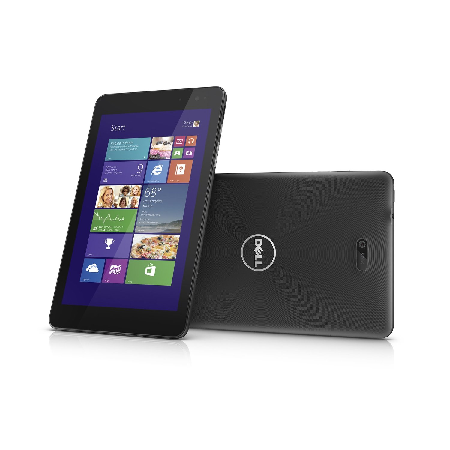
INFO: Preparation of my Dell Venue 8 Pro’s storage

imageWhen I received my Dell Venue 8 Pro, I did a few things to maximize performance and minimize storage utilization.

  1. MICROSD CARD INSTALLATION
    Purchase & install a Class 10 MicroSD flash card for documents, music, videos, and other file storage.
    http://www.amazon.com/SanDisk-microSDXC-Memory-Adapter-SDSDQU-064G-AFFP-A/dp/B009QZH6JS/
  2. MIGRATION OF SKYDRIVE DESTINATION FOLDER TO MICROCD CARD
    SkyDrive will synchronize content from the cloud to your local storage so move that local storage destination to the MicroSD card you just installed.
    http://winsupersite.com/windows-8/windows-81-tip-move-location-skydrive-folder
  3. MOVE RECOVERY PARTITION TO USB FLASH DRIVE
    This will create a bootable USB flash drive with everything needed to reinstall or recover the Windows device by booting off the USB port.  You will need an 8GB flash drive and a USB-to-MicroUSB
    http://www.amazon.com/StarTech-com-Micro-USB-OTG-Adapter/dp/B00BFYH11Q/
    The last step of this process is to “Delete recovery partition”.  Don’t forget to do this to free up 4.7GB of storage from the unit.
    http://winsupersite.com/article/windows8/windows-8-tip-create-recovery-media-144098
  4. INSTALL OFFICE 2013 HOME & BUSINESS
    Because I want Outlook.  Not just Word, Excel, PowerPoint, and OneNote.  And the Office 2013 installation software will install whatever revision you provide a product key for.  (This includes Office 2013 Home & Student & Office 2013 Professional Plus.)
Posted by: kurtsh | December 18, 2013

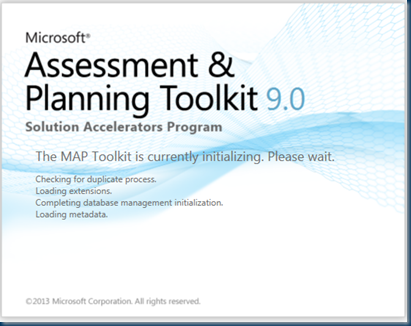
RELEASE: Microsoft Assessment & Planning Toolkit 9.0

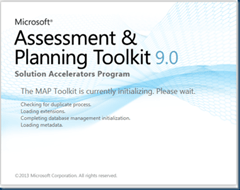
imageWe are pleased to announce the general availability of version 9.0 of the Microsoft Assessment and Planning (MAP) Toolkit. This release of the MAP Toolkit helps increase the agility and cost effectiveness of deploying the latest Microsoft technologies. It also enhances usage tracking to include accounting for Remote Desktop Services as well as Server and Cloud Enrollment licensed deployments. MAP 9.0 additionally helps organizations assess their environment for Office 2013 and Office 365, track usage of Windows Server 2012, Lync Server 2013, SharePoint Server 2013, Exchange Server 2013, System Center Configuration Manager 2012, and SQL Server 2012. The Windows Azure assessment report has also been updated to include the latest Azure sizing.

New Server and Cloud Enrollment scenario helps to simplify adoption

Server and Cloud Enrollment (SCE) is a new offering under the Microsoft Enterprise Agreement that enables subscribers to standardize broadly on one or more Microsoft Server and Cloud technologies. The MAP Toolkit 9.0 features an assessment scenario to identify and inventory SCE supported products within an enterprise and help streamline enrollment.

New Remote Desktop Services Licensing Usage Tracking scenario creates a single view for enterprise wide licensing

With an increase in enterprises deploying Remote Desktop Services (RDS) across wider channels, RDS license management has become a focus point for organizations. With the new RDS Licensing scenario, the MAP Toolkit rolls up license information enterprise-wide into a single report, providing a simple alternative for assessing your RDS licensing position.

Support for software inventory via Software ID tags now available

As part of the Microsoft effort to support ISO 19770-2, the MAP Toolkit now supports inventory of Microsoft products by Software ID (SWID) tag. SWID enhanced reports will provide greater accuracy and assist large, complex environments to better manage their software compliance efforts by simplifying the software identification process and lowering the cost of managing software assets.

Improved Usage Tracking data collection for SQL Server Usage Tracking scenarios

As part of our ongoing improvement initiatives, Usage Tracking for SQL Server 2012 has been enhanced to use User Access Logging (UAL). UAL is a standard protocol in Windows Server 2012 that collects User Access information in near real time and stores the information in a local database, eliminating the need for log parsing to perform Usage Tracking assessments. UAL vastly improves the speed and helps to eliminate long lead times for environment preparation associated with running Usage Tracking assessments.

Posted by: kurtsh | December 17, 2013

DOWNLOAD: Surface RT/Pro/Pro 2 User Guides

If you’re new to Surface, download your Surface User Guide. These printable manuals have info and tips to help you get the most from your Surface.

Taken from:
http://www.microsoft.com/surface/en-us/support/userguides

Posted by: kurtsh | December 16, 2013

COMMENTARY: My quest for USB Power Delivery at CES 2014

imageThere’s one thing that I’m very interested in seeing at CES 2014 this year.

It’s called USB Power Delivery.  It’s a technology that’s was scheduled for release this August 2013 for USB 3.0.   I’m not sure if it’s yet available… when last I checked at CES 2013, it was something on the horizon & required new USB technology in the receiving laptop. (i.e. it won’t work for existing machines)

If you’re interested in the details from the USB consortium itself, here they are:
http://www.usb.org/developers/powerdelivery/

The goal of course is to only require the connection of ONE, single physical cable for everything the laptop user wants:

  • …DisplayLink technology is used to provide connectivity to 3-4 external monitors (Display connectivity over USB 3.0)
  • …Gigabit Ethernet is available through USB 3.0 adapters
  • …High throughput external storage is connectable
  • …of course audio, mouse, keyboard, camera, etc.
  • …and now Power/Recharging the user’s laptop

Imagine a world where people are no longer purchasing different power adapters for every laptop they purchase.  In fact, imagine a world where people aren’t buying power adapters at ALL because the USB power delivery enabled adapters they had before work just fine on their new laptops & tablets.  Imagine cubicles & shared workspaces that have displays, deskphones, mice, keyboards, speakers, ethernet, and only a single cable in them:  The USB 3.0 power delivery cable that both charges & connects your laptop to every peripheral.

Epic.

Posted by: kurtsh | December 16, 2013

RELEASE: Cisco WebEx Meetings app for Windows Phone 8

image

Stolen from Firehose:

Attending meetings remotely just got easier with the Cisco WebEx Meetings app for Windows Phone 8 devices.

While it’s free to download, it does require you already have WebEx service. If you’ve got that, you’ve got a lot of control right in the palm of your hand. This app allows you to create, manage or simply join any WebEx meeting. Live tiles let you know when meetings are coming up. And when it’s time to get the meeting started, just tap to join the full experience wherever you have Wi-Fi or 3G+ cellular service.

Other perks include being able to pass presenter/host capabilities; join via Cisco WebEx meeting email invite, meeting number, Cisco WebEx site URL, or My Meetings List; view attendees; and view shared content with annotations. It’s also available in 14 languages.

Get Cisco WebEx Meetings now from the Windows Phone Store.

Original page at:
http://blogs.technet.com/b/firehose/archive/2013/12/02/collaborate-anywhere-through-cisco-webex-meetings-app-for-windows-phone-8.aspx

It would appear that Microsoft Research has solved the problem of animated GIF videos and their typically ‘jarring’ lack of fluidity & continuity when repeating.

“Video Loops” is a very comprehensive application that makes it possible for people to generate Animated GIFs that fluidly repeat.  It also allows the creator to select which areas of the video are activated for animation, saving space & providing more focus on specific areas of motion.  As it’s described:

An application to extract a 5-second looping video from a non-looping input video. Also a viewer application to enable both interactive control over the level of dynamism of the output video, as well as manual editing of which regions animate or are static.

Here’s a video explaining how this works:

Automated video looping with proggressive dynamism

For more details, read the following paper:

To try the software, download it here:

imageThe Microsoft Tech Companion app brings you the latest news on products, features, and upcoming events, virtually anywhere. Customize feeds to surface the content that matter most to you. Search for answers from a consolidated database of Microsoft content.

Key features:

  • Access news and topics from virtually anywhere using either your Phone or Tablet.
  • Stay up-to-date with news and events that interest you
  • Customizable feeds – Define feeds around products, terms, features, and functions. Turn them into live tiles that alert you with updates and customize the tiles with a splash of color
  • Bookmarks – Save a specific news topic, library article or blog in the application to easily find it again in the future (and be alerted when it has been updated)
  • Streaming news – Microsoft news, events, you name it; it all streams to the app’s news reader
  • Always with you – Sign in with your Microsoft ID and your settings will sync to every device installed with the app

Search Microsoft all at once

  • Search through blogs, wikis, and library topics
  • Filter results by source and/or product and version
  • Save your searches for future reference
  • Stay up-to-date on a specific subject that interests you. Turn your searches into custom feeds
  • Share content with friends and colleagues

Visit the following links to download the tool:

Blog Announcement:

Posted by: kurtsh | December 16, 2013

NEWS: Microsoft introduces the “Cloud OS Network”

Imagine a partnership between Microsoft, T-Systems, CapGemini, CSC, Wortmann AG, Dimension Data, Fujitsu, and other global names in cloud implementation, all supporting Hyper-V & Windows Azure.  That’s the “Cloud OS Network”.

Today, Microsoft introduced the Cloud OS Network, a worldwide group of more than 25 leading cloud service providers who have embraced our Cloud OS vision and will deliver hosted services built on the Microsoft Cloud Platform, which includes Windows Server with Hyper-V, System Center and the Windows Azure Pack. This announcement represents important progress against our goals and strategy for Cloud OS. More importantly, it is great news for enterprise customers across the globe.

Read more here:

image

« Newer Posts - Older Posts »

Categories