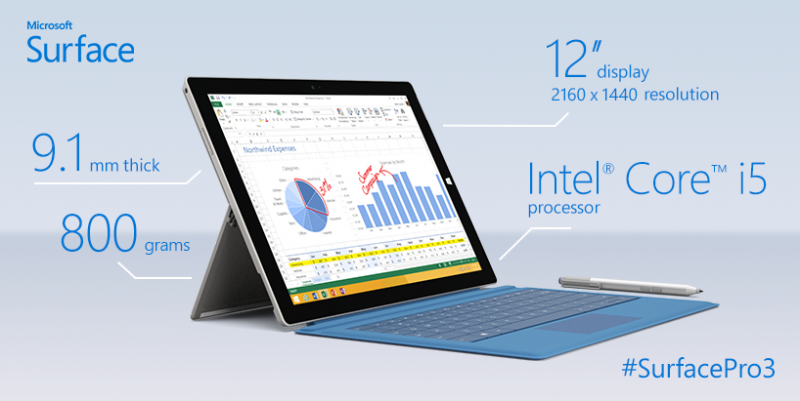
Do you find yourself in the desktop a lot on your Surface Pro?  Tired of manually initiating the soft-keyboard to type things in when you’re using the device as a tablet?

Check out Tabtip On-Demand.  I think it’s a must have for Surface Pro owners.

Tabtip On-Demand is a great tool for mobile users with Tablet PC which adds the missing keyboard « on-demand » functionality to the user’s desktop. It is also able to scroll through web pages and push application windows into view, thus textboxes are not covered by the keyboard. Tabtip On-Demand also makes the keyboard available by mouse click (optional) on the desktop as well as in the Modern UI (Windows 8 and above).

Many applications still run on the desktop rather than in the Modern UI. If you are one of those users who feel that the lack of keyboard showing up automatically on the desktop is just a pain, this tool is made for you.

If the tablet input panel is not available, Tabtip On-Demand pops up the on-screen keyboard (OSK) instead.

TabTip On-Demand


TabTip On-Demand – ”Scroll into view”


If you use the desktop a lot on your Surface Pro, while you’re walking around with it in tablet mode, check out Tabtip On-demand.

We’ve just announced that for folks that CAN’T make BUILD 2015 this year, you’ve have a second chance to hear what is presented by way of a new 25 city tour called the “BUILD tour”, coming this summer:

imageBringing the Build experience to cities around the globe, featuring:

  • Best of Build announcements and insights
  • Deep dive in the Windows 10 developer platform for app and web developers
  • Coding sessions and exciting demos across devices
  • Partner showcases
  • Open Q&A and face-to-face time with Microsoft engineers
  • This is a free event

The event runs all day from 9AM-5PM.  The general web site for all tour stops is available here:

image

There are 25 stops along the tour however for Los Angeles, the event will be on June 15 at Universal Studios, Hollywood.  Register here:

image

New conference coming for web developers interested in Project Spartan, Microsoft’s new browser & engine being released with Windows 10:

On May 5th and 6th, we’ll be hosting the Project Spartan Web Summit at Microsoft’s Silicon Valley campus in Mountain View, CA. This time we’re turning it up to 10 with two days of content packed with deep technical sessions from the Project Spartan team and fantastic guest speakers from the Web development community, including Kimberly Blessing, Kyle Simpson, and Sara Soueidan.

This is a great chance to come meet the engineers building our rendering and JavaScript engines and managing our Web properties and developer tools like Modern.IE, RemoteIE, and IEDevChat. In our technical sessions, you’ll get into the nuts and bolts of the latest interoperable Web technologies; learn how to make your site or Web app shine across browsers and platforms with tools like ECMAScript 6, WebAudio, WebGL, Cordova, SVG elements, and much more. We’ll take you under the hood of Project Spartan and its new rendering engine, show you the latest updates to our roadmap, and host open Q&A panels with the Project Spartan leadership.

You’ll also have the opportunity to test-drive Project Spartan on our latest builds alongside engineers from the platform team, who can guide your testing, answer questions, and take your feedback on any problems you encounter.

Read more at:

A customer of mine commented recently on the lack of color schemes or configuration available in Office 2013, saying that, “It was depressing.”

I hadn’t heard that angle before.  It’s true that Office 2013 lacks the ability to change the color of the Office application UI from anything beyond White, Light Grey, and Dark Grey.  Most of the time the complaint about this is that the bright white or even the greys were too bright on the user’s eyes – especially for folks that are light sensitive.

clip_image002The good news is that Office 2016 appears to at least promise more color variation (see snapshot to the right of Office 2016 for Windows) however to what degree this is configurable, I can’t say. 

So for for all you peeps that would like more color schemes & configurability in Office 2016, you may want to upvote up this feedback to the Office team & specifically comment on why you would like to see this change made… before Office 2016 ships later this year:

imageWe just announced “Exchange Online Advanced Threat Protection” (available this summer), a separate service from Exchange Online Protection & what is available within Office 365 E3/E4.

What’s the difference?

  • Exchange Online Protection is essentially designed to protect against known threats. (SPAM, viruses, malware)
  • Exchange Online Advanced Threat Protection is designed to protect against unknown threats & zero-day attacks.

I know what you’re thinking:

“We don’t care about whether the threats are known or unknown.  We want to be protected against ALL threats.  Why is this a separate charge?”

As I understand it, the reason this is a separate optional service, is that it’s not computationally cheap.

  • HYPERVISOR ISOLATION & CLOUD-COMPUTE MACHINE LEARNING
    The kind of resources that this sort of message protection requires involves leveraging a hypervisor-based environment per “unknown” where the threat can be analyzed.  Additionally, it leverages cloud-based machine learning & scale-out behavioral analysis techniques that are otherwise not available to typical on-premise services or online filtering services.  This isn’t just some service that gets loaded on a server with downloadable malware/spam definition catalogs:  It is fully dependent on Microsoft’s massive cloud compute farm for virtualization and machine learning compute services.
  • JUST-IN-TIME URL ANALYSIS
    To add to the workload complexity of this “unknown threat analysis”, every link in an email is followed through to its source at the time of the user’s click.  You’ve seen redirected links that redirect to other links, etc. to mask the source URL that would otherwise be detected by “known bad URL” filtering services like EOP.  These redirected links are individually followed to their final source URL at the time of the user’s click and evaluated for safety.  “At the time of the user’s click” is important because criminals will often change the destination of the redirected URL to something malicious after an email has passed a company’s SPAM filters.  This is a computationally expensive exercise (think of how many links your emails have that are redirected, if not by bit.ly or tinyurl, but by the service’s own redirection service)

Read more about Exchange Online Advanced Threat Protection at the announcement page:

image

We made a huge announcement today around the availability of Italian & Chinese just-in-time spoken language translation.

At Skype, we want to make it easier for you to connect with people around the world, no matter where you are and what language you speak. In December, we announced the first phase of the Skype Translator preview program and today we’re excited to announce Skype Translator’s next milestone, the addition of two spoken languages: Italian and Chinese (Mandarin), to the current offering of Spanish and English.

As you can imagine, Mandarin is a very challenging language to learn, even for Skype Translator. With approximately 10,000 characters and multiple tones, this is one of the most difficult languages for a native English speaker to master, along with Arabic, Japanese, and Korean.

Skype Translator: Live like a local, anywhere in the world


For more on this announcement visit the Skype Blog:

imageDo you have a Microsoft Band?  Do you need a couple spare USB sync/charge cables?  (One for the night stand, one for the car, one for your computer bag, etc.)

Here’s a cheap way to get a few more of those USB charge & sync cables for just $10 each.  These are identical to the OEM charge & sync cable including the magnet that holds the cable into place on the Band.

This purchase also provides, as a bonus, a “screen protector” for your Band which layers right over the screen to protect it from scratches.

(I purchased 6 extras and they all work flawlessly)

imageIf you’re looking for something that will make the Surface Pro 3 "lapable" I’ve found the “Roosevelt Case” but Incipio to be a perfect solution.

It’s a $39 case that attaches to the SP3 & protects it from drops, while also providing a firm surface for both the kickstand & the keyboard to rest on. The result is a SP3 that sits on your lap while sitting in a imagechair, or on your legs while sitting upright in bed.

Most of the folks I’ve shown it to agree that it provides the lapability that they want… however a common complaint is that you have to remove the device & keyboard from the case to dock the unit. (It’s a little difficult to explain but basically the Surface can be easily detached by simply pulling it off the keyboard, however the keyboard gets firmly locked into the case) 

imageMy solution to that was to simply use a wireless Bluetooth keyboard when the tablet is docked… or purchase a second Type Cover 3 from eBay and leave it at the base of the dock to be used only when the Surface has been removed from the Incipio case and placed in the dock. Spare Type Cover 3 keyboards are selling for as little as $65.

I was recently asked by a client to explain how Office 365’s applications (Word, Excel, etc.) are installed & used by a Apple Macintosh owner.

  • imageWhat’s the difference between Office 365 and just plain old Office for Mac?
    I’ve documented the differences below, however the biggest difference is that with Office 365, you always get the latest versions of the MacOffice applications at no extra cost – which is especially important for Mac users since Microsoft is going to release a new version later this year. (Office 2016 for Mac)  With Office 365 you get to install the Office suite of applications on up to 5 PCs or Macs (or any combination of the two) for only $99/year.  This is a subscription that must be renewed every year to continue using Office, as opposed to Office for Mac 2011 which is a one-time fee, however you are not eligible for functionality updates – only security patches – and you will need to re-purchase the software when we release Office 2016 for Mac.
  • imageAre the bits for Office 365 stored on the local Mac?
    Yes, “Office 365 for the Mac” is completely installed on the local Mac for offline use (i.e. on an airplane) just as it is for “Office for Mac 2011”, however when a network connection is available, Office 365 for Mac has the added benefit of checking for security patches, feature updates & new version releases to upgrade to.  Office for Mac 2011 will not.
  • What about a Mac that is about 3 years old—will that be a problem for either offering?
    Office 365’s applications will run fine.  The software is essentially Office for Mac 2011 with an installation manager built in.

Feature

Office for Mac 2011 Home & Business

Office 365 Home

Cost

$219/Mac
(one-time purchase)

$99/yr
(subscription)

Number of installations allowed

1 (Mac only)

5 (any mix of Windows PCs or Macs)

Number of mobile installations

n/a

5 phones & 5 tablets (any mix of iOS/Android)

Applications

Word, Excel, PowerPoint, Outlook

Word, Excel, PowerPoint, Outlook

Updates

Only security patches

Automatic upgrades to new versions (including upcoming Office for Mac 2015), feature patches and security patches

Installation process

Fully installed locally on Mac for offline use (from installer or CD)

Fully installed locally on Mac for offline use (from Office 365 site)

Skype

n/a

60min/month International calling

Support

Install support only

Full tech support via chat or phone (no extra charge)

Online Storage

15GB

10TB/Unlimited Online Storage via OneDrive (Note: This is not fully announced, but all Office 365 owners get unlimited storage in our cloud, although it will say 10TB.  It comes with a Mac sync client)


For more, read the following site:

Posted by: kurtsh | April 5, 2015

SITE: Microsoft Band & Health UserVoice feedback page

imageMicrosoft Band & Microsoft Health now have an official UserVoice page for accepting feedback.

Welcome to the Microsoft Health UserVoice site! Let us know what you would like to see in future versions of our products.

This site is for suggestions and ideas for the Microsoft Health service, platform and applications, as well as the Microsoft Band. For support, please visit the Microsoft Band Support site.

The Microsoft Health Privacy Statement is also available for your information.

We look forward to hearing from you!
The Microsoft Health and Microsoft Band Team

« Newer Posts - Older Posts »

Categories