I was recently asked by a client to explain how Office 365’s applications (Word, Excel, etc.) are installed & used by a Apple Macintosh owner.

  • imageWhat’s the difference between Office 365 and just plain old Office for Mac?
    I’ve documented the differences below, however the biggest difference is that with Office 365, you always get the latest versions of the MacOffice applications at no extra cost – which is especially important for Mac users since Microsoft is going to release a new version later this year. (Office 2016 for Mac)  With Office 365 you get to install the Office suite of applications on up to 5 PCs or Macs (or any combination of the two) for only $99/year.  This is a subscription that must be renewed every year to continue using Office, as opposed to Office for Mac 2011 which is a one-time fee, however you are not eligible for functionality updates – only security patches – and you will need to re-purchase the software when we release Office 2016 for Mac.
  • imageAre the bits for Office 365 stored on the local Mac?
    Yes, “Office 365 for the Mac” is completely installed on the local Mac for offline use (i.e. on an airplane) just as it is for “Office for Mac 2011”, however when a network connection is available, Office 365 for Mac has the added benefit of checking for security patches, feature updates & new version releases to upgrade to.  Office for Mac 2011 will not.
  • What about a Mac that is about 3 years old—will that be a problem for either offering?
    Office 365’s applications will run fine.  The software is essentially Office for Mac 2011 with an installation manager built in.

Feature

Office for Mac 2011 Home & Business

Office 365 Home

Cost

$219/Mac
(one-time purchase)

$99/yr
(subscription)

Number of installations allowed

1 (Mac only)

5 (any mix of Windows PCs or Macs)

Number of mobile installations

n/a

5 phones & 5 tablets (any mix of iOS/Android)

Applications

Word, Excel, PowerPoint, Outlook

Word, Excel, PowerPoint, Outlook

Updates

Only security patches

Automatic upgrades to new versions (including upcoming Office for Mac 2015), feature patches and security patches

Installation process

Fully installed locally on Mac for offline use (from installer or CD)

Fully installed locally on Mac for offline use (from Office 365 site)

Skype

n/a

60min/month International calling

Support

Install support only

Full tech support via chat or phone (no extra charge)

Online Storage

15GB

10TB/Unlimited Online Storage via OneDrive (Note: This is not fully announced, but all Office 365 owners get unlimited storage in our cloud, although it will say 10TB.  It comes with a Mac sync client)


For more, read the following site:

Posted by: kurtsh | April 5, 2015

SITE: Microsoft Band & Health UserVoice feedback page

imageMicrosoft Band & Microsoft Health now have an official UserVoice page for accepting feedback.

Welcome to the Microsoft Health UserVoice site! Let us know what you would like to see in future versions of our products.

This site is for suggestions and ideas for the Microsoft Health service, platform and applications, as well as the Microsoft Band. For support, please visit the Microsoft Band Support site.

The Microsoft Health Privacy Statement is also available for your information.

We look forward to hearing from you!
The Microsoft Health and Microsoft Band Team

image

Get down to your local Microsoft Store and pick up the new PayPal HERE Card Reader for Windows 8.1 for just $15.

It plugs into the audio jack of your Windows-based PC, such as a Surface Pro 3 and allows you to transact payments via credit card quickly and easily using the PayPal HERE app.

But once you register your PayPal account for payments via PayPal HERE (2.7% per transaction, no monthly fee), you’ll automatically get $15 in credit to go to future transaction fees.  In other words, you get back the cost of the Card Reader, making it essentially free.

PayPal HERE accepts credit cards, debit cards, and PayPal, plus tracks cash/check payments and sends invoices

imageNEAR IMMEDIATE PAYMENT
This is one feature I love.  Unlike other services,  when you transact a payment using PayPal HERE, the money shows up in your account to use within MINUTES.  This is because unlike other systems, PayPal manages their own money – but they’re not a bank so they aren’t held to the same constraints that banks are.

For more detail on PayPal HERE, visit their web site:

Posted by: kurtsh | April 2, 2015

RELEASE: Node.js Tools 1.0 for Visual Studio

For those of you that are Node.js developers will be thrilled to hear that all the power of Visual Studio’s IDE & debugging is now available to you through a new set of add-ins for Visual Studio 2012 & 2013!

imageNode.js Tools 1.0 for Visual Studio (NTVS) is now available for download! NTVS is a free, open source extension for Visual Studio 2012 and Visual Studio 2013 that turns Visual Studio into a Node.js IDE. NTVS 1.0 supports the free Visual Studio Community and Visual Studio Express for Web editions, as well as Visual Studio Professional and higher.

Node.js is a platform for building fast, scalable applications using JavaScript. It’s making its way just about everywhere – from servers, to Internet of Things devices, to desktop applications, to who knows what next? And now, with Node.js support in Visual Studio, it’s easier than ever before to develop Node.js applications.

For more, visit the following link:

Posted by: kurtsh | April 1, 2015

NEWS: New Visual Studio Product Line for 2015

Big price & offerings changes for Visual Studio.
(I’m on vacation.  I’m not gonna elaborate.  Follow the link for more.)

imageWe’re continuing to improve upon the power and productivity of Visual Studio, making it easier to use, no matter what platform you’re on, no matter what app you’re building. We also want to make it easier for you to choose which edition of Visual Studio is the right one for you. Last November, we made Visual Studio Community 2013 available, our free, full featured and extensible IDE for non-enterprise application development. Today, we’re announcing the editions of Visual Studio 2015 that will be available when we release the final product this summer.

I’m excited to share that we’re bringing the value we deliver in Visual Studio Premium and Visual Studio Ultimate into one single offering called Visual Studio Enterprise with MSDN. It includes all the high value features you’re already familiar with in Visual Studio Ultimate, along with new innovation that’s coming with the 2015 release. So, in addition to Visual Studio Community and Visual Studio Professional with MSDN, our new Visual Studio Enterprise with MSDN rounds out the three primary Visual Studio 2015 offerings.

image

We’ll continue to offer Visual Studio Professional, Team Foundation Server, Team Foundation Server Express, Visual Studio Express and MSDN Platforms as a part of the complete Visual Studio 2015 and MSDN portfolio.

Read the announcement for more:

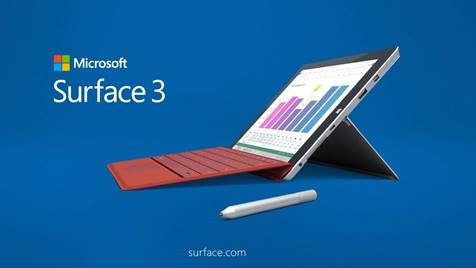
imageWe just announced “Surface 3”, the latest in the Surface line of devices!

The most notable differences between “Surface 3” & “Surface PRO 3” (and Surface 2 for that matter are):

  • Full Windows 8.1!  Not Windows RT
    (Uses Intel Atom X7, Cherrytrail processor)
  • 10% Smaller!  10.8” screen vs 12”
    (10.52 x 7.36 x 0.34 in)
  • 25% Lighter!  1.37lbs vs 1.76lbs
  • 10% Better Battery life!  10hrs vs 9hrs max
  • Optional built in 4G LTE

Also as an added bonus, Surface 3 comes with:

  • 1 year subscription to Office 365 Personal
  • 8.0Mp rear-facing camera vs 5.0Mp
  • MicroUSB charging port
    (w/ 13W MicroUSB power supply)
  • Optional Surface Pen
    The same pixel-precise active digitizer pen as on Surface Pro 3 for note-taking & sketching
  • Optional 128GB storage (vs 64GB)

And like other Surface devices, it comes with:

  • 10 point multitouch Display
  • Full size USB 3.0 port
  • MicroSD Flash slot for storage expansion
  • Mini Display Port for connecting to second display
  • Bluetooth 4.0 & WiFi (802.11 a/b/g/n/ac)
  • Free upgrade to Windows 10
  • Mobile application sensors including: Accelerometer, Gyroscope, Magnetometer, Proximity Sensor, Ambient light sensor
  • Surface Type Cover Keyboard peripheral for $129 (Available separately)
  • 1 yr limited hardware warranty

And if you’re a student or a teacher?  There’s good news!

Introducing the new Microsoft Surface 3


Price list:

    • 64GB / 2GB RAM / Wi-Fi ($499)
    • 128GB / 4GB RAM / Wi-Fi  ($599)
    • 64GB / 2GB RAM / Wi-Fi + 4G LTE (TBD) 
    • 128GB / 4GB RAM / Wi-Fi + 4G LTE (TBD)

References:

imageDid you know that Software Assurance customers are eligible to use their “Panning Services” benefit for the deployment planning of Office 365?

To be clear, Microsoft is not introducing a new or separate Planning Services offering for Office 365.  Instead,  DDPS, L&EDPS, and SDPS each include the Office 365 FastTrack ‘Getting Started’ as an approved engagement.

Deployment Planning Services

Software Assurance customers are eligible for planning assistance from qualified partners or Microsoft Consulting Services. These structured 3 or 10 day engagements help guide you through implementation planning for Office 365. This results in easier transition, amplified user engagement, reduced project risk and faster time to value.

The following are the Office 365 Planning Engagements that are offered through Planning Services:

3-day Office 365 envisioning workshop

This engagement helps customers envision an Office 365 solution. The benefit to the customer is an opportunity to work with an expert to discover how Office 365’s capabilities can help to achieve their business objectives. The outcome is a recommended approach to deployment with clearly defined next steps.

Suggested activities to undertake in this engagement include:

  • Planning workshop to understand project objectives,  challenges and success criteria of Office 365 project

  • Setup of a ‘Getting Started’ environment to help end users familiarize themselves with the Office 365 environment

  • Configuration of deployment training labs

  • Technical workshops to address specific customer concerns

At the end of the engagement, customers will be provided an Office 365 preliminary deployment plan with recommendations.

10-day Office 365 planning and assessment engagement

The 10-day engagement includes the outcomes of the 3-day engagement and helps customers envision, plan and get started with Office 365. The benefit to the customer is a deeper understanding of how Office 365 maps to their business priorities, access to technical expertise and recommended guidance. This results in easier transition, amplified user engagement, reduced project risk and faster time to value.
Suggested activities to undertake in this engagement include:

  • Detailed planning workshop to understand project objectives, timelines, current environment and technical requirements

  • Setup of a ‘Getting Started’ environment to help end users familiarize themselves with the Office 365 environment

  • Technical assessment of current environment using planning tools and remediation checks

  • Technical workshops to address specific customer concerns

  • Configuration of deployment training labs

At the end of the engagement, customers will be provided an Office 365 detailed deployment plan.

imageAre you a new customer of Office 365?  We’re released a series of new benefits that you may want to engage to kick off your deployment in the right way.

The Onboarding Center provides you with architectural & engineering guidance directly from Microsoft to move you forward with Office 365:

Office 365 FastTrack Onboarding Center
Get up and running with Office 365

Included as part of the service for new customers, Microsoft experts will support you to provision and configure your Office 365 environment

What to expect from the Onboarding team

  • Kicking off onboarding to Office 365
  • Assessing your environment
  • Remediate any issues
  • Core Enablement
FastTrack Onboarding Initiate

To view more of these videos on how the Onboarding process is executed, visit:

The Adoption Offer provides actual funded migration services either remotely or via a partner:

Office 365 Adoption Offer
Get your users productive with Office 365

Take advantage of Microsoft’s email migration service or receive funds to reimburse your partner for qualified adoption activities. Offer available until 31 March 2015.

https://deploy.office.com/adoption-offer

The Customer Success Center has everything you need to get your users moving forward with Office 365s workloads:

Get the most out of Office 365

The new Office 365 Customer Success Center

New to Office 365 or looking for ways to boost adoption? The Office 365 Customer Success Center has everything you need to get started.

http://success.office.com/

For more details about the Onboarding Benefit, visit the following URLs:

For more technical information on Office 365 for IT Professionals:

343 Industries put their first stake in the ground for what is meant to be a huge new chapter for Xbox One and the Halo Franchise. 

Halo 5: Guardians is shipping on October 27th, 2015.

Halo 5 Guardians Spartan Locke Ad: “All Hail”
Halo 5 Guardians Master Chief Ad: “The Cost”
 

Confused?  It gets better.  Check this out.  As a precursor to Halo 5: Guardians, there’s an audio documentary that’s published each week about the Master Chief’s background:

Benjamin Giraud
Journalist. War photographer.

For decades, I’ve served the galaxy as a journalist and war photographer. I’ve covered human-interest stories on Earth and in the Inner and Outer Colonies. I’ve also contracted for the government, covering military affairs. I was at New Mombasa when the Master Chief first appeared to combat the Covenant attack.

A few months ago I was hired to do an in-depth profile of the Master Chief.

An investigation into the origins of modern-day superhero Master Chief, this digital log serves as part docu-diary, part audio archive. Join me each week for a new episode as we question everything and assume nothing.

imageBeginning today the all new ESPN app is available for Windows Phone, free to download from the Windows Phone Store.  

The ESPN app – an automatic update to the ESPN Hub – delivers more personalization than ever before. The app allows fans to quickly access live scores, breaking news, and video highlights.

Read more here:

« Newer Posts - Older Posts »

Categories