Posted by: kurtsh | March 4, 2015

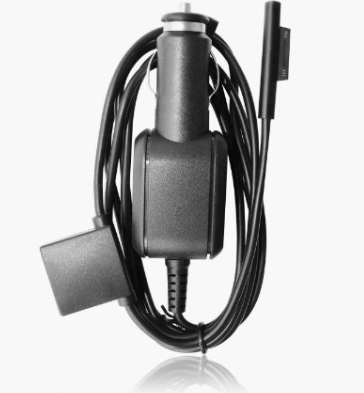
INFO: Surface Pro 3 accessories

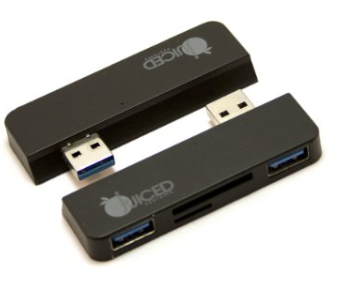
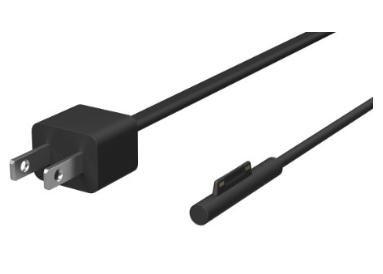
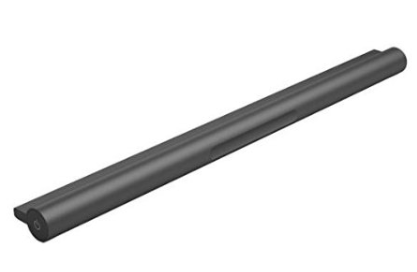
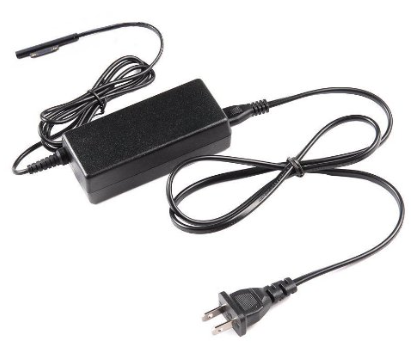
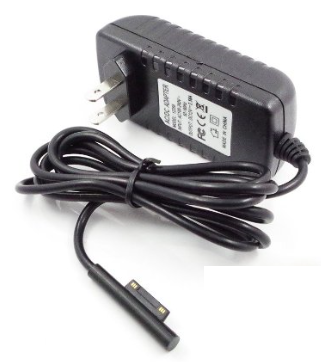
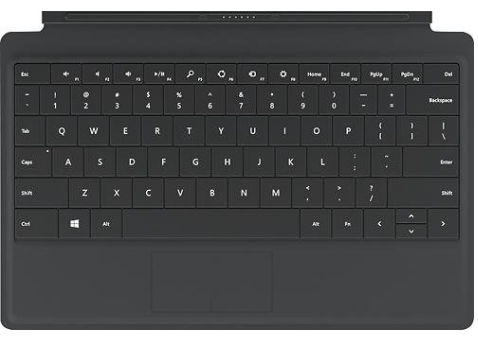
Quick blurb on accessories for your Surface Pro 3 that you may not have known about:

Posted by: kurtsh | March 2, 2015

INFO: Automation on Microsoft Azure using Chef

clip_image001Last week, Microsoft & Chef announced a strategic partnership to automate their cloud workloads and move them into the Azure cloud:

Coming this Month:
In case you’re interested in managing Linux & Windows instances within Azure, both Chef & Microsoft are running doing a seminar March 19th on automation using Chef & Azure:

  • OpenSource Automation on Azure using Chef
    More and More Windows Administrators are being called upon to extend themselves into the world of managing Linux based systems. This talk will focus on how Chef, a popular open source framework, can make managing Linux workloads on Azure easy. We’ll also touch on how to manage Windows workloads with Chef. We will cover the basic paradigms of Chef, launching Linux instances and deploying applications to Linux instances.
    https://www.brighttalk.com/webcast/11349/145733

Microsoft & Azure @ Chef Conf 2015 (March 31-April 2 – https://www.chef.io/chefconf/):
Microsoft is sending Distinguished Engineer, Jeffrey Snover, to Chef Conf 2015 – one of our highest ranking engineers. Also in attendance will be Microsoft Technical Evangelist, Jessica DeVita, and Technical Evangelist Manager, Damien Caro. The following sessions will be delivered on Azure & Chef:

Previous Chef & Azure Video Broadcasts:

imageIf you’re reading this, you may have only minutes to jump on this deal. 

GroupOn is selling the Surface Pro 2 w/ Core i5, 8GB RAM, and a whopping 512GB of SSD for $799.  This is actually a full $1000 off. 

If you are thinking of buying something like this, don’t hesitate:  Click through NOW.  This deal will be gone in hours.

Specifications
  • Product Number: SP512PWRBNDL (512GB)
  • 10.6” widescreen touchscreen
  • 1920 x 1080 full HD resolution
  • Dual-core processor
  • Microsoft Windows 8.1 Pro operating system
  • Includes one-month free trial of Office 365 for new customers
  • Can fully support Microsoft Office (sold separately)
  • Multitask with apps open side-by-side
  • Built-in kickstand
  • Dual 720p HD cameras
  • USB 3.0 port
  • Display ports
  • microSD slot
  • Surface Pro Pen for writing on screen
  • QWERTY mechanical keyboard with click-in design
  • Keyboard functions rechargeable external battery with up to 70% additional battery power
  • Dimensions: 6.8”x0.5”x10.8”
  • Weight: 2lb.
  • Condition: New (product has been resealed but never used. Full warranty coverage is included)
  • One-year warranty from Microsoft
  • 7SX-00001 Core i5-4200U, 8GB RAM

Jump on it now.

image

The NAB Show returns to the Las Vegas Convention Center from April 13–16 for the world’s largest electronic media event. For the pros who hunger to create and deliver quality content, the NAB Show is the only source to satisfy your appetite. Overindulge in hands-on experiences with emerging technologies and the latest innovations, limitless networking and learning opportunities, and the inspiration to take your work to the next level.

Microsoft will have even greater presence at this year’s show with an excellent new location, booth SL6610, where we’ll be demonstrating how the Microsoft platform, along with our partner ecosystem, is transforming media to a cloud-first, mobile-first world.

With our worldwide leadership teams on site, we would like to invite you to review current broadcast industry trends, learn about solutions based on the Microsoft platform, and discuss your projects and requirements with us. We have prepared the following topics along the content value chain:

  • Media in the Cloud | Supporting media enterprises in reducing time to market, providing round the clock news gathering, and the creation of new revenue with dedicated audiences. The cloud enables connections to audiences on a wide range of devices including set-top-boxes, smartphones, PCs, and tablets.
  • Advertising and Audience Analytics | Supporting media enterprises with solutions to achieve breakthrough insight into audiences, business performance, and profitability, and provides an integrated view of enterprise-wide risk exposure.
  • Editorial Collaboration | Supporting media enterprises in multimedia content development and cross-channel publishing by providing the collaboration and mobility experiences and devices that creative and business teams want and expect.

Free exhibition passes available
For a free exhibition pass, compliments of Microsoft, download the following pass:
http://az370354.vo.msecnd.net/videos/NAB%20Show%20-%20Free%20exhibits%20pass.pdf

Interested in more?
For more announcements about Microsoft @ NAB, visit our web site at:  http://microsoft.com/nabshow

imageIT Professionals can use the tools in the Windows ADK to facilitate deployment of a new version of Windows.

  • The Application Compatibility Toolkit (ACT) inventories applications used in your organization and identifies potential applications compatibility issues.
  • With the User State Migration Tool (USMT), IT Professionals can migrate user data from existing Windows installations.
  • Volume Activation Management Tool (VAMT) enables IT professionals to deploy Windows installations in their organization and manage the activation status of their PCs. 
  • Assessments are for OEMs, IHVs, enthusiasts, and IT professionals who measure the operational characteristics of a computer, including its performance, reliability, and functionality.
  • Windows assessments are tools that help you make these measurements, diagnose problems, and determine how to make improvements. Windows assessments can help reduce support costs by identifying potential issues as you create your hardware and software experiences.

By using these tools, you can help ensure that the hardware and software that you develop are responsive and high-quality.

Posted by: kurtsh | February 23, 2015

DEAL: Surface Pro 1/2 Pens for $24 (Refurbished)

imageInterested in getting an official Surface Pro 1/2 pen on the cheap? 

Here’s an easy way.  The Microsoft Store online is selling them for $24/each refurbished. 

The Refurbished Surface Pen works exclusively with Surface Pro and Surface Pro 2, and makes it easier to draw and take notes in Office applications. A pen is included when you buy Surface Pro and Surface Pro 2, so get this one as a spare, or have one at home and one at the office.

This product has been refurbished to its original specifications for electrical performance by Microsoft.

Get ‘em while you can.  Or alternatively, you can get another Wacom Stylus that will work on your Surface Pro 1/2 for $9.

Posted by: kurtsh | February 22, 2015

RELEASE: Cloud Platform Roadmap

image_thumb1The Cloud Platform roadmap provides a snapshot of what we’re working on in the Cloud Platform business.

Use the roadmap to find out what we’ve recently made generally available, released into public preview, are still developing and testing, or are no longer developing. Learn more about the types of updates you can expect to find on the Cloud Platform roadmap here.

Visit the Cloud Platform Roadmap site here:
http://www.microsoft.com/en-us/server-cloud/roadmap/

imageThe Office 365 team just announced that the length of time items remain in the Deleted Items folder in Exchange Online has been extended to indefinitely or according to the duration set by your administrator.

Previously deleted items would disappear after being in that folder for 30 days.

Read more about this change here:

I actually stumbled upon this myself at the end of last month and planned on writing about it earlier but never got around to it.

Verizon Wireless’ Nokia Lumia Icon is now supported by Softcard, the mobile payment system that uses your phone to wirelessly pay for transactions at the point-of-sale.

imageWHAT IS SOFTCARD?
Softcard enables you to pay for things at cash registers with your phone.  It’s a system that uses the Near Field Communications (NFC) transceiver on your Nokia Lumia Icon to securely transmit your “payment information”.  This payment information may be a credit card, a debit card, or an American Express charge card.Softcard receiver in front of you that looks like this:

Basically all you do is, when the retailer give you your total cost, you hold your phone up to the Softcard receive (that has the symbol in the photo above) and your phone will transmit the appropriate payment info to the register and pay for your purchase.

Here’s a video that visually explains the process of using Softcard:

Meet Softcard


For more information on how Softcard works, check out the following URL:
https://www.gosoftcard.com/learn.html

WHY SOFTCARD?
I was excited about being able to use Softcard because of a number of reasons:

  • POINT-OF-SALE PROTECTION
    When you use Softcard, your credit card number and details is never visible to the person working the register.  There’s no opportunity for individuals to steal your credit card details because they never see them.  It’s all done electronically & securely.
  • DATA BREACH PROTECTION
    If you’re one of the 100’s of millions of consumers who’s credit card information was stolen by hackers from Target, Home Depot, Neiman Marcus, etc. you know that things are a lot better when you’re not handing over your credit card number to a retailer.  Softcard eliminates the possibility of someone stealing your credit card information while it sits in some store’s databases… since it never actually passes that info to the store.
  • REWARDS & PROMOTIONS
    When you purchase things via Softcard, there are certain promotions & offers that you get, such as “buy 4 snacks from an eCard vending machine, and get the 5th free”. (This is an actual promo)
    Also when you pay for an item, it can automatically transmit your rewards/loyalty card information, if the vendor support loyalty card transmission.
  • SIGNATURE-FREE
    I’ve discovered that after making a Softcard payment, I’m usually not asked to sign a receipt like I would with a credit card swipe.

imageWHAT ARE THE REQUIREMENTS FOR SOFTCARD?
There are 4 things that you need to use Softcard:

  • Supported Windows Phone
        • HTC One (M8) for Windows
        • Nokia Lumia 1020 (AT&T)
        • Nokia Lumia 1520 (AT&T)
        • Nokia Lumia 830 (AT&T)
        • Nokia Lumia 920 (AT&T)
        • Nokia Lumia 925 (AT&T)
        • Samsung ATIV S Neo (AT&T)
        • Nokia Lumia Icon (VZW)
        • Nokia Lumia 822 (VZW)
        • Nokia Lumia 928 (VZW)
  • Supported payment card which includes:
        • American Express & AMEX Serve
        • Chase cards
        • Wells Fargo cards
        • Debit cards
  • Supported carrier – which includes AT&T, Verizon Wireless, and T-Mobile.  (Sorry Sprint)
  • Security-enabled cellular SIM card.  This is most current SIMs however not all.  If Softcard doesn’t work on your phone and you meet all other requirements, it means you need to trade your phone’s SIM for one that’s got security-enabled.

WHAT CARRIERS SUPPORT SOFTCARD?
AT&T & Verizon Wireless both support it now and T-Mobile does as well however I’ve heard mixed things about T-Mobile’s Softcard availability.  Go the the web site to download the Softcard app for your phone and carrier.

Posted by: kurtsh | February 18, 2015

DOWNLOAD: OneNote 2013 for Windows – now 100% FREE

Holy cow. OneNote 2013 for Windows. 100% FREE.  As in, all feature restrictions removed.  The best note taking tool for Windows is now completely free.

imageToday we’re happy to share that we’re adding even more to the free edition. We’re removing all feature restrictions from OneNote 2013. Starting today you’ll be able to access the full power of OneNote on your PC, including these features previously reserved for paid editions:

  • Password protected sections—Add a password to protect sensitive information.
  • Page history—Easily see or go back to prior versions of a page.
  • Audio and video recording—Take notes while recording, and easily jump to the relevant section later.
  • Audio search—Search for a word in a voice or video recording.
  • Embedded files—Insert Office documents or other files directly in your notebook.

« Newer Posts - Older Posts »

Categories