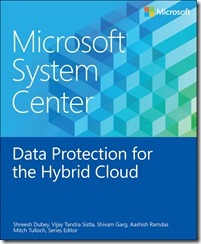
imageWe’re happy to announce the release of our newest free ebook, Microsoft System Center Data Protection for the Hybrid Cloud (ISBN 9780735695832), by Shreesh Dubey, Vijay Tandra Sistla, Shivam Garg, and Aashish Ramdas; Mitch Tulloch, Series Editor.

Here’s the intro:

If you are responsible for architecting and designing the backup strategy for your organization, especially if you’re looking for ways to incorporate cloud backup into your business continuity scenarios, this book is for you. With the increasing trends in virtualization as well as the move to the pubic cloud, IT organizations are headed toward a world where data and applications run in on-premises private clouds as well as in the public cloud. This has key implications for data protection strategy, and it is important to choose the solution that provides the same level of data protection you have afforded so far while allowing you to harness the power of the public cloud.

We will cover how the Azure Backup service has evolved into a first-class platform-as-a-service (PaaS) service in Microsoft Azure that integrates with the on-premises enterprise class backup product, System Center Data Protection Manager (DPM), to provide a seamless hybrid cloud backup solution. Current backup products treat the cloud as a storage endpoint, which we see as a limited-use case for the public cloud. The approach we describe in this book allows you to exploit the full power of the public cloud and gives you the flexibility to manage your backups in a hybrid world.

We have made a steady set of investments in DPM over the last 18 months, and, as of this writing, we have released six update rollups, including customer hot fixes as well as new features in the areas of private cloud protection, storage optimization, and workload support. The last chapter focusses on the most recently released protection for infrastructure-as-a- service (IaaS) virtual machines, which went to preview release in March 2015 and is expected to be generally available by Q3 of calendar year 2015.

This book covers improvements added in DPM 2012 R2 as well as the integration with Microsoft Azure Backup service and assumes you have working knowledge of the DPM 2012 version. To get familiar with older versions of DPM, refer to the following:

Grab the free eBook here:

image

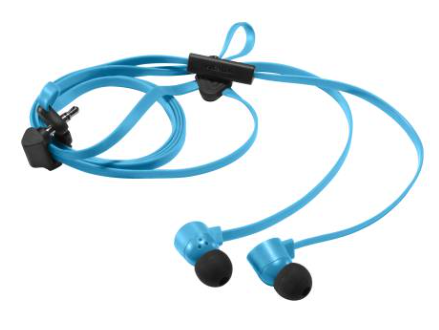
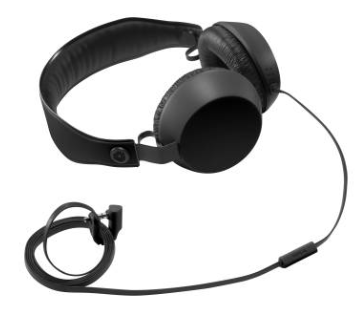
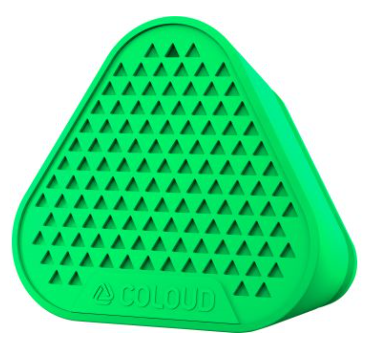
If you own a Nokia phone or a Surface, you may want to check out a pair of these highly durable, well-made, and fashionable stereo headsets made by Nokia.

These Nokia COLOUD in-ear stereo headsets are very durable and put out great sound.  Most importantly, unlike bluetooth headsets, the audio is perfect for conference calls, and since the microphone is well positioned, your voice always comes through cleanly. 

Meanwhile, the headset is perfect for listing to podcasts, Audible audiobooks, or music.  And they wrap very nicely for portability & convenience.  And at $12.99 a pair, these are a nobrainer.  I like them so much, I bought 12 sets – 4 of each color.

It comes in cyan, yellow, and red.

Incidentally, Nokia also has two other items. 

Posted by: kurtsh | June 19, 2015

RELEASE: KMS Server Update for Windows 10

If your organization is using KMS to activate your currently deployed Windows systems, we’ve released a new patch to prepare your KMS server to activate Windows 10 installations.

Read more here:
https://support.microsoft.com/en-us/kb/3058168

Posted by: kurtsh | June 18, 2015

INFO: SQL Licensing for SCCM 2012 R2

imageThis week I was asked, “What is the proper SQL licensing for SCCM 2012 R2?”  SCCM 2012 R2 uses SQL Server as it’s backend so the question of licensing for SQL can be a concern.

According to Microsoft’s Licensing Desk:

Each license SCCM 2012 R2 license comes with a SQL standard 2014 edition server license included (yellow). It’s classified as SQL Technology in the universal license terms and may be used only to support SCCM (blue). If they already own the license for SCCM they just download SQL Standard 2014 edition from the VLSC in the downloads section. However If they require Enterprise Edition they would license per core separately.

Product Use Rights, April 2015 pg. 47

System Center 2012 R2 Configuration Manager

       The license terms that apply to your use of this product are the Universal License Terms, the General License Terms for this Licensing Model, and the following:    

License Mobility Within Server Farms: No

Self-Hosting of Applications Allowed: Yes (See Appendix 2)

See Applicable Notices: Data Transfer, Bing Maps (See Appendix 1)

Included Technologies: SQL Server Technology, Windows Software Components (See Universal License Terms)

Product Use Rights, April 2015 pg.11

Products That Include SQL Server Technology

If your edition of the software includes a SQL Server database software product licensed under the Product-Specific license terms ("SQL Server Database") you may run that SQL Server Database in one or more physical or virtual operating system environments on any of your servers to support the software.  You may also use the same instances of SQL Server Database to support other products that include any version of SQL Server Database.  You do not need SQL Server CALs for such use.

You may not share that instance to support any product that is not licensed with SQL Server Database.

If your edition of the software includes SQL Server-branded components other than a SQL Server Database, such components are licensed to you under the terms of their respective licenses. Such licenses may be found:

· in the "legal", "licenses" or similarly named folder in the installation directory of the software, and may be contained in standalone license agreements or appended to the software’s license agreement; or

· through the software’s unified installer.

If you do not agree to a SQL Server-branded component’s license terms, you may not use the component.

This is the ridiculous demonstration we’ve got on the show floor of E3 2015.  There are 12 vs 12, with two lines formed on either side of our booth with people waiting to try it out. 

If you go to E3 and want to play, be prepared:  The wait time is 4 hours but it is clearly the best demo of E3.

Halo 5: Guardians – HoloLens Experience E3 2015

imageHere is my coworker Christian Burke’s consolidated Top-7 list of Skype for Business features that will not exist for users homed on the Lync 2013 servers:

1. Server Side Conversation History – currently historical conversations and notifications are client side only.  This has been a regulatory issue and is now solved.   Skype for Business moves to a server-side architecture so all conversations will appear the same across all devices

2. Cloud Meeting Recording – Moving from Lync 2013 Client-side recording to Server-side Recording not only satisfies the legal issues, but also provides a simpler way to distribute the meeting recordings through OneDrive and Office 365 Video.  This will exist in On-Prem and Cloud installations.

3. H.264 Screen Sharing – The Lync 2013 Desktop Sharing codec of RDP is being replaced by H.264.  This will allow for hugely improved desktop sharing performance, quality, setup.  It completely takes away the Cisco WebEx desktop sharing advantage.

4. Call Quality Dashboard – Introduced into the Skype for Business solution is a vastly improved diagnosis and troubleshooting tool that provides visibility into network and performance issues related to call quality.

5. Video Interop Server – Native integration with Cisco Tandberg video conferencing systems is a new feature of Skype for Business.

6. Automatic Meeting Rejoin – As simple as this feature is, it will automatically reconnect users to meetings when they have been inadvertently dropped. It’s a huge time saver and productivity enhancer.

7. Skype for Business Under the Hood Enhancements – Improved resiliency with SQL Server AlwaysOn, dramatically improved failover performance (more uptime) and a library of incremental improvements that only Skype for Business servers will have.

—————
UPDATE 8/10/16:
Since the product is constantly evolving with Microsoft’s new cloud service delivery model, there is now a web page entitled, “What’s new in Skype for Business 2016?” that summarizes improvements made to Skype for Business since we initially released it.  At last check, there are published updates for Dec 1, 2015, Feb 9, 2016, & July 1, 2016.
https://support.office.com/en-us/article/What-s-new-in-Skype-for-Business-2016-cece9f93-add1-4d93-9a38-56cc598e5781?ui=en-US&rs=en-US&ad=US

Posted by: kurtsh | June 10, 2015

INFO: Surface Hub: Upcoming Models & Pricing

We just announced the details behind the upcoming SurfaceHub.

 image

Surface Hub
Designed to advance the way people work together naturally

PRICING: USD price point of $6,999 for the 55” device and $19,999 for the 84” device

AVAILABILITY:  Surface Hub will be launching simultaneously in 24 markets and shipping by September (United States, Canada, Australia, Austria, Belgium, Denmark, France, Finland, Germany, Ireland, Italy, Japan, Luxembourg, Netherlands, New Zealand, Norway, Portugal, Qatar, Singapore, Spain, Sweden, Switzerland, United Arab Emirates and the United Kingdom)

PURCHASING: Interested parties will be able to request quotes & place orders starting on 1 July through a handful of reseller. We will be adding additional resellers in each market monthly, to ensure there are great channel options for customers to order.

At this time, Microsoft direct orders will not be available July 1. Find a list of current resellers/partners here: website

PARTNERS: Interested partners and resellers wanting to learn more about Surface Hub please email SurfaceHubPartners@microsoft.com

EXPERIENCE SURFACE HUB: Visit select Microsoft Technology Centers to see the product in action for the first time in your market.  Microsoft does not have evaluation programs at this time. 

Find more Surface Hub information here:
http://www.microsoft.com/microsoft-surface-hub/en-us

Couple other side notes:

  1. The 84” display is 4K.  The 55” display is not.
  2. Preorders for my customers begin July 1st.
  3. There’s also a very good article written about the Surface Hub announcement here from FastCompany.

In case you missed it, we announced the availability of the Technical Preview of System Center Configuration Manager and System Center Endpoint Protection Technical Preview specifically for the management of Windows 10 workstations.  Excerpt:

Today we are making available the System Center Configuration Manager and System Center Endpoint Protection Technical Preview. In this preview, you will get an early glimpse of the functionality that we are planning to release in Q4 of this calendar year, bringing with it full support for client deployment, upgrade, and management of Windows 10.

New features in today’s Technical Preview include:

  • Support for Windows 10 upgrade with OS deployment task sequence – In addition to providing support for existing wipe-and-load (refresh) scenarios, the ConfigMgr Technical Preview includes enhanced upgrade support with in-place upgrade to Windows 10.
  • Support for installing Configuration Manager on Azure Virtual Machines – Similar to how you can install ConfigMgr on Hyper-V today, you can now run ConfigMgr in Azure VMs. This provides flexibility to move some or all of your datacenter server workloads to the cloud with Azure.
  • Ability to manage Windows 10 mobile devices via MDM with on-premises Configuration Manager infrastructure – With this new option, you can manage Windows 10 mobile devices using ConfigMgr integrated with Microsoft Intune (hybrid) without the need to store your data in the cloud. This is especially helpful for managing devices that are unable to connect to the Internet such as Windows IoT/Embedded devices. So go ahead and try it out – you can enroll devices, set policies, and wipe/retire devices today with more functionality to be added in the future to manage all of your Windows 10 devices with MDM.

And we’ve done the same of Microsoft Intune:

At the Microsoft Ignite event today, we announced that Microsoft Intune now supports the management of Windows 10. All existing Intune features for managing Windows 8.1 and Windows Phone 8.1 will work for Windows 10, including:

  • Enrollment
  • Policies
  • Company resource access
  • Application management
  • Inventory
  • Reporting
  • Remote wipe

So if you’re interested in Enterprise Management – either from on-premise, in-the-cloud, or both/hybrid, check out the following posts:

Yup.  Nokia Theatre/LA Live is being renamed to Microsoft Square. 

Taken from their announcement:

WE’VE CHANGED OUR NAME!
We are proud to officially announce that L.A. LIVE’s 7,100-seat concert and special events venue has officially been renamed Microsoft Theater. The theater, formerly known as Nokia Theatre L.A. LIVE, opened on October 18, 2007 and has hosted over 700 concerts, family shows, product launches, conventions, special events and annual awards shows including the American Music Awards, Primetime EMMY Awards, ESPY Awards, BET Awards, People’s Choice Awards, 2010 & 2011 MTV Video Music Awards and 2014 MTV Movie Awards among others.

"We are proud to partner with one of the world’s greatest and most recognizable brands," said Lee Zeidman, President, L.A. LIVE, Microsoft Theater and STAPLES Center. "As technology continues to transform the live entertainment business, I couldn’t think of a better partner to help us create an even better experience for our fans… both on the stage and throughout Microsoft Theater."

STAY CONNECTED
Check out our new website at www.microsofttheater.com and make sure to follow us on our new social media platforms to stay up to date on upcoming events, exciting news, special offers and contests:

The actual sign was put up the other day.  Here’s a video capturing the name and insignia change.

Introducing Microsoft Theater


Per the Hollywood Reporter:

Posted by: kurtsh | June 1, 2015

NEWS: Windows 10 available July 29th

Full announcements around Windows 10 hitting the news this morning. 

Introducing Windows 10

« Newer Posts - Older Posts »

Categories