imageIf you’ve ever found that you need to contact the Volume Licensing Support Center for assistance, here’s the contact info for the United States:

Volume Licensing Service Center (VLSC)Support Contact Info
Email(s): vlserva at microsoft.com
Toll Free Number(s): (866) 230-0560
Hours of Operation: 5 AM – 5 PMPST Mon – Fri
Languages Supported: English and French

Other countries are located here:
https://www.microsoft.com/Licensing/servicecenter/Help/Contact.aspx

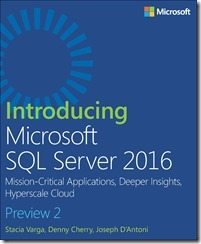
New free preview eBook from Microsoft Press!

imageWith Microsoft SQL Server 2016, a variety of new features and enhancements to the data platform deliver breakthrough performance, advanced security, and richer, integrated reporting and analytics capabilities. In this Preview Edition ebook, we introduce three new security features: Always Encrypted, Row-Level Security, and dynamic data masking; discuss enhancements that enable you to better manage performance and storage: TempDB configuration, query store, and Stretch Database; and we review several improvements to Reporting Services. This book is a Preview Edition because it’s not complete; the final edition will be available in Spring of 2016.

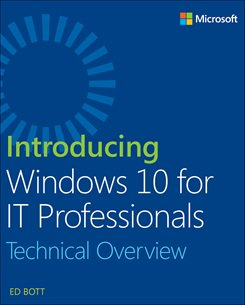
New free eBook from Microsoft Press!

imageLead the journey to the cloud and drive innovation!

Discover what makes the cloud so compelling to enterprises; with which applications you should start your cloud journey; how your organization will change, and how skill sets will evolve; how to measure progress; how to think about security, compliance, and business buy-in; and how to exploit the ever-growing feature set that the cloud offers to gain strategic and competitive advantage.

AMAZING POST.  This is more for my own reference but I think there’s a lot of folks running Skype for Business or Lync that could make use of this.

Hi All

Happy New Year for 2016. I thought I’d start off the year with a blog on a topic I have been meaning to get to for 18 months now J, and that is on monitoring your Skype/Lync Edge servers with Operations Manager. Too often I go out and review Skype/Lync environments that include an Edge component and find that external role is not well monitored. In my opinion, in a Skype and Lync environment monitoring your external facing components is critical and in some ways more important than monitoring your internal servers. This is of course down to the fact that they are external facing and more likely to be attacked/compromised. In the same vein, Skype Edge Servers should also be well managed, patched, configured for Antivirus and updated with software updates as they are released. Please make sure you monitor your Edge Servers and your Reverse Proxies. *End of rant* J

Now part of the reason I think Operations Manager doesn’t get used enough to monitor the Edge Server role is it can be quite tricky monitoring a server that is 1) in the DMZ and 2) in a workgroup. So this blog is all about setting up monitoring of an Edge Server with Operations Manager 2012 R2.

To use a Gateway Server or not?

The first decision you need to make when embarking off on this monitoring adventure is to decide whether or not you are going to allow your Edge Servers to talk directly to the Operations Manager Management Servers directly, or whether or not you need to funnel all communication from the DMZ through an Operations Manager Gateway server. Gateway servers are useful for taking connections from lots of servers in a DMZ and funnelling back the communication to the internal Operations Manager Server, limiting of course the connections from untrusted (in the DMZ) to trusted in the internal network. This is likely to be the best option for you if you have a lot of servers in the DMZ that need to be monitored.

image

Read the rest of this VERY LONG instructional post here:

imageLast month, we published KB3123303 with details of the new "End of Life" upgrade notification for Internet Explorer, which will be shipped as an update next week on January 12th.

The update will apply to Windows 7 SP1 and Windows Server 2008 R2 for users who have not upgraded to Internet Explorer 11 (i.e. IE8, IE9, and IE10 users). The update includes a new “end of support” notification feature when the browser is launched. This will automatically open a new tab with the appropriate Internet Explorer download page for their OS.

Customer environments in which the migration to Internet Explorer 11 is incomplete may disabled the notification feature by deploying a registry key. See KB3123303 for details and this blog article for step-by-step instructions.

Windows Vista and Windows Server 2008 are not affected by this update. IE9 is the latest version of Internet Explorer supported by these operating systems. Windows 8 and Windows 8.1 are also unaffected (support for Windows 8 ends on January 12th and Windows 8.1 comes with IE11).

The notification tab will not appear on every launch of the browser. After the tab is closed it will be 72 hours before it is shown again and only when launching IE (i.e. not during a browsing session).

For more information about the end of support for old versions of Internet Explorer see the Windows for Business summary and the Microsoft Support Lifecycle for Internet Explorer page. For technical information about how to upgrade to Internet Explorer 11 and Microsoft Edge see the Browser TechCenter pages on TechNet.

Posted by: kurtsh | January 10, 2016

NEWS: “InFocus Kangaroo”: A full Windows 10 PC… $99

imageWAIT.  Before you ignore the Kangaroo as just “another cheap PC”, read the stats on this thing:

  • Fast Atom x5 CPU w/ integrated graphics – includes Windows 10 Home
  • 2GB/32GB storage
  • 3 USB ports including full size USB 3.0
  • HDMI port (Full size)
  • WiFi a/b/g/n/ac
  • Bluetooth 4.0
  • TPM 2.0 chip for strong physical hardware encryption security
  • MicroSD slot for storage expansion (supports 256GB cards or more)
  • Fingerprint reader (Windows Hello compatible)
  • 4 hr Lithium Ion battery to enable usage without AC power
  • $99

Besides Windows apps, it runs BlueStacks for Android apps & Kangaroo has worldwide distribution & support through it’s manufacturer, InFocus.

You can see how this would be useful for anyone who has access to an HDMI connected display.  Imagine students carrying this to school or to a library… or families with only a cheap TV using this to connect to public WiFi.  I bought one & I’ve found so many scenarios in which this thing is useful.

Brad Anderson – Microsoft’s Corporate VP for Enterprise Client & Mobile Management & one of the Engineering leaders for Microsoft’s Enterprise Mobility Suite – gives an overview of our solution, EMS. 

This is a 42 minute session that explains how identity & security pervades Microsoft’s strategy around Enterprise  & why this is the foundation for any cloud strategy – especially hybrid architectures.

This is one of the best videos you’ll ever see on the topic.  If you’re responsible for client and/or mobile technology – this is must-see.

Enterprise Mobility Suite Overview with Brad Anderson
Posted by: kurtsh | January 7, 2016

RELEASE: Azure Automation now generally available!

imageI’m a little late on posting this as it’s been sitting in my Blog drafts folder but here it is:

Azure Automation is generally availabile in the new Azure portal as of December 2. Azure Automation is used to create, monitor, deploy, and manage resources in your Azure environment, in other clouds, or within your datacenter.

Some new features in the Azure Automation service include:

For more information about Azure Automation, visit the Automation page. For comprehensive pricing information, visit the Automation Pricing Details page.

Posted by: kurtsh | January 6, 2016

FIX: Outlook crashes on Surface Book/Surface Pro 4

imageIf you are having issues with Outlook crashing on your Surface (in my case, it was on a Surface Book, but I’m told this also applies to Surface Pro 4 and possibly other PCs), try disabling hardware graphics acceleration” within Outlook.

DISABLE OUTLOOK HARDWARE GRAPHICS ACCELERATION
Outlook has an Advanced setting in Options (in 2010, 2013 & 2016, I believe) that by default, takes advantage of your workstation’s GPU hardware.  Recently, I think there have been issues with the Intel Core series 6th generation Skylake CPUs where the integrated graphics acceleration/GPU has been a little buggy.  I don’t know if it’s the firmware or the device drivers.

imageIf you look in FILE – OPTIONS, then click “Advanced” and scroll down the dialog box for a bit, you’ll see an entry there called “Display” with a checkbox value of, “Disable hardware graphics acceleration”.

Uncheck that box if you’ve been having crashes and that may fix your issues.

UNINSTALL DISPLAYLINK DRIVERS
Also, if you have DisplayLink drivers installed, there is a known bug with these drivers that will cause Outlook 2013/2016 to crash. Remove the DisplayLink drivers by running the DisplayLink cleaner (click here). Note: Make sure you’re not using other docks before removing DisplayLink drivers.

imageProps to David Gewirtz for digging up this gem for Verizon Wireless subscribers but there’s a tool called Verizon Wireless Message+ that enables you send & receive SMS text messages from your Windows desktop.

It adds an icon to your system tray that allows easy access and pops up toast notifications when you receive inbound text. 

On the downside, it maintains it’s own contact list/database of names-to-phone numbers.  You can import stuff but the only import source is Verizon Wireless’ backup tool for contacts which I never use. Basically, I’ve been manually entering people’s names to map to phone numbers as they come in.

On the upside, it’s extremely fast.  It’s actually much faster than using your phone.  And it’s totally FREE.

If you use Windows, grab it here.

Here’s David’s article from ZDnet on the tool which has a bit more about it:

« Newer Posts - Older Posts »

Categories