Posted by: kurtsh | December 27, 2015

INFO: Only 4 years until End of Support for Windows 7

In case you missed it, Windows 7 with supported service packs, went out of mainstream support on 1/13/2015

This means no further design changes or functional fixes/updates are made for the OS.

More importantly, extended support (security fixes, per-incident support) for Windows 7 Enterprise and Professional exists until 1/14/2020

image

This is only about 4 years away, meaning that all workstations & running applications will need to be tested & upgraded to a supported OS by then to ensure continued availability of security fixes & incident-paid support – just as was done for Windows XP.

More on Windows 7’s coming expiration is available here:
https://support.microsoft.com/en-us/lifecycle?C2=14019

image

Posted by: kurtsh | December 27, 2015

RELEASE: Photo Story for Windows Phone (FREE)

Here’s a free tool from Microsoft Research that I forgot to post a couple months ago called “Photo Story”. 

It similar in nature to the old Photo Story application we used to have for Windows that automatically chooses the best representative photos of an event and organizes them into a themed video, complete with stylized music and editing, that you can easily share via email or social media.

Here’s a short video that explains what Photo Story for Windows Phone does:

Introducing Photo Story for Windows Phone


You can download the free app here:

Posted by: kurtsh | December 27, 2015

INFO: Holiday Blog Surge: “Halo” Poster Store

(I’m on vacation.  Which means I’m gonna try to get some of these posts out of the way that have been sitting cached up for ever.  So here we go.)

———

Are you a Halo fan?  Ever wondered where some of those epically cool posters come from that some of us Halo fans have in our offices, homes, cubes, etc?  Here’s where you get them from:

They have Halo 5 posters as well as classic posters from Halos 1-4.

image

Posted by: kurtsh | December 23, 2015

TRAINING: Windows Security & Forensics

This is a heck of a course.  And it’s FREE.

Every organization must prepare for the possibility of cybercrime within its networks or on its computer systems. Are you able to investigate crimes, like fraud, insider threats, industrial espionage, employee misuse, and computer intrusion? These days, every IT Pro should learn to recover key intelligence from Windows systems.

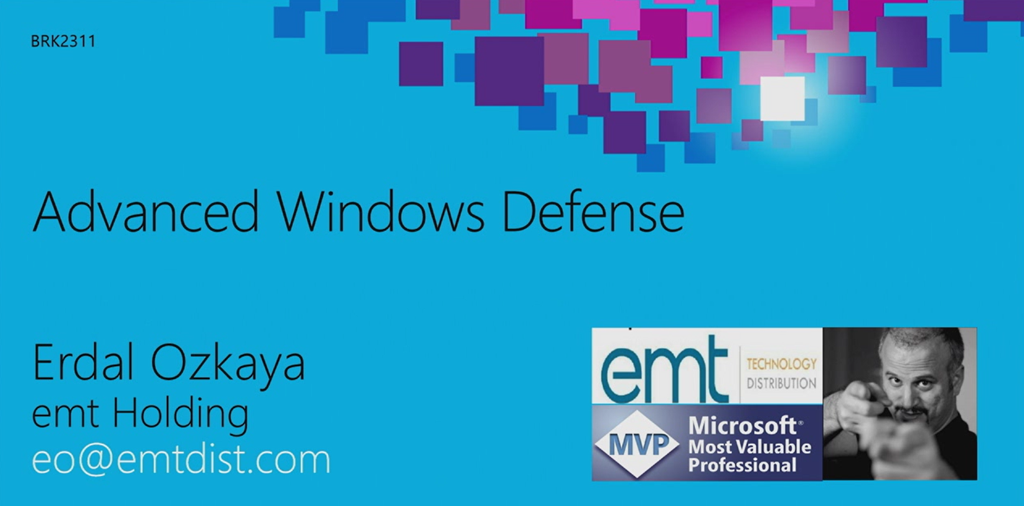
Learn how to do just that, from leading expert Erdal Ozkaya, and find out what you need to become a digital forensic professional, incident responder, and media exploitation expert, capable of piecing together Windows system events, second by second. Erdal joins forces with Hasain “the Wolf” Alshakarti and Raymond Comvalius to show how cybercrime happens, what you can do to prevent it, and how to respond when it occurs.

  1. Windows Security and Forensics
    Take a look at the current state of the security landscape, Windows Security, and what "computer forensics" are.
  2. Windows Memory Attacks and Forensics
    Learn how and why hackers attack a system’s memory, and see how Memory Forensics can help address the problem.
  3. Windows Authentication Attacks and Forensics
    See demonstrations of how attackers use credential dependencies to gain elevated access to systems and to perform lateral movement. Plus, learn how to detect and prevent many of these attacks.
  4. Windows Forensics
    Explore Digital Forensics, and find out what to do as a first responder to preserve evidence for legal actions.
  5. Network Forensics
    Explore network forensics, along with case studies, best practices, and online analysis techniques.
  6. Malware Incident Response
    Learn about malware incident response, including identifying, locating, and removing malware.
  7. Windows 10 Forensics
    Take a look at Windows 10 forensics, and hear about new security features and innovations that can help forensic experts with their work.

Learn the following through this course:

  • Examine how and why hackers attack a system’s memory.
  • Identify how attackers use credential dependencies to gain elevated access.
  • Review what to do as a first responder to an attack; learn to preserve evidence for legal actions.
  • Explore network forensics.
  • Learn about innovations of Windows 10 that can help forensic experts do their jobs.
  • Learn the basics of computer forensics.
  • See how to respond to malware incidents.

Enroll in this on-demand course here from Microsoft Virtual Academy.

Posted by: kurtsh | December 23, 2015

HOWTO: Get Support for Surface devices

imageIf you have an issue with your Surface device or simply have a question, the best place to start is NOT Reddit.

No, the best place to start for any sort of issue with Surface hardware or software is… wait for it… Microsoft.  Shocking, I know.

IN-PERSON SUPPORT
If you have one available, I strongly suggest going into a local Microsoft Store where you can get a Technical Advisor to speak to about your issue.  Find your local Microsoft Store here:

PHONE SUPPORT
If you need to talk to someone on the phone, there are a couple options:

ONLINE SUPPORT
Otherwise, here are the Microsoft sponsored sites and support areas for you to submit you questions.

imagePlanning is already well underway for Microsoft Convergence 2016 and it’s shaping up to be a fantastic event. Convergence brings the best minds in business and technology together. You’ll discover breakthrough business insights, explore emerging solutions for your industry, and learn how your peers are reinventing their roles.

Join us and discover strategies that can help you, your team, and your business achieve more.  We’ll have some exciting details to announce soon, so make sure you stay in-the-know. Bookmark this website, sign-up for e-mail updates, and stay connected through social media.

Registration opens in early January 2016. Get ready!

imageJoin us at the inaugural Power BI and Excel user conference

Join your peers, leading data analysts, and the Power BI and Excel product teams in Seattle, WA to talk about bringing your data to life with Power BI and Excel. Learn valuable new skills, test drive the latest technology, and schedule a one-on-one meeting with Microsoft experts.

The Data Insights Summit will be a dynamic, fun-filled, two-day event with the following activities:

  • Keynotes
    • Microsoft Opening Keynote by James Philips – CVP of Microsoft’s business applications, platform and intelligence
    • Industry Keynotes with renowned guest speakers
  • Ask the Experts: 1:1 meetings between the attendees and Microsoft engineers where the attendees bring their data problems to the Microsoft engineers who will help them solve their problems using Power BI, Excel, etc.
  • User Group Meetups: organized by user group/forum topics to facilitate discussions and networking
  • Sessions: multiple sessions featuring customer stories, big ideas, and product capabilities & best practices
  • Workshops: instructor-led labs where the attendees can get hands on trying and practicing what they’ve discovered

DATE:
March 22-23, 2016

LOCATION:
Hyatt Regnecy
900 Bellevue Way NE, Bellevue, WA 98004

DATA INSIGHTS SUMMIT FAQ:
http://community.powerbi.com/t5/Data-Insights-Summit-Discussion/Microsoft-Data-Insights-Summit-FAQ/m-p/11580 

REGISTRATION:
http://www.datainsightssummit.com/

Posted by: kurtsh | December 17, 2015

RELEASE: OneDrive for Business Next-gen Sync Client

Big news in the world of OneDrive for Business:  We’re releasing the “next gen sync client”, which alleviates a number of pressing issues with syncing with OneDrive for Business:

  • Improves reliability & performance of file sync
  • Removes the 20,000 file sync limit
  • Enables selective sync
  • Support for large files up to 10Gb in size
  • etc.
    Microsoft OneDrive for Business December 2015 Product Updates

A WORD ABOUT SHAREPOINT:
One important note for those with users that sync files with SharePoint document stores – not just OneDrive for Business stores:

  • The next gen sync client will NOT sync SharePoint document libraries.  This is coming in the future – more will be announced in Jan 2016.
  • As a workaround, you can run both the existing OneDrive for Business sync client (for Sharepoint sync) side-by-side with the next gen sync client. (for OneDrive for Business file store sync)

For more information, visit the following sites:

I wanted to highlight this announcement:

Unlimited file storage will be granted to Office 365 customers on PREMIUM plans. This includes individuals in organizations with more than five people subscribing to one of the following plans:

  • Office 365 Enterprise E3, E4 and E5
  • Office 365 Government E3, E4 and E5
  • Office 365 Education
  • OneDrive for Business Plan 2 and SharePoint Online Plan 2

For more information, please check out the following post:

Posted by: kurtsh | December 17, 2015

RELEASE: OneDrive for Business Next-gen Sync Client

Big news in the world of OneDrive for Business:  We’re releasing the “next gen sync client”, which alleviates a number of pressing issues with syncing with OneDrive for Business:

  • Improves reliability & performance of file sync
  • Removes the 20,000 file sync limit
  • Enables selective sync
  • Support for large files up to 10Gb in size
  • etc.
    Microsoft OneDrive for Business December 2015 Product Updates

A WORD ABOUT SHAREPOINT:
One important note for those with users that sync files with SharePoint document stores – not just OneDrive for Business stores:

  • The next gen sync client will NOT sync SharePoint document libraries.  This is coming in the future – more will be announced in Jan 2016.
  • As a workaround, you can run both the existing OneDrive for Business sync client (for Sharepoint sync) side-by-side with the next gen sync client. (for OneDrive for Business file store sync)

For more information, visit the following sites:

« Newer Posts - Older Posts »

Categories