UPDATE 5/23/16:
I found a great support article entitled, “Fix OneDrive for Business sync problems” that goes over issues you may have when syncing files using the old “longtime” OneDrive for Business sync client.  It should be used to augment what I wrote below around SharePoint doc library syncs that “won’t stop”.

image

—————

ORIGINAL POST:
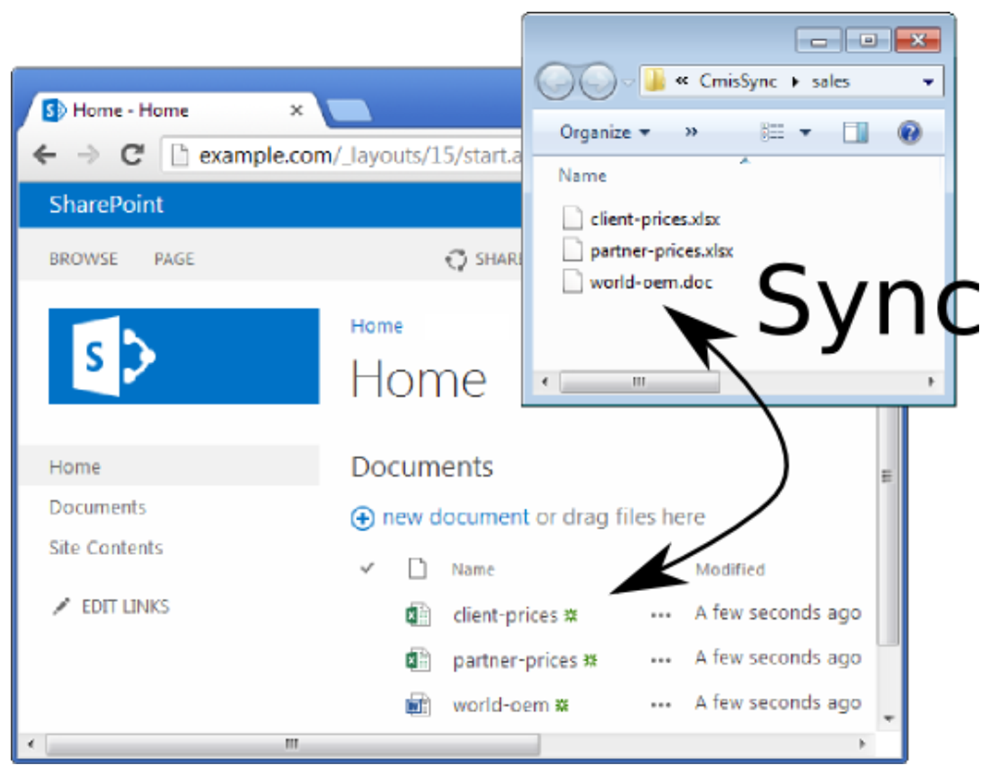
imageSo you’ve installed the old OneDrive for Business sync client to ensure that you can synchronize files and folders from SharePoint sites.  And you’ve happily synched several repositories and everything’s looking great, right?

What if you see the old OneDrive for Business client’s icon in the systray and it just won’t stop synching or appears to continuously attempt to sync an unresolved file?

BACKGROUND:
Sometimes the OneDrive for Business client gets hung syncing a file if you open, edit, or otherwise modify the file while it’s being synced from your client to the SharePoint site. 

This can also happen if you are synching with the SharePoint site, and you disconnect your computer or otherwise halt the sync process while changes are being uploaded to the SharePoint site.

Both of these sync issues are completely resolved with the next-gen sync client for OneDrive however, that doesn’t matter since the next-gen sync client doesn’t YET work with SharePoint document repositories.  (It will when we release an updated version of the OneDrive sync client in Q3CY16)

RESOLUTION:
The way to fix this is a bit of a workaround but it does fix the issue.  At least until the next-gen sync client is updated to also sync SharePoint document folders:

  1. Determine what file is causing the conflict/hang.  Go to your SharePoint folder and identify which folder is the source of the perpetual sync.  Navigate the folder to find the file that is specifically causing the issue
  2. If the file is an Office document, open the file and save it under another file name in the same directory.  Then delete the old file.  This will eliminate the conflict and your old OneDrive for Business sync client will stop attempting to sync.
  3. If the file is non-Office-based, move the file locally & wait for the file’s disappearance to resolve.  Move the file back to the SharePoint folder, and this should resolve the conflict.  There is a chance that this won’t work, and if this is the case, rename the file before moving it back to the SharePoint folder.

Note: Be careful if you share the file with others.  Make sure they aren’t using the same file at the same time so as not to remove it from the SharePoint site while they are using it.

OneDrive for Business may not display sync icon overlays on files and folders. This includes the status for items that are syncing, items that synced, or items that did not sync.

imageA successful sync icon overlay contains a green circle with check mark, as shown in the following screen shot to the right.

FIX:
To fix this problem automatically, download the CAB below. In the File Download dialog box, click Run or Open, and then follow the steps in the easy fix wizard.

  • This wizard may be in English only. However, the automatic fix also works for other language versions of Windows.
  • If you’re not on the computer that has the problem, save the easy fix solution to a flash drive or a CD, and then run it on the computer that has the problem.

DOWNLOAD:
http://download.microsoft.com/download/1/C/7/1C7D7C26-C23F-46F7-90B0-06A28C4416EA/MicrosoftEasyFix20152.mini.diagcab

According to the dialog box, the fix involves giving the sync overlay graphics priority when displaying the graphics for the icon.

For more information on this, visit:

Posted by: kurtsh | May 19, 2016

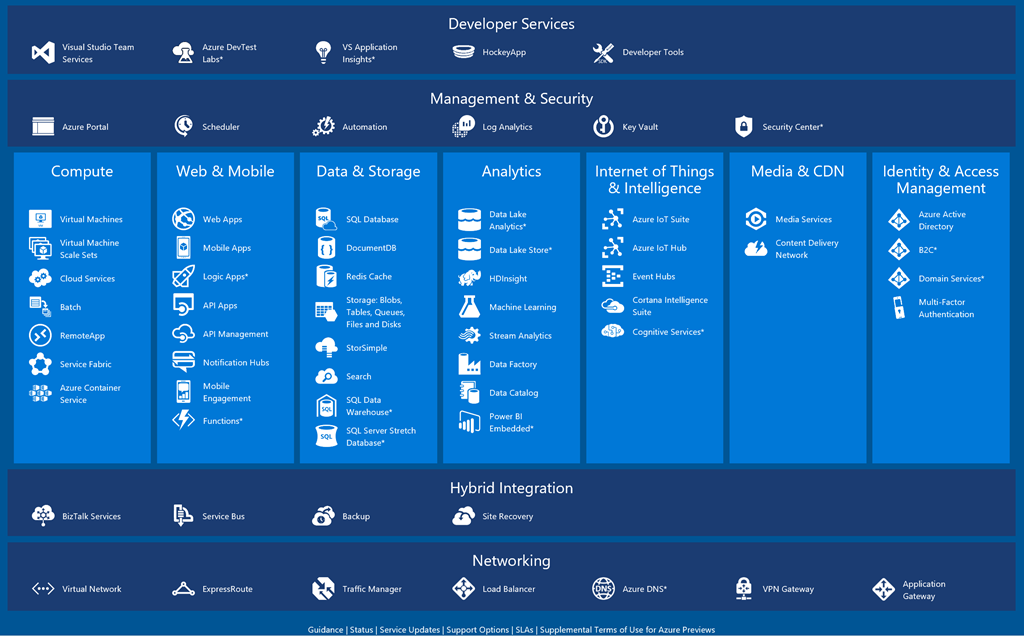
RELEASE: Interactive Map: Azure Platform

image

Are you lost when it comes to understanding the avalanche of cloud services that Microsoft offers in the Platform-as-a-Service & Infrastructure-as-a-Service space?

INTERACTIVE MAP FOR AZURE PLATFORM
Fear not!  Enter the Interactive Map for the Azure Platform!  This map provides an overhead view of all services and allows the viewer to click into any service for not just a short-and-sweet definition of the service, but also:

  • Overview
  • Pricing
  • Documentation
  • Limits

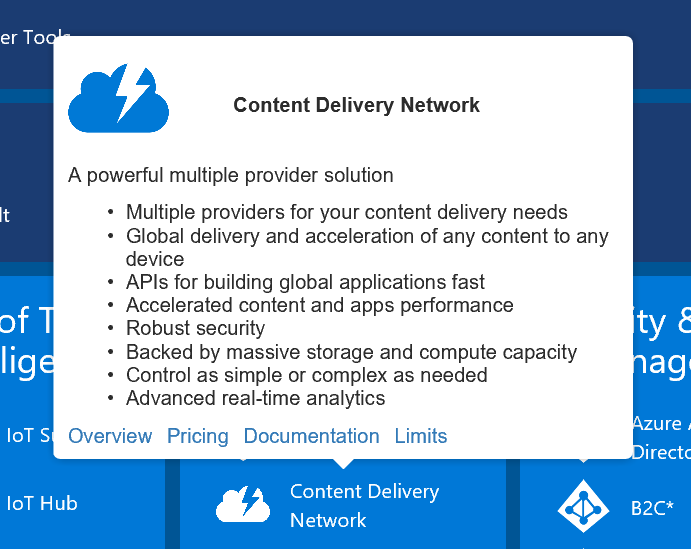
imageFor example:  Interested in knowing what Azure offers as for Content Delivery Network services? (CDN)

Click on it and get the following balloon.  (See photo on the right)

LINKS FOR OTHER KEY REFERENCES
There are also links at the bottom that remind you where to go for:

To check out this interactive map of Azure Platform services, visit:

I’ll admit that one of the things I’ve been eagerly anticipating is the fusion between SharePoint sites & Office Groups.

  • SharePoint provides something that every team absolutely needs:  Shared file storage.  It also provides context around those files and the ability to sync those files locally to your PC.
  • Office Groups on the other hand, provide threaded messages with integration with Exchange for richer collaboration amomgst team members, something that SharePoint lacks.

But between the two, if faced with choosing just one, I choose SharePoint & Document folders every time.  People need to share documents: For me, communications can always be handled by email and distribution lists.

SHAREPOINT SITES + OFFICE GROUPS: CHOCOLATE & PEANUT BUTTER
Now, as you can see in the video below, Office Groups is being integrated into SharePoint sites to provide both document sharing as well as threaded messaging that is present and archived in the site as well as delivered via Exchange.

All on one site.

The Mobile and Intelligent Intranet: SharePoint sites and PowerApps

This video shows a lot more than just Office Groups. SharePoint Mobile clients, PowerApps, and other features are reviewed so check it out.

For a write up about these features, check out the SharePoint blog post here:

Saved image from Tweetium (32)

Now you can benefit from the expanded support for SAP applications on Azure to run your mission-critical SAP workloads. Azure is an enterprise-proven cloud platform that provides unparalleled performance and can handle the largest SAP HANA workloads of any hyperscale cloud provider.

Twenty years and counting, Microsoft and SAP, are committed to delivering innovation for our joint customers. Hear from our Senior Solution and Development Executives on ways to leverage your investments in SAP to drive customer value.

In this webinar you’ll learn about:

  • SAP applications on Azure
  • HANA on Azure
  • Architectural guidance
  • Demo of HANA deployment on Azure native VMs

Register at the link below!

imageMicrosoft & SAP CEOs Satya Nadella and Bill McDermott announced deeper cloud integration between our two companies.

SAP customers will be able to run HANA, SAP’s in-memory databasesolution on Microsoft Azure.  It will specifically perform best on Azure relative to other cloud providers by having far higher data load capacities through the availability of greater dedicated compute power & memory.

Additionally, there will be greater connections between Concur, SuccessFactors, and Ariba with Microsoft industry leading cloud productivity solution, Office 365, which will more directly integration with SAP’s toolset.

For more details on the new partnership, read the announcement here:

Windows Defender Advanced Threat Protection is a new service that helps our enterprise customers to detect, investigate, and respond to advanced and targeted attacks on their networks.

image

Windows Defender ATP is composed of three parts:

  1. The Client – end-point behavioral sensor, built into Windows 10 (Windows 10 Anniversary update, Windows Insider Preview Build number 14332 and later) and activated upon service enrollment. The client logs relevant security events and behaviors from the endpoint.
  2. Cloud security analytics service – processing data from endpoints in combination with historical data and Microsoft’s wide data repository to detect anomalous behaviors, adversary techniques and similarity to known attacks. The service runs on the Microsoft scalable big data platform, and uses a combination of Indicators of Attacks (IOAs), generic analytics and machine learning rules, as well as Indicators of Compromises (IOCs) collected from past attacks.
  3. Microsoft and community intelligence – our Hunters and researchers investigate the data, finding new behavioral patterns and correlating the data with existing knowledge from the security community.

To sign up for the preview of Windows Defender: Advanced Threat Protection, visit the following site:

imageThere is no time better to be a developer. With the cloud, you can compose solutions that were never possible before. You can release new features to millions of users within minutes. You can push the boundaries of current technological limitations in days. Developers can turn ideas from the ground up to successful businesses in only months. Companies need apps that allow them to maximize customer engagement and differentiate against competitors. Teams must have agility with app development for faster time to market. Developers need a flexible platform to scale up and down based on business demands, yet rock-solid resources that can withstand failure.

Microsoft Azure offers a cloud platform designed for developers to build the most innovative apps.

This guide breaks down the “why” and “how” for scenarios suited to the cloud with a focus on building apps using platform services available in Microsoft Azure. The second half of the guide showcases the breadth and depth of the Azure platform and services designed to help developers make truly competitive and differentiated applications. The intended audience for this guide includes:

  • Developers wanting to understand why Azure is the best cloud platform for creating applications and how to get started quickly based on the app you want to build today.
  • Technical leaders considering Azure to support new or existing application development.

Get the eBook here:

image

A pretty important primer just released for folks looking at Windows Server 2016 – especially folks interested in Containers!

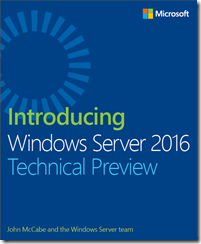
We’re happy to announce the availability of our newest free ebook, Introducing Windows Server 2016 Technical Preview (ISBN 9780735697737), by John McCabe and the Windows Server team. Enjoy!

Get a head start evaluating Windows Server 2016—guided by the experts. Based on Technical Preview 4, John McCabe and the Windows Server team introduce the new features and capabilities, with practical insights on how Windows Server 2016 can meet the needs of your business. Get the early, high-level overview you need to begin preparing your deployment now!

Read more at the announcement here:

image

Folks looking to migrate their SQL Server databases to Azure now have a great reference to review.

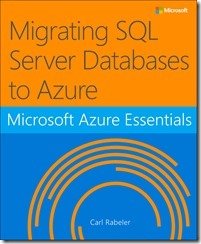
We’re happy to announce the availability of our newest free ebook, Microsoft Azure Essentials Migrating SQL Server “Databases to Azure (ISBN 9781509302925), by Carl Rabeler. Enjoy!

Part of the “Microsoft Azure Essentials” series, this ebook helps SQL Server database users understand Microsoft’s offering for SQL Server in Azure. Learn how SQL Server in Azure is similar to SQL Server in an on-premises environment, and how they are different. The author, a content lead for Azure.com, walks you through the steps of getting started with SQL Server in an Azure virtual machine and with Azure SQL Database. Follow the numerous screenshots to create a trial subscription, create SQL Server in an Azure virtual machine, create an Azure SQL Database, migrate an on-premises database to each Azure environment, create users, back up and restore data, and archive data.

Read more on the MS Press blog announcement:

« Newer Posts - Older Posts »

Categories