imageAre you an Azure customer?  Are you investigating solutions for Disaster Recovery as a Service?

Check out what you already have with Azure DRaaS.  Gartner’s new DRaaS magic quadrant highlights the availability of Azure Site Recovery, which incorporates:

  • a cloud hosting service
  • a cloud migration & disaster recovery tool
  • management through Operations Management Suite

They also highlight Azure’s DRaaS GLOBAL availability relative to other solutions and cross-platform hybrid approach , which makes recovery suitable from VMware & Hyper-V.

Read the Magic Quadrant document here:

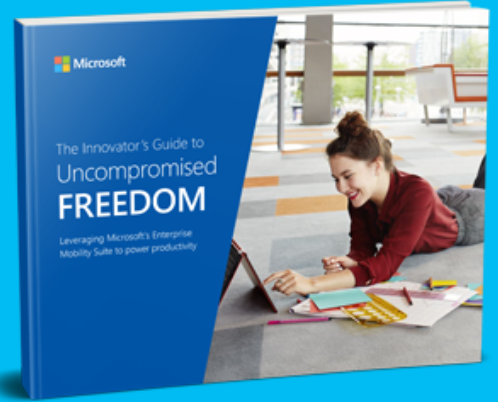
imageFree employees to work from anywhere, anytime, on any device.

Today’s employees are calling for more freedom and flexibility from their work environments. They want to be able to work when, where, and how they choose, which creates unique challenges for modern IT departments.
Fortunately, with The Innovator’s Guide to Uncompromised Freedom, flexibility and adaptation is easier than ever. The authority on achieving the freedom employees desire and the protection IT departments require, this eBook demonstrates how Microsoft’s Enterprise Mobility Suite (EMS) helps businesses create a more secure and productive work environment from virtually anywhere by:

  • Encrypting nearly any type of file on almost any device
  • Centrally managing identities across data centers and the cloud
  • Providing easy and intuitive device enrollment
  • And much more

For more information on how employees and businesses can achieve unprecedented flexibility and freedom, download The Innovator’s Guide to Uncompromised Freedom today.

imageToday, I got a couple questions about Office 365 Pro Plus & languages:

Do we have the rights to deploy multiple languages in Office 365 Pro Plus under Office 365 E3 or do we need to purchase them separately

Yes, if you have a qualified Office 365 subscription, you have the right to use multiple languages for users that are subscribed to Office 365.

Per the “Office 365 Licensing Brief” documentation:

“Microsoft Office Multi-Language Pack provides the flexibility to customize Microsoft Office for multilingual needs. Customers licensed for Office 365 ProPlus may deploy and use the latest version of the Office Multi-Language Pack during the term of the Office 365 ProPlus subscription.”

Where can I download the languages or language packs for our enterprise deployment?

You need to use the Office Deployment Tool to obtain & integrate multiple languages into the Click-to-Run package. Please review the Office 365 Pro Plus Deployment Guide (https://technet.microsoft.com/en-us/library/gg715562.aspx) which has a chapter specifically on this topic:

“If you purchased an Office 365 subscription, you can use it to install Office in multiple languages. You do not have to buy a Language Pack. If your organization allows it, users can install Office 365 ProPlus languages directly from the Office 365 portal. When users install Office from the software page, they select a language from the Language drop-down box.
In managed enterprise environments, end-users may not have permission to install software from the Office 365 portal. If you are configuring an on-premises deployment of Office 365 Click-to-Run applications for users in your organization, you can use the Office Deployment Tool and a custom Configuration.xml file to install Click-to-Run in multiple languages.”

As an individual, if permitted, one can download the appropriate language pack on their own, install it locally to their system, then change the language setting for their installation. (Note: The site says Office 2016, but also applies to Office 365 Pro Plus)

Posted by: kurtsh | June 16, 2016

DOWNLOAD: Starbucks for Outlook Add-in Now Available!

Outlook now makes it easier for you to have that personal connection by enabling you to meet your customers, business partners or study group at your favorite Starbucks location, all with a few clicks from your Outlook inbox.  Introducing the Starbucks for Outlook add-in.

image

  • SCHEDULE MEETINGS AT A LOCAL STARBUCKS
    Simply click the “Meet at Starbucks” command from the ribbon when creating a new meeting request, search for your favorite Starbucks store, and add it as the location of your upcoming meeting.

image


  • SEND STARBUCKS GIFTCARDS OVER EMAIL
    Now you can effortlessly and quickly express thanks or appreciation for a job well done by sending a Starbucks eGift Card right from your inbox. 

imageHOW TO INSTALL:
The Starbucks for Outlook add-in is available in the Office Store as a free download to users of the new Outlook.com, as well as Outlook 2013, Outlook 2016 and Outlook on the web users with Office 365 or Exchange 2013 or Exchange 2016 mailboxes.

If you are using Office 365 or the  new Outlook.com, simply click on https://aka.ms/getcoffee to begin installation of the Starbucks for Outlook add-in. If you are using Exchange 2016 or Exchange 2013 on premise, please follow the steps below to install the add-in:

  1. In Outlook 2013 or Outlook 2016, click Store from the Home tab on the ribbon. In Outlook on the web click the gear icon (top right) and select Manage Add-ins.
  2. Type in “Starbucks” in the search bar on the top right.
  3. The search will return the “Starbucks for Outlook” add-in, then set the toggle to “on” to install the add-in.
  4. The add-in will appear in the command bar ribbon on the top.

Note: Some users in Outlook 2013 may not see the new in-client store UI above. For these users, follow the steps below:

  • Click Store from the Home tab on the ribbon-> click Manage Add-ins. 
  • In the Manage Add-ins page, click the + sign and then select the “Starbucks for Outlook” add-in from the Office Store.
  • Click the “Add” button to begin installation.

We hope you give the new Starbucks for Outlook add-in a try and find it a helpful and easy tool to build great connections. Be sure to also take advantage of our limited time offer when you share a Starbucks eGift Card so you can get one in return.

We’re eager to hear your feedback on the Starbucks for Outlook add-in and any suggestions on new partner solutions that you’d like to see in Outlook. Joining the conversation on Outlook is easy—visit Outlook.UserVoice.com  and sign in with your Microsoft account to leave your feedback.

Read more here:

(p.s. To make this even sweeter, we have an exciting offer running for a limited time! When you send a Starbucks eGift Card using Outlook, you are eligible to get a free $5 Starbucks eGift Card in return, so your next coffee is on us!)

image

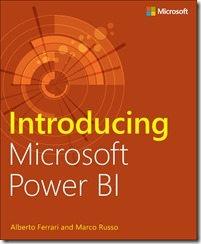
We’re happy to announce the availability of our newest free ebook, Introducing Microsoft Power BI (ISBN 9781509302284), by Alberto Ferrari and Marco Russo. Enjoy!

Get started quickly with Microsoft Power BI! Experts Alberto Ferrari and Marco Russo will help you bring your data to life, transforming your company’s data into rich visuals for you to collect and organize, allowing you to focus on what matters most to you. Stay in the know, spot trends as they happen, and push your business to new limits.

This free ebook introduces Microsoft Power BI basics through a practical, scenario-based guided tour of the tool, showing you how to build analytical solutions using Power BI. Read the ebook to get an overview of Power BI, or dig deeper and follow along on your PC using the book’s examples.

Introducing Microsoft Power BI enables you to evaluate when and how to use Power BI. Get inspired to improve business processes in your company by leveraging the available analytical and collaborative features of this environment.

Be sure to watch for the publication of Alberto Ferrari and Marco Russo’s upcoming retail book, Analyzing Data with Power BI and Power Pivot for Excel (ISBN 9781509302765). Go to the book’s page at the Microsoft Press Store here for more details: http://aka.ms/analyzingdata/details.

Learn more about Power BI at https://powerbi.microsoft.com/.

Download “Introducing Microsoft Power BI” here:

Read more at the MS Press blog at:

image

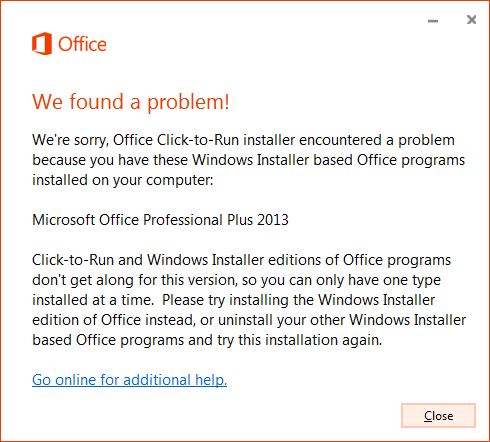
If you’ve ever tried to install Office 365 Pro Plus (Click-to-Run) on a machine with Visio 2016 installed on it using the .MSI installer – or vice versa – you know that it doesn’t work.

There’s a well-known compatibility problem between the traditional .MSI installation media for either Project 2016 or Visio 2016 & the Click-to-Run installations of Office 365 ProPlus.

If you’ve already purchased Visio 2016 or Project 2016 or you plan on purchasing either product and you have Office 365 Pro Plus, read the following:

  1. VISIO 2010/2013:  If the user is licensed for Visio 2010 or Visio 2013:
    1. These versions should work side-by-side with the release of Office 365 Pro Plus that is likely being deployed. (Wave 16)
    2. imageFor more information, please see the document from the link below for details around version compatibility with Office 365 Pro Plus. (https://1drv.ms/b/s!Ao0Dfn8MQdoAoMtlfdkmZxe–TTeow)
  2. VISIO 2016 (ALREADY PURCHASED):  If a user has already purchased/licensed Visio 2016 for their use:
    1. This version, Visio 2016 (MSI), will NOT work if installed side-by-side with the current release of Office 365 Pro Plus. (Wave 16)
    2. Download this special Visio 2016 (Click-to-run Perpetual) package and install.  This will leverage the same volume licensing KMS/MAK activation keys as the Visio 2016 (MSI), and work side-by-side with Office 365 Pro Plus. (For more information, please see the following instructions: https://support.microsoft.com/en-us/kb/3157564, https://technet.microsoft.com/library/mt703272.aspx)
    3. As you would expect, this “perpetual” release of Visio 2016 will not evolve and will not receive new features as Office 365 Pro Plus does.
  3. VISIO (NEW):  If a user would like to purchase a new license of Visio for their use:
    1. They can purchase/install “Visio for Office 365” which is a subscription just like Office 365 Pro Plus and evolves/receives feature updates just as Office 365 Pro Plus does.
      https://products.office.com/en-us/Visio/visio-pro-for-office-365-online-diagram-software
    2. They can alternatively purchase Visio 2016 & deploy the Visio 2016 (Click-to-Run Perpetual) package as documented here:
      https://support.microsoft.com/en-us/kb/3157564
      https://technet.microsoft.com/library/mt703272.aspx
      (This “perpetual” package will not receive feature updates as Office 365 Pro Plus does)

For more information on using the Visio 2016 or Project 2016 “Click-to-Run Perpetual” package, read the following:

Posted by: kurtsh | June 16, 2016

DOWNLOAD: Windows 10 for Business Onboarding Kit

Planning on deploying Windows 10?  Check this out:image

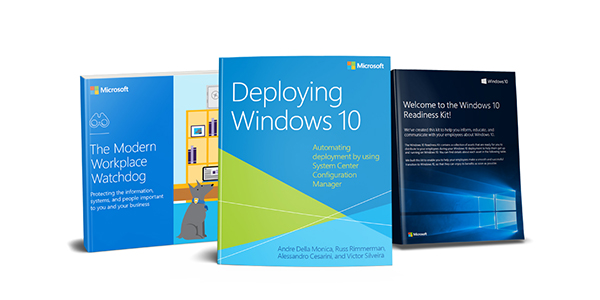
We’ve produced a bundle – particularly an “adoption kit” of resources – that you can download now for free to help you deploy & evangelize Windows 10 in your organization.

Taken from the site:

Get a head start on Windows 10 for your business.

Whether you’re researching a future upgrade, or planning a deployment, the Windows 10 for Business Onboarding Kit is a collection of informative resources that will help you understand how to deploy Windows 10. Learn about secure automated deployment, get insights on how to protect your organization’s data and devices, and download materials to assist with employee readiness today.

Sign up now to receive:

  • Deploying Windows 10:  Automating deployment by using System Center Configuration Manager, by Andre Della Monica, Alessandro Cesarini, Russ Rimmerman, and Victor Silveira. This authoritative reference book explains how to deploy Windows 10 through a number of both attended and unattended automated methods.
  • Windows 10 Readiness Tools: Use this handy bundle of resources to distribute to employees during your Windows 10 deployment to help them get up and running. This kit will help your employees make a smooth and successful transition to Windows 10, so your organization can start enjoying the benefits of Windows 10 right away.
  • The Modern Workplace Watchdog eBook:  It’s time stop sacrificing flexibility and efficiency in the name of security. Learn how to protect the information, systems, and people vital to your business with Windows 10, the most secure Windows ever.

The second bullet, “Windows 10 Readiness Tools” contains a LOT of items.  Here’s the inventory:

image

To download the kit, visit the following registration site:


.

image

Interested in the why, how, and what of Active Directory (AD) and enterprise protection? This course has the answers you need to help you defend AD against cyberattacks. Learn from the experts, as they look at Active Directory from an enterprise risk perspective. The key to success is knowing what your high-value assets are, securing them, and securing their dependencies.

Whether your digital assets are on-premises or in the cloud, join us to explore the AD environment, today’s adversaries, relationship dynamics, and strategic prioritization, along with adoption of least privilege. Take a look at the different aspects of Active Directory security, based on findings from the Microsoft Cybersecurity Services team, learn strategies to protect privileged identities in your environment, and finish the course with a roadmap for hardening your AD environment. Defenders should be as extremely adaptive as adversaries are these days, and this course is a great place to start.

  • Active Directory Security: First Things First
    Take a look at the sophisticated threats that target Active Directory. Examine the anatomy of a cyberattack, and review the basics of Active Directory security.
  • Adopt Least Privilege
    Learn about the centricity of Active Directory, further explore Tier 0, and understand the importance of assigning least privilege, including its role in your organization’s cyberdefense strategy.
  • Protect Privileged Identities
    Adversaries leverage privileged identities, the primary attack vector, to persist and expand the scope of compromise. Learn strategies to protect privileged identities in your environment.
  • Defend Your Directory
    Do you know who your admins are? Learn why maintaining solid access control to sensitive directory objects is important for mitigating stealthy means of persistence and escalation of privilege.
  • Defend Your Domain Controllers
    Protecting Domain Controller hosts is fundamental to maintain the integrity of the overall access model and security boundary provided by Active Directory. Learn how to mitigate the risks.
  • Beware of Security Dependencies
    Security dependencies are one of the more sophisticated means of compromising Active Directory. Learn how to minimize and protect the security dependencies in your organization’s environment.
  • Monitoring
    Collection is not the same as detection. Learn what to collect and how to analyze and respond to your collected data. Start making more informed decisions in response to your collected data. Start making more informed decisions in response to security events.

Learn

  • Learn about the anatomy of a cyberattack.
  • Learn the importance of assigning least privilege.
  • List strategies you can use to protect privileged identities in your organization’s environment.
  • Maintain solid access control to sensitive directory objects.
  • Find out different means of compromising hosts, and differentiate ways to mitigate the risks.
  • Identify your organization’s security dependencies.
  • Analyze and respond to your collected data.

To start the FREE course, go to:

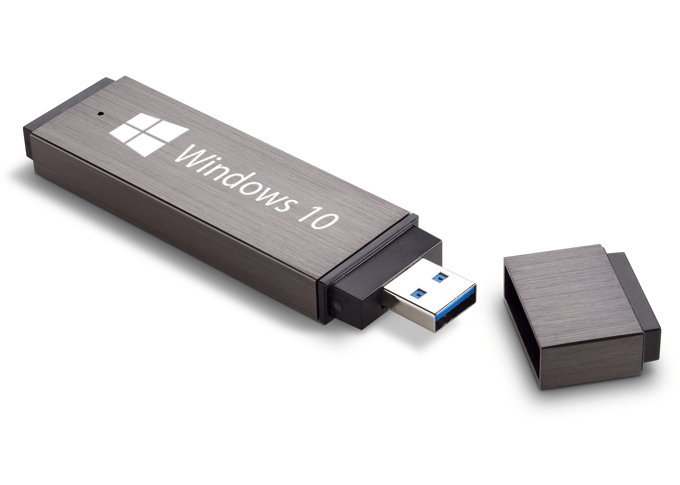
imageAndre Da Costa wrote up two epically awesome tutorials on how to download Windows 10 as an ISO or create a bootable USB drive.  They should be required reading for any tech using Windows 10.

imageFolks that have Premier Support can use the credit on their contract to purchase registration passes to the Microsoft Ignite 2016 in Atlanta, GA, Sept 26-30.

Note: Ignite 2016 is Microsoft’s conference for IT Decision Makers, IT Professionals, & Enterprise Developers.  Think of Ignite as the combination of the Microsoft Exchange, Lync, Project, SharePoint, MMS, or TechEd Conferences all in one.

A full Ignite registration pass requires 9:26  Premier hours.  In order to transact this exchange:

  1. Tell your Premier Technical Account Manager how many tickets you want. 
  2. Within 24-48 hours after, the TAM will send customer a single registration code with x number of tickets associated + instructions on how to finalize the registration process.

For more information about Ignite, visit:

For the session list at Ignite, visit:

« Newer Posts - Older Posts »

Categories