Posted by: kurtsh | June 22, 2016

INFO: Office 365 & Ransomware Preparedness

imageI was recently asked a couple questions about Ransomware & Office 365 that I thought might be useful for others interested in the same topic.

————

Re: Are there any specific things customers should consider re: Ransomware between onprem vs cloud?

The Office 365 Security blog has a specific post that talks about this topic.  Please review the following post from Office 365 Security:

————

Re: Anything to be said about ransomware preparedness?

Please review the following:

MICROSOFT MALWARE PROTECTION CENTER
We have specific guidance on the Ransomware prepared on the Microsoft Malware Protection Center, specifically a LIVING page summarizing our Threat Intelligence Reports which has specific areas that address:

  • Ransomware statistics
  • Ransomware characteristics
  • Ransomware analysis
  • Ransomware mitigateion
  • Ransomware prevalent threats

Again, this content is living and is constantly updated. Notifications are available via RSS.  Please review this content here:

We also have a dedicated page to Ransomware on the MMPC site:

CYBERTRUST BLOG RANSOMWARE SERIES
There is also an initial post on our CyberTrust blog kicking off a special series of articles about the Ransomware threat entitled, “Understanding the Risk” written by Tim Rains, our Director of Security at Microsoft.  It touches on everything from tactics to coming threats and he specifically closes with guidance around what to do to prepare:

“I asked some of the experts in Microsoft’s Enterprise Cybersecurity Group to provide some guidance based on the work they are doing to help enterprise customers protect, detect and respond to ransomware cases. The Enterprise Cybersecurity Group has unique, industry-leading cybersecurity expertise from client to cloud that I’m excited to tap. They have helped numerous enterprise customers protect, detect and respond to some of the most sophisticated ransomware attacks to date. This experience informs their approach, something partially summarized in the table below.”

Again, this is just the first article in the series.  Read more at :

THREAT RESEARCH & RESPONSE BLOG
Recently a post was made on the MMPC Threat Research & Response blog around Ransomware.  It has guidance toward the end that specifically recommends, “Enable Microsoft Active Protection Service (MAPS) to get the latest cloud-based ransomware detection and blocking.” (https://blogs.technet.microsoft.com/mmpc/2015/01/14/maps-in-the-cloud-how-can-it-help-your-enterprise/)

Please review this post for more:

MCS CYBERSECURITY & RANSOMWARE
Finally, I have an introductory 50-slide deck from Microsoft Consulting Service’s Cybersecurity team (https://www.microsoft.com/en-us/microsoftservices/campaigns/cybersecurity-protection.aspx) which provides some insight as to how our Cybersecurity approaches ransomware as well as an overview of the services that Microsoft has available to address the matter as well as the guidance we have specifically around Ransomware.  They have a very thorough approach to ransomware and are brought in on contract to help customers prepare for the threat, or address ransomware once it’s landed.

If you’re a customer of mine that is interested in this deck, please let me know.
Update 1606 for Configuration Manager Technical Preview has been released.

Taken from the announcement post:

imageUpdate 1606 for Configuration Manager Technical Preview has been released. New and improved features in this update include:

  • ConfigMgr as a managed installer for easier application whitelisting on Windows10: You can now configure clients so that ConfigMgr-deployed software is automatically trusted, but software from other sources is not. Read more in this blog post.
  • Cloud Proxy Service: This technical preview provides a simple way to manage ConfigMgr clients on the Internet. The Cloud Proxy Service, which is deployed to Microsoft Azure and requires an Azure subscription, connects to your on-premises ConfigMgr infrastructure using a new role called the cloud proxy connector point. You can use the ConfigMgr console to deploy the service to Azure and configure the supported roles to allow cloud proxy traffic.
  • Grace period for application and software update deployments: You are now able to give users a grace period to install required applications or software updates beyond any deadlines you configured. This can be useful for when a computer has been turned off for an extended period of time like when an end user has just returned from vacation.
  • Multiple device management points for Windows 10 Anniversary Edition devices: On-premises Mobile Device Management (MDM) supports a new capability in Windows 10 Anniversary Edition that automatically configures an enrolled device to have more than one device management point available for use. This capability allows the device to fall back to another device management point when the one it was using is not available.

This release also includes the following new feature for customers using System Center Configuration Manager connected with Microsoft Intune to manage mobile devices:

  • Device categories: You can create device categories, which can be used to automatically place devices in device collections when used in hybrid environments. Users are then required to choose a device category when they enroll a device in Intune.

Read more here:

Two new Technology Adoption Programs (Beta) have been announced.

imageBizTalk Server 2016 Technology Adoption Program (TAP) is now open for nominations!
We are pleased to announce that we are now accepting nominations for the BizTalk Server 2016 TAP program. The goal of the TAP is to get critical feedback on feature capabilities and product quality that will be used to determine when BizTalk Server 2016 is ready to ship as well as giving customers the opportunity to take BizTalk Server 2016 to production as soon as possible.

imageMicrosoft Host Integration Server 2016
Technology Adoption Program Nomination
Microsoft HIS product team is accepting nominations for the HIS 2016 TAP. The program is intended to enable the HIS product team to obtain critical feedback on HIS 2016 technologies and tools, with which to improve quality and supportability prior to retail release of the software. The program enables enterprise IT organizations to develop and deploy new host integration solutions using pre-release copies of HIS 2016, obtaining support from the HIS product team. The HIS product team will select TAP sites that best enable the team to achieve these goals.

imageAre you an Azure customer?  Are you investigating solutions for Disaster Recovery as a Service?

Check out what you already have with Azure DRaaS.  Gartner’s new DRaaS magic quadrant highlights the availability of Azure Site Recovery, which incorporates:

  • a cloud hosting service
  • a cloud migration & disaster recovery tool
  • management through Operations Management Suite

They also highlight Azure’s DRaaS GLOBAL availability relative to other solutions and cross-platform hybrid approach , which makes recovery suitable from VMware & Hyper-V.

Read the Magic Quadrant document here:

imageFree employees to work from anywhere, anytime, on any device.

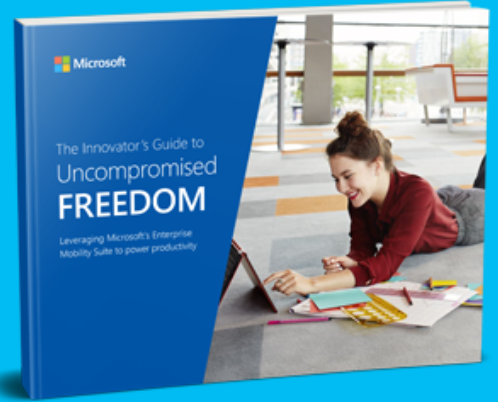
Today’s employees are calling for more freedom and flexibility from their work environments. They want to be able to work when, where, and how they choose, which creates unique challenges for modern IT departments.
Fortunately, with The Innovator’s Guide to Uncompromised Freedom, flexibility and adaptation is easier than ever. The authority on achieving the freedom employees desire and the protection IT departments require, this eBook demonstrates how Microsoft’s Enterprise Mobility Suite (EMS) helps businesses create a more secure and productive work environment from virtually anywhere by:

  • Encrypting nearly any type of file on almost any device
  • Centrally managing identities across data centers and the cloud
  • Providing easy and intuitive device enrollment
  • And much more

For more information on how employees and businesses can achieve unprecedented flexibility and freedom, download The Innovator’s Guide to Uncompromised Freedom today.

imageToday, I got a couple questions about Office 365 Pro Plus & languages:

Do we have the rights to deploy multiple languages in Office 365 Pro Plus under Office 365 E3 or do we need to purchase them separately

Yes, if you have a qualified Office 365 subscription, you have the right to use multiple languages for users that are subscribed to Office 365.

Per the “Office 365 Licensing Brief” documentation:

“Microsoft Office Multi-Language Pack provides the flexibility to customize Microsoft Office for multilingual needs. Customers licensed for Office 365 ProPlus may deploy and use the latest version of the Office Multi-Language Pack during the term of the Office 365 ProPlus subscription.”

Where can I download the languages or language packs for our enterprise deployment?

You need to use the Office Deployment Tool to obtain & integrate multiple languages into the Click-to-Run package. Please review the Office 365 Pro Plus Deployment Guide (https://technet.microsoft.com/en-us/library/gg715562.aspx) which has a chapter specifically on this topic:

“If you purchased an Office 365 subscription, you can use it to install Office in multiple languages. You do not have to buy a Language Pack. If your organization allows it, users can install Office 365 ProPlus languages directly from the Office 365 portal. When users install Office from the software page, they select a language from the Language drop-down box.
In managed enterprise environments, end-users may not have permission to install software from the Office 365 portal. If you are configuring an on-premises deployment of Office 365 Click-to-Run applications for users in your organization, you can use the Office Deployment Tool and a custom Configuration.xml file to install Click-to-Run in multiple languages.”

As an individual, if permitted, one can download the appropriate language pack on their own, install it locally to their system, then change the language setting for their installation. (Note: The site says Office 2016, but also applies to Office 365 Pro Plus)

Posted by: kurtsh | June 16, 2016

DOWNLOAD: Starbucks for Outlook Add-in Now Available!

Outlook now makes it easier for you to have that personal connection by enabling you to meet your customers, business partners or study group at your favorite Starbucks location, all with a few clicks from your Outlook inbox.  Introducing the Starbucks for Outlook add-in.

image

  • SCHEDULE MEETINGS AT A LOCAL STARBUCKS
    Simply click the “Meet at Starbucks” command from the ribbon when creating a new meeting request, search for your favorite Starbucks store, and add it as the location of your upcoming meeting.

image


  • SEND STARBUCKS GIFTCARDS OVER EMAIL
    Now you can effortlessly and quickly express thanks or appreciation for a job well done by sending a Starbucks eGift Card right from your inbox. 

imageHOW TO INSTALL:
The Starbucks for Outlook add-in is available in the Office Store as a free download to users of the new Outlook.com, as well as Outlook 2013, Outlook 2016 and Outlook on the web users with Office 365 or Exchange 2013 or Exchange 2016 mailboxes.

If you are using Office 365 or the  new Outlook.com, simply click on https://aka.ms/getcoffee to begin installation of the Starbucks for Outlook add-in. If you are using Exchange 2016 or Exchange 2013 on premise, please follow the steps below to install the add-in:

  1. In Outlook 2013 or Outlook 2016, click Store from the Home tab on the ribbon. In Outlook on the web click the gear icon (top right) and select Manage Add-ins.
  2. Type in “Starbucks” in the search bar on the top right.
  3. The search will return the “Starbucks for Outlook” add-in, then set the toggle to “on” to install the add-in.
  4. The add-in will appear in the command bar ribbon on the top.

Note: Some users in Outlook 2013 may not see the new in-client store UI above. For these users, follow the steps below:

  • Click Store from the Home tab on the ribbon-> click Manage Add-ins. 
  • In the Manage Add-ins page, click the + sign and then select the “Starbucks for Outlook” add-in from the Office Store.
  • Click the “Add” button to begin installation.

We hope you give the new Starbucks for Outlook add-in a try and find it a helpful and easy tool to build great connections. Be sure to also take advantage of our limited time offer when you share a Starbucks eGift Card so you can get one in return.

We’re eager to hear your feedback on the Starbucks for Outlook add-in and any suggestions on new partner solutions that you’d like to see in Outlook. Joining the conversation on Outlook is easy—visit Outlook.UserVoice.com  and sign in with your Microsoft account to leave your feedback.

Read more here:

(p.s. To make this even sweeter, we have an exciting offer running for a limited time! When you send a Starbucks eGift Card using Outlook, you are eligible to get a free $5 Starbucks eGift Card in return, so your next coffee is on us!)

image

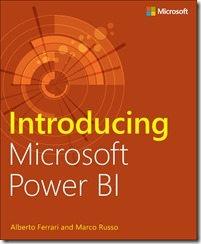
We’re happy to announce the availability of our newest free ebook, Introducing Microsoft Power BI (ISBN 9781509302284), by Alberto Ferrari and Marco Russo. Enjoy!

Get started quickly with Microsoft Power BI! Experts Alberto Ferrari and Marco Russo will help you bring your data to life, transforming your company’s data into rich visuals for you to collect and organize, allowing you to focus on what matters most to you. Stay in the know, spot trends as they happen, and push your business to new limits.

This free ebook introduces Microsoft Power BI basics through a practical, scenario-based guided tour of the tool, showing you how to build analytical solutions using Power BI. Read the ebook to get an overview of Power BI, or dig deeper and follow along on your PC using the book’s examples.

Introducing Microsoft Power BI enables you to evaluate when and how to use Power BI. Get inspired to improve business processes in your company by leveraging the available analytical and collaborative features of this environment.

Be sure to watch for the publication of Alberto Ferrari and Marco Russo’s upcoming retail book, Analyzing Data with Power BI and Power Pivot for Excel (ISBN 9781509302765). Go to the book’s page at the Microsoft Press Store here for more details: http://aka.ms/analyzingdata/details.

Learn more about Power BI at https://powerbi.microsoft.com/.

Download “Introducing Microsoft Power BI” here:

Read more at the MS Press blog at:

image

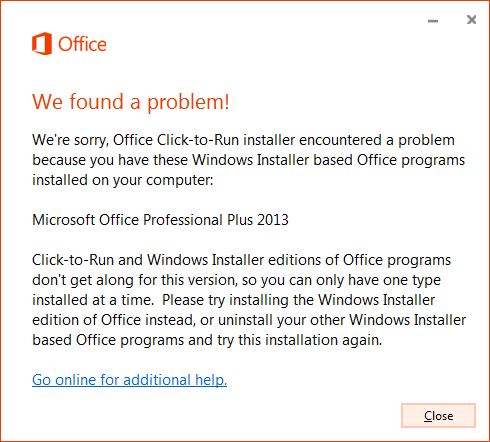
If you’ve ever tried to install Office 365 Pro Plus (Click-to-Run) on a machine with Visio 2016 installed on it using the .MSI installer – or vice versa – you know that it doesn’t work.

There’s a well-known compatibility problem between the traditional .MSI installation media for either Project 2016 or Visio 2016 & the Click-to-Run installations of Office 365 ProPlus.

If you’ve already purchased Visio 2016 or Project 2016 or you plan on purchasing either product and you have Office 365 Pro Plus, read the following:

  1. VISIO 2010/2013:  If the user is licensed for Visio 2010 or Visio 2013:
    1. These versions should work side-by-side with the release of Office 365 Pro Plus that is likely being deployed. (Wave 16)
    2. imageFor more information, please see the document from the link below for details around version compatibility with Office 365 Pro Plus. (https://1drv.ms/b/s!Ao0Dfn8MQdoAoMtlfdkmZxe–TTeow)
  2. VISIO 2016 (ALREADY PURCHASED):  If a user has already purchased/licensed Visio 2016 for their use:
    1. This version, Visio 2016 (MSI), will NOT work if installed side-by-side with the current release of Office 365 Pro Plus. (Wave 16)
    2. Download this special Visio 2016 (Click-to-run Perpetual) package and install.  This will leverage the same volume licensing KMS/MAK activation keys as the Visio 2016 (MSI), and work side-by-side with Office 365 Pro Plus. (For more information, please see the following instructions: https://support.microsoft.com/en-us/kb/3157564, https://technet.microsoft.com/library/mt703272.aspx)
    3. As you would expect, this “perpetual” release of Visio 2016 will not evolve and will not receive new features as Office 365 Pro Plus does.
  3. VISIO (NEW):  If a user would like to purchase a new license of Visio for their use:
    1. They can purchase/install “Visio for Office 365” which is a subscription just like Office 365 Pro Plus and evolves/receives feature updates just as Office 365 Pro Plus does.
      https://products.office.com/en-us/Visio/visio-pro-for-office-365-online-diagram-software
    2. They can alternatively purchase Visio 2016 & deploy the Visio 2016 (Click-to-Run Perpetual) package as documented here:
      https://support.microsoft.com/en-us/kb/3157564
      https://technet.microsoft.com/library/mt703272.aspx
      (This “perpetual” package will not receive feature updates as Office 365 Pro Plus does)

For more information on using the Visio 2016 or Project 2016 “Click-to-Run Perpetual” package, read the following:

Posted by: kurtsh | June 16, 2016

DOWNLOAD: Windows 10 for Business Onboarding Kit

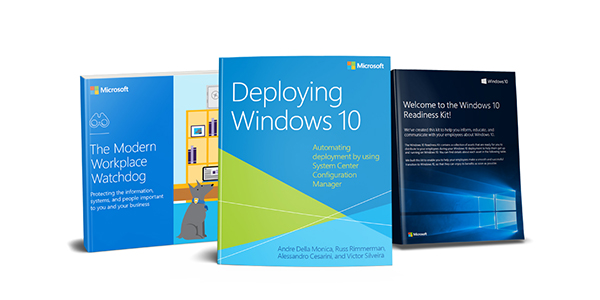
Planning on deploying Windows 10?  Check this out:image

We’ve produced a bundle – particularly an “adoption kit” of resources – that you can download now for free to help you deploy & evangelize Windows 10 in your organization.

Taken from the site:

Get a head start on Windows 10 for your business.

Whether you’re researching a future upgrade, or planning a deployment, the Windows 10 for Business Onboarding Kit is a collection of informative resources that will help you understand how to deploy Windows 10. Learn about secure automated deployment, get insights on how to protect your organization’s data and devices, and download materials to assist with employee readiness today.

Sign up now to receive:

  • Deploying Windows 10:  Automating deployment by using System Center Configuration Manager, by Andre Della Monica, Alessandro Cesarini, Russ Rimmerman, and Victor Silveira. This authoritative reference book explains how to deploy Windows 10 through a number of both attended and unattended automated methods.
  • Windows 10 Readiness Tools: Use this handy bundle of resources to distribute to employees during your Windows 10 deployment to help them get up and running. This kit will help your employees make a smooth and successful transition to Windows 10, so your organization can start enjoying the benefits of Windows 10 right away.
  • The Modern Workplace Watchdog eBook:  It’s time stop sacrificing flexibility and efficiency in the name of security. Learn how to protect the information, systems, and people vital to your business with Windows 10, the most secure Windows ever.

The second bullet, “Windows 10 Readiness Tools” contains a LOT of items.  Here’s the inventory:

image

To download the kit, visit the following registration site:


.

« Newer Posts - Older Posts »

Categories