imageIn the second edition of the Enterprise Cloud Strategy e-book, we’ve taken the essential information for how to establish a strategy and execute your enterprise cloud migration and put it all in one place, so you can quickly understand topics like:

  1. What to consider when choosing between hybrid, public, or private cloud environments
  2. How cloud reduces costs, and even benefits on-premises computing
  3. New analytics and IoT capabilities
  4. Security and compliance considerations

This valuable asset for IT and business leaders provides a comprehensive look at moving to the cloud, as well as specific guidance on topics like prioritizing app migration, working with stakeholders and cloud architectural blueprints.

imageBy now, you should be aware that InfoPath & SharePoint Designer are not being invested in. 10 years ago,  InfoPath was released as an XML/Form generator, and it was primarily used to create custom experiences for SharePoint Lists against on-prem SharePoint servers. 

Microsoft has chosen to move to a new solution for these scenarios.  PowerApps & Microsoft Flow is the successor to InfoPath as well as SharePoint Designer.  Both Infopath 2013 & SharePoint Designer 2013 continue to be supported until 2026.  This was extended 3 more years with the most recent SharePoint Server release.

imageThere are many references for migrating existing Forms from InfoPath/Designer to PowerApps/Flow.  The best place to start is the announcement session in last year’s Ignite 2016 event:

  • Convert InfoPath/Designer workflow processes to PowerApps – Chris McNulty – 9/30/16 (39:53)
    Microsoft PowerApps and Microsoft Flow represent new patterns for developing business applications in Microsoft SharePoint.  If you’ve been using tools like InfoPath, SharePoint Designer or Access Web Apps, this is the session for you.  We walk through how to reimagine and extend these older patterns into the new PowerApps and Flow toolsets.  
    https://www.youtube.com/watch?v=vlLqUFsEahg
  • Build business apps for Office 365 – InfoPath, PowerApps, Flow and more – Chris McNulty – 9/30/16 (1:14:55)
    No-code and low-code applications have been essential tools in Microsoft SharePoint for a long time, but weve added many other new tools to your palette. We review the roadmap and best practices for InfoPath, SharePoint Designer, Access Web Apps, Flow, PowerApps and more.
    https://www.youtube.com/watch?v=jG3v8xURW2M

Additionally, there are a variety of “hands on” demonstrations of how to migrate forms.  I’ve listed several education resources below.

  • Build an InfoPath Designer form in PowerApps – Daniel Christian – 12/6/16 (9:38)
    This is a P.O.C. video to show how an existing InfoPath Designer 2013 form for a SharePoint list can be replicated using PowerApps.
    https://www.youtube.com/watch?v=1XypByqpW1w
  • Rebuilding an InfoPath Designer form in PowerApps – Daniel Christian – 4/25/17 (48:30)
    This webinar covers a real world scenario of how a business solution built using InfoPath Designer can easily and successfully be rebuilt and enhanced in PowerApps.
    The demo includes showing the ‘behind-the-scenes’ i.e. how the app has been built.
    • Demonstrate the InfoPath Designer form then demonstrate its replacement in PowerApps
    • The PowerApps demo includes using Radio buttons that update SharePoint List items and cascading dropdowns.
    • Finally, using this demo emphasize how PowerAps  can update two SharePoint lists using the same app, something InfoPath Designer cannot do.
    https://www.youtube.com/watch?v=ohQcxcVZSK4
  • Pro Series | Transitioning from Infopath to PowerApps – Part 1 – Audrie Gordon/PowerApps Proudct Team – 9/19/17 (50:48)
    Are you a Business Forms and Workflow designer looking to leverage PowerApps and Flow? This is the webinar for you. Audrie will help you to make the switch with the top 10 forms and workflow tips for PowerApps and Flow! Don’t miss it! What you’ll get:
    1. Demos of the most recent enhancements for forms designers
    2. We will rebuild a typical InfoPath form in PowerApps; live from start to finish
    3. Helpful decision tree for planning form rebuilds using PowerApps
    https://www.youtube.com/watch?v=EZ09dRuiWLw
  • Pro Series | Transitioning from Infopath to PowerApps – Part 2 – Audrie Gordon/PowerApps Proudct Team 10/10/17 (50:55)
    Part 2 of the series on Pro Tips for InfoPath Designers Transitioning to PowerApps. Part 1 is here: https://www.youtube.com/watch?v=EZ09dRuiWLw
    In this event there will be a focus on the business opportunities for using "Customize Forms" from the SharePoint List Views.
    -Changing form look and feel
    -Conditional formatting
    -Rules
    https://www.youtube.com/watch?v=Bm2XePxLcSM
Posted by: kurtsh | November 13, 2017

DOWNLOAD: Microsoft Teams Resource Guide

imageLooking to get started with Microsoft Teams?  Here’s a resource guide that I hand out to my customers that includes links to help ‘jumpstart’ Teams deployments.

Here’s a breakdown of the different resources listed:

  1. Resources for introducing Business & IT to Microsoft Teams
  2. Planning, deploying, and managing Microsoft Teams
  3. Creating End User Awareness
  4. Establishing End User Readiness
  5. How-To Videos for End Users & for IT Professionals around Microsoft Teams

Note: On the second page, the guide discusses various use cases for Teams, such as best practices for use within Sales, Marketing, Project Management, Engineering, Customer Support, etc.  If you are a managed customer of mine, reach out to me & I will share the documentation for each of these work scenarios.

imageOn November 16, 2017, Microsoft is hosting a webcast ‘Thriving in the GDPR era: How to accelerate your journey to compliance’. This webcast will be at 8:00am PST and is hosted by Jean-Phillipe Courtois, EVP & President, Microsoft Global Sales, Marketing & Operations.

Description below:

Accelerate your journey to GDPR compliance

Microsoft believes privacy is a fundamental right and the General Data Protection Regulation (GDPR) is an important step forward in protecting that right. It’s clear that using cloud technology can help accelerate the path to GDPR compliance for most organizations.

In this webcast, available November 16 at 8:00 AM PST, Microsoft GDPR experts and our partners will:

· Show GDPR compliance fundamentals and how you can take control and assess and manage your compliance risk

· Describe how you can effectively govern and protect your most valuable asset– personal data

· Discuss streamlined reporting for processing activities, and notifying authorities of personal data breaches if they occur

You’ll also learn how our customers are using Microsoft 365 capabilities to address GDPR compliance—giving you insights to help you thrive in the GDPR era.

Register at the link below:

image

Join us live during Teams On Air where we discuss the latest features and roadmap for Intelligent Communications in Office 365. You will also get the chance to participate in our live Q&A where your questions will be answered by experts from Microsoft Teams and Skype for Business.

  • LIVE:
    Teams On Air is every other Friday @ 9AM PST. To join go to aka.ms/TeamsOnAir.
    (Next event Friday, 11/10/17)
  • ON-DEMAND:
    Each episode will be made available for on demand viewing after the broadcast at aka.ms/TeamsOnAirReplay

imageThere’s an amazing page on the Office web site that provides 3 very interesting lists:

  1. Top questions you should ask  when considering the cloud for IT services…
    (and how Office 365 answers these questions)
  2. Top 10 security and privacy features of Office 365
  3. Top 10 compliance areas of Office 365

Here’s a list of the questions it answers – IN PRINT – for your reference:

  1. Who owns the data we store in your service? Will you use our data to build advertising products?
  2. Do you offer privacy controls in your service?
  3. Do we have visibility into where you store our data in the service?
  4. What is your approach to security and which security features do you offer to protect your service from external attacks?
  5. Can we get our data out of your service?
  6. Will you inform us when things change in the service, and will you let us know if our data is compromised?
  7. Are you transparent with the way you use and access our data?
  8. What kind of commitments do you have with respect to security and privacy?
  9. How do you ensure that your service is reliable?
  10. What are your commitments regarding keeping my service up?

Visit the page for the answers:

Posted by: kurtsh | November 6, 2017

INFO: What country is my Office 365/Dynamics 365 data in?

imageQ: How do we find out which country our data is stored in when depositing it in the cloud with Office 365 or Dynamics 365?

A: Visit our “Where’s My Data” web site for details.

Xbox One X Launch Flyer 1cSince I don’t know how else you’d know about this event, I’m once again posting it here.

The Xbox One X Launch is happening at the Microsoft Store in Los Angeles/Century City, CA on November 6th from 5PM-12Mid.  (Note: It’s also going on at other store locations. Check HERE for details.)

Celebrate the launch of the new Xbox One X with Microsoft Store.* Come to our in-store launch event featuring 4K gameplay, gaming tournaments, food, prizes, giveaways, and more!

If you pre-ordered at your local store, you can take home your console at midnight on the east coast and as early as 9:00 PM on the west coast! 

Schedule:

  • 4:00PM: Registrations for Halo 5 Tournament begin
  • 5:00PM-9:00PM: Halo 5 Tournament (2v2)
    Exclusive prizes to be awarded.
  • 8:00PM: Registrations for Forza Motorsport 7 Tournament begin
  • 9:00PM-12:00Mid: Forza Motorsport 7 Tournament
    Exclusive prizes to be awarded.

*No purchase required. Open to players 13+, some restrictions apply. See store for full Official Rules. 

For more details visit the Launch site:

Xbox One X Launch Flyer 1aXbox One X Launch Flyer 1b

We just released Premium Outlook.com accounts… available at no charge for all Office 365 Home subscribers. 

  1. Ad-free. No Banner ads & no ads in the message list.
  2. Heavy-duty Malware Protection.  Advanced, rigorous testing & protection against difficult-to-detect malware disguised within attachments.
  3. Real-time Detection of Bad Hyperlinks. Just in time examination of links that are clicked within emails to protect users from phishing & malware sites.
  4. 50GB of Email Storage (up from just 15GB)
  5. Premium Support for Outlook.com. New access to PHONE-BASED & in-app support.

Read more here:
https://blogs.office.com/en-us/2017/10/30/premium-outlook-com-features-now-available-to-office-365-subscribers/

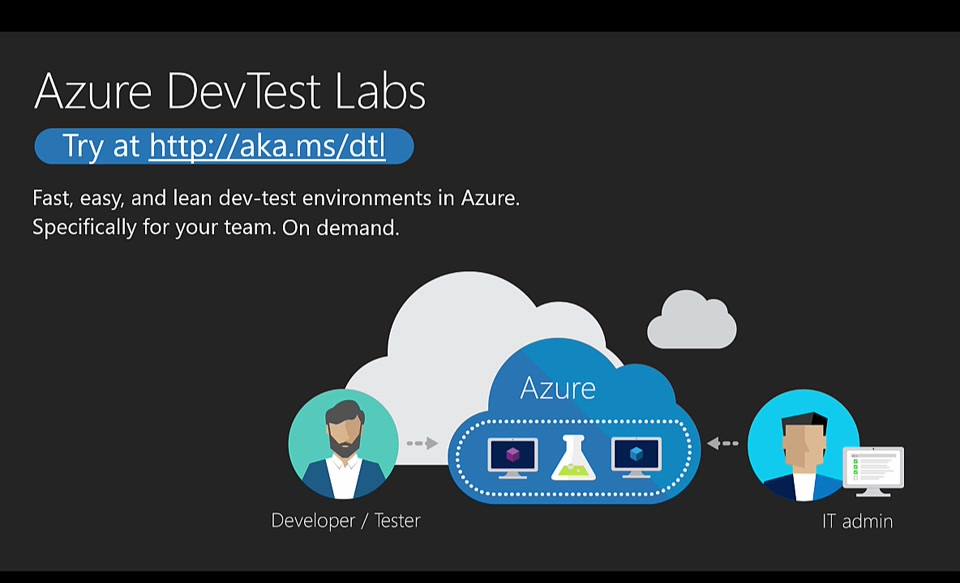
imageJoin the next OpenDev, a live technical series featuring open source community leaders.

This episode features DevOps, which increases business agility by delivering business value to customers faster. Learn how to combine leading projects in a DevOps toolchain, with the power of Azure, benefiting legacy and cloud-native applications.

For details, register here:

« Newer Posts - Older Posts »

Categories