Posted by: kurtsh | August 1, 2018

RELEASE: Jira Bot for Microsoft Teams

Jira & Microsoft Teams users rejoice!

We are proud to imageannounce the launch of the third party app Jira Cloud Bot integration for Microsoft Teams. Jira is built for every member of your software team to plan, track, and release great software.

Jira Cloud bot enables team members to easily find issues, assign them to team members, make edits, log time against an issue, watch/unwatch and vote/unvote on the issue.

Read more about the new bot and see a demo here:

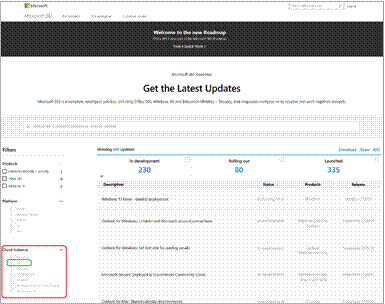
Interested in taking a look at any of these through a nicely formatted interactive screens?

    • imageAzure products 
      A growing directory of integrated Azure services, features, and bundled suites

    • Cloud design patterns 
      Common problems and patterns offering prescriptive architecture guidance for cloud applications

      Check the home page for all the Azure Interactive Maps:

      Announcing the public preview of Azure AD Conditional Access detailed login reporting delivering huge enhancements in visibility and flexibility!

      imageWe know many of you use conditional access in Azure AD—it’s the most popular feature in Azure AD premium! And to manage conditional access at scale, we also know you need detailed visibility into how it’s actually working in your organization.

      Today I’m excited to announce the public preview for conditional access information in the Azure AD Sign-ins report. This new information will help you troubleshoot conditional access policies and understand the usage of conditional access in your organization.

      As we designed this new capability, there were four key scenarios we focused on enabling:

      • Quickly troubleshoot conditional access policies—You can now view all the conditional access policies that impacted a user’s sign-in and the result of each policy. The correlation ID column in the Sign-ins report lets you to easily identify the sign-in reported by the user.
      • Understand usage of conditional access policies—Using the conditional access column and the policy information, you’ll be able to understand how conditional access policies are working in your organization. Using the Azure AD reporting API, you can pull the usage data into your SIEM systems and business intelligence tools.
      • Understand legacy authentication usage in your organization—Using the client app column in the Sign-ins report, you can see the users/apps using legacy authentication in the organization. This reporting will help you smoothly roll out a blocking legacy authentication policy. (To learn more about how to block legacy authentication, check out this recent blog post.)
      • Identify gaps in your conditional access policies—Using the conditional access column in the Sign-ins report, you can easily identify sign-ins/apps/users that are not protected by conditional access.

      Read more for a deeper explanation here:

      Previously there was a request on the Microsoft Teams UserVoice site that read:

      Code snippets

      I would like code snippets with highlighting based on code language. And for snippets longer than X lines, a “show more” button (like slack)

      Well, the other day, a response was posted:

      AdminWarren (Microsoft Teams, Microsoft Teams) responded  ·  July 30, 2018

      This feature request has been completed and is available to the public. Thank you for the suggestion and feedback!
      -Warren

      imageINTRODUCING CODE SNIPPETS FOR MICROSOFT TEAMS
      This has been a long awaited feature and i’m excited to see the 1.0 of it available in Microsoft Teams.  It was somewhat quietly announced here:

      HOW IT WORKS
      In order to include code snippets in messages you send within Microsoft Teams, follow the steps below:

      1. Click FORMAT in the message text box toolbar.
      2. In the FORMAT toolbar, click the Code Snippet icon.
      3. In the dialog window, select the programming language you’re using from the list down box.
      4. Paste your code.

      Supported features:

      • syntax highlighting
      • auto-indentation
      • text wrapping control
      • support for 45+ programming languages like C#, Go, Dart, Swift, F#, etc.

      The only documentation on the feature appears to be here:

      A blogger named “Dennis” wrote a quick post and a video on Expiscornovus demonstrating the code snippets feature here:

      Posted by: kurtsh | July 28, 2018

      EVENT: Microsoft .NET Conf 2018 – Sept 12-14, 2018

      image

      .NET Conf is a free, 3 day virtual developer event co-organized by the .NET community and Microsoft.

      Over the course of the three days you have a wide selection of live sessions that feature speakers from the community and .NET product teams. These are the experts in their field and it is a chance to learn, ask questions live, and get inspired for your next software project.

      You will learn to build for web, mobile, desktop, games, services, libraries and more for a variety of platforms and devices all with .NET. We have sessions for everyone, no matter if you are just beginning or are a seasoned engineer. We’ll have presentations on .NET Core and ASP.NET Core, C#, F#, Azure, Visual Studio, Xamarin, and much more.

      (Watch all the sessions from 2017 on demand on Channel 9)

      Agenda

      This year we’re trying something new with the format of our online conference. The last 24 hours will feature speakers in their local time zones and languages. Our partners are also hosting a virtual attendee party after the last session ends on Day 1 where you can win prizes!

      Day 1 – September 12

      • 8:00 – 9:30
        Keynote broadcasted from Microsoft Channel 9 Studios
      • 9:30 – 17:00
        Sessions broadcasted from Microsoft Channel 9 Studios
      • 17:00 – 18:30
        Virtual Attendee Party! Engage with our partners on Twitter and win prizes!

      Day 2 – September 13

      • 9:00 – 17:00
        Sessions broadcasted from Microsoft Channel 9 Studios
      • 17:00 – 23:59
        Community Sessions in local languages & time zones around the world

      Day 3 – September 14

      • 0:00 – 17:00
        Community Sessions in local languages & time zones around the world
      • All times listed in Pacific Daylight Time (UTC -7).

      Register for the event here:

      ————

      Attend a .NET Conf local event!
      But wait, it doesn’t end here! Put the skills you learn into practice and attend a local event in your area organized by .NET community influencers all over the world.


      New announcement in Electronic Design Automation space:

      imageCadence Design Systems, Inc. (NASDAQ: CDNS) today announced a collaboration with Microsoft to facilitate electronic systems and semiconductor design with the Cadence® Cloud portfolio. Through the collaboration, customers can access the Cadence Cloud-Hosted Design Solution, a Cadence-managed and EDA-optimized design environment that is built on the Microsoft Azure cloud platform and customized for company-specific infrastructure requirements. The collaboration also enables customers who manage their own IT and business relationships with Microsoft to use the Cadence Cloud Passport model to access cloud-ready software tools for use on Azure. The Cadence and Microsoft collaboration enables design engineers to address growing design complexity and get to market faster via the scalability of Azure.

      Read more of the press release here:

      For folks looking for Industry-focused high-performance computing solutions, including media & entertainment, life sciences, education, oil and gas, financial services, manufacturing, you might want to check this out from Jason Zander, Microsoft’s CVP of Azure:

      imageToday, I am pleased to share that Microsoft has signed an agreement to acquire Avere Systems, a leading provider of high-performance NFS and SMB file-based storage for Linux and Windows clients running in cloud, hybrid and on-premises environments.

      Avere uses an innovative combination of file system and caching technologies to support the performance requirements for customers who run large-scale compute workloads. In the media and entertainment industry, Avere has worked with global brands including Sony Pictures Imageworks, animation studio Illumination Mac Guff and Moving Picture Company (MPC) to decrease production time and lower costs in a world where innovation and time to market is more critical than ever.

      High performance computing needs however do not stop there. Customers in life sciences, education, oil and gas, financial services, manufacturing and more are increasingly looking for these types of solutions to help transform their businesses. The Library of Congress, Johns Hopkins University and Teradyne, a developer and supplier of automatic test equipment for the semiconductor industry, are great examples where Avere has helped scale datacenter performance and capacity, and optimize infrastructure placement.

      Read more here:

      imageDive in and learn how to start building intelligence into your solutions with the Microsoft AI platform, including pre-trained AI services like Cognitive Services and Bot Framework, as well as deep learning tools like Azure Machine Learning, Visual Studio Code Tools for AI, and Cognitive Toolkit.

      Our platform enables any developer to code in any language and infuse AI into your apps. Whether your solutions are existing or new, this is the intelligence platform to build on.

      There are over 30 multi-module courses that you can take to learn how to use Microsoft’s AI platform including:

      • Introduction to Artificial Intelligence
      • Introduction to Machine Learning with Azure ML
      • AI Developer Bootcamp
      • Building an Intelligent Bot
      • Build a Predictive Maintenance Solution using Deep Learning
      • Text Analytics
      • Video Indexer
      • Optical Character Recognition
      • Object recognition using a custom Deep Neural Network model
      • Image classification
      • Azure Machine Learning Real-world Examples
      • Learn Analytics
      • Deep Learning Explained
      • Building Your Azure Skills Toolkit
      • Python Data Science Notebook
      • Getting Started with Bot Framework
      • Facial Recognition

      Start learning by visiting:

      imageCreate your first intelligent bot with Microsoft AI.

      Artificial intelligence (AI) is accelerating the digital transformation for every industry, with examples spanning manufacturing, retail, finance, healthcare and many others. At this rate, every industry will be able to use AI to amplify human ingenuity. In this eBook, Anand Raman and Wee Hyong Tok from Microsoft provide a comprehensive roadmap for developers to build their first AI-infused application.

      Using a Conference Buddy as an example, you’ll learn the key ingredients needed to develop an intelligent chatbot that helps conference participants interact with speakers. This eBook provides a gentle introduction to the tools, infrastructure and services on the Microsoft AI Platform, and teaches you how to create powerful, intelligent applications.

      • Understand how the intersection of cloud, data and AI is enabling organisations to build intelligent systems.
      • Learn the tools, infrastructure and services available as part of the Microsoft AI Platform for developing AI applications.
      • Teach the Conference Buddy application new AI skills, using pre-built AI capabilities such as vision, translation and speech.
      • Learn about the Open Neural Network Exchange.

      Download the eBook through this site.

      imageForrester Consulting came out with a Total Economic Impact™ study on the cost savings and business benefits enabled by Project Online in March 2018. After interviewing four existing customers and pairing subsequent financial analysis, Forrester found that an organization based on these interviewed organizations experienced:

      • A 387 percent return on investment.
      • A net present value of $3.4 million.
      • A reduction in overtime costs by 83 percent.

      Download this commissioned study conducted by Forrester on behalf of Microsoft to uncover other quantifiable benefits that your business could experience by adopting Project Online.

      « Newer Posts - Older Posts »

      Categories