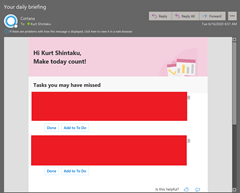
Starting this week, people managers with a MyAnalytics license will be able to use the Insights Outlook add-in to stay connected with team members, with reminders to reschedule 1:1s if conflicts arise, follow up on an important requests, and more. This feature will roll out over the next several weeks.

manager-gif.gif

FAQ

  • Do managers see any insights on team members’ behaviors that wouldn’t otherwise be available?
    No. Assistance for managers in MyAnalytics relies on information from the manager’s own mailbox; managers do not receive any incremental information from team members’ mailboxes. For example: a manager can use this feature to review important unread emails in their inbox from team members, but they cannot see whether a specific team member has read an email that they sent.
  • How are managers and team members identified?
    MyAnalytics determines who is a manager and who is on their team using Azure Active Directory. A user must have team members listed in Azure AD in order to access this feature in the Insights add-in. Note that managers have the ability to add or remove team members in MyAnalytics in case any information is out of date (these changes are stored locally for use in MyAnalytics and not synced back to Azure AD).

More information is available on this page: https://docs.microsoft.com/en-us/workplace-analytics/myanalytics/overview/privacy-guide#assistance-f…

imageRecently, we made remote collaboration easier by enabling users to join Live Share sessions from their browser.

We’ve got 3 major changes:

Today, we’re renaming Visual Studio Online to Visual Studio Codespaces. (It’s true what they say, naming is hard! ) Do you want a great experience working on your long-term project? Do it in a Codespace. Need to quickly prototype a new feature or perform some short-term tasks (like reviewing pull requests)? Create a Codespace! Your Codespaces are simply the most productive space to code.

Additionally we’ve dropped our prices/rate by as much as 66%.  And we’re introducing a Basic instance type that comes with two virtual cores, four GB RAM, and 64 GB of SSD storage for a low $0.08/hr.

Read more at the announcement post:

Starting June 1, Microsoft will be enhancing the described Microsoft 365 security products with Microsoft Threat Protection features when an eligible customer visits the Microsoft 365 security center.

Microsoft Threat Protection enables coordinated defenses across email, endpoints, identities, and applications. It orchestrates defenses to detect, block, and prevent sophisticated attacks and automatically heal affected assets.

image

With Microsoft Threat Protection, you get:

  • Correlation of security data and alerts across all Microsoft 365 security products into cross-product incidents. 
  • Automated self-healing for endpoint, mailbox and identities affected by security incidents. 
  • Centralized data store that enables proactive threat hunting capabilities and behavior-based custom detection rules over email, endpoints and identity data.

This change will apply to customers with corresponding licenses for one of the following Microsoft 365 security products:

  • Microsoft Threat Protection
  • Microsoft Defender Advanced Threat Protection
  • Office 365 Advanced Threat Protection
  • Microsoft Cloud App Security
  • Azure Advanced Threat Protection

This also applies to customers with one of the following licenses by June 1, 2020:

  • Microsoft 365 E5
  • Microsoft 365 E5 Security
  • Windows 10 Enterprise E5
  • Enterprise Mobility + Security (EMS) E5
  • Office 365 E5
  • Microsoft Defender Advanced Threat Protection
  • Azure Advanced Threat Protection
  • Microsoft Cloud App Security
  • Office 365 Advanced Threat Protection (Plan 2)

Read the announcement blog here:

imageFor 13 consecutive years, Gartner has recognized Microsoft as a Magic Quadrant Leader in analytics and business intelligence platforms.

In this report, we believe, you’ll learn about Gartner’s assessment of the features and capabilities that differentiate the various products in this market.

Learn how a comprehensive product vision, positive sales experience, and intuitive user experience contributed to high levels of customer satisfaction and helped position Microsoft as a Magic Quadrant Leader among analytics and business intelligence platforms.

Posted by: kurtsh | May 4, 2020

OFFER: Microsoft 365 Developer Program

image[This is one of my favorite secrets at Microsoft that no one seems to know about]

Let’s say you were a business user and were interested in low-code, no-code app development to make you more productive and skilled as a working professional.

You want to try out the Power Platform but don’t have a Office 365 Enterprise/Education/Government subscription.

No problem!

imageMicrosoft 365 Developer Program
Now you can get a FREE Microsoft 365 Developer Sandbox. Again, this is a free, renewable 90-day Microsoft 365 E5 developer subscription that entitles you to:

  • 25 user licenses for development purposes
  • All Microsoft 365 workloads and capabilities (Windows not included) including:
    • All Microsoft 365 services including SharePoint Online, OneDrive for Business, Outlook/Exchange Online, Microsoft Teams, Planner, and the Office 365 ProPlus suite (Word, Excel, PowerPoint, etc.)
    • Office 365 Advanced Threat Protection P2
    • Advanced Analytics with Power BI
    • Enterprise Mobility + Security Suite E5 (Yes, E5)
    • Azure Active Directory Premium P2 (Yes, P2)
    • PowerApps & Power BI

Interested?  Visit:

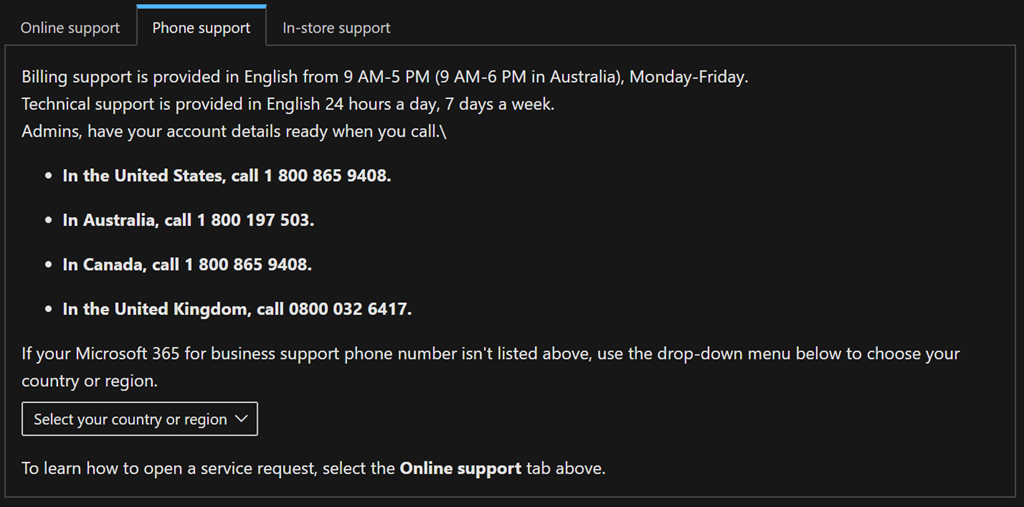
If you’re an Administrator, you can get support by opening support tickets through the Administration Console for Microsoft 365 or Azure

Service Level Agreements (or support scope) for Microsoft Professional Support calls/tickets depends on the type of call/ticket originated:

Note: The support services references above come with your subscription to either service and is not a replacement for Microsoft Premier Services. Premier Support Services has a much higher Service Level Agreement, provides oversight and escalation, and a higher caliber of support engineering. If you have Premier Support Services, you should virtually always use your Premier contract for support.

————-

Microsoft 365 and Office 365 Support Description
https://docs.microsoft.com/en-us/office365/servicedescriptions/office-365-platform-service-description/support

imageHere’s a quick summary of “what’s new in the April 2020 for Microsoft Teams”:

What’s new for End Users:

  • “Increase in the number of simultaneous videos” in Teams meetings from 4 to 9
  • “Raise Hands” for interrupting the speaker
  • “Background effects”
  • “Background Blur for iOS”
  • Live captions in iOS and Android
  • Microsoft 365 Live Event Limit Increases
      • Attendee limit: events can support up to 20,000 attendees
      • Concurrent events: 50 events can be hosted simultaneously across a tenant
      • Event duration: event length has been increased to 16 hours per broadcast’
  • Share system audio in Teams live events
  • End the meeting for all participants
  • 1:1 Call Recording

What’s new for IT Admins:

  • [NEW] Meetings Dashboard
  • Improve voice quality with local media optimization for direct routing
  • Local Media Optimization
  • Control profile picture settings on Teams
  • Get insights into Teams app usage in your environment
  • Easily assign a policy to a large group of users
  • New Meeting Controls
        • Default lobby setting
        • Lobby settings for PSTN participants

What’s new for Chat & Collaboration:

  • The Yammer app for Microsoft Teams is now available!
  • Acknowledge exceptional efforts and mindsets
  • Channel cross-post editing

What’s New: Developers

  • Additional Power Automate triggers for Teams
  • Compliance recording partner solutions for Microsoft Teams 

What’s New: Teams for Education

  • Teams meetings for remote learning
  • Live events for A1 faculty licenses

What’s New: Government

  • Private Channels now available in GCC
  • Advisor for Teams in now available in GCC as a preview

Read the details here:

imageMicrosoft is providing a series of deployment guides for customers who have engaged in a Zero Trust security strategy. In this guide, we cover how to deploy and configure Azure Active Directory (Azure AD) capabilities to support your Zero Trust security strategy.

For simplicity, this document will focus on ideal deployments and configuration. We will call out the integrations that need Microsoft products other than Azure AD and we will note the licensing needed within Azure AD (Premium P1 vs P2), but we will not describe multiple solutions (one with a lower license and one with a higher license).

Read the entire guide here:

imageAttention Microsoft Teams users:  Work from home like a pro & change your inbound ring tone.

  1. Open Teams – click your profile photo.
  2. Open Settings – click Calls.
  3. Under “Ringtones” click “Calls for you” dropdown list.
  4. Select a DIFFERENT RINGTONE other than “Default”.  Default is for noobs.  You have your choice of :
        1. Default
        2. Bounce
        3. Bop
        4. Bubbles
        5. Drop Drop
        6. Eureka
        7. Flutter
        8. High Score
        9. Next Level
        10. Plink
        11. Ring Ring
        12. Ripple
        13. Spacetime
        14. Wish Granted
        15. Wobble

(Reference: https://support.office.com/en-us/article/Manage-your-call-settings-in-Teams-456cb611-3477-496f-b31a-6ab752a7595f)

————

p.s. If you’re tired of the existing ringtones in Microsoft Teams and want to use your own .MP3 as a ringtone, vote up this link on the Teams Uservoice feedback site.  In the meantime, here’s the ringtone I use on my actual cell phone for forwarded Microsoft Teams calls that come over PSTN calling:

(No, you cannot set custom ringtones for inbound calls on Teams – yet.  I believe we’re workin’ on it.)

image(The SharePoint Conference – a 3rd party event – was pushed out to next year on March 23-25, 2021.  It’s been replaced by the following.)

Microsoft 365 Virtual Marathon is a free online, 36 hour event happening May 27-28 2020. We will have sessions going the whole time with speakers from around the globe. This event is free for all wanting to attend. Come join us as we talk about the many different pieces of Microsoft 365 including Azure.

Microsoft 365 Virtual Marathon is a joint effort with SPC and members of the Office 365 community.

We will have keynotes from key Microsoft employees and sessions from thought leaders and members of the community from around the world.

Subject matter will include: 

  • Accelerate Office 365 Success: How to Best Plan, Manage and Control Migration Projects
  • Microsoft Teams, SharePoint, Yammer…What Should I Use, and When?

Get registered here:  

« Newer Posts - Older Posts »

Categories