imageSee and stop threats before they cause harm, with SIEM reinvented for a modern world.

Azure Sentinel is your birds-eye view across the enterprise. Put the cloud and large-scale intelligence from decades of Microsoft security experience to work. Make your threat detection and response smarter and faster with artificial intelligence (AI). Eliminate security infrastructure setup and maintenance, and elastically scale to meet your security needs—while reducing IT costs.

  1. image“Get started with a cloud-native SIEM” – Azure Sentinel Part 1
  2. “Built-in AI to detect threats faster” – Azure Sentinel Part 2
  3. Investigate and automate threat responses” – Azure Sentinel Part 3

Here are 2 FREE eBooks/reports that provide more background information on Azure Sentinel:

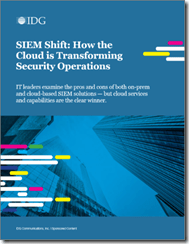
imageCloud-native SIEM: Quick-start Guide to Azure Sentinel

Start using smarter, faster threat detection and response that connects data from all your sources with the cloud and Azure Sentinel.

SIEM analyst report

Track the latest market trends, including cloud adoption and AI within enterprise and midsize organizations, with this analysis from Enterprise Strategy Group (ESG).

For more learnings, visit:
https://aka.ms/LearnAzureSecurity

imageWe are excited to share that new geospatial features will be coming soon to Power Apps. With these new features, app makers will be able to quickly introduce location-based capabilities into their experiences and start to digitize workflows in physical space using tools they are already familiar with.

These new components are powered by Azure Maps services, but you don’t need to be a professional developer to take advantage of these features. You can add these components with the ease of drag-and-drop and low-code development.

Features include:

  • Interactive Maps
  • Address Suggestion

To sign up for a private preview & read more about the new capabilities, visit:

imageDo you need to create a web scale application, hosted on a secure cloud?

Get 6 free months of select Microsoft Power Platform solutions to support COVID-19 responses.

Respond quickly to changing organizational needs due to COVID-19 using the following Microsoft Power Platform applications—available to healthcare, governments, nonprofits, and educators free of charge for six months.*

The following is included:

POWER APPS
Quickly build and share custom, low-code applications.

Includes:

  • Up to 1,000 seats

POWER AUTOMATE
Streamline repetitive tasks and processes.

Includes:

  • Up to 100 seats

POWER APPS PORTAL
Offer external users secure access to your applications.

Includes:

  • Up to 50,000 views
  • Up to 20,000 logins

POWER VIRTUAL AGENT
Quickly build intelligent chatbots without having to code.

Includes:

  • Up to 200,000 sessions

Visit this site to enroll:

In response to COVID-19, organizations around the world rapidly adopted the remote work option as a necessary requirement for most of their employees.

Now that businesses are repivoting their operations, identifying and managing potential internal risks will continue to be critical to safeguarding each company’s data and reputation, while supporting a positive company culture.

In this interactive discussion, we will talk about the ways to minimize the risks and how to help employees stay healthy and productive, without compromising compliance.

Join our virtual conversation to talk with security and compliance experts from Microsoft and other companies about:

  • How the pandemic altered risk strategies for a two to three-year time horizon
  • Risks companies are encountering in this unchartered operating environment
  • Cost implications for adapting to new business processes and the consequent risks
  • How technology can help detect and prevent new risks and streamline work scenarios

image

Date/Time:
June 9, 2020 2:00 PM ET / 11:00 AM PT

Registration:
https://go.microsoft.com/fwlink/p/?LinkID=2130332&clcid=0x409&culture=en-us&country=US

Posted by: kurtsh | June 2, 2020

INFO: Useful keyboard shortcuts in Windows 10

imageHere are 6 of my favorite keyboard shortcuts for Windows 10 & Office 365 ProPlus.

  • Win+. :  Select emoji/display emoji picker dialog box (Winkey + Period)
  • Win+V : Paste from Clipboard Stack.  Paste up to 20 of the last things copied with Ctrl+C or Ctrl+X.
  • Ctrl+K : Insert hyperlink to currently selected text.  Bring up the hyperlink dialog box and add a hyperlink to any text currently highlighted.
  • Ctrl+. : Bulletize current line.  Add a bullet to the beginning of the current line and indent in Outlook, Word, OneNote. (Ctrl + Period)
  • Ctrl+Alt+H: Highlight currently selected text.
  • Win+Ctrl+Shift+B : Reset/restart the graphics driver on Win10 when you have a black screen, screen frozen, keyboard and mouse inputs don’t respond at all.

imageThere’s a misconception that the only difference between the Office 365 E1/G1 and E3/G3 suites  just the availability of the Office 365 ProPlus/Microsoft 365 Apps.

The following capabilities are not included in Office 365 E1/G1, compared to Office 365 E3/G3.

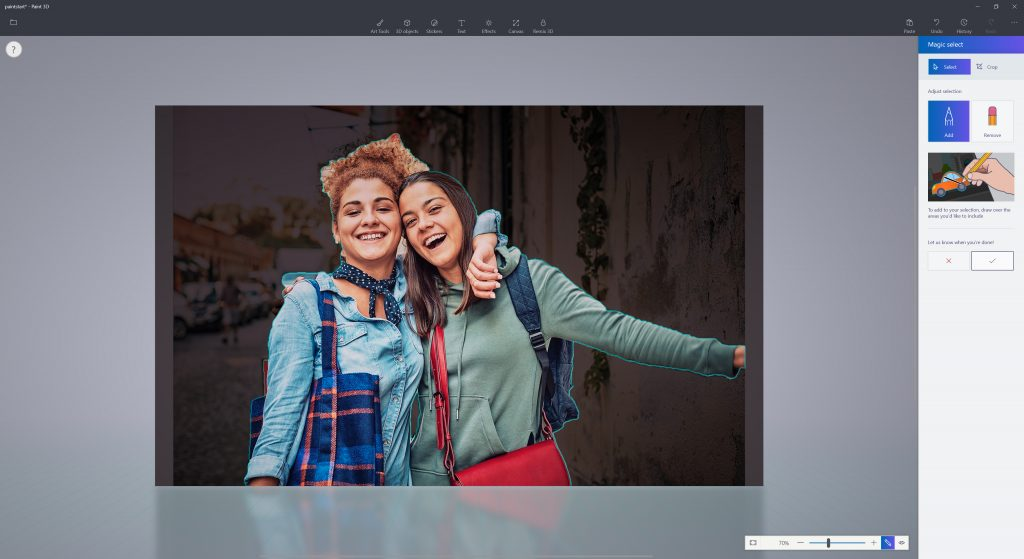
imageToday our Microsoft Information Protection story becomes even more complete with the GA release of service based auto labeling of sensitive labels for SharePoint Online, OneDrive and Exchange.

In addition this feature also contains Policy Simulator which helps you visualize the impact of a new automatic classification policy.

Read the announcement here:

Announced yesterday:

imageMicrosoft & Workday, today announced a strategic partnership prioritizing enterprise planning in the cloud and expanding the business solutions customers can use to better optimize their everyday work. Through this partnership, Workday customers will also be able to run Workday Adaptive Planning on the Microsoft Azure cloud. Further, Microsoft will adopt Workday Adaptive Planning for its global finance teams for planning, budgeting and forecasting to help accelerate decision-making.

The companies also unveiled new integrations between Workday’s suite of applications and Microsoft Teams and Azure Active Directory that will enable customers to simplify day-to-day tasks, foster collaboration, increase productivity and enhance security.

Read the announcement here:

imageRegister now and join us for the Azure Active Directory Webinar Series. Our engineering team is hosting a free webinar series on deploying and configuring Azure Active Directory!

In this 12-part series, we will cover methods and best practices to help you better secure your identities. Please see table below for a registration link for each of the remaining June sessions.

  • June 11, 2020
    Identity Governance for Modern Organizations (We will introduce tools to govern the lifecycle of user and guest identities in your Azure AD and Office 365 deployment.)
  • June 18, 2020
    Getting started with Azure AD Reporting and Insights
    (You will learn how to Interpret Azure AD Logs, Integrate with your SIEM tools and Gather Insights about your Azure AD Service.)
  • June 25, 2020
    Azure AD as the New Security Control Plane
    (You will learn how to assess and implement a modern approach to secure your organization identities with Azure AD.)

REGISTRATION:

—————-

PAST RECORDINGS
Want to watch and listen to these webinars? Check back a few weeks after each webinar session at https://aka.ms/AADWebinarRecordings.

Posted by: kurtsh | May 27, 2020

INFO: Microsoft Build 2020 “Book of News”

imageDid you miss the announcements from Microsoft Build 2020 from May 19-20, 2020?

It’s not too late!  Check out the big “Book of News” from the Microsoft Build 2020 event.

Pro Tip:  It’s HUGE.  Go to the Table of Contents and jump to the section & one of the 20 subsection that makes the most sense for you to review.  Main sections cover:

  1. Azure
  2. Microsoft 365
  3. Security
  4. Windows
  5. Edge & Bing

(For those of you asking, “Where’s Dynamics or Power Platform"?” you should have attended the Microsoft Business Applications Summit 2020 from last month.  Not to worry – all of the MBAS 2020 sessions are online too.)

« Newer Posts - Older Posts »

Categories