In CY21H2, Microsoft 365 admins will be able to enrich Microsoft 365 profile properties from HRMS systems like SAP SuccessFactors, Workday, Oracle HCM, etc. using Microsoft Graph connectors.

Check out our demonstration video here for clarification:
https://youtu.be/OxeXiw0FwU8.

imageOn the profile card in Microsoft 365, you can find information about users that is stored and maintained by your organization, for example Job title or Office location, but what if you don’t know what you don’t know?  Sometimes what we’re looking for can be as simple as a Job title or Office location, but what if the information we need is more complex or outside of the boundaries of Microsoft 365? Often you would need to search across multiple systems and know what systems that information is in. What if you could find all the information about a person, even that information which is unique to your company, right in the context of the person?

This is where customization of people experiences in your organization helps. You can already customize some parts of people experience by surfacing AAD data on your profile cards. However, today we’re excited to announce new capabilities in profile enrichment where as an Microsoft 365 administrator you can directly enrich user profiles with information from HRMS systems like Workday, SAP SuccessFactors and more using Microsoft Graph connectors. With these capabilities, you can now find more information you need about a person right in a person’s context, in less time and in fewer places.

Read the announcement on the coming “profile enrichment” for Microsoft 365 users here:

Posted by: kurtsh | June 4, 2021

DOWNLOAD: Yammer Launch & Adoption Playbook

imageUse the Yammer Adoption Playbook to help you prepare a Yammer strategy for adoption and engagement at your organization.

We want you to be successful, so here is a roadmap to help you make a successful and thriving network. While it’s not required to have all of these roles or questions answered, we’ve found that the most successful networks invest in roles that include these responsibilities.

By having specific roles and responsibilities and clear guidelines of expectations, members of the community know where to turn to when they need help.

Getting started
A great network starts with a great plan. Follow these five steps to make sure you’re ready for launch

Introducing Yammer to your organization
Starting with your champions, all the way up to the leadership team, get everyone on board and excited to use Yammer in four simple phases.

Keeping the conversations going
Now that you’ve launched, check out three ways to provide support and set up your Yammer network for success.  

Download the playbook here:

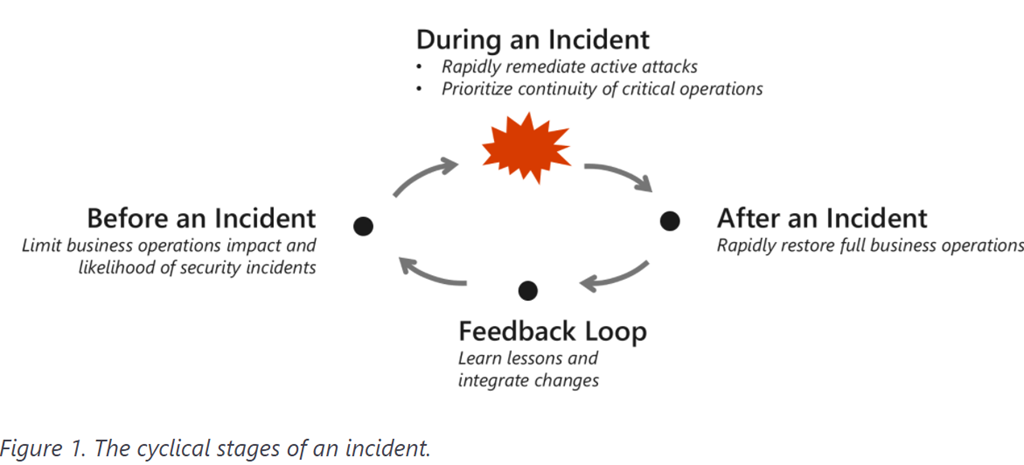
imageThis is part 4 of the Cybersecurity Architect series “Becoming resilient by understanding cybersecurity risks”

As businesses begin reimagining their future in a post-pandemic world, most are pivoting to a digital-first approach to take full advantage of technological innovation (much of which was adopted in haste). The pandemic has accelerated three existing trends and the tension between them: how to remain relevant against a backdrop of consumer and market demands, how to react and respond to evolving cyber threats, and how to do this reliably while reducing complexity and cost.

Becoming a resilient organization requires collaboration between business and security leaders and a lifecycle approach to continuous improvement.

In this blog, we delve deeper into specific themes in recent cyberattack trends—how and why they work so effectively—and strategies to mitigate them.

Parts 1-3 of the series are available here:

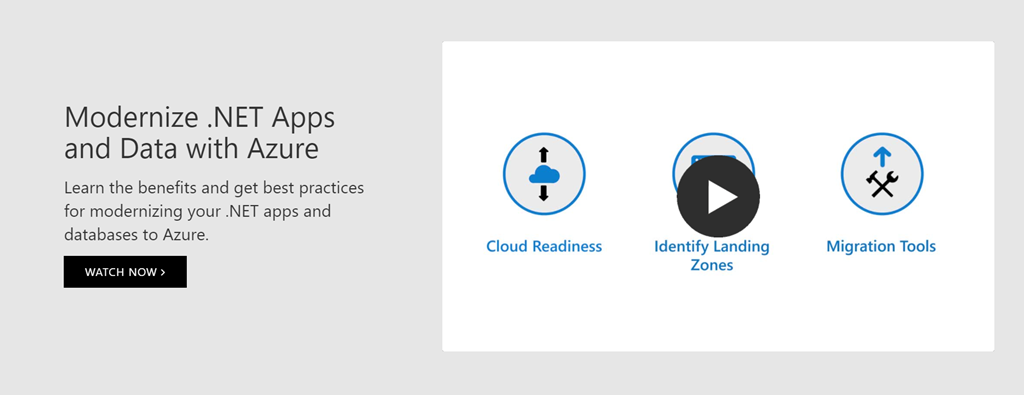
imageTo meet increasing digital demand and take advantage of new opportunities, many organizations are modernizing their .NET apps by moving them from on-premises environments to the cloud. Discover the cost advantages of bringing your .NET apps to Azure and learn best practices to prepare for migration. Watch these webinars to see how to move your apps and databases to Azure App Service and Azure SQL Database—and learn about tools to simplify your migration:

  • Migrate Your .NET Web Apps to the Cloud to Save Time and Costs – See an in-depth cost comparison of .NET apps running on premises, in Azure App Service, and on AWS Elastic Beanstalk. Explore tools to help you improve developer productivity, increase app availability, and quickly get started with migration.
  • Prepare Your ASP.NET Apps and SQL Server for Cloud Migration – Learn how to assess your environment, identify the appropriate landing zones such as infrastructure as a service (IaaS) and platform as a service (PaaS), migrate your databases, and mitigate common migration blockers.
  • Optimize Performance of .NET Web Apps and SQL Databases – Find out how to boost performance with the latest App Service pricing plan and choose the best Azure SQL service tier for your database. Discover best practices for auditing, troubleshooting, and database tuning.
  • .NET App Migration Lessons Learned From an Azure Partner – Explore how an Azure partner and a cloud migration platform can simplify your complex web application migration journey. 
  • Build Smarter and Faster .NET Web Apps with Azure – Learn how to build smarter and faster applications with functions, APIM, and auto deployment. See how to innovate your apps using native capabilities such as AI and analytics.  
  • .NET Web App and Azure SQL Security on Azure – Find out how Azure can provide increased security for your web applications and their accompanying databases.  

Register to watch these on-demand webinars and receive email notifications when new webinars are added to this series.

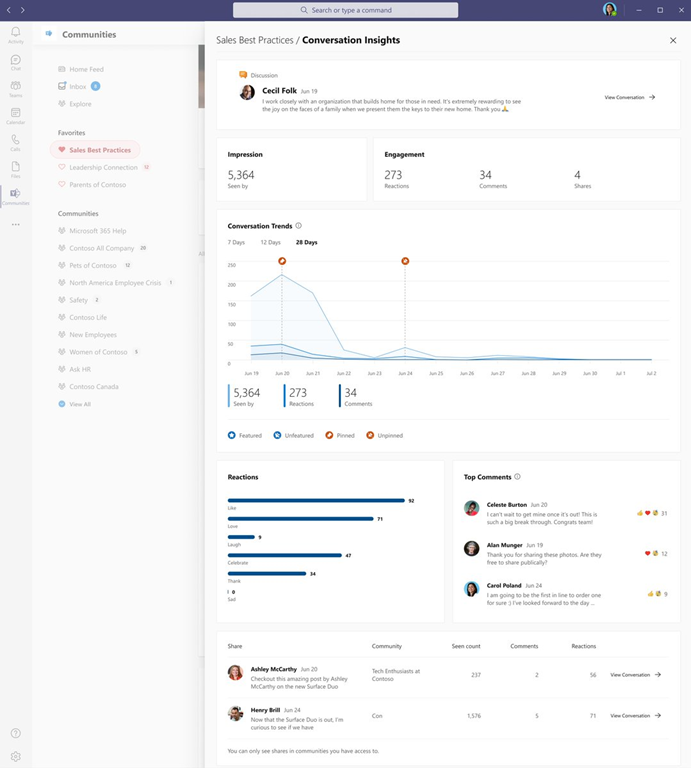
imageWant to understand how communications and conversations diffuse across and impact your organization? Use “Conversation Insights” on both Yammer and in the Communities app in Microsoft Teams now generally available!

Analytics and data are key to understand the impact of our efforts. Over the last few months, we’ve shipped new ways to measure activity happening in Yammer across Communities, Knowledge, and Live Events.

Today we are thrilled to announce the general availability of Conversation Insights. These insights empower authors and community managers to measure the reach and engagement of their conversations and announcements to understand what content resonates best with audiences.

Conversation Insights is available on Yammer.com on the web, and through the Yammer Communities App in Microsoft Teams.

Read more here:

Posted by: kurtsh | June 3, 2021

WHITEPAPER: Azure Sentinel Best Practices

imageThis “Azure Sentinel Best Practices” whitepaper outlines best practice recommendations for configuring data sources for Microsoft Azure Sentinel, using Azure Sentinel during incident response, and proactively hunting for threats using Azure Sentinel.

Azure Sentinel makes it easy to collect security data across your entire hybrid organization from devices, users, apps, servers, and any cloud. Using the power of artificial intelligence, Sentinel ensures that real threats are identified quickly and unleashes you from the burden of traditional security incident and event management solutions (SIEMs) by automating setting up, maintaining, and scaling infrastructure.

imageFree Downloadable background images for your online meetings – Check out and choose any or all of your favorites  — on us!

Just like Gartner, Forrester has a highlighted Microsoft for it’s Endpoint Security offering.

We are excited to share that Microsoft has been named a Leader in The Forrester Wave™: Endpoint Security Software as a Service, Q2 20211, receiving one of the highest scores in the strategy category and among the top three scores in the current offering category. Forrester notes that “the focus on endpoint security has increased as cyber risks shift from the network to the endpoints, prompted by increasing amounts of homeworkers and the bulk movement of data from enterprise network-connected data centers to edge devices.”

Microsoft Defender for Endpoint received the highest possible scores in the control, data security, and mobile security criteria, as well as in the Zero Trust framework alignment and security community involvement criteria. Forrester also noted our “impact on endpoint is also notably low when actively running on the endpoint, and that the number of reported false positives by customers is also the lowest in this evaluation.”

Download the report here:

To help the broader security community go beyond alerts and detections to:

  • understand the underlying attack behaviors and technical implementation of adversary techniques
  • better respond to investigations of related attacks

Microsoft is releasing SimuLand.

imageWHAT IS SIMULAND?

SimuLand is an open-source initiative by Microsoft to help security researchers around the world deploy lab environments that reproduce well-known techniques used in real attack scenarios, actively test and verify the effectiveness of related Microsoft 365 Defender, Azure Defender, and Azure Sentinel detections, and extend threat research using telemetry and forensic artifacts generated after each simulation exercise.

These lab environments will provide use cases from a variety of data sources including telemetry from  Microsoft 365 Defender security products, Azure Defender, and other integrated data sources through Azure Sentinel data connectors.

We announced a lot of amazing capabilities for developers extending collaborative applications in the Microsoft 365 ecosystem.

Custom Microsoft Teams Together Mode scenes
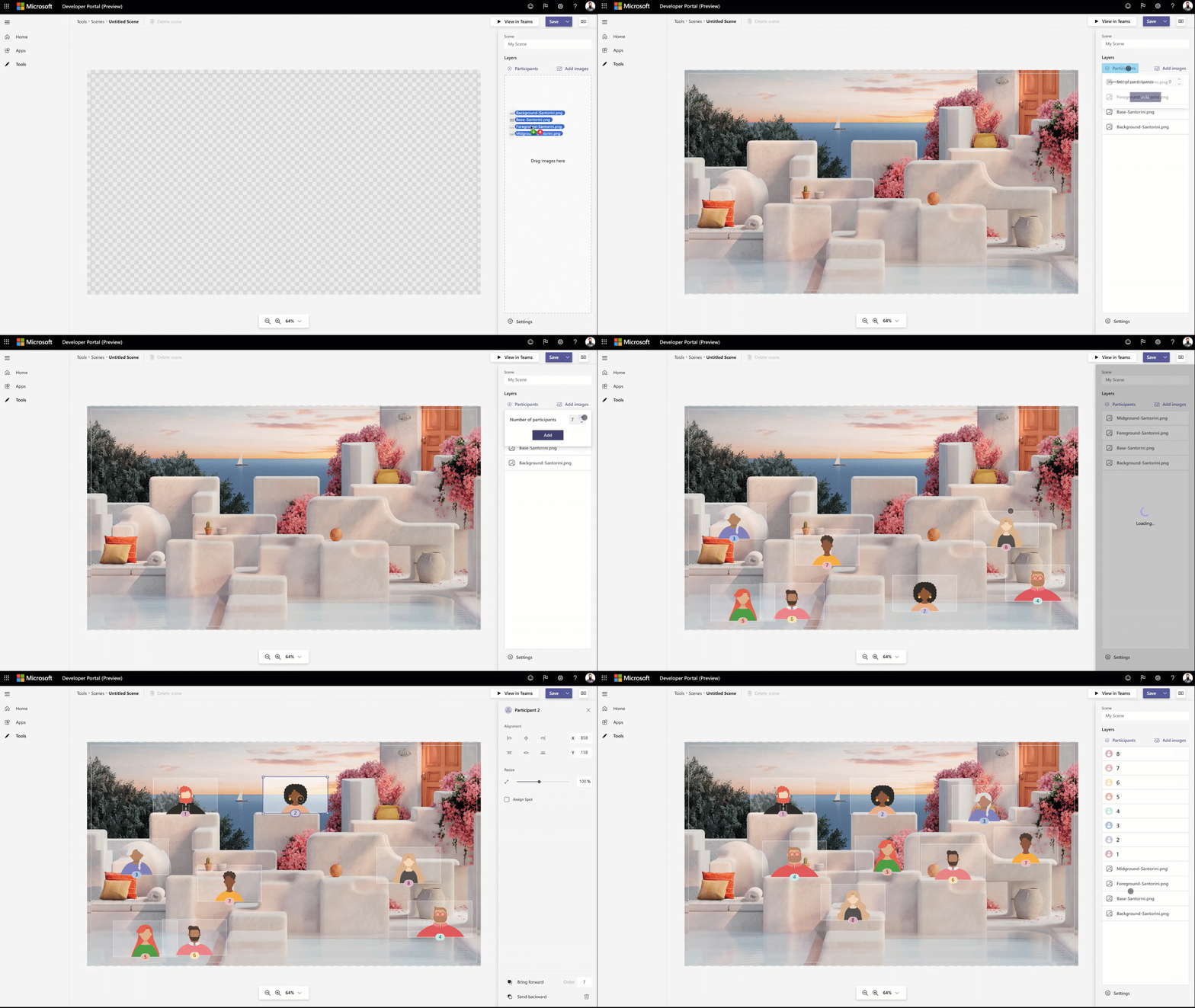
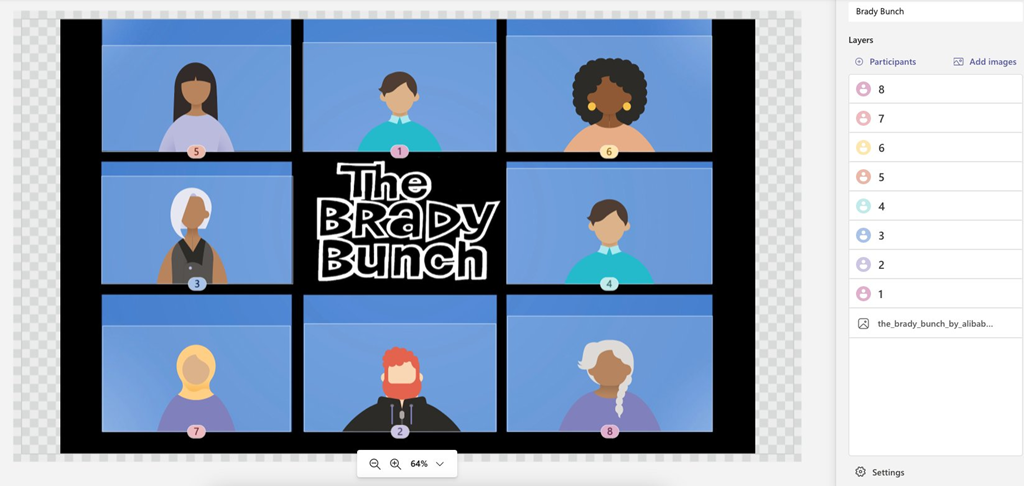
Coming this summer, Together mode extensibility lets you create and share your own custom scenes for Teams meetings. This provides an easy design experience, within the Developer Portal for Teams, so developers can craft custom scenes to make meetings more engaging and personalized for your organization.

Visual showing a custom Together Mode scene being created.

Some examples:

image

image

For more information visit:

« Newer Posts - Older Posts »

Categories