imageGot G Suite legacy free edition?

  • Get Microsoft 365 Business Basic for $2/use/mo.
  • Get Microsoft 365 Business Std for $5/user/mo.
  • Get Microsoft 365 Business Prem for $8/user/mo.

This is 60% off normal pricing. Compare each solution below:
https://www.microsoft.com/en-us/microsoft-365/business

The deal is documented below:

If you’re a small business that’s relied on G Suite legacy free edition, we couldn’t help but notice you might be in the market for a new solution. We’ve got news for you: today, you can get a 60 percent discount on a 12-month Microsoft 365 Business Basic, Business Standard, or Business Premium subscription, along with the help you need to make the move.

And we’re including one year of free support with Business Assist for Microsoft 365 to help you get up and running in no time. Business Assist is designed specifically for small businesses to make migration easy, with around-the-clock access to small business specialists who can work with you on everything from onboarding to sharing tips and tricks that will ensure you get the most out of your Microsoft 365 subscription. 


This offer is exclusive to current G Suite legacy free edition users who purchase a 12-month Microsoft 365 subscription by August 2, 2022. One free year of Business Assist for Microsoft 365 available to US customers only. Business Assist currently supports English language only.

Read about the offer here:

Posted by: kurtsh | March 2, 2022

INFO: A Guide to the Virtual Meeting

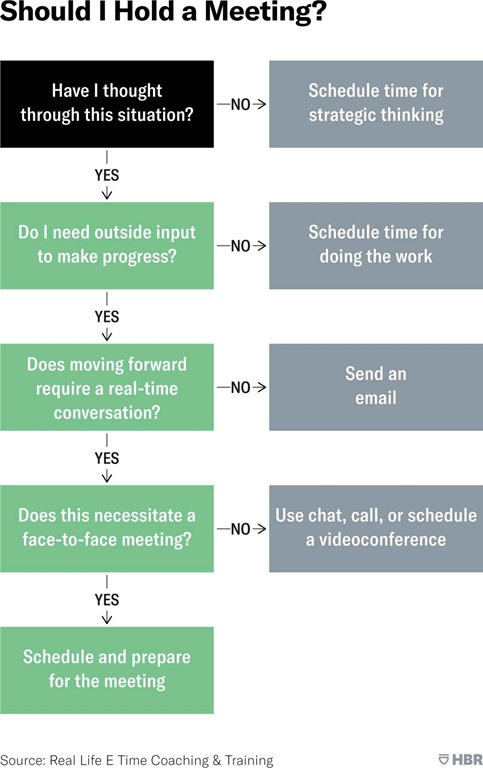
image_4c9e6157-62a7-43b7-8a83-426ca0060fc320220129_084806When a team of researchers at Microsoft analyzed how employees at that company were experiencing the shift to remote work, they found a surprising data point: Workers were scheduling more 30-minute meetings than they ever had before, contributing to an overall meeting-time increase of 10% each week.

This is not good news. As the researchers point out, meetings generally decrease employee productivity and happiness. It’s time to rethink (virtual) meetings.

The following two charts can guide you and your team in deciding when, why, and how to meet. The first, an HBR classic, offers a decision tree with options other than scheduling that block of time on the calendar.

Read more at:

Posted by: kurtsh | March 2, 2022

DOWNLOAD: Free eBook, “Evolving Zero Trust”

imageMicrosoft has helped thousands of organizations evolve their Zero Trust deployments to respond to transitions to remote and now hybrid work in parallel with a growing intensity and sophistication of cyberattacks.

This paper distills what we’ve learned from these customers informing the trends evolving Zero Trust, the updates to our viewpoint of this model from an architecture and implementation maturity perspective, and key recommendations to ensure you’re best prepared for our new reality.

imageCost Management anomaly detection is now available for subscriptions in the cost analysis preview. To check cost anomalies for your subscription, open any view in the cost analysis preview and click the see insights link to view all insights and details.

Read more at the announcement site:

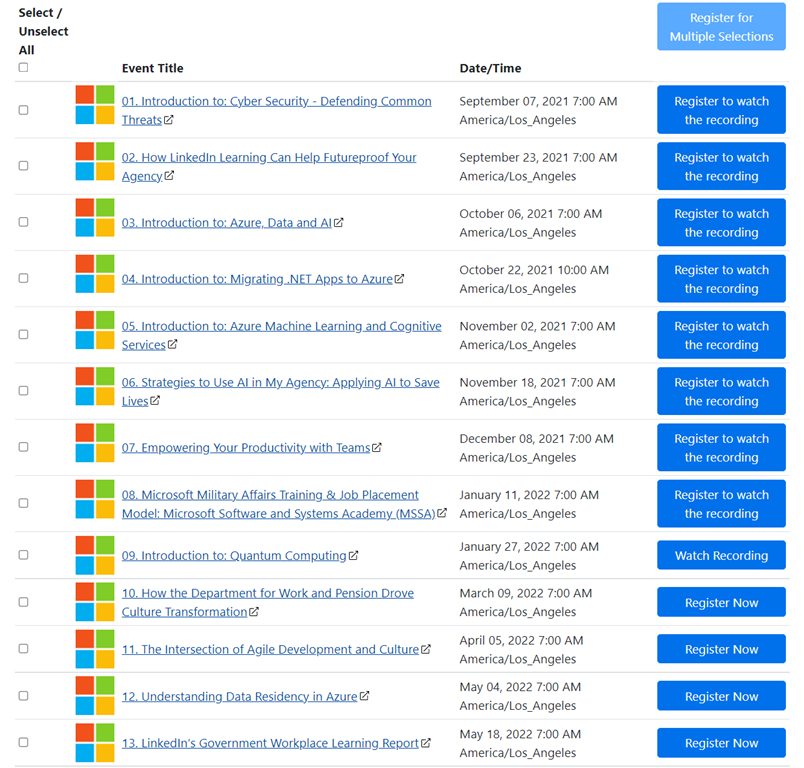
imageWe are excited to provide a series of live webinars designed to help Public Sector and agency leaders on this journey. These sessions will cover a range of topics including:

  • Discover insights gained from surveying Public Sector talent leaders globally on how they are engaging their employees right now and successfully developing talent at scale.
  • An introduction to Microsoft technologies and skills programs to inform attendees on future trends and the benefits of skilling to meet organization’s vision for employees and workforce.
  • Real stories and examples from experts and government and defense & intelligence customers who have seen success in developing employee and workforce skills as a direct impact from collaborating with Microsoft.

If you have missed any of these events, the recordings are available on demand.

————

(A recent event/example)

Introduction to: Quantum Computing
During this session you will learn about Azure Quantum’s full stack approach and how to get started having quantum impact today!

imageExplore best practices for increasing the security posture of your Azure Virtual Desktop environment. Learn about the Azure security controls you can use to keep your users, apps, and data safe and secure.

Join this webinar to:

  • Apply reliable, end to end advanced security features of Azure.
  • Learn about your role in the shared security model.
  • Configure security components to fit your organization’s needs.
  • Utilize the built-in security in the management plane.

Register below:

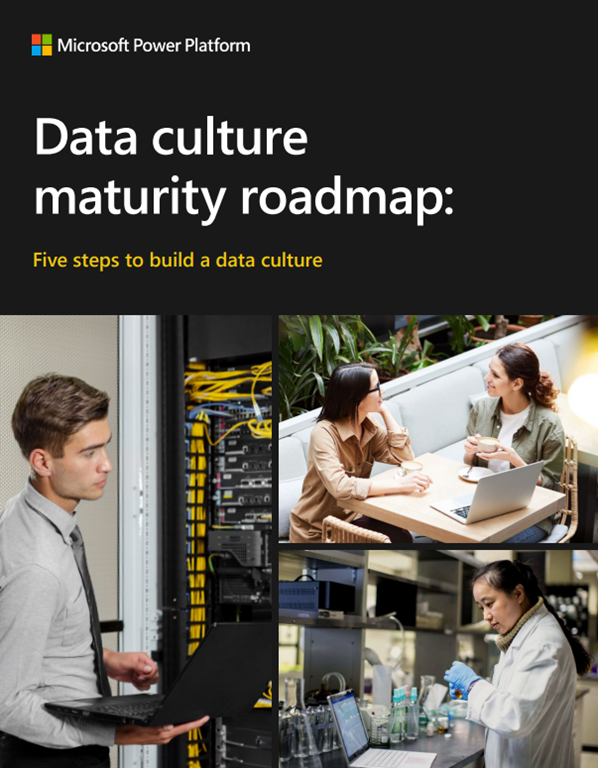
imageKeep pace with rapidly evolving customer expectations by adopting a strong data culture. In this e-book, you’ll learn how to empower your organization with a fully developed data culture that adds value at every level by allowing:

  • Every individual to securely access what they need, when and where they need it, seamlessly on their preferred device.
  • Every team to easily collaborate across data sets and discovers impactful insights that free information from isolation.
  • Every organization to stay protected with a security infrastructure to support anytime, anywhere access.

Get the eBook here:

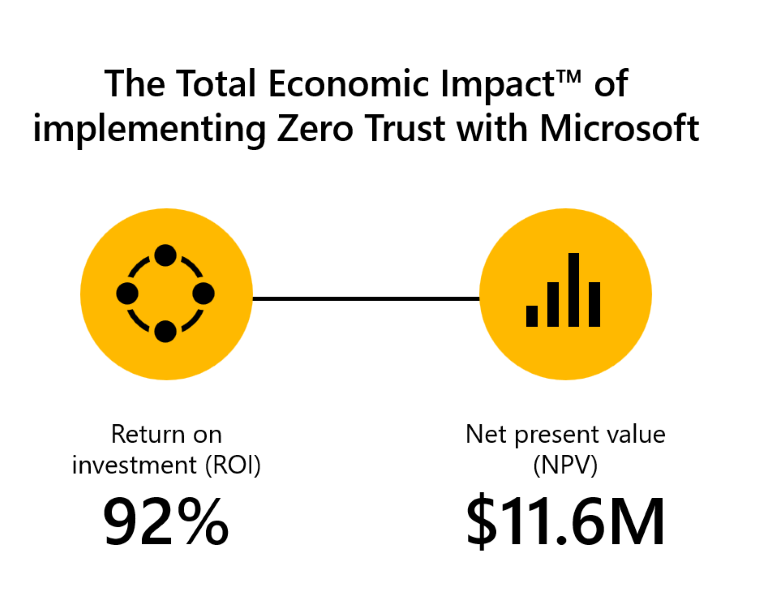
imageIn the commissioned study The Total Economic ImpactTM of Zero Trust solutions from Microsoft, Forrester Consulting reports that adoption of Microsoft solutions to implement a Zero Trust security strategy delivers:

  • A three-year 92 percent return on investment (ROI) with a payback period of fewer than six months. 
  • A 50 percent lower chance of a data breach.
  • Numerous efficiency gains of 50 percent or higher across security processes.

Learn more:

  • Read our Zero Trust position paper for key insights, an example of a comprehensive security architecture, and a maturity model to help accelerate your adoption.

To learn more about Microsoft Security solutions, visit our website. Bookmark the Security blog to keep up with our expert coverage on security matters. Also, follow us at @MSFTSecurity for the latest news and updates on cybersecurity.

imageThe Microsoft Learning Campus for Unified Support customers provides live presentations from Unified Support Customer Engineers.

If you are a named contact for your organization’s Unified Support contract, log into https://mslearningcampus.com/pages/ms-learningcampus and you’ll be able to register for upcoming Webcasts & Tech Talks, only available to Unified Support customers.

Here’s a few coming up soon:

Microsoft Tech Talks – Azure Well-Architected Framework series:

Are you using your seMTT Cropped - sticker-jpgcurity tooling effectively?

The old mentality of deploying security tooling and hoping that its default configuration provides enough protection is not only dangerous but misses on the benefits of next-generation tooling.

In today’s world of fast-evolving security threats, knowing how to optimize security tooling is a critical skill that most security teams must learn and implement to stay one step ahead of the wave of ever-changing attacks.

Join Samuel Soto, Chitresh Pandit, and Suprapat Dechanansub, experienced security consultants from the Microsoft Compromise Recovery Security Practice, as they discuss the ins and out of fine-tuning Microsoft Defender for Endpoint to protect your high-value assets.

« Newer Posts - Older Posts »

Categories