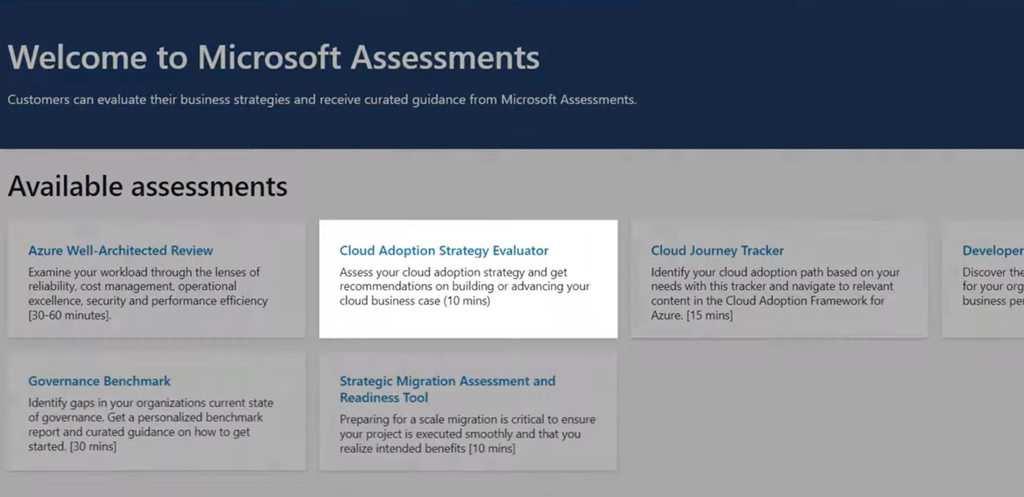
imageWhich assessment tool is right for you? Assess cost management of your workloads, boost business performance with your developers, identify gaps in governance.

Reduce research time for cloud adoption strategy in Azure with new assessment tools. There’s often a lot of room for optimization when you start to move your services to the cloud. Matt McSpirit, Microsoft Azure expert, joins Jeremy Chapman to show you how to build solutions the right way, with the least amount of trial and error.

Assessment tools can make it easier to find what you need to build or host your workloads in Azure with the right SLAs and help you to assess and close gaps on skill sets, stakeholder support, business KPIs and budget targets. We’ve packaged up the learning we’ve seen working with organizations. There are common patterns where your adoption strategy for the business can start to break down, and conversely, where they succeed. We’ve used these insights to inform our assessments which are part of our Cloud Adoption Framework — and they are completely free to use.

  1. The Cloud Adoption Strategy Evaluator – look at your current strategy and get broad recommendations as you make the case for building cloud-based solutions
  2. Azure Well-Architected Review – assess things like the reliability, cost management, operational excellence, security and performance efficiency of your workloads
  3. The Cloud Journey Tracker – find the best cloud adoption path based on your needs
  4. Developer Velocity – guidance to boost business performance with your developers The
  5. Governance Benchmark – identify gaps in your organizations current state of governance
  6. Strategic Migration Assessment and Readiness Tool – prepare for large scale cloud migrations

Watch the overview here:

References:

Posted by: kurtsh | June 20, 2022

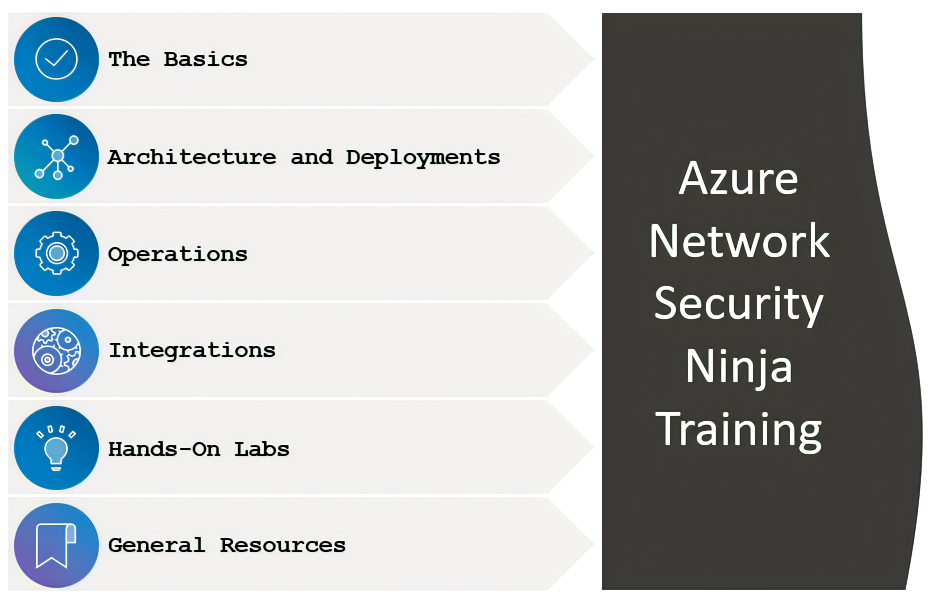
TRAINING: Azure Network Security Ninja Training

imageReady to become an Azure NetSec ninja? Dive right in!

In this blog post, we walk you through basic to advanced scenarios for Azure network security.

  1. The Basics
    1. Introduction to network security concepts
      1. Network security in Azure
      2. Web Application protection in Azure
    2. Introduction to Azure network security products
      1. Azure DDOS Protection Standard
      2. Azure Firewall and Azure Firewall Manager
      3. Azure Web Application Firewall (WAF)
  2. Architecture & Deployments
    1. Standalone Deployments
      1. Azure DDoS Protection Standard
      2. Azure Firewall
      3. Azure Web Application Firewall
    2. Advanced Deployments
      1. On-Prem Hybrid
      2. vWAN (Secured Virtual Hub)
      3. vWAN (Secured Virtual Hub) with 3rd party SECCaaS
      4. Hub & Spoke
      5. Forced Tunneling with 3rd party NVAs
      6. Multi-product combination in Azure
      7. TLS inspection on Azure Firewall
      8. Per-site or Per-URI WAF policies on Azure Applications Gateway
  3. Operations
    1. Centralized Management
      1. Azure Firewall Manager and Firewall Policy
      2. Web Application Firewall (WAF) Policy
    2. Optimizing
      1. Web Application Firewall (WAF) tuning
    3. Governance
      1. Built-in Azure Policies for Azure DDos Protection Standard
      2. Built-in Azure Policies for Azure Web Application Firewall (WAF)
      3. Restrict creation of Azure DDoS Protection Standard plans with Azure Policy
    4. Responding
      1. Azure Web Application Firewall
      2. Azure DDoS Protection Standard
  4. Integrations
  5. Hands on Labs
  6. Resource References

Dive into this training at this post here:

imageThe following are a list of phenomenal links to learning the Microsoft Cybersecurity Reference Architecture & Zero Trust:

image“How do I know my employees are actually working at home?”

“How do I know they aren’t just goofing off while working remotely?”

“Can’t I just monitor their keyboard activity or Teams presence to see if they’re doing work?”

I’ve heard all these questions asked in the past 2-3 years and if you personally have ever asked any of these questions, this article is for you.  The answer to maintaining a healthy relationship between managers and employees with work-from-home policies is OKRs – or Objectives & Key Results.

This philosophy is simple: Make sure people have measurable outcomes they are accountable for & make sure they know what part they play in the organization’s mission or goals. Vetri Vellore, Microsoft’s Corp VP of Viva Goals says the following as part of an excerpt of his upcoming book on the topic:

I advocate an approach that uses three building blocks. Objectives are clear, inspiring goals. Whether at the company, department, or team level, an objective is where you are headed—your target. Key results are measurable outcomes, which should be ambitious but achievable, and quantifiable enough to lead to objective grading. And finally, key initiatives are the individual activities whose execution will impact performance on the defined objectives.

Read the rest of Vetri’s article here:

——————-

Spoiler alert: If you’re one of those people asking if monitoring user’s keystrokes or Teams presence is a “silver bullet” for see, may I present to you, “Microsoft Awake”:  A free tool anyone can use to simulate activity to keep a workstation “online”.  There are also tools that can accomplish the same thing through a web browser.

imageAttending Identiverse 2022? Connect with us and hear what’s in store for the future of identity with Microsoft Identity Corporate VP, Alex Simons

Alex will be delivering a keynote address from 8∶30 AM to 9∶00 AM Mountain Time on Wednesday, June 22, 2022, in the Aurora Ballroom at the convention center. During his “Open Standards and the Identity Trust Fabric” keynote, he’ll share Microsoft’s vision for the future of identity, and highlight critical open standards efforts that will form the foundation of the identity trust fabric we need to secure  the hybrid, multicloud, decentralized world of tomorrow.

Psst. If you have something specific to discuss, you can apply to schedule a meeting with Microsoft’s executives here:

Read about the receptions, sessions, the booth & other ways to connect with Microsoft while at Identiverse 2022 here:

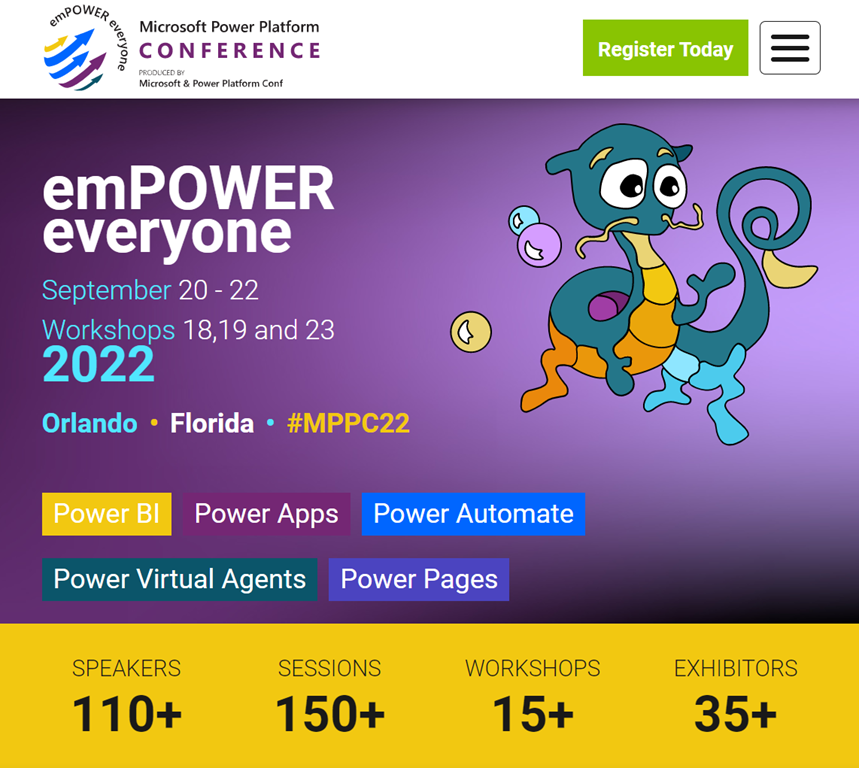
imageJoin us at the inaugural Microsoft Power Platform Conference in Orlando, Florida – September 20 – 22!

We can’t wait to learn, share, and create connections with Power Platform guiding the way. Early bird pricing is available until June 27.

A quick glimpse at some of the advertised speakers:

image

Posted by: kurtsh | June 18, 2022

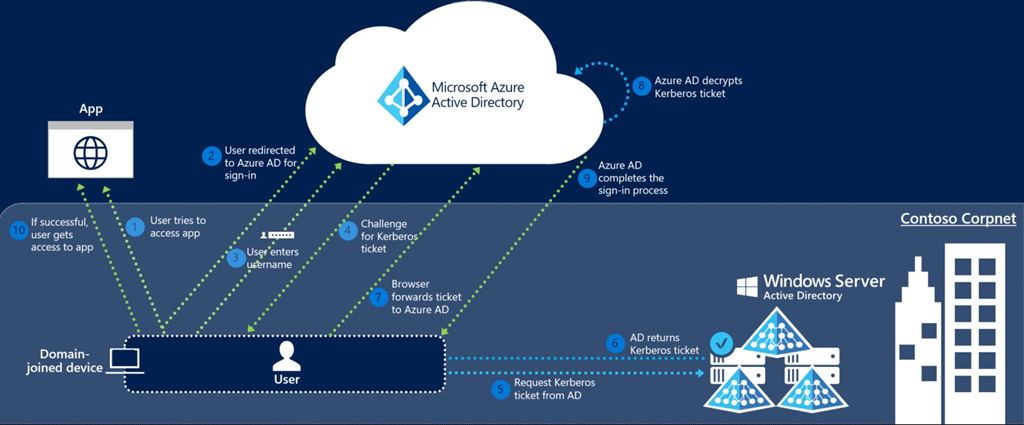
INFO: “Azure AD: Which SSO Is The Right SSO?”

imageFor Azure AD administrators asking:

  • Do we need hybrid join?
  • Do we need Azure AD Seamless SSO?
  • Do we need both?
  • Can we configure both?
  • Why isn’t hybrid join listed as an SSO mechanism in the docs?
  • If hybrid join is preferred, why does Azure AD Seamless SSO mention seamless, isn’t it better?

If you need guidance on SSO for corporate owned & managed Windows devices that are joined to an Active Directory domain, the following article is for those that have their reasons to stay with hybrid join for the moment. Even though you should go cloud-native with Azure AD Join.

imageJoin Microsoft Corporate VP for Modern Work Jared Sparato at the Gartner Digital Workplace Summit, June 21–22, to hear about how to empower everyone in the new era of hybrid work.

Register here:

Posted by: kurtsh | June 18, 2022

RELEASE: Microsoft Defender for individuals

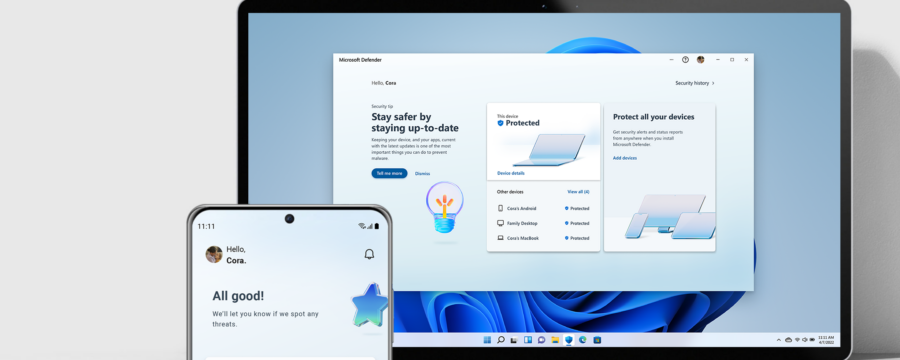
Now available: Microsoft Defender for individuals, a new online security application for Microsoft 365 Personal and Family subscribers.

imageThis seamless solution, which includes continuous antivirus and anti-phishing protection for your data and devices, will enable you to:

  • Manage your security protections and view security protections for everyone in your family, from a single easy-to-use, centralized dashboard.2
  • View your existing antivirus protection (such as Norton or McAfee). Defender recognizes these protections within the dashboard.
  • Extend Windows device protections to iOS, Android, and macOS devices for cross-platform malware protection on the devices you and your family use the most.3, 4
  • Receive instant security alerts, resolution strategies, and expert tips to help keep your data and devices secure.5

Read about this here.

imageWe are thrilled to announce that the ability to create dynamic groups based on the memberOf attribute is available in Public Preview!

This feature will help you better manage group memberships by allowing you to build dynamic Azure AD Security Groups and M365 groups based on other groups – create hierarchical groups with ease! For example, you can now create Dynamic-Group-A with members of Group-X and Group-Y.

Read more about this new feature here:

« Newer Posts - Older Posts »

Categories