Posted by: kurtsh | September 4, 2022

DOCS: Best Practices for Securing Active Directory

imageThis document provides a practitioner’s perspective and contains a set of practical techniques to help IT executives protect an enterprise Active Directory environment. Active Directory plays a critical role in the IT infrastructure, and ensures the harmony and security of different network resources in a global, interconnected environment.

The methods discussed are based largely on the Microsoft Information Security and Risk Management (ISRM) organization’s experience, which is accountable for protecting the assets of Microsoft IT and other Microsoft Business Divisions, in addition to advising a selected number of Microsoft Global 500 customers.

Read the documentation here:

With Halloween just around the corner, it seems like a good time to remind everyone to do their scream tests to get rid of zombie servers. (Courtesy of Mark Simos, Microsoft Lead Cybersecurity Architect)

imageI talked previously about our efforts here in Microsoft Digital to inventory our internal-to-Microsoft on-premises environments to determine application relationships (mapping Microsoft’s expedition to the cloud with good cartography) as well as look at performance info for each system (the awesome ugly truth about decentralizing operations at Microsoft with a DevOps model).

With this info, it was time to begin making plans to move to the cloud. Looking at the data, our overall CPU usage for on-premises systems was far lower than we thought—averaging around six percent! We realized this was so low due to many underutilized systems. First things first, what to do with the systems that were “frozen,” or not being used, based upon the 0-2 percent CPU they were utilizing 24/7?

We created a plan to closely examine those assets towards the goal of moving as few as possible. We used our home-built change management database (CMDB) to check whether there was a recorded owner. In some cases, we were able to work with that owner and retire the system.

Before we turned even one server off, we had to be sure it wasn’t being used. (If a server is turned off and no one is there to see it, does it make a sound?)

Read about establishing plans for a scream test here:

Microsoft Defender for Office Attack Simulation Training just got better. Check out the new features.

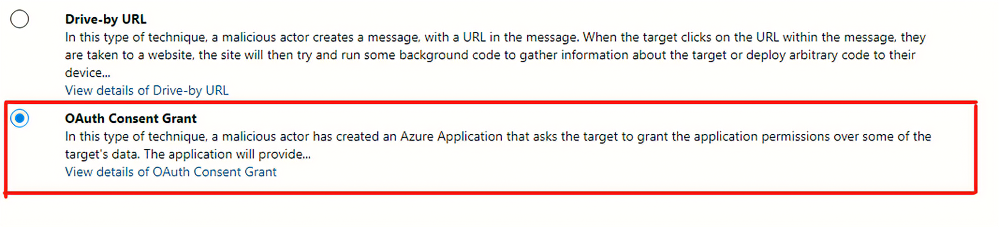
imageAttack Simulation Training is an intelligent phish risk reduction tool that measures behavior change and automates the design and deployment of an integrated security awareness training program across an organization.

We have been hearing from a lot of our enterprise customers that payload technique variety is key to any long-term end user behavior change program.  To help facilitate we are pleased to announce two new payload techniques.

Read more here:

Posted by: kurtsh | September 4, 2022

EVENT: Microsoft Research Summit – October 18–20, 2022

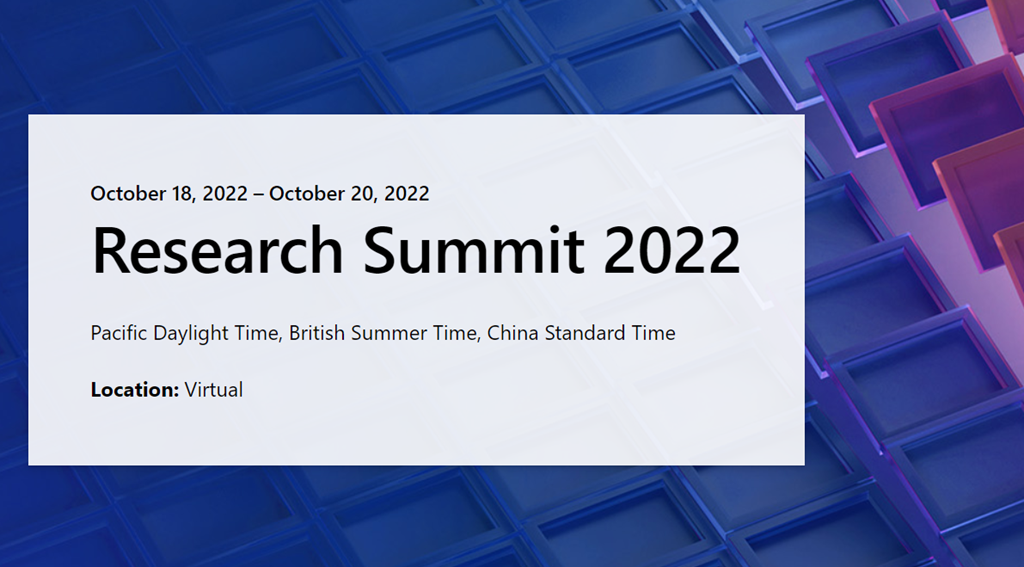
imageSave the date for “Microsoft Research Summit” this October 18 – 20 where the global research community will share progress and spark conversations around advances that could empower people and impact our world. Registration opens September 13th

What’s Next for Technology and Humanity?

Save the date for Microsoft Research Summit 2022, from October 18, 2022-October 20, 2022

Join us as the global research community gathers to share progress and spark conversations around advances that could empower people in new ways and positively impact our world. This year, we convene to explore some of the most pressing questions facing our research community – ultimately, how might we advance the frontiers of research while ensuring that new technologies have the broadest possible benefit for humanity?

Each day the event will air from 9:00 AM – 4:00 PM in three time zones: Pacific Daylight Time, British Summer Time, and China Standard Time.

Event agenda and details below. Registration opens on September 13th.

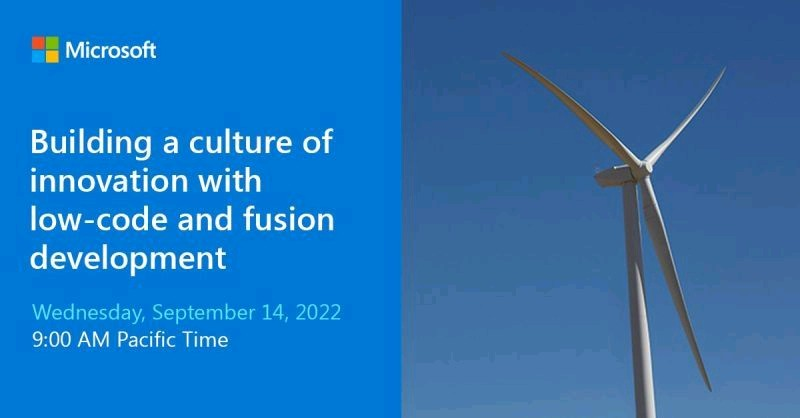
imagePower Platform isn’t just for citizen developers.

Fusion Development brings together low-code & professional developers to further accelerate innovation at scale. Register to learn how others have applied this approach to make better business decisions.

Leaders who invest in innovation recognize the huge potential that their people bring to the table. Today’s business users carry valuable domain expertise and are in the best position to bring new thinking into existing processes, given the right tools and management support.

In this session, we’ll explore how successful organizations use low-code application development solutions to enable business agility and rapid transformation. We discuss how empowering business users to innovate helps them make better decisions with real-time insight, save time by automating manual processes, and develop new solutions and services. We’ll also talk about the power of Fusion Development bringing together low-code and professional developers to further accelerate innovation at scale – and the key considerations when adopting this approach.

Register below:

Posted by: kurtsh | September 2, 2022

INFO: Azure Cloud Center of Excellence

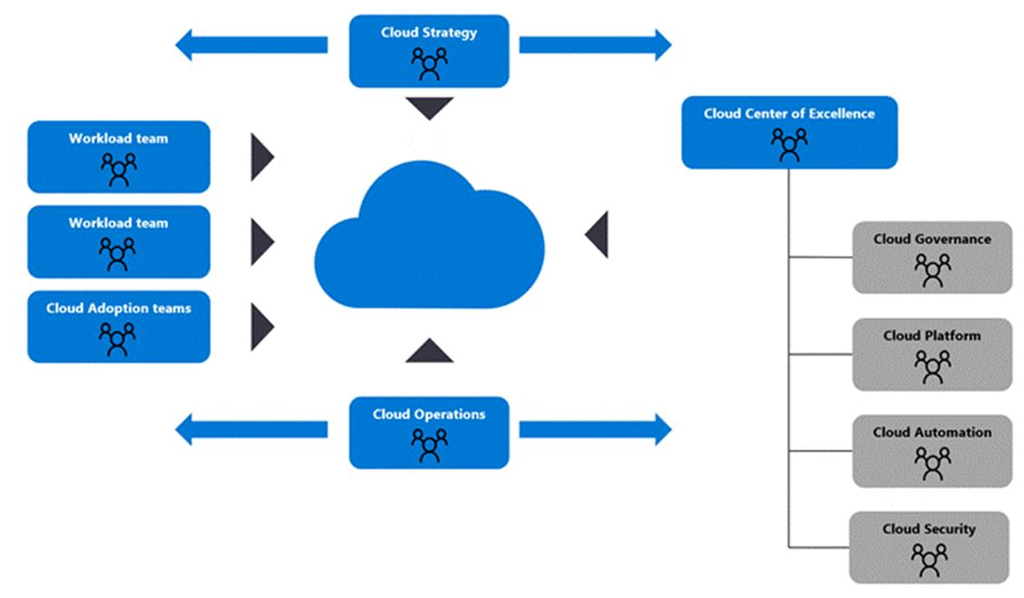
imageThe following documents the specific requirements & tasks oriented around a Cloud Center of Excellence.

  1. Cloud Adoption Framework (CCoE Model)
    https://docs.microsoft.com/en-us/azure/cloud-adoption-framework/organize/cloud-center-of-excellence
  2. IT Team structures for CCoE
    https://docs.microsoft.com/en-us/azure/cloud-adoption-framework/organize/organization-structures
  3. Org alignment for CCoE
    https://docs.microsoft.com/en-us/azure/cloud-adoption-framework/get-started/org-alignment

Microsoft also has a very prescriptive services offering from Microsoft Consulting Services that assists customers with the planning & assembly of their organization’s Cloud Center of Excellence for Azure.  (I should know – I’ve seen the documents & the outcomes of the engagements) Service offerings also exist for Power Platform & Microsoft 365/Modern Work.

Contact your account team for details.

Posted by: kurtsh | August 28, 2022

INFO: Why Windows Server on Azure?

I’m asked frequently what makes hosting Windows Server workloads in Azure more compelling than other cloud providers.

Here’s some of the many benefits that are only available when customers host Windows Server in Azure:

  1. COST (STANDARD) – The unique “Azure Hybrid Use Benefit” Azure customers have allows them to transfer their Windows Server Standard licenses from their Enterprise Agreement (or Software Assurance subscriptions) to use in Azure, reducing cloud VM licensing spend by ~40%… this is not available on AWS or any other public cloud platform. (https://azure.microsoft.com/en-ca/pricing/hybrid-benefit/)
  2. COST (DATACENTER) – Additionally, customers using Windows Server Datacenter Edition cores licensed on an Enterprise Agreement can uniquely use those same Datacenter core licenses BOTH ON-PREMISES & IN-AZURE SIMULTANEOUSLY. This is only available in Azure. (https://docs.microsoft.com/en-ca/azure/virtual-machines/windows/hybrid-use-benefit-licensing)
  3. INTEGRATION – NEW native Windows Server automated configuration management (aka “Azure Automanage”). NEW native Windows Server Management “single pane of glass” (aka “Azure Portal Windows Admin Center”… only available in Azure. (Azure Automanage & Windows Admin Center in the Azure portal)
  4. PERFORMANCE – Windows Server workloads are faster – particularly SQL Server – when run on Azure. https://azure.microsoft.com/en-ca/blog/faster-and-cheaper-sql-on-azure-continues-to-outshine-aws/
  5. SECURITY – Extended Security Updates (Security Patches) for 2008 & 2012 available at no cost… only on Azure (https://www.microsoft.com/en-us/windows-server/extended-security-updates?rtc=1)
  6. INNOVATION – Windows Server has advanced Azure-specific capabilities including:
        1. high-availability “hotpatching” (patching with zero downtime/no reboots)
        2. “ultra-scale up” capabilities (48TB RAM, 64 sockets, 2048 logical procs, etc.)
        3. “SMB over QUIC” (ultra high speed SMB-based file transfer)

          … only available on Azure. (Windows Server 2022 Azure Edition now in Public Preview)

  7. TRAINING – Customer with direct representation from Microsoft that are enrolled in the Microsoft Enterprise Skills Initiative can participate in unique Windows Server classes for running workloads on Azure – at no cost – including:
    1. AZ-800 – Administering Windows Server Hybrid Core Infrastructure
    2. AZ-801 – Configuring Windows Server Hybri8d Advanced Services

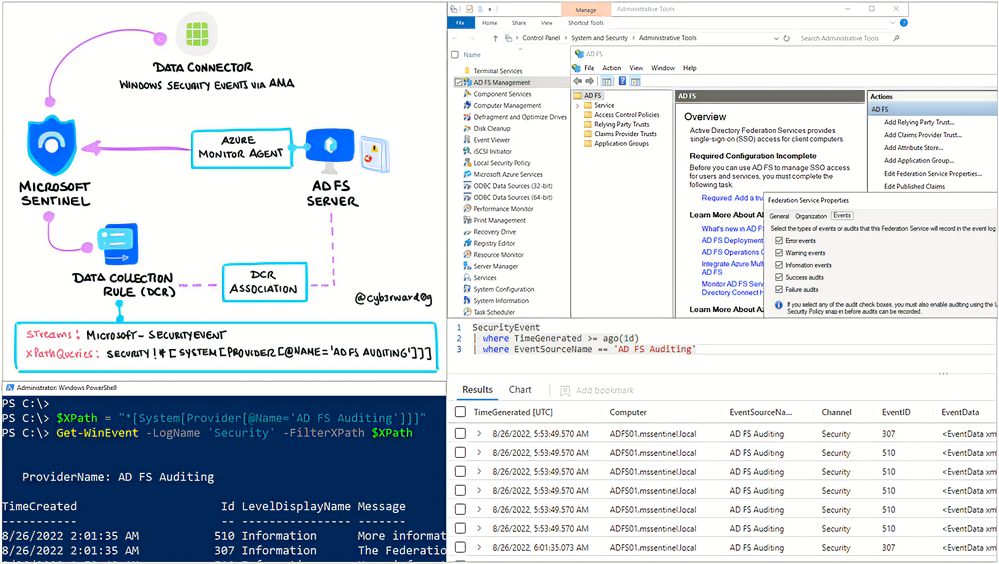
imageFrom the Microsoft Sentinel tech community:

Microsoft’s identity solutions span on-premises and cloud-based capabilities. These solutions create a common user identity for authentication and authorization to all resources, regardless of location. We call this hybrid identity and one of the authentication methods available is federation with Active Directory Services (AD FS).

Active Directory Federation Service (AD FS) enables Federated Identity and Access Management by securely sharing digital identity and entitlements rights across security and enterprise boundaries. AD FS extends the ability to use single sign-on functionality that is available within a single security or enterprise boundary to Internet-facing applications to enable customers, partners, and suppliers a streamlined user experience while accessing the web-based applications of an organization.

In this post, I will show you how to enable AD FS security auditing (based on Microsoft documentation) and how to collect and ship AD FS event logs to a Microsoft Sentinel instance.

Read this very detailed, step-by-step article here:

Posted by: kurtsh | August 28, 2022

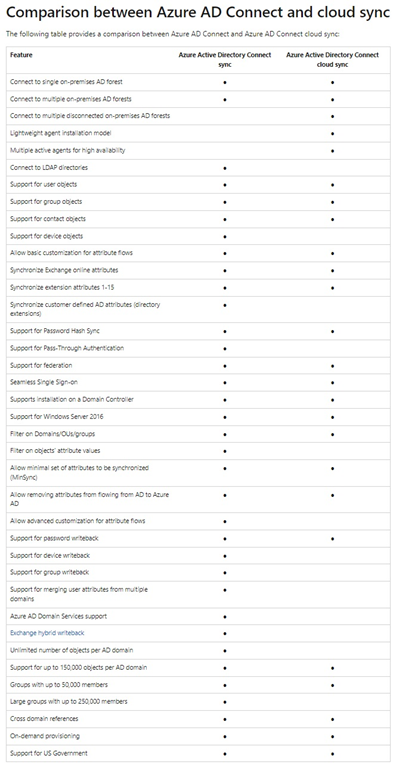
INFO: Azure AD Connect vs Azure AD Connect Cloud Sync

AADConnectVSAADCloudConnectWhat’s the difference between AAD Connect and Cloud Sync?

The following illustration was created by Tom Cutting.  He writes:

You may have both at the same time, great for high availability of password hash sync to the cloud.

Cloud sync is also great for merger and acquisition situations where some identities are required in the cloud but not connected to the domain that hosts your primary DirSync instance (and you don’t want to use AAD Guest Accounts).

For more details on Azure AD Connect vs Azure AD Connect Cloud Sync, read the following & look up the table comparing each sync solutions capabilities:

image

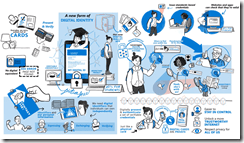
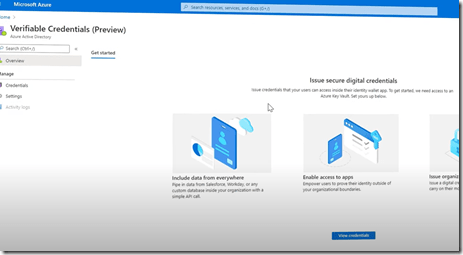
imageMicrosoft Entra Verified ID is now live! Azure AD customers can now issue, request, and verify credentials to represent proof of employment, education, or any other claim.

But what is decentralized identity? How does it give you more control over your digital identity and keep your information on the internet safer? This video explains in short what decentralized identity is and how it can replace usernames and passwords to verify you are who you say you are quickly and easily.

image

« Newer Posts - Older Posts »

Categories