Bill Hartnett, insurance director of Microsoft Financial Services, discusses the health of the insurance sector.

Bill Hartnett, insurance director of Microsoft Financial Services, discusses the health of the insurance sector.
Comments Off on VIDEO: Microsoft interviewed on FOX Business about the state of the Insurance industry
Posted in Uncategorized
 A customer asked for some of the limitations of iPhone Activesync, and I found this list that someone wrote up that I thought might be useful to others.
Calendar
General
Comments Off on INFO: Limitations of iPhone’s client implementation of Exchange ActiveSync
Posted in Uncategorized
 Please take a look at the following webcasts that describe how to take advantage of Microsoft’s protection capabilities to securely deploy and operate Exchange + MOSS and protect the intellectual property that lives inside of these repositories.
————————-
May 5, 1-2:30 PM PST
Secure Collaboration using AD RMS, MOSS and AD FS
Learn all about the different Trust Relationships provided by Active Directory Rights Management Services to securely collaborate with external parties. In this session we will drill down on how to provide extranet access to Information Rights Management (IRM) protected documents stored on Microsoft Office SharePoint Server 2007 using Active Directory Federation Services (AD FS), providing external people Single Sign-On(SSO), and delegating the account management to the external parties.
May 6, 1-2 PM PST
Security for Exchange and SharePoint – what’s not in the box?! (Level 200)
Done implementing SharePoint or Exchange? There’s more you can do! Spend an hour with us walking through the Identity and Security products and solutions that help make deployments more secure. We’ll spend time discussing Forefront Security, The Intelligent Application Gateway, Internet Security and Acceleration Server, Rights Management Services and Identity Lifecycle Manager.
May 7, 1-2:30 PM PST
SharePoint Server 2007 and Exchange Server 2007 Integration with Active Directory Rights Management Services (Level 400)
Microsoft Active Directory Rights Management Services provides the capability to users to protect documents by providing granular permissions to them. This presentation provides an overview of Forefront Security for Exchange and Forefront Security for SharePoint technologies. Learn how Microsoft SharePoint 2007 can be configured and used to implement automatic document protection at the MOSS Document Library level and how Microsoft Exchange 2007 SP1 Pre-licensing Fetching provides more flexibility to roaming users using AD RMS.
Comments Off on WEBCASTS: Securing MOSS/Exchange with Rights Management Services & Forefront, May 5-7
Posted in Uncategorized
 Microsoft Corp. today announced the availability of Microsoft BizTalk Server 2009, the company’s enterprise integration and connectivity server solution. In its sixth release, BizTalk Server is already being used by 90 percent of Global 100 customers to integrate systems and automate processes. BizTalk Server 2009 delivers new capabilities to help customers more effectively integrate disparate systems, enhance end-to-end enterprise connectivity and more quickly exchange data across multiple platforms, resulting in increased efficiency and lower costs.
Expanded Platform Support Enables More Flexible and Cost-Effective Systems
BizTalk Server 2009 expands support for the latest Microsoft application platform technologies, including Windows Server 2008, Microsoft Visual Studio 2008 and Microsoft SQL Server 2008. With BizTalk Server 2009, customers can now utilize the improvements available within these Microsoft products to boost their integration initiatives through enhanced developer productivity, improved system performance and better manageability. With Microsoft BizTalk Server 2009 Enterprise Edition, customers can further reduce the cost of infrastructure using Microsoft Hyper-V virtualization technology to run unlimited virtualized instances on virtual machines.
With upfront costs that are often less than offers from other vendors, BizTalk Server 2009 empowers customers to use industry standards and line-of-business adapters to more efficiently link partner as well as internal information systems across various domains. The adapters available for BizTalk Server 2009 enable organizations to quickly and easily access and use data from mainframes, databases, third-party applications and radio frequency identification (RFID) devices using familiar, simple-to-use management and development tools with less complexity and lower costs.
Industry-leading companies around the globe are relying on BizTalk Server as their mission-critical business process management solution. Customers including American Apparel Inc., Continental Automotive, Florida Community College, Gulf Coast Seal Ltd. and Sempra Energy Solutions have been using BizTalk Server, and many have plans to upgrade to BizTalk Server 2009 to take advantage of the benefits provided with this latest release.
New Capabilities Ease Connectivity to Systems and Data
The BizTalk Server 2009 release delivers the following:
BizTalk Server is a key component of the Microsoft Application Platform, a suite of products and technologies designed to help customers build, run and manage dynamic business applications. More information on the Microsoft Application Platform can be found at http://www.microsoft.com/applicationplatform.
Availability
BizTalk Server 2009 is available today to Microsoft Developer Network (MSDN) customers and will be made available broadly in nine languages — Chinese simplified, Chinese traditional, English, French, German, Italian, Japanese, Korean and Spanish — on May 1.
BizTalk Server 2009 is offered in four editions: Enterprise, Standard, Branch and Developer. Microsoft is providing customers with the added features and improvements in BizTalk Server 2009 with no price increase over previous versions, and is introducing the latest version of BizTalk Server with one of the lowest purchasing costs in the industry.
Customers interested in upgrading to BizTalk Server 2009 can access complete pricing and licensing information on May 1 for all versions of BizTalk Server 2009 at http://www.microsoft.com/biztalk/en/us/default.aspx.
Comments Off on RELEASE: Microsoft Biztalk Server 2009 now available
Posted in Uncategorized

|
Comments Off on RELEASE: Windows 7 Release Candidate 1 releases to MSDN/Technet & Connect users
Posted in Uncategorized
[taken from http://wmpoweruser.com/?p=4223]
iGR, a market strategy consultancy focused on the wireless and mobile communications industry has published some details of their 400 developer study of US based mobile developers.
Interesting, and contrary to the current received wisdom Windows Mobile is well ahead of the other mobile OS’s in terms of developer activity and interest. Nearly 60% of the 404 developers were working on Windows Mobile software, versus less than 20% for the iPhone and RIM.
 Even when it comes to future intention to develop, Windows Mobile is still the leading OS, with more work being planned on the OS than any other.

Now of course the question arises that if developers are so busy on Windows Mobile, where are the apps. iGR does not expand on this, but its likely many of these apps are never released to Handango, but are hard at work in warehouses and post rooms and a variety of enterprise roles.
See more information on this interesting study at the FiercelyWirelss webinar here.
Comments Off on NEWS: Windows Mobile dominate US mobile developer activity, interest
Posted in Uncategorized
 A couple days ago, President Obama named Craig Mundie, Microsoft’s Chief Research & Strategy Officer to his 20-member President’s Council of Advisors on Science and Technology.
Craig Mundie’s biography is available here:
http://www.microsoft.com/presspass/exec/craig/?tab=biography
Of note is the paragraph in his biography of this appointment:
In April 2009, President Barack Obama appointed Mundie to the President’s Council of Advisors on Science and Technology, which advises the administration on technology, scientific research priorities, and math and science education. Since August 2000, he has also served on the National Security Telecommunications Advisory Committee, advising White House staff on issues affecting the security of the nation’s telecommunications infrastructure. In April 2002, Mundie joined the Task Force on National Security in the Information Age to help develop a strategy for using technology to address new security challenges. Since February 2002, Mundie has been a member of the Council on Foreign Relations, a nonpartisan organization dedicated to increasing America’s understanding of the world and contributing ideas to U.S. foreign policy.
Announcements:
Comments Off on NEWS: Obama names Microsoft’s Craig Mundie to Sci-Tech Advisory Council
Posted in Uncategorized
Did you ever wish you could dictate tasks or notes into your Windows Mobile phone while you’re traveling and have it translate to TEXT?
Windows Mobile to get voice command capability
New service that will work on Windows Mobile 6.5 devices lets users search, send texts, and place calls using voice commands
Microsoft has high hopes that a new speech-recognition application for the forthcoming Windows Mobile operating system will be attractive enough to draw people to the phone platform.
On Wednesday, Microsoft planned to announce a new service that will work on Windows Mobile 6.5 devices and will let people speak into the phone to search the Internet, make phone calls and dictate text messages. The technology comes from Tellme, a company that offers hosted voice recognition services and was acquired by Microsoft in 2007.
…
Oh – did I mention, this is free? For a video of how this works, go to:
——————
Media links:
Comments Off on NEWS: Tellme says, “Say it. Get it.” with Windows Mobile
Posted in Uncategorized
Check this out: Facebook using Silverlight
http://vimeo.com/moogaloop.swf?clip_id=4369475&server=vimeo.com&show_title=1&show_byline=1&show_portrait=0&color=&fullscreen=1
Microsoft shows off Facebook Open Stream API demos from Rafe Needleman on Vimeo.
This is actually a set of snapshots highlight WPF usage with Facebook.
 Microsoft Previews Great WPF and Silverlight Apps with Facebook OpenStreams API
Interestingly, only Neowin seems to have picked it up.
Comments Off on INFO: Facebook… using Silverlight
Posted in Uncategorized
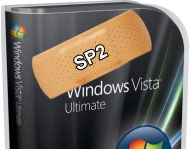
[partially taken from the Windows Team Blog]
Today we are announcing the Release to Manufacturing (RTM) of Service Pack 2 (SP2) for Windows Vista and Windows Server 2008. SP2 represents the latest step in Microsoft’s commitment to continuous improvement. It includes all updates that have been delivered since SP1, as well as support for new types of hardware and emerging hardware standards.
And since it comes with a single installer for both Windows Vista and Windows Server 2008, SP2 will be easy for IT Pros to manage, deploy, and support. For a complete overview of the changes introduced in SP2 for Windows Vista and Windows Server 2008, check out the notable changes document on TechNet.
We expect Windows Vista and Windows Server 2008 SP2 to be publicly available in Q2 2009:
I have a ton of information on the Service Pack itself but I’m currently embargoed so once I get the green light, I’ll open the gates.
[took the above image from http://www.xpmediacentre.com.au/images/windowsmc/vistasp2.jpg because it was damned funny. Hope y’all don’t mind.]
Comments Off on RELEASE: Windows Vista Service Pack 2 & Windows Server 2008 Service Pack 2 RTMs
Posted in Uncategorized

 kurtsh
 Kurt Shintaku's Blog

You must be logged in to post a comment.