image You are invited to take beta exam 71-662: TS: Microsoft Exchange Server 2010, Configuring. If you pass the beta exam, the exam credit will be added to your transcript and you will not need to take the exam in its released form. The 71-xxx identifier is used for registering for beta versions of MCP exams, when the exam is released in its final form the 70-xxx identifier is used for registration.
By participating in beta exams, you have the opportunity to provide the Microsoft Certification program with feedback about exam content, which is integral to development of exams in their released version. We depend on the contributions of experienced IT professionals and developers as we continually improve exam content and maintain the value of Microsoft certifications.

71-662: TS: Microsoft Exchange Server 2010, Configuring counts as credit towards the following certification(s).

  • MCTS: Microsoft Exchange Server 2010, Configuration


Availability

Public Registration begins: August 24, 2009

Beta exam period runs: August 31, 2009– September 14, 2009

Receiving this invitation does not guarantee you a seat in the beta; we recommend that you register immediately. Beta exams have limited availability and are operated under a first-come-first-served basis. Once all beta slots are filled, no additional seats will be offered.

Testing is held at Prometric testing centers worldwide, although this exam may not be available in all countries (see Regional Restrictions). All testing centers will have the capability to offer this exam in its live version.

Regional Restrictions: India, Pakistan, China


Registration Information

You must register at least 24 hours prior to taking the exam.
Please use the following promotional code when registering for the exam: E14J
Receiving this invitation does not guarantee you a seat in the beta; we recommend that you register immediately.

To register in North America, please call:

  • Prometric: (800) 755-EXAM (800-755-3926)

Outside the U.S./Canada, please contact:


Test Information and Support

You are invited to take this beta exam at no charge.
You will be given four hours to complete the beta exam. Please plan accordingly.
Find exam preparation information: http://www.microsoft.com/learning/en/us/exam.aspx?ID=70-662


Digg This

image Microsoft Learning has recently completed the beta version of a Windows 7 Instructor-led training course for IT Professionals entitled “Planning and Managing Windows 7 Desktop Deployments and Environments”

In an attempt to attain feedback on the course prior to the RTM release of Windows 7 we are offering the five-day course to IT Professionals who would like to attend and give feedback on the course.

  • When: September 21st to 25th (9:00AM to 5:00PM)
  • Where: Microsoft Campus, Redmond WA

This beta class is being offered for free only once and class size is limited. If you are interested in attending the course send an email to trblog@microsoft.com. In the email explain your interest in the course as an IT Professional. Students will be chosen based on how well they match the audience profile listed in the syllabus link above.  You will receive an email response within 48 hours if you have been selected to attend the course.

Digg This

image Great article from CIO Magazine that discusses the value of Microsoft’s hybrid solution, enabling both on-premise & hosted Exchange messaging to be available simultaneously for a customer while centrally managing both:

As Exchange Grows Up, it Plays More Strategic Role
Long an important product for Microsoft, Exchange Server going forward will play even more of a key role in the company’s plan to extend its collaboration applications to mobile devices and other software platforms.

In Exchange 2010, Microsoft is highlighting features that integrate its on-premise and hosted versions of the product more closely together, which the company hopes will encourage companies to begin adding hosted services to their on-premise software.

However, while hosted services can be more cost-effective for an organization, some companies may need to keep some employee mailboxes in-house for security or compliance reasons, and continue to run Exchange on premise, said Chris Voce, an analyst with Forrester Research. "For a lot of organizations, maybe a wholly hosted solution is not an option at this point," he said.

Still, being able to synchronize features like calendars and address books between the hosted version of Exchange and its on-premise version will certainly make it easier for an enterprise to create a hybrid environment that allows it to keep some of its employees’ mailboxes on premise, and allow Microsoft to host other mailboxes, Voce said.

LINK:
http://www.cio.com/article/500011/As_Exchange_Grows_Up_it_Plays_More_Strategic_Role

Digg This

One of my coworkers built this.  And the scary part is that he hasn’t really even used the full capabilities of the product.  Video markers and triggers are a big part of the product, along with transparencies and other nifty effects.

Digg This

image Microsoft Exchange Server 2007 Service Pack 2 (SP2) has been designed specifically to help meet the challenges of any business and the needs of all the different groups with a stake in the messaging system.

Exchange Server 2007 SP2 is a mission-critical communications tool that enables employees to be more productive and access their information anywhere and anytime while providing a messaging system that enables rich, efficient access to e-mail, calendar items, voice mail, and contacts.

For the administrator, Exchange Server 2007 SP2 provides advanced protection options against e-mail security threats, such as spam and viruses, as well as the tools to help manage internal compliance and high availability needs. For an overview of the new features that are available in Exchange Server 2007 SP2, see "What’s New in Exchange Server 2007 SP2".

————

Microsoft Exchange Server 2007 Service Pack 2 (SP2) introduces many new features for each server role. This topic discusses the new and improved features that are added when you install Exchange 2007 SP1.

To download Exchange 2007 SP2, see Exchange Server 2007 Downloads.

  • Deploying Exchange Server 2010
    You can deploy Exchange Server 2010 in your organization once all of the Client Access servers in your organization have been upgraded to Exchange Server 2007 Service Pack 2 (SP2). In addition, any Exchange 2007 Server, regardless of server role, in the Active Directory site you are transitioning, must be upgraded to Exchange 2007 SP2.
  • Exchange Backup Functionality
    Exchange 2007 Service Pack 2 includes a VSS plug-in for Windows Server Backup to support Exchange backups. Once SP2 is installed, you can use Windows Server Backup to back up and restore your Exchange 2007 SP2 databases. The new plug-in is delivered in the form of a single executable called WSBExchange.exe. This plug-in is automatically installed by SP2 on all Exchange 2007 Mailbox servers. The plug-in enables Windows Server Backup to be able to make Exchange-aware VSS backups. For more information about this feature and how to use it, see Using Windows Server Backup to Back Up and Restore Exchange Data.
  • Enhanced Auditing
    New Exchange auditing events and audit log repository enable Exchange administrators to more easily audit the activities occurring on their Exchange servers. It allows the right balance of granularity, performance, and easy access to audited events via a dedicated audit log repository. This simplifies the auditing process and makes review of audited events easier by segregating audited events in a dedicated location. For more information about the new auditing features available with SP2, see Understanding Mailbox Access Auditing with Exchange Server 2007 Service Pack 2.
  • Dynamic Active Directory Schema Validation
    The dynamic AD schema update and validation feature allows for future schema updates to be dynamic deployed as well as proactively preventing conflicts whenever a new property is added to the AD schema. Once this capability is deployed it will enable easier management of future schema updates and will prevent support issues when adding properties that don’t exist in the AD schema. For more information about Dynamic Active Directory Schema Validation, see Understanding Dynamic Schema Updates and Validation in Exchange 2007 SP2.
  • Public Folder Quota Management
    Exchange 2007 Service Pack 2 provides a more efficient way to manage Public Folder quotas by improving the current cmdlets and removing the dependency on the Public Folder Distributed Authoring and Versioning Administration to perform management tasks. For more information about the new public folder quota management features, see the Set-PublicFolder cmdlet documentation.
  • Centralized Organizational Settings
    There are several new cmdlet parameters that have been added that enable centralized management of many of the Exchange organization settings.

DOWNLOAD:  Exchange Server 2007 Service Pack 2 (884MB)
http://www.microsoft.com/downloads/details.aspx?displaylang=en&FamilyID=4c4bd2a3-5e50-42b0-8bbb-2cc9afe3216a

WHITEPAPER:  What’s New in Exchange Server 2007 Service Pack 2
http://technet.microsoft.com/en-us/library/ee221150.aspx

WHITEPAPER:  Releases Notes
http://www.microsoft.com/downloads/details.aspx?FamilyID=ee7829a3-0ae8-44de-822c-908cd1034523&displaylang=en

WHITEPAPER:  Active Directory Schema Changes
http://technet.microsoft.com/en-us/library/ee221142.aspx

Digg This

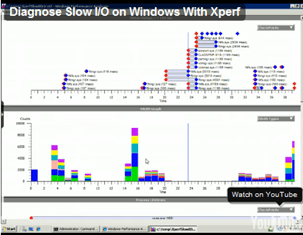
image Remember BOOTVIS for Windows XP? 

Well, it’s gone now but it’s been replaced by XPERF for Windows Vista/Windows 7, a tool that not many people know how to use to detect slow driver loads and latency in boot times or application loads.

The good news is that the Advanced Windows Debugging & Troubleshooting team has created a nice short little video that describes the process of using the XPERF tools to examine loading & executing processes.

“Here’s how you can use the Windows Performance Toolkit aka Xperf to investigate slow I/O issues on Windows 2008, Vista, and higher versions. Put the following into a batch file (modifying the -f to point the etl file generation elsewhere than the slow storage) and it will start a circular trace which can be stopped when the slow I/O occurs.”

VIDEO:  “Using XPERF to investigate slow I/O issues”
http://blogs.msdn.com/ntdebugging/archive/2009/08/17/xperf-to-investigate-slow-i-o-issues.aspx

DOWNLOAD:  Windows Performance Toolkit
http://msdn.microsoft.com/en-us/performance/default.aspx

Digg This

image

System Center Virtual Machine Manager 2008 R2 has RTM’d and GA via volume licensing is set for October 1. This is great news for all and I’d like to especially thank our VMM 2008 R2 Development, Product Management, and Test teams. Lots of hard work fueled by their passion in virtualization and management has resulted in a very good software release.

A 180-day evaluation version is now available, too, on the Microsoft Download site. You can access it here.

Please experience for yourself what the 10,000+ people who have previously downloaded our ‘Release Candidate’ plus organizations such as Continental Airlines, Lionbridge Technologies, and Indiana University have seen with VMM 2008 R2!

I encourage everyone to explore the new System Center Virtual Machine Manager 2008 R2 and its new features such as quick storage migration, live migration, and many others. We even offer support for vSphere 4.

To learn more on the new features and capabilities of VMM2008 R2, please try to attend our upcoming TechNet session ‘Technical Overview of System Center Virtual Machine Manager 2008 R2’. Presented by our Technical Product Manager Kenon Owens, it will be chocked full of new and cool VMM 2008 R2 items. Go here to register for this Wednesday, September 09, 2009 (10:00 AM Pacific) event.

[taken from the System Center blog]

Digg This

image For anyone that owns a Blackberry, Yelp just released their new Yelp application for RIM Blackberry which uses Bing Maps to help users find themselves and interesting places around them. 

The application is pretty slick using location aware technology to determine a user’s current location, then allows them to search for nearby businesses, read reviews and access a moveable map which can easily zoom in and out of a location and redefine searches based on the respective geographic area.

(Sure beats using the Yelp Mobile Web Site when you’re cruising around Vegas looking for some place new to eat.)

Digg This

Posted by: kurtsh | August 25, 2009

INFO: Windows Server 2008 R2 Deployment Resources

imageInterested in deploying Windows Server 2008 R2?  Here’s a list of deployment resources you can reference.

Digg This

Posted by: kurtsh | August 24, 2009

INFO: “Windows XP to Windows 7 Migration”

image Walk through the decisions you’ll make when migrating from a Windows XP environment to Windows 7 — and learn about the tools and resources available from Microsoft to help you each step along the way.

This guide provides assistance on migrating from Windows XP to Windows 7, all the way from gathering information about your environment to deploying the operating system. As you move through each step in the process, you can leverage deeper resources by clicking on the individual icons. With this content, you can make the best decisions and learn about the tools available from Microsoft:

Major Sections Covered
This guide includes the following key sections:

  • Collect, Analyze, and Test
    Walks you through how to collect information about your hardware and applications, analyzing the list of applications in your environment, and then testing those applications for compatibility.
  • Remediate Applications – Fix
    Explains available options to fix compatibility issues with your applications.
  • Remediate Applications – Virtualize
    Helps you determine a virtualization method to assist with application compatibility. You may also desire to move applications to one of the available virtualization methods for easier application management in your environment.
  • Deploy Operating System
    Provides information on the most appropriate deployment strategy for your environment.

Not in the scope of this guide:

  • Consumer step-by-step guidance – If you want to simply migrate your individual machine from Windows XP to Windows 7, this guidance will work but may include far more steps and detail than necessary for your situation.
  • Migration of Windows Vista to Windows 7 – The same steps could be followed when migrating from Windows Vista. However, fewer steps are required, and additional options are available. For instance, if you have Windows Vista running in your enterprise, your hardware is now ready for Windows 7 and this step can be skipped. Also, remember, you can do an in-place upgrade from Windows Vista to Windows 7, but not from Windows XP to Windows 7.
  • Third Party Tools – This guide provides information about tools or software from Microsoft only.
  • Information about software or hardware certification for Windows 7. Please visit the Ready, Set, Windows 7 website for details about different certification options and programs available from Microsoft.

Navigating the Guide
Wherever you are in the process, you can retrieve in-depth information, which includes links to relevant log files, troubleshooting information, and procedures for each phase. You can use the process as a working guide as you configure your activity model or as a learning tool.

Digg This

« Newer Posts - Older Posts »

Categories