image More great news from the Operations Manager product group – the release of the  System Center Operations Manager 2007 R2 Authoring Resource Kit.
This new resource kit aids authors in the creation, modification and assessment of operations management packs (MPs). Using the following eight tools contained within the Authoring Resource Kit, authors will see benefits through reduced development time and improved quality of their MPs.

  • Management Pack Best Practices Analyzer (MPBPA), which scans management packs for best practice compliance and provides automated resolution for numerous issues.
  • Management Pack Spell Checker (MP Spell Checker), helping eliminate errors in display strings.
  • Management Pack Visio Generator (MP Visio Generator), facilitating the generation of a class inheritance and class relationship diagram using Microsoft Office Visio.
  • Management Pack Diff (MP Diff), which presents differences between two management packs.
  • Management Pack Cookdown Analyzer (MP Cookdown Analyzer), which identifies workflows which may break cookdown, and provides suggestions on how to fix performance issues.
  • All References Add-in, helping to find all management pack elements that reference the specific element chosen.
  • Workflow Analyzer, provides the ability to statically analyze all types of workflows.
  • Workflow Simulator, providing the ability to test certain types of workflows such as discoveries, rules, and monitors without a Management Server and Management Group.

The Operations Manager 2007 R2 Authoring Resource Kit is available for immediate download from the Microsoft Download Center.

image Imagine doing adhoc data analysis involving MILLIONS of rows of data… IN EXCEL.

At the Microsoft SharePoint Conference yesterday in Las Vegas, we announced the official name for Gemini – “Microsoft SQL Server PowerPivot” or “PowerPivot” for short.  PowerPivot consists of two components – PowerPivot for Excel 2010 and PowerPivot for SharePoint 2010.

  • PowerPivot for Excel is a data analysis tool that delivers unmatched computational power directly within the application users already know and love — Microsoft Excel. Leveraging familiar Excel features, users can transform enormous quantities of data from virtually any source with incredible speed into meaningful information to get the answers they need in seconds. PowerPivot for Excel consists of the following components:
    • The Excel 2010 addin that delivers the seamless PowerPivot user experience integrated within Excel.
    • The VertiPaq engine that compresses and manages millions of rows of data in memory with blazing fast performance.
  • PowerPivot for SharePoint enables end users to effortlessly and securely share their PowerPivot applications with others and work seamlessly in the browser using Excel Services. PowerPivot for SharePoint also helps IT improve their operational efficiencies by tracking PowerPivot usage patterns over time, discovering mission-critical applications, and improving system performance by adding resources. PowerPivot for SharePoint consists of the following components:
    • PowerPivot Gallery – the Silverlight based gallery where users can share PowerPivot applications with others and visualize and interact with applications produced by others using Excel Services and Reporting Services.
    • PowerPivot Management Dashboard – the dashboard that enables IT to monitor and manage the PowerPivot for SharePoint environment.
    • PowerPivot Web Service – the “front-end” service that exposes PowerPivot data via XML/A to external applications such as Report Builder.
    • PowerPivot System Service – the “back-end” service that manages the PowerPivot application database, load balancing, usage data collection, automatic data refresh, etc.
    • Analysis Services – the Analysis Services server running the VertiPaq in-memory engine and integrated with SharePoint to load and manage the data within PowerPivot workbooks.


PRODUCT SITE:
http://www.powerpivot.com

PRODUCT BLOG:
http://blogs.msdn.com/powerpivot/

imageDownload the beta and begin investigating the new capabilities, including new testing options, enhancements to the integrated development environment, built-in tools for Windows 7 and Microsoft SharePoint 2010, new drag and drop bindings for Silverlight and Windows Presentation Foundation, and more.

  • VIDEO:  Channel 9 Video: How to Install the Beta
    Are you excited to try Beta 2, but not excited about reading the installation documentation? This video takes you through all the key things you need to know to get up and running quickly with Visual Studio 2010 Ultimate and Visual Studio Team Foundation Server Beta 2.
  • ONLINE:  Featured Overviews and Walkthroughs
    Check out this diverse collection of walkthroughs for Beta 2. They provide step-by-step instructions for common scenarios and are a good place to start learning about Visual Studio 2010 and .NET Framework 4.

DOWNLOAD:  Visual Studio 2010 (.ISO images) & .NET Framework 4
(Ultimate, Premium, Professional, Remote Debugger, F# Library, Team Foundation Server,etc.)
http://msdn.microsoft.com/en-us/vstudio/dd582936.aspx

Funny how these things never seem to get to the right people.  I just learned about this today and it’s been out for 2 weeks now.  Enjoy.

Windows 7 & Visual Studio 2010 Online Training Courses

image Want to learn more on the latest versions of Visual Studio and Windows coming out of Redmond?  Do you like how-to videos and hands-on labs?

Just got word on  some Visual Studio 2010 and Windows 7 training from Channel 9.  Check out these resources.

  • Explore Visual Studio 2010 Beta 2 with a new training course on Channel 9

    The developer evangelists who bring you the 10-4 Show are providing videos and labs for you to get familiar with .NET Framework 4 and Visual Studio 2010. This exclusive opportunity lets developers access courseware online in a self-paced learning experience.

    URL to link to: http://r.ch9.ms/vs10b2f

  • The most comprehensive Windows 7 Developer training is now online on Channel 9

    These videos, hands-on labs, and real-world samples are the quickest way to ramp up on the new developer features in Windows 7. Our new online offerings allow you to learn at your own pace and download only those modules that interest you.  Go ahead and jumpstart your Windows 7 developer skills now!

    URL to link to: http://r.ch9.ms/winf

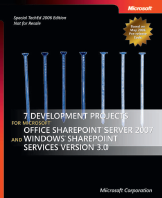
image Ah.  Another free eBook published by MS Press – this one is “7 Development Projects for Microsoft Office SharePoint Server 2007 and Windows SharePoint Services Version 3.0”

Get a hands-on introduction with seven practical projects. This guide highlights architectural underpinnings, the latest enhancements for developers, and code samples to get you started with building custom applications and solutions with Windows SharePoint Services products and technologies. (Note: For developers)

Microsoft Press – Microsoft TechNet / May 2006 / 236 pages / 7.76 Mo / PDF


DOWNLOAD:  7 Development Projects for Microsoft Office SharePoint Server 2007 and Windows SharePoint Services Version 3.0
http://bit.ly/2dvswb

Posted by: kurtsh | November 6, 2009

BETA: Register for the Sharepoint 2010 Beta

image Find out how this integrated suite of server capabilities can help your organization by providing comprehensive content management and enterprise search, accelerating shared business processes, and facilitating information-sharing across boundaries for better business insight.

Please review the preliminary system requirements to prepare for the beta release. For a comprehensive list of readiness resources and the right steps to take today, check out SharePoint 2010 Get Ready.


REGISTRATION:
http://sharepoint2010.microsoft.com/try-it/Pages/Trial.aspx

You read that right.  Just announced at Convergence 2009, the premier conference for business & ERP solutions:  Eligible Salesforce.com and Oracle CRM On Demand customers can receive six months of Microsoft Dynamics CRM Online at no charge.

image“Where else could you get a complete sales, service, and marketing suite within a native Microsoft Office Outlook experience, supported with robust functionality like mobile access, offline data usage, powerful workflow, 5GB of storage, and a 99.9% financially-backed service level agreement (SLA)?”

This is in addition to the newly announced Dynamics CRM Online service update which brings the following:

  • Fast online access. Organizations can get started with a trial or paid subscription to Microsoft Dynamics CRM Online in less than five minutes. Customers are able to access the Microsoft Dynamics CRM Online service through a Microsoft Outlook interface, via a Web browser or from a wide range of mobile devices — all at no additional charge.
  • Simple contact management. Microsoft Dynamics CRM Online provides a single, unified view of customer information that helps sales people manage accounts and drive revenue. A new Get Started Pane delivers guidance, training and access to communities, and Microsoft Knowledge Base articles, allowing users of all skill levels to maximize their productivity. In addition, Microsoft Dynamics CRM Online makes it easy to import data from other CRM applications.
  • Better sales performance. Sales managers benefit from strong sales forecasting and their sales teams benefit from workflow capabilities that ensure that customer engagements happen quickly and consistently. A new home page dashboard provides real-time views into key metrics that help prioritize daily activities.
  • Better economics. Microsoft has simplified and reduced its Microsoft Dynamics CRM Online pricing for all customers. All Microsoft Dynamics CRM Online offerings are now available at $44 per user per month, and include offline support, 200 custom entities, 200 workflows and 5 GB of storage.

Details

  • Subscriptions must be activated by December 31, 2009.
  • Minimum of 5 users
  • Maximum of 2 times the number of seats subscribed to via qualifying competing products
  • After 6 months, subscription price is $44/user/month
  • Contract term is 12 months
  • Offer only applicable to Microsoft Dynamics CRM Online
  • Offer only available in the US & Canada
  • Eligible customers must be currently paid subscribers to Salesforce.com or Oracle CRM on Demand switching to Microsoft Dynamics CRM Online and must show valid proof of Salesforce.com or Oracle CRM On Demand subscription to participate

OFFER DETAILS & QUALIFICATIONS:
http://offers.crmchoice.com/moreforless

PRESS ANNOUNCEMENT:
http://www.microsoft.com/presspass/press/2009/nov09/11-03serviceupdatepr.mspx

image Steven Levitt & Stephen Dubner’s recently released book, “Superfreakonomics”, besides being a fascinating book, has two chapters in which the authors discuss topics with strong links to Microsoft.

MICROSOFT AMALGA
Outside of the healthcare industry, it’s not well known that Microsoft acquired an extremely successful technology called “Azyxxi” which it later renamed “Microsoft Amalga”.  Amalga, called a “unified intelligence system” brings together in real-time information about patients into a single view for hospitals and their patients enabling faster diagnosis and quicker, more accurate patient turnaround.

Levitt & Dubner go through the history of the first Azyxxi product and the success it had in turning Washington’s worst hospital into the single best over the period of the introduction of the first system.

FORMER MICROSOFT RESEARCH FOUNDER, NATHAN MYHRVOLD
Also, Nathan Myhrvold, founder of Intellectual Ventures,and founder of Microsoft Research, talks about their work in finding simple solutions to mitigate hurricanes, minimize global warming, and understanding the effect of carbon output on the atmosphere.  (HINT:  IV Researchers believe measuring a processes carbon footprint is a poor means of approaching global warming)

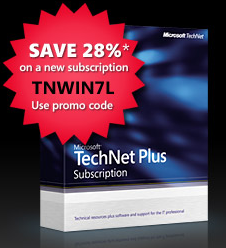
imageIf you don’t already have a Technet Plus subscription, now’s a good time to jump on it.  They’ve made available a a 28% discount, available until December 31st, 2009.

PEOPLE:  This is a total cost of $251.28 for a Technet Plus Direct Subscription.  (Download only)

If you’re an IT Professional, this is the absolute best, most value packed way to get your hands on not just a full retail copy of Windows 7 Ultimate, but also a colossal amount of fully-enabled, retail Microsoft enterprise software, including but not limited to:

  • Office XP/2003/2007 Professional
  • Publisher 2003/2007
  • Groove 2007
  • Infopath 2003/2007
  • Project 2002/2003/2007 & Project Server/Project Portfolio Server
  • Visio 2002/2003/2007
  • PerformancePoint Server 2007/Proclarity
  • Dynamics AX/CRM/GP/NAV/PoS/Solomon
  • Windows 3.1/3.11/Workgroups 3.11/3.2/XP/Vista/7
    • Includes all editions of products including “Starter” through “Ultimate”
  • Windows Server 2003/2003R2/2008/2008R2
    • Includes both x86/x64/ia64 and Web, Standard, Enterprise, and Datacenter Editions
  • Windows Small Business Server 2003/2003R2/2008
  • MS DOS!
  • Windows CE
  • Windows Home Server
  • Biztalk Server 2002/2004/2006/2006R2/2009
  • Commerce Server 2002/2007/2009
  • Content Management Server 2002
  • Customer Care Framework 2005/2008/2009
  • Desktop Optimization Pack (AppV, MED-V, AGPM, DART, SCDEM, AIS)
  • Exchange Server 2003/2007/2010
    • Includes both x86/x64 (if available for the version selected) and Standard/Enterprise Editions
  • Forefront Client Security
  • Forefront Security for Exchange/Sharepoint/Office Communications Server/Security Management Console
  • Host Integration Server 2000/2004/2006
  • Identity Integration Server 2003/2007
  • ISA Server 2004/2006
  • Office Communications Server 2003/2005/2007/2007R2
  • Operations Manager 2000/2005/2007/2007R2
  • Sharepoint Server 2001/2003/2007
    • Includes both x86/x64 and Standard & Enterprise Editions
  • Search Server 2008
  • Speech Server 2004
  • SQL Server 2000/2005/2008
  • System Center Capacity Planner
  • System Center Configuration Manager 2003/2003R2/2007/2007R2
  • System Center Data Protection Manager 2006/2007
  • System Center Virtual Machine Manager 2008/2008R2
  • System Center Mobile Device Manager

…and a bunch of stuff I didn’t feel like typing in.

Again, a Technet Plus Subscription provides full, retail copies of the products including keys, .ISO image downloads, and all.  It’s a simply STAGGERING number of products that you get for ~$250.  If you’re an IT Professional you can’t afford NOT to subscribe to Technet Plus.

LINK TO DISCOUNT OFFER:  http://bit.ly/4rzI5f

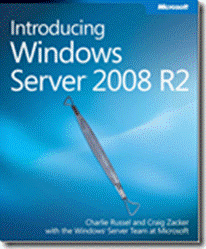
clip_image002Introducing Windows Server 2008 R2, by Charlie Russel and Craig Zacker with the Windows Server Team at Microsoft, can be downloaded for FREE here (XPS file, 28 MB) and here (PDF file, 11 MB).

Here is the book’s Content at a Glance:

  • Introduction   
  • Chapter 1    What’s New in Windows Server R2
  • Chapter 2    Installation and Configuration: Adding R2 to Your World
  • Chapter 3    Hyper-V: Scaling and Migrating Virtual Machines
  • Chapter 4    Remote Desktop Services and VDI: Centralizing Desktop and Application Management
  • Chapter 5    Active Directory: Improving and Automating Identity and Access
  • Chapter 6    The File Services Role
  • Chapter 7    IIS 7.5: Improving the Web Application Platform
  • Chapter 8    DirectAccess and Network Policy Server
  • Chapter 9    Other Features and Enhancements
  • Index

And here’s part of the Introduction:

Introduction

Windows Server 2008 R2, or simply R2 for short, is the second release of Windows Server 2008. It isn’t a completely new release, but rather adds additional features and refinements to the existing release. In this book, we focus on the new features and refinements in R2. We assume you have at least a general knowledge of Windows Server, and that you have some familiarity with Windows Server 2008, although we don’t assume you’re actively running Windows Server 2008. Where an R2 feature is a refinement of a feature that was new in Windows Server 2008, we provide background on the Windows Server 2008 feature to
provide context.

Who This Book Is For

This book is targeted primarily at Windows server administrators who are responsible for hands-on deployment and day-to-day management of Windows-based servers for large organizations. Windows server administrators manage file and print servers, network infrastructure servers, Web servers, and IT application servers.

They use graphical administration tools as their primary interface but also use Windows PowerShell commandlets and occasionally write Windows PowerShell scripts for routine tasks and bulk operations. They conduct most server management tasks remotely by using Terminal Server or administration tools installed on their local workstation.

What This Book Is About

Covering every aspect of Windows Server 2008 R2 in nine chapters and approximately 200 pages is clearly an impossible task. Rather than try to cover everything, we’ve focused on what is new and important, while giving you the context from Windows Server 2008.

  • Chapter 1, “What’s New in Windows Server R2” Provides a brief overview of all the new features and capabilities of Windows Server 2008 R2.
  • Chapter 2, “Installation and Configuration: Adding R2 to Your World” Covers minimum system requirements, basic installation and configuration of R2, and what is involved in adding an R2 server to an existing Windows Server network. Configuration of the Windows Server Core installation option, added in Windows Server 2008, is covered, along with the steps required to add a Windows Server 2008 R2 domain controller to an existing Windows Server network.
  • Chapter 3, “Hyper-V: Scaling and Migrating Virtual Machines” Covers the new Hyper-V features of Windows Server 2008 R2, including dynamic storage management and Quick Migration of clustered virtual machines (VMs). Covers creation and management of virtual machines using the Hyper-V Manager console, Windows PowerShell, and the Failover Cluster Manager console and discusses the features of System Center Virtual Machine Manager 2008 R2.
  • Chapter 4, “Remote Desktop Services and VDI: Centralizing Desktop and Application Management” Covers Remote Desktop Services (the new name for Terminal Services) and the enhancements of Windows Server 2008 R2, including Virtual Desktop Infrastructure (VDI), which uses the new RD Virtualization Host capability of R2 to provide desktop virtualization. R2 also includes an all-new Remote Desktop Services provider for Windows PowerShell.
  • Chapter 5, “Active Directory: Improving and Automating Identity and Access” Covers the new features of Active Directory (AD), including an AD Recycle Bin, a new set of Active Directory Windows PowerShell cmdlets, and
    improvements in daily AD administration.
  • Chapter 6, “The File Services Role” Covers the new File Services features, including BranchCache, Distributed File System–ReadOnly (DFS-R), and the File Classification Infrastructure (FCI).
  • Chapter 7, “IIS 7.5: Improving the Web Application Platform” Covers the features of the new version of Internet Information Services (IIS), including the new Windows PowerShell management features.
  • Chapter 8, “DirectAccess and Network Policy Server” Covers the Network Policy Server (NPS) and the new DirectAccess feature that allows Windows 7 computers to be transparently connected to internal network resources from anywhere without requiring a virtual private network (VPN) connection.
  • Chapter 9, “Other Features and Enhancements” Covers the enhanced version of Windows Server Backup included in R2, including the Windows PowerShell commands for backing up. Also covered is the new BitLocker To Go capability, which provides an important new protection for removable  volumes such as backup disks.

DOWNLOAD: Introducing Windows Server 2008 R2
http://download.microsoft.com/download/5/C/0/5C0BD0AB-040D-4C56-A60B-661001012DDA/Windows_Server_2008_R2_e-book.pdf

« Newer Posts - Older Posts »

Categories