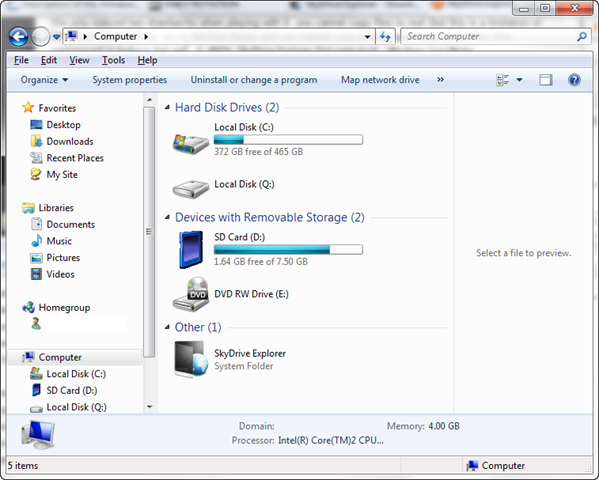
 Man, this is a cool tool. It’s called Skydrive Explorer and it’s NOT made by Microsoft but I wish it were.
Skydrive Explorer is, put simply, a means of using the File Explorer interface of Windows to access Skydrive. With the ability to open & navigate folders, create new folders, drag & drop files from desktop to storage and back, delete files & folders, etc. etc. Skydrive Explorer makes for one cool tool.
Based on the the Readme, it appears that the tool works by screen scraping the web site and pushing instructions through script which is pretty darned cool. Here’s what the README says:
After the installation you will see the "SkyDrive Explorer" icon in My Computer, this is your entry point into fast and comfortable work with online Windows Live SkyDrive service.
To start work and open the session, you must enter the Windows Live credential into the logon dialog. Work session is active until the reboot or forced logout from SkyDrive Explorer, which can be made by clicking Logout command in the toolbar. During the session the credentials are not requested again.
With the current beta version you can enjoy the following functionality:
- View the structure and contents of folders in SkyDrive
- View files information (type, size, creation date in GMT format)
- Create new root folders and subfolders
- Copy files into the storage
- Delete files and folders
- Copy files from the storage to the computer
- Copy folders and subfolders from the storage to the computer saving their structure
- Use Drag & Drop for files operations
- Rename files and folders
- Create links to SkyDrive folders
- Copy URL of the selected objects into the Clipboard
- Autoupdate feature
Note: SkyDrive protocol is not documented, so the needed information is received by parsing web pages with content as response from service. If the content format is changed, SkyDrive Explorer functionality
can be partly or totally disabled.
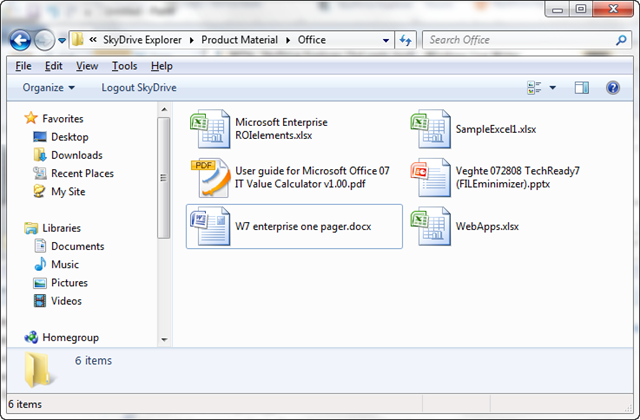
Accessing a Skydrive Folder through the File Explorer interface
 kurtsh

