I have to admit, I’m giddy.  EVERYONE I talk to that’s installed it – former XP users & former Vista users – loves Windows 7 hands-down.

And then there’s this: 
(Yes, I realize the photo’s not necessarily flattering to us, but if that’s the worst spit-in-the-eye we have thrown at us, I’ll take it.)

[unceremoniously stolen from Engadget]

Windows 7 breaks Amazon UK pre-order volume record, ousts Harry Potter

“Take it from us, your London-based sleuths, when anything sells faster than Harry Potter books or DVDs in the UK, it’s scorching hot. Case in point is Microsoft’s Vista successor, which has sold so well that it has beaten the Amazon UK pre-order record previously held by J.K. Rowling’s Harry Potter and the Deathly Hallows. In fact, Windows 7 was able to tally up more sales in the first 8 hours of pre-order availability than Vista was able to collect altogether. Now that’s what we call an upgrade.”

LINK:
http://www.engadget.com/2009/10/21/windows-7-breaks-amazon-uk-pre-order-volume-record-ousts-harry/

Digg This

Posted by: kurtsh | October 22, 2009

INFO: Why is Windows 7 registered as “Version 6.1”

UPDATED: 10/22/09

A reader pointed out that there were significant and substantial changes made to the kernel as well. 

Mark Russinovich talks about this in detail here:

—————-
ORIGINAL POST: 4/15/2009

This has been gone over many times before but it came up recently so I thought I’d take a moment to write about it:

imageWhy is Windows 7 listed as Version 6.1?
If you run “ver” from the command line you discover that Windows returns a version number of 6.1.  Not 7.0.

This of course initiated the typical lame comments I hear like, “See – Windows 7 is just a service pack of Windows Vista!  It’s just a dot-release and only fixes what was broken in Windows Vista.”  (This is a direct quote from someone.  You know who you are.)

Windows 7 is a MAJOR release
First of all, I really have to say something:  You’d really have to be completely uneducated about Windows 7 to make the statement that Windows 7 is nothing more than a “big service pack” over Windows Vista.  Windows 7’s technology & functional advancements are so massive, it should be obvious to anyone that’s kept up to speed with Windows 7 that it’s very deserving of a full version increment.

Yes, Windows 7 inherited the rich development foundation that Windows Vista provided.
Yes, Windows 7 inherited the overall user interface improvements that Windows Vista delivered.
Yes, Windows 7 inherited the superior security infrastructure that Windows Vista introduced.
Yes, Windows 7 inherited the diverse mobile solutions technologies that Windows Vista brought to laptops.

But Windows 7 also introduces:

  • MANAGEMENT – Secure workstation lockdown from rogue applications through “Applocker”
  • NETWORKING – Intelligent cache-accelerated file access over WAN connections using “BranchCache”
  • MOBILITY – Seamless virtual access to corporate networking resources without a VPN thru “DirectAccess”
  • SECURITY – Eliminate data leakage from mobile storage using “Bitlocker-to-Go”
  • EASE OF USE – Enterprise Search accessible through the the desktop user interface.
  • DEPLOYMENT – Desktop boot from single file distributables for flexible deployment using “VHD Boot”
  • MANAGEMENT – Device-level configurable power management from the user interface
  • COMPATIBILITY – Complete application compatibility through “Windows XP Mode”
  • … and many other major functions that are written about online.

So what’s the deal with the “6.1”?
Two words:  Application Compatibility.  As it turns out, when applications install into Windows, many are frankly written poorly and only check the major version number.  When they expect to see “6” and the operating system returns “7” to them, this can cause installation headaches when working with poorly written applications.

So to ensure that Windows 7 is as compatible as possible, we’ve made “Windows 7”, version 6.1 in the eyes of application installations so that the major version number does not change.  To quote the blog: 

“The only thing to read into the code versioning is that we are absolutely committed to making sure application compatibility is optimized for our customers.”

A thorough overview of this topic is available on the Windows Team Blog:

Digg This

image

Microsoft’s eBook Deploying Windows® 7 Essential Guidance from the Windows 7 Resource Kit and TechNet Magazine combine selected chapters written by industry experts Mitch Tulloch, Tony Northrup, Jerry Honeycutt, Ed Wilson, and the Windows 7 Team with select Windows 7 articles from TechNet Magazine.

This 332 page eBook provides complete chapters from the massive 1000+ page official Microsoft Press book, “Windows 7 Resource Kit” and should serve as a primer for anyone looking into deploying Windows 7 for a large organization.

Chapters included:

  • Chapter 3:  Deployment Platform (33 pages)
  • Chapter 4:  Planning Deployment (57 pages)
  • Chapter 5:  Testing Application Compatibility (38 pages)
  • Chapter 6:  Developing Disk Images (41 pages)
  • imageChapter 7:  Migrating User State Data (22 pages)
  • Chapter 8:  Deploying Applications (23 pages)
  • Chapter 9:  Preparing Windows PE (27 pages)
  • Chapter 10:  Configuring Windows Deployment Services (40 pages)
  • Chapter 11:  Using Volume Activiation (28 pages)
  • Chapter 12:  Deploying with Microsoft Deployment Toolkit (23 pages)

DOWNLOAD:  Deploying Windows® 7 Essential Guidance from the Windows 7 Resource Kit and TechNet Magazine
http://www.microsoft.com/downloads/details.aspx?familyid=EE2A1D38-88A9-43B3-95BC-7E962F0B6030&displaylang=en

Digg This

image Microsoft App-V for TS/RDS is now available to customers that have Terminal Services licensing (Windows Server 2003 R2 or prior) or Remote Desktop Services (Windows Server 2008 or newer) under Software Assurance at no extra charge.  It’s been posted on the public Microsoft web site for customers to download.

Server growth is a costly issue for organizations that rely on session hosts / terminal servers. To avoid application conflicts, applications must undergo significant testing to determine which applications will collide and, therefore, must be separated and run on different session host / terminal server silos—a time-consuming and costly process.

Running multiple separate terminal servers for each application routinely results in servers being underutilized because each one is locked into a specific configuration, capable of serving only a limited set of non-conflicting applications, typically using just 25 percent of capacity. Often, 20 servers are required to support 1,000 users.

Microsoft App-V for Terminal Services completely changes this situation offering the following features and benefits: Consolidate servers and end server siloing, end application conflicts and regression testing, accelerate application deployment, reduce deployment risk, simplify profile management

WARNING:  You will need to register to get access to the bits and this will require a 20 digit product registration key from you Windows Server disk.  (ahemjustsoyouknow,any20digitswillworkcough)

DOWNLOAD:  Microsoft Application Virtualization for Terminal Services / Remote Desktop Services(Requires registration – 266MB)
http://www.microsoft.com/downloads/details.aspx?displaylang=en&FamilyID=0890d6cd-0d3b-4c9d-b208-231c65d3e55a

DOWNLOAD:  Application Virtualization 4.5 for Terminal Services Whitepaper
http://download.microsoft.com/download/6/9/0/69095D7C-649D-4A0E-AF0B-17B26EACCF67/App-V%20Terminal%20Services.docx

Digg This

imageAttend one of our worldwide events and discover BizTalk Server 2009 and the Microsoft Application Platform.  Learn how these technologies enable you to integrate your business applications and data, automate your end-to-end business processes and simplify the ability for your employees to gain access to critical data and functionality.

From late September to early January 2010, we will visit up to 20 cities in 15 countries.  Register today to attend one of these events and learn how our business integration solution can benefit your company.

Irvine, CA (USA) – November 12

  • 8:30 – 9:15
    Breakfast and Registration
  • 9:15 – 9:30
    Welcome
  • 9:30 – 10:15
    Opening Keynote:
    The Microsoft Application Platform:  Connecting Business applications, partners and devices
  • 10:15 – 11:00
    Enhancing Sharepoint’s business process automation capabilities
  • 11:00 – 11:15
    BREAK
  • 11:15 – 12:00
    Accessing SAP and Mainframe data and applications via SharePoint
  • 12:00 – 13:00
    LUNCH
  • 13:00 – 13:45
    Enabling real-time decision making using Business Intelligence
  • 13:45 – 14:30
    Gaining Real-time visibility with RFID Solutions
  • 14:30 – 14:45
    BREAK
  • 14:45 – 16:15
    Partner Presentation
  • 16:15 – 16:30
    Q&A, Closing Remarks

Location:
Microsoft Irvine Office
Irvine MPR
3 Park Plaza
Suite 1800
Irvine, CA   92614

Registration:
https://microsoft.crgevents.com/BusinessIntegration2009/Register/Contact/Default.aspx

Session Abstracts:
https://microsoft.crgevents.com/BusinessIntegration2009/Content/Session_Abstracts.aspx

Digg This

Posted by: kurtsh | October 19, 2009

RELEASE: File Server Capacity Tool (FSCT) 1.0

image File server capacity planning and performance troubleshooting are critical aspects of high-level network administration. Central file servers and distributed client workstations are now the norm in most corporate networks. This structure reduces storage capacity requirements, centralizes backup, increases the availability of files, and simplifies the document revision and review process.

However, because data storage and access are centralized, performance limitations impact the entire network population. Accurately projecting the number of users that hardware can support under a specific workload, and understanding when and where bottlenecks occur, are critical to making efficient improvements to the server configuration.

File server capacity planning tools can be valuable in choosing new hardware for purchase, identifying the capacity of existing hardware, locating existing bottlenecks, and planning for resource expansion in advance of resource exhaustion. The throughput capacity of a file server can be expressed either as the maximum number of operations per second or a maximum number of users supported by the configuration. These values are influenced by several factors, some of which include processor speed, available memory, disk speed, network throughput and latency, and the speed with which SMB requests are processed.

The final version of the Microsoft File Server Capacity Tool 1.0 is available for download in both 32-bit (x86) and 64-bit (x64) versions. It is supported on  Windows Server 2003, Windows Server 2003 R2, Windows Server 2008, Windows Server 2008 R2, Windows Vista and  Windows 7 (with the latest service pack applied).

Downloads are available now:

A white paper is also included in the download packages, with detailed description of the tool, step-by-step instructions on how to use it and reference of the command line interface.

For questions about FSCT and how to use it, please use the forum at
http://social.technet.microsoft.com/Forums/en-US/fsct/threads

Also check some details on FSCT on these previous posts (from the release of the beta last year and the release candidate back in July):

This is a major milestone in the two-year journey to offer this tool publicly, which included efforts from a number of people from different teams at Microsoft, including the File Server Team and the Windows Performance Team.

Digg This

image This is a blatant repost of just the intro to a very interesting article from the folks that manage http://sharepoint.microsoft.com

How we did it: Speeding up SharePoint.Microsoft.com

SharePoint.Microsoft.com is a critical communications channel for SharePoint. We wanted to provide visitors with a rich and helpful experience and at the same time educate them on what SharePoint can do for their businesses. The site leverages our industry-leading web content management platform, and provides useful content and resources to the visitors. In addition, we also recognized that there were fundamental Internet challenges that needed to be overcome in order to improve page loading time, especially for our global visitors. We teamed up with Aptimize Software to optimize SharePoint.Microsoft.com for high performance.

Today’s guest post is by Ed Robinson, Chief Executive Officer of Aptimize Software. This post will review how we did it and the underlying performance techniques that improved the page loading speed of the SharePoint marketing website. We hope you can leverage the same process to optimize performance for other websites.

Read the rest of the article at:
http://blogs.msdn.com/sharepoint/archive/2009/09/28/how-we-did-it-speeding-up-sharepoint-microsoft-com.aspx

Digg This

I’m kinda surprised this hasn’t gotten more press so I’m gonna dupe a good chunk of what Lady Licensing published to make sure y’all get what’s going on.

WHAT GOT ANNOUNCED?
Microsoft released two new annual per-device subscription licenses that customers can purchase to support the SERVER & MANAGEMENT INFRASTRUCTURE LICENSING necessary for VDI using Microsoft technologies:

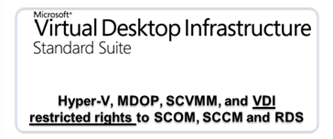
  • VDI1Microsoft Virtual Desktop Infrastructure Standard Suite
    The “Standard Suite” version of this license essentially makes it possible for people implementing VDI to license a single per-device license to use all the backend services necessary to manage & administer a new VDI implementation.
    • Microsoft Desktop Optimization Pack
    • System Center Virtual Machine Manager
    • System Center Operations Manager for VDI client usage only
    • System Center Configuration Manager for VDI usage only
    • Remote Desktop Services for VDI presentation delivery only
  • VDI2Microsoft Virtual Desktop Infrastructure Premium Suite
    The “Premium Suite” version of this license provides additional flexibility above and beyond what VDI Standard provides.  By explicitly providing unrestricted RDS rights, devices can receive both “VDI” desktops as well as “terminal session-based” desktops.  The inclusion of rights to App-V for RDS enables terminal sessions to efficiently deliver applications on-demand without requiring servers for each installed application to prevent compatibility issues.
    • Microsoft Desktop Optimization Pack
    • System Center Virtual Machine Manager
    • System Center Operations Manager for VDI usage only
    • System Center Configuration Manager for VDI presentation delivery only
    • Remote Desktop Services (unrestricted)
    • App-V for Remote Desktop Services

The standard suite retails at $21/device/year, whereas the premium SKU retails for $53/year**
(And no, there is no “per-user” licensing for this subscription)

NOTE:  These licenses are in addition to Virtual Enterprise Centralized Desktop (VECD) annual per-device subscription licensing which is still required to properly license devices for the Client OS in VDI implementations.)

For more information & details around these licenses visit Lady Licensing’s blog at:
http://ladylicensing.spaces.live.com/Blog/cns!87F95F1B5B21B01E!1965.entry 

** Pricing is always a guide, contact your MS reseller

Digg This

Posted by: kurtsh | October 19, 2009

BETA: System Center Online Desktop Manager

Want to test out and use new bits for Microsoft’s new hosted management service?  The System Center Online team, who announced the first version of their product at MMS 2009 is looking for qualified customers to be part of their fall beta. Check out the full details here:

—————–

image The System Center Online team has been working hard in preparation for its next beta release of System Center Online Desktop Manager, expected in the fall of this year.  This exclusive beta will only be available to a select number of customers.  Our last beta was only offered to a small audience and resulted in a lot of great feedback from the customers who participated.  This time we are widening the scope to include a few hundred customers.  Here’s what will be included in the upcoming release:

  • Updates Management:  Manage the Microsoft updates from a web-based console.  Review available updates, choose updates and deploy to selected computers or groups of computers.  Imagine WSUS from the cloud.
  • Policy Settings: Provides the ability to configure operational settings of the Windows Update and Anti-Malware agents installed on the client computers. 
  • Anti-malware : Review anti-malware, anti-virus status and remedial actions from the SCODM console.  Ensure managed computers have up-to-date signatures.
  • Assets Inventory: Collect detailed hardware and software inventory on managed computers. View this information in reports.  Use the License reconciliation feature to load your Microsoft volume license agreement information and compare installed application quantities with licensed quantities.
  • Alerts : Helps you quickly and easily find problems (or potential) on your computers. You can also get help on how to solve the problem or how to start troubleshooting.

If you are chosen, here’s what they expect from you:

  • Active involvement in discussion groups, good feedback and bug reporting
  • Ability to deploy to a number of test PCs (preferably 5 or more)
  • Test on a variety of browsers, Windows operating systems, and PC architectures.
  • Ability to run through all the documented core scenarios and provide feedback

NOMINATION FORM:
https://connect.microsoft.com/InvitationUse.aspx?ProgramID=2418&InvitationID=SCO-DMYG-BYB6&SiteID=310

Digg This

image Looks like the Learning Team has been up to something! Introducing “SnackBox”:  The online repository for community generated learning snacks.

Learning Snacks are short, interactive learning presentations about Microsoft technologies and include various media, such as animations and recorded demos. Are you an expert? Be part of this growing and vibrant community – create your own Learning Snack and share it with the world here!

Categories of training videos include:

  • Office 2000/XP/2003/2007
  • Visual Studio C++/C#/Basic
  • Internet Explorer
  • Windows 2000/XP/Vista/7
  • Windows Server Technologies
  • etc.

LINK:
http://beta.snackbox.microsoft.com/Pages/snackhomepage.aspx

Digg This

« Newer Posts - Older Posts »

Categories