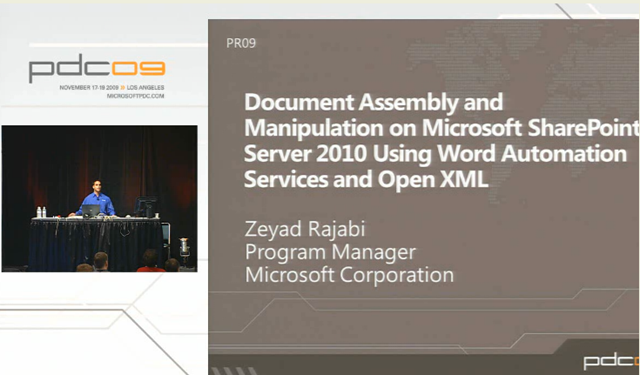
image Apparently, we’re releasing a service called “Word Automation Services” specifically for Sharepoint 2010 that is specifically designed to address one major area of server-side usage of Word:  Document format conversion.

The Word Automation Services is a new shared service in SharePoint Server 2010. The Word Automation Services provides unattended, server-side conversion of documents into formats that are supported by the Microsoft Word client application.

In simplest terms, the Word Automation Services takes the "Save As…" functionality of the Word client application and replicates it for the server. Specifically, the Word Automation Services provides the following capabilities:

  • Opens documents that Word can open, including:

    • Open File Format documents (.docx, .docm, .dotx, .dotm).

    • Word 97-2003 documents (.doc, .dot).

    • Rich Text Format files (.rtf).

    • Single File Web Pages (.mht, .mhtml).

    • Word 2003 XML Documents (.xml).

    • Word XML Document (.xml).

  • Supports all automatic tasks that execute when a document opens, such as:

    • Updating the Table of Contents, the Table of Authorities, and index fields.

    • Recalculating all field types.

    • XML mapping.

    • Merging of "alternate format chunks".

    • Setting the compatibility mode to the latest version or to previous versions of Word.

  • Saves documents types that Word can save. This list is identical to the previous list of files that the Word Automation Services can open, but also includes the following types:

    • Portable Document Format (PDF) files.

    • XML Paper Specification (XPS) files.

With the Word Automation Services, many of the tasks that previously required you to run the Word client application can now be automated to run unattended in a more reliable and scalable way than in previous solutions.


THE WORD BLOG ANNOUNCEMENT
This is what the Word blog has to say on the topic:

Have you ever wanted to convert .docx files into PDF? We’ve heard from many customers trying to perform server side conversions of Open XML files (.docx) into fixed formats (PDF and XPS) using the Word desktop application, and that’s what motivated us to create Word Automation Services.

As a component of SharePoint 2010, Word Automation Services allows you to perform file operations on the server that previously required automating desktop Word:

  • Converting between document formats (e.g. DOC to DOCX)
  • Converting to fixed formats (e.g. PDF or XPS)
  • Updating fields
  • Importing "alternate format chunks"
  • Etc.

If you’ve done any automation of Word, you’re probably familiar with the challenges of doing so – challenges well documented by this Knowledge Base article: http://support.microsoft.com/kb/257757. With Word Automation Services, those challenges are a thing of the past:

  • Reliability – The service was built from the ground up to work in a server environment, which means that you no longer have to worry about issues like dialog boxes that bring the process to a halt, expecting a user to provide input; creating interactive user accounts under which to run the application to avoid running into permissions issues, etc.
  • Speed – The service is optimized to perform server-side file operations, and in doing so provides performance significantly better than existing solutions.
  • Scalability – The service can take advantage of the processing power available on typical server hardware (multiple processors, additional memory). For example, although a single instance of WINWORD.EXE can only utilize a single core of processing power, with Word Automation Services, you can specify the number of simultaneous conversions (and the # of processing cores) to use based on the available hardware.

And you still have a solution that has 100% fidelity with respect to the Word desktop application – documents are paginated the same way on the server as they are on the client, ensuring that what you see on the client is what you get from the server.

Word Automation Services and the Open XML SDK: Better Together

One of the most important things to understand about the service is what it doesn’t do: this service is not intended to be a 1:1 replacement for the existing desktop object model.

Instead, the server is one half of a replacement for the existing object model – the other half being the Open XML SDK.

  • The SDK is designed to handle tasks that don’t require application logic, such as inserting or deleting content (paragraphs, tables, pictures), inserting data from other data sources, sanitizing content (removing content, accepting tracked changes), etc.
  • The service is designed to handle those few tasks that do need application logic: reading all of the document formats that Word supports, converting to all of the output format that Word supports, recalculating dynamic fields, etc.

The two halves together enable the creation of rich, end-to-end solutions that never require automation of the client applications, yet sacrifice none of its capabilities – another topic we’ll discuss in more detail in the future.

Posted by: kurtsh | November 7, 2009

BETA: Visio 2010 Beta coming… sign up here!

image It’s been several months since the Technical Preview was released and we started talking about Visio 2010 on this blog.  The product team has been hard at work responding to your feedback, fixing bugs and polishing the application.  Next month we are scheduled to release the Visio 2010 Beta, which will be open to the public.  If you haven’t had the opportunity to try Visio 2010 for yourself, this is your chance.

Sometimes it’s hard to wait patiently for new software releases, so to put your mind at ease we’ve created a special alert system that will notify you when you can download the Beta.  Head over to http://visiotoolbox.com/2010/ and click on the big green button.  You’ll also find a handy diagram explaining the software delivery process (approximately) and several other pages highlighting some of the new capabilities of Visio 2010 and Visio Services.

SIGN UP FOR BETA NOTIFICATION:
http://visiotoolbox.com/2010/

image More great news from the Operations Manager product group – the release of the  System Center Operations Manager 2007 R2 Authoring Resource Kit.

This new resource kit aids authors in the creation, modification and assessment of operations management packs (MPs). Using the following eight tools contained within the Authoring Resource Kit, authors will see benefits through reduced development time and improved quality of their MPs.

  • Management Pack Best Practices Analyzer (MPBPA), which scans management packs for best practice compliance and provides automated resolution for numerous issues.
  • Management Pack Spell Checker (MP Spell Checker), helping eliminate errors in display strings.
  • Management Pack Visio Generator (MP Visio Generator), facilitating the generation of a class inheritance and class relationship diagram using Microsoft Office Visio.
  • Management Pack Diff (MP Diff), which presents differences between two management packs.
  • Management Pack Cookdown Analyzer (MP Cookdown Analyzer), which identifies workflows which may break cookdown, and provides suggestions on how to fix performance issues.
  • All References Add-in, helping to find all management pack elements that reference the specific element chosen.
  • Workflow Analyzer, provides the ability to statically analyze all types of workflows.
  • Workflow Simulator, providing the ability to test certain types of workflows such as discoveries, rules, and monitors without a Management Server and Management Group.

The Operations Manager 2007 R2 Authoring Resource Kit is available for immediate download from the Microsoft Download Center.

image Imagine doing adhoc data analysis involving MILLIONS of rows of data… IN EXCEL.

At the Microsoft SharePoint Conference yesterday in Las Vegas, we announced the official name for Gemini – “Microsoft SQL Server PowerPivot” or “PowerPivot” for short.  PowerPivot consists of two components – PowerPivot for Excel 2010 and PowerPivot for SharePoint 2010.

  • PowerPivot for Excel is a data analysis tool that delivers unmatched computational power directly within the application users already know and love — Microsoft Excel. Leveraging familiar Excel features, users can transform enormous quantities of data from virtually any source with incredible speed into meaningful information to get the answers they need in seconds. PowerPivot for Excel consists of the following components:
    • The Excel 2010 addin that delivers the seamless PowerPivot user experience integrated within Excel.
    • The VertiPaq engine that compresses and manages millions of rows of data in memory with blazing fast performance.
  • PowerPivot for SharePoint enables end users to effortlessly and securely share their PowerPivot applications with others and work seamlessly in the browser using Excel Services. PowerPivot for SharePoint also helps IT improve their operational efficiencies by tracking PowerPivot usage patterns over time, discovering mission-critical applications, and improving system performance by adding resources. PowerPivot for SharePoint consists of the following components:
    • PowerPivot Gallery – the Silverlight based gallery where users can share PowerPivot applications with others and visualize and interact with applications produced by others using Excel Services and Reporting Services.
    • PowerPivot Management Dashboard – the dashboard that enables IT to monitor and manage the PowerPivot for SharePoint environment.
    • PowerPivot Web Service – the “front-end” service that exposes PowerPivot data via XML/A to external applications such as Report Builder.
    • PowerPivot System Service – the “back-end” service that manages the PowerPivot application database, load balancing, usage data collection, automatic data refresh, etc.
    • Analysis Services – the Analysis Services server running the VertiPaq in-memory engine and integrated with SharePoint to load and manage the data within PowerPivot workbooks.


PRODUCT SITE:
http://www.powerpivot.com

PRODUCT BLOG:
http://blogs.msdn.com/powerpivot/

imageDownload the beta and begin investigating the new capabilities, including new testing options, enhancements to the integrated development environment, built-in tools for Windows 7 and Microsoft SharePoint 2010, new drag and drop bindings for Silverlight and Windows Presentation Foundation, and more.

  • VIDEO:  Channel 9 Video: How to Install the Beta
    Are you excited to try Beta 2, but not excited about reading the installation documentation? This video takes you through all the key things you need to know to get up and running quickly with Visual Studio 2010 Ultimate and Visual Studio Team Foundation Server Beta 2.
  • ONLINE:  Featured Overviews and Walkthroughs
    Check out this diverse collection of walkthroughs for Beta 2. They provide step-by-step instructions for common scenarios and are a good place to start learning about Visual Studio 2010 and .NET Framework 4.

DOWNLOAD:  Visual Studio 2010 (.ISO images) & .NET Framework 4
(Ultimate, Premium, Professional, Remote Debugger, F# Library, Team Foundation Server,etc.)
http://msdn.microsoft.com/en-us/vstudio/dd582936.aspx

Funny how these things never seem to get to the right people.  I just learned about this today and it’s been out for 2 weeks now.  Enjoy.

Windows 7 & Visual Studio 2010 Online Training Courses

image Want to learn more on the latest versions of Visual Studio and Windows coming out of Redmond?  Do you like how-to videos and hands-on labs?

Just got word on  some Visual Studio 2010 and Windows 7 training from Channel 9.  Check out these resources.

  • Explore Visual Studio 2010 Beta 2 with a new training course on Channel 9

    The developer evangelists who bring you the 10-4 Show are providing videos and labs for you to get familiar with .NET Framework 4 and Visual Studio 2010. This exclusive opportunity lets developers access courseware online in a self-paced learning experience.

    URL to link to: http://r.ch9.ms/vs10b2f

  • The most comprehensive Windows 7 Developer training is now online on Channel 9

    These videos, hands-on labs, and real-world samples are the quickest way to ramp up on the new developer features in Windows 7. Our new online offerings allow you to learn at your own pace and download only those modules that interest you.  Go ahead and jumpstart your Windows 7 developer skills now!

    URL to link to: http://r.ch9.ms/winf

image Ah.  Another free eBook published by MS Press – this one is “7 Development Projects for Microsoft Office SharePoint Server 2007 and Windows SharePoint Services Version 3.0”

Get a hands-on introduction with seven practical projects. This guide highlights architectural underpinnings, the latest enhancements for developers, and code samples to get you started with building custom applications and solutions with Windows SharePoint Services products and technologies. (Note: For developers)

Microsoft Press – Microsoft TechNet / May 2006 / 236 pages / 7.76 Mo / PDF


DOWNLOAD:  7 Development Projects for Microsoft Office SharePoint Server 2007 and Windows SharePoint Services Version 3.0
http://bit.ly/2dvswb

Posted by: kurtsh | November 6, 2009

BETA: Register for the Sharepoint 2010 Beta

image Find out how this integrated suite of server capabilities can help your organization by providing comprehensive content management and enterprise search, accelerating shared business processes, and facilitating information-sharing across boundaries for better business insight.

Please review the preliminary system requirements to prepare for the beta release. For a comprehensive list of readiness resources and the right steps to take today, check out SharePoint 2010 Get Ready.


REGISTRATION:
http://sharepoint2010.microsoft.com/try-it/Pages/Trial.aspx

You read that right.  Just announced at Convergence 2009, the premier conference for business & ERP solutions:  Eligible Salesforce.com and Oracle CRM On Demand customers can receive six months of Microsoft Dynamics CRM Online at no charge.

image“Where else could you get a complete sales, service, and marketing suite within a native Microsoft Office Outlook experience, supported with robust functionality like mobile access, offline data usage, powerful workflow, 5GB of storage, and a 99.9% financially-backed service level agreement (SLA)?”

This is in addition to the newly announced Dynamics CRM Online service update which brings the following:

  • Fast online access. Organizations can get started with a trial or paid subscription to Microsoft Dynamics CRM Online in less than five minutes. Customers are able to access the Microsoft Dynamics CRM Online service through a Microsoft Outlook interface, via a Web browser or from a wide range of mobile devices — all at no additional charge.
  • Simple contact management. Microsoft Dynamics CRM Online provides a single, unified view of customer information that helps sales people manage accounts and drive revenue. A new Get Started Pane delivers guidance, training and access to communities, and Microsoft Knowledge Base articles, allowing users of all skill levels to maximize their productivity. In addition, Microsoft Dynamics CRM Online makes it easy to import data from other CRM applications.
  • Better sales performance. Sales managers benefit from strong sales forecasting and their sales teams benefit from workflow capabilities that ensure that customer engagements happen quickly and consistently. A new home page dashboard provides real-time views into key metrics that help prioritize daily activities.
  • Better economics. Microsoft has simplified and reduced its Microsoft Dynamics CRM Online pricing for all customers. All Microsoft Dynamics CRM Online offerings are now available at $44 per user per month, and include offline support, 200 custom entities, 200 workflows and 5 GB of storage.

Details

  • Subscriptions must be activated by December 31, 2009.
  • Minimum of 5 users
  • Maximum of 2 times the number of seats subscribed to via qualifying competing products
  • After 6 months, subscription price is $44/user/month
  • Contract term is 12 months
  • Offer only applicable to Microsoft Dynamics CRM Online
  • Offer only available in the US & Canada
  • Eligible customers must be currently paid subscribers to Salesforce.com or Oracle CRM on Demand switching to Microsoft Dynamics CRM Online and must show valid proof of Salesforce.com or Oracle CRM On Demand subscription to participate

OFFER DETAILS & QUALIFICATIONS:
http://offers.crmchoice.com/moreforless

PRESS ANNOUNCEMENT:
http://www.microsoft.com/presspass/press/2009/nov09/11-03serviceupdatepr.mspx

image Steven Levitt & Stephen Dubner’s recently released book, “Superfreakonomics”, besides being a fascinating book, has two chapters in which the authors discuss topics with strong links to Microsoft.

MICROSOFT AMALGA
Outside of the healthcare industry, it’s not well known that Microsoft acquired an extremely successful technology called “Azyxxi” which it later renamed “Microsoft Amalga”.  Amalga, called a “unified intelligence system” brings together in real-time information about patients into a single view for hospitals and their patients enabling faster diagnosis and quicker, more accurate patient turnaround.

Levitt & Dubner go through the history of the first Azyxxi product and the success it had in turning Washington’s worst hospital into the single best over the period of the introduction of the first system.

FORMER MICROSOFT RESEARCH FOUNDER, NATHAN MYHRVOLD
Also, Nathan Myhrvold, founder of Intellectual Ventures,and founder of Microsoft Research, talks about their work in finding simple solutions to mitigate hurricanes, minimize global warming, and understanding the effect of carbon output on the atmosphere.  (HINT:  IV Researchers believe measuring a processes carbon footprint is a poor means of approaching global warming)

« Newer Posts - Older Posts »

Categories