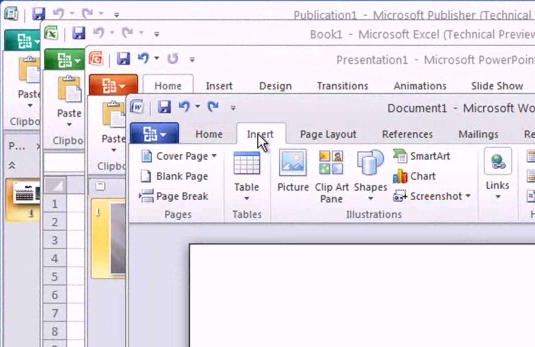
image Microsoft Communicator 2010 Attendee is a meeting application that facilitates joining Communications Server hosted meetings.

  • Join Meetings
    This applications allows users to join Communications Server hosted meetings they are invited to by providing a display name. The application allows the user to wait in lobby if required by the meeting organizer and get admitted only once the organizer approves.
    NOTE: This application joins the meeting as anonymous and does not let the user provide any credentials. Hence if the user installs this applications they join all Communications Server hosted meetings as anonymous user.
  • Communication Modalities
    This application provides different communication capabilities while in the meeting. Supported communication modalities are IM, audio and video.
  • Collaboration tools
  • This application also provides a set of tools for collaboration during the meeting. Examples of such tools are application sharing, screen sharing, sharing handouts, white board and present PowerPoint slides.

DOWNLOAD:  Microsoft Communicator 2010 Attendee (46.4MB)
http://www.microsoft.com/downloads/details.aspx?displaylang=en&FamilyID=1772a5ad-9688-4861-8387-ec30411bf455

(Note:  Windows Vista & Windows 7 ONLY – No Windows XP Support)

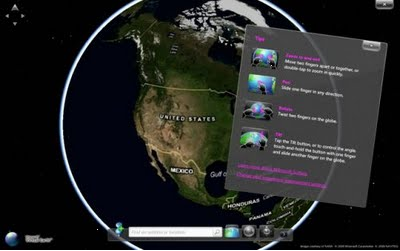
clip_image001[5]The Bing Maps App Gallery serves up lots of cool map apps all in one place. There are 25 apps today, and more to come! Check out a few of the newest apps:

  • New World Tour Map App
    Get a view of all the imagery updates we’ve published dating back to August 2009. And check out our latest Release of 6.2 million square kilometers of new intercontintental imagery. To check out the World Tour Map App, visit the Map Apps Gallery.
  • Oodle Rentals
    There’s a new map app that helps people find a place to rent. Ooodle Rentals displays rental properties around the United States. After loading the application, enter a location in the search box and you’ll be zipped over to the respective location with available rentals popped right onto the map. As you navigate the map, the search results will dynamically change just as they do with native Bing Maps Search.
    clip_image001
  • Foursquare Everywhere
    It’s a new Bing Maps app that pulls Foursquare data into Bing Maps to visualize check-ins, tips, badges, and mayor coronations from Foursquare APIs. This application has gotten A LOT of buzz. See what everyone’s talking about! Foursquare Everywhere.

IDV Solutions releases Visual Fusion SaaS with Bing Maps
With Visual Fusion SaaS, organizations create an unlimited number of mash-ups and data visualizations within a Microsoft SharePoint Portal on IDV-managed servers. Visual Fusion SaaS lets users rapidly develop solutions in areas like physical security and asset management, situational awareness, retail analysis, and supply chain management.
Learn more about Visual Fusion SaaS.
clip_image002

clip_image001[7]Bing Maps Webcast Series: Powerful Solutions Across Your Organization
Join us in a series of three webcasts as we explore the ways you can use Bing Maps across your organization. Whether it’s Web sites to inform and engage your customers, business intelligence dashboards to enable smarter decisions, or asset tracking tools to efficiently manage fleets and other mobile assets-Bing Maps provides the mapping platform to help you realize your vision.

image Interesting article about the 10 largest data centers in the world… and Microsoft owns 4 of them.

The mega-data center has become a staple of our global technology infrastructure, serving as the backbone of the digital economy. The growth of the Internet is driving an enormous appetite for network capacity and data storage, creating a new class of data centers that can scale along with the Internet.

So who has the world’s largest data center? We’ve seen a lot of huge data centers in our travels, and have identified 10 that we believe are the largest found anywhere. These data fortresses range between 400,000 and 1.1 million square feet.

We should note that there are many apples vs. oranges comparisons in the data center world. For this list, we’ve considered single-building facilities that are dedicated to data center use. We have not included multi-facility campuses or mixed-use buildings where data center space co-exists with large amounts of third-party office space (i.e. big-city carrier hotels). We also have not included facilities that are not yet open for business.

Read more direct at:

The Microsoft System Center Configuration Manager 2007 Dashboard lets customers keep track of application and operating system deployments, security updates, the health status of computers, and IT compliance with key regulations—with an easy to use, customizable dashboard.   clip_image001

The dashboard has a collection of key benefits for customers:

  • Actionable information out of the box: the dashboard lets customers easily stay on top of deployments, security updates, client health, and compliance status.  Six default datasets provide customers with valuable information “out of the box”. 
  • Near-real-time access to key information: the graphical dashboard lets customers view configuration manager metrics in near-real time.
  • Easy to build and configure: wizard-based tools let customers easily create new dashboards in minutes. · Easy to customize: the dashboard can easily be customized to meet the needs of different departments and other groups.  Any dataset in the Configuration Manager database can be presented on the dashboard, in chart, gauge, and table formats.
  • Flexible & interactive: users can easily filter data and create ad hoc, custom views. Filters allow users to quickly drill down from high-level to more specific data.

Some resources for you:

  • The dashboard can be downloaded here.
  • More information about the Dashboard can be found here.

[taken from the SCblog]

Unified, Regulated and Compliant:
Maximizing the Benefits of Microsoft Office Communications Server for Financial Services

Date: April 15th, 2010
Time: 10 am PT
Duration: 1 hour

Today’s regulatory environment poses challenges – eDiscovery, acceptable use policies, logging and archiving of messages, Instant Messaging tracking – that your firm must address. One way to meet this challenge is to deploy a Unified Communications server, but it’s no simple task to maximize the value and savings from UC.
Whether you are just starting to plan your deployment or already have OCS in limited production or pilot, join Microsoft and FaceTime to learn how your firm can benefit from Unified Communications without exposing yourself to compliance and security risk.

Attend this webinar and learn about:

  • The myriad of regulations facing financial services firms today
  • Key capabilities that help you maximize return on your OCS investment
  • Getting complete visibility and reporting over employee use of UC and implementing specific acceptable use policies across all modalities
  • Extending your current message retention architecture to accommodate regulatory and eDiscovery requirements for instant messaging
  • How FaceTime integrates with Microsoft OCS, Active Directory and other existing network infrastructure technologies
  • Key requirements of a highly scalable architecture for supporting corporate and mobile workers in a UC environment
  • How to enable and maintain compliance for other Web 2.0 technologies that might already exist in your enterprise, such as social networking

Plus, get all your questions answered in a live Q&A session.

Speakers

  • Sai Sireesh Pachava, Director & Global Head – Risk Mgmt & Compliance Solutions at Microsoft Inc.
    Pachava is responsible for developing and executing Microsoft’s strategy for Governance, Risk Management & Compliance industry solutions globally. He currently serves pro bono as the Co-Regional Director, PRMIA Seattle at non-profit PRMIA (Professional Risk Manager’s International Association).
  • Eric Young, Sr Director Of Field Services, FaceTime
    Young has over 15 years of engineering support and client relations experience. He manages on-site and remote technical support for the FaceTime sales team, direct support for customers during implementation and deployment of FaceTime products, as well as all professional services consulting engagements for custom development projects.

Register today!

^— Not exactly the prettiest URL is it?  Sheesh.

image Our regional database specialist, Ted Tasker, pointed me to the following freely available labs to help customers learn how to use SQL Server 2008 Reporting Services via virtual machines over the Internet.

For information on these labs and more, such as labs on Analysis Services, Integration Services, or more general SQL Server training, visit:
http://www.microsoft.com/sqlserver/2008/en/us/vlabs-bi.aspx

UPDATE 12:35PM: 
Looks like we’re partnering with Verizon Wireless, Vodafone, and Sharp for KIN.  Cool.
TBReleased in May from Verizon.

—————

ORIGINAL POST:
image This morning Robbie Bach, President of Microsoft’s Entertainment & Devices division, took the stage in San Francisco to unveil KIN, a new Windows Phone experience created for a unique set of socially connected consumers. 

Across the Windows Phone family of products, Microsoft’s intention is to bring together everything that’s important to our users.  This vision guided our strategy for Windows Phone 7 and is now being brought to life for a new audience with today’s announcement of KIN. 

The result is two experiences that share the same underlying philosophy and design, but were created for two purposes – two kinds of audiences

While Windows Phone 7 is a multipurpose phone for a broad set of consumers, KIN is for a generation of people that live to be connected to their friends and their family. They get their news through Facebook and Twitter, and they can’t bear to be cut off from their friends. They connect, express and relate through technology, and this generation needs a phone to help them share their life moment to moment.

Microsoft saw a great opportunity to build a phone experience that spans hardware, cloud services and the PC to create something specifically for them, and unique to the industry. Compared to other platforms, KIN is the only phone that has the social elements infused in all aspects of the user experience.

KIN delivers breakthroughs throughout the product such as the Loop, the Spot, and the Studio:

  • KIN Loop – The Loop is filled with your favorite people and the things you love – on your home screen, in real time. You tell KIN who and what is important, and it delivers the latest updates from your favorite people and places.
  • imageKIN Spot – The Spot is the new way to share. Share almost anything – photos, texts, web pages – to almost anyone by simply dragging them to a “spot” on your phone. Since the Spot is always on your screen you don’t have to worry about opening new applications – it’s easy.
  • KIN Studio –The KIN Studio is your KIN phone on the web.  Everything you create on your phone – messages, contacts, photos, videos – is also stored in the cloud and accessible from any web browser.  The content that’s important to you is automatically backed up to your own secure website and presented in a beautiful, visual timeline to make it easy to view and share with friends. And with all the storage you’ll need, there’s almost no limit on what you can keep.
  • The KIN Camera – KIN takes amazing photos, even in low light. One click upload makes it easy to share your pictures, and because they’re backed up automatically to the KIN Studio, you can look at them online, in full size, whenever you want. Only KIN makes sure all your photos and video clips are stored online without taking up precious memory on your phone.

Come check out KIN and find out more about what it offers.

imageGoogle tries to convince customers that Gmail is “just as good as Exchange Server” – which most Exchange administrators naturally laugh at.  More incredibly, Google also claims that Outlook seamlessly integrates with the Gmail service and that there’s really no difference.

People:  There’s a BIG difference.

Outlook’s got a litany of problems when used against Gmail through Google Apps Sync.  Here’s a short list of some of the problems & missing features that end users will soon discover.  Buyer beware.

  • No public folders access
  • No shared calendars available in Outlook
  • No task syncing
  • No conferencing integration
  • Web client interface different than Outlook
  • User delegation cannot be managed from Outlook
  • No notes syncing
  • No distribution lists offline
  • No follow-up flags
  • No server-side rules
  • No categories!
  • No ability to recover deleted items!
  • No ‘Tentative’ meeting status
  • No optional attendees
  • No attachments in appointments
  • No rich content in appointments
  • No subfolders
  • No shared contacts folders

clip_image002
I wanted to make sure you were aware of upcoming System Center product and licensing changes as you may want to take advantage of today’s pricing on some of your planned projects. 

In December 2009, Microsoft acquired Opalis, an industry leader in I.T. Process Automation or “Run Book Automation” software.  Opalis software provides new ways to help reduce costs, improve IT efficiency, and free up resources. This can be achieved by replacing manual, resource-intensive and error prone activities with standardized, automated processes.  Together, Opalis and System Center enables IT leaders to deliver a truly dynamic datacenter by integrating data center tools and automating, orchestrating IT processes across them. Dow Chemical achieved a 30% reduction on operational costs and reduced actionable alarms by 66% and response times dropped from 17 minutes to less than 3 minutes per alert. Watch the video case study.

These powerful automation capabilities are available to System Center server management suite customers via a grant from the Opalis subsidiary, at no additional cost until August 1*, 2010.  Customers who purchase or have purchased System Center server management suites (SMSE/SMSD) will be granted licenses for Opalis capabilities along with our emerging Service desk, CMDB capabilities (“Service Manager”) for the servers they are managing.  There are no additional license fees until August 1, 2010. However, the price of our server management suites will increase on August 1, 2010 so take advantage of the cost savings now before this pricing change occurs. The estimates for this increase are around 30% for SMSE and 70% for SMSD licenses.

As you might already know, the SMSE and SMSD suite provide a simple, flexible and economical way to license both physical and virtual server infrastructures to be managed by the four main System Center components (System Center Server Management Suites FAQ). Those components include:

  • System Center Operations Manager 2007 R2
  • System Center Configuration Manager 2007 R2
  • System Center Data Protection Manager 2007
  • System Center Virtual Machine Manager 2008 R2
  • System Center Server Manager (New to SMSE & SMSD)
  • Opalis (New to SMSE & SMSD)

We’re excited about these new components in the System Center server management suites and wanted to communicate the upcoming changes so you can take advantage now.  We would be glad to demonstrate these new capabilities for your team and help you evaluate the benefits.

I forgot about this post on the Windows Engineering blog that we put up back in January 2009.  It’s a very interesting article on how to properly tune your Windows configuration to extend the life of your laptop’s battery.  What makes it interesting is this chart in particular which explains what uses the most power on your notebook:

imageMORAL:  TURN DOWN YOUR DISPLAY’S BRIGHTNESS & SET DISPLAY TIMEOUT TO 2 MINUTES
Got it?  Hopefully that makes things pretty clear up front.  The component that is the single biggest consumer of power on your laptop is the LCD display and reducing it’s brightness can SUBSTANTIALLY enhance battery life – far more so than any other component on your machine.  Even better still, enable your display’s timeout function to something aggressively short – like 2 minutes.  This will kill power altogether to the display saving you even more battery power when you’re not using the laptop. 

In comparison, functions like Intel’s “SpeedStep” that adjusts processor power via the hardware doesn’t affect your battery life that dramatically in comparison to the power used by your LCD panel.  In fact, if you’re running Windows 7, the operating system itself will dynamically set the utilization of the CPU depending on how much processing you need so you can minimize power consumption even more flexibly in comparison.

(Now what’s missing of course is the DVD ROM drive.  That’ sucker CHEWS power but it’s assumed that most people don’t use it all that much.  That it of course unless you watch DVDs on your laptop in which case, you’re in for some dramatically shorter battery life.)

For more on this topic, visit the Windows Engineering blog post that this references:
http://blogs.msdn.com/e7/archive/2009/01/06/windows-7-energy-efficiency.aspx

« Newer Posts - Older Posts »

Categories