Posted by: kurtsh | April 4, 2010

DOWNLOAD: Visual Studio 2010 Reviewer’s Guide

image_thumbVisual Studio 2010 Reviewer’s Guide is a detailed document highlighting the new features and capabilities of the Visual Studio 2010 product.

You’ve got big ideas. You know the algorithms. The architecture’s up on the whiteboard, and you can imagine the user interface. 

And now, with Visual Studio 2010, you’ve got the tools to turn your ideas into solutions.

The new Microsoft Visual Studio 2010 simplifes the entire development process, from design to deployment.  New prototyping, modeling, and design tools help unleash your  creativity and bring your vision to life. Coding is faster than ever, since you can leverage existing code and skills to write applications targeting different platforms, including SharePoint® and Windows® AzureTM applications. What’s more, developers and testers will work better together and save time with integrated testing and debugging tools. You’ll fnd and fx bugs quickly to make sure your solution is at the highest possible quality.

Take a look at what’s been done, and see for yourself how  this edition can boost your team’s creativity to deliver quality 
applications through a more simplifed process.

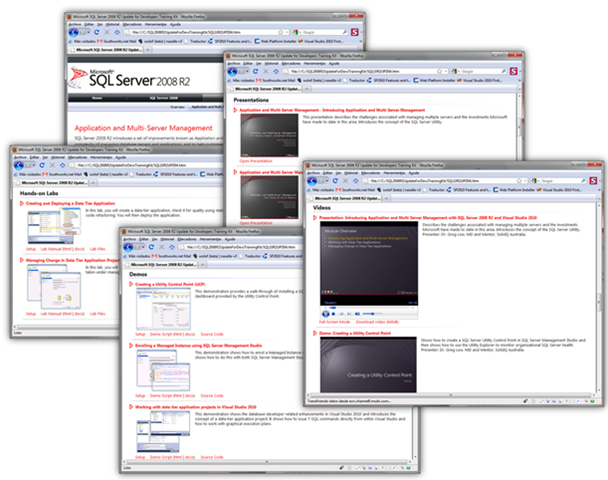
image SQL Server 2008 R2 offers an impressive array of capabilities for developers that build upon key innovations introduced in SQL Server 2008. The SQL Server 2008 R2 Update for Developers Training Kit is ideal for developers who want to understand how to take advantage of the key improvements introduced in SQL Server 2008 and SQL Server 2008 R2 in their applications, as well as for developers who are new to SQL Server.

The training kit is brought to you by Microsoft Developer and Platform Evangelism.

Overview and Benefits
The training kit offers the following benefits:

  • Learn how to build applications that exploit the unique features and capabilities of SQL Server 2008 and SQL Server 2008 R2.
  • Provides a comprehensive set of videos, presentations, demos and hands-on labs
  • Contains new content for developers who are new to SQL Server.
  • Contains new content for SQL Server 2008 R2.
  • Contains all of the existing content from the SQL Server 2008 Developer Training Kit.
  • Easy to download and install.

Intended Audience
The training kit is designed for the following technical roles:

  • Developers who build applications for the Microsoft platform.
  • Microsoft evangelists, technical specialists and consultants.

Contents
The training kit includes the following content:

  • Presentations (15)
    • SQL Server 2008 R2 Update for Developers Overview Part I – SQL Server 2008 Review
    • SQL Server 2008 R2 Update for Developers Overview Part II – Introducing SQL Server 2008 R2
    • SQL Server 2008: Filestream
    • SQL Server 2008: Spatial
    • SQL Server 2008: T-SQL
    • SQL Server 2008: Date and Time Types
    • SQL Server 2008: SQLCLR
    • SQL Server 2008: Reporting Services
    • SQL Server 2008 R2: Introducing Application and Multi-Server Management with SQL Server 2008 R2 and Visual Studio 2010
    • SQL Server 2008 R2: Working with Data Tier Application Projects in Visual Studio 2010
    • SQL Server 2008 R2: Managing Change in Data Tier Application Projects with Visual Studio 2010 and SQL Server 2008 R2
    • SQL Server 2008 R2: Introducing SQL Server 2008 R2 StreamInsight
    • SQL Server 2008 R2: Querying Events in SQL Server 2008 R2 StreamInsight
    • SQL Server 2008 R2: Designing SQL Server 2008 R2 StreamInsight Event Models and Adapters
    • SQL Server 2008 R2: Installing, Deploying and Maintaining the SQL Server 2008 R2 StreamInsight Runtime Engine
  • Demos (24)
    • SQL Server 2008: AdventureWorks Racing All-Up Demo
    • SQL Server 2008: Spatial Demo
    • SQL Server 2008: Spatial Types
    • SQL Server 2008: Introduction to Filestream
    • SQL Server 2008: SQL CLR Nullable Types
    • SQL Server 2008: Programming with Filestream
    • SQL Server 2008: Reporting Services Web Application Integration
    • SQL Server 2008: T-SQL Date and Time Support
    • SQL Server 2008: T-SQL Table-Valued Parameters
    • SQL Server 2008: T-SQL Row Constructors
    • SQL Server 2008: T-SQL Grouping Sets
    • SQL Server 2008: T-SQL Merge
    • SQL Server 2008 R2: Creating a Utility Control Point
    • SQL Server 2008 R2: Enrolling a Managed Instance
    • SQL Server 2008 R2: Creating Data-Tier Applications
    • SQL Server 2008 R2: Data-Tier Application Deployment
    • SQL Server 2008 R2: Managing Change in Data Tier Application Projects in Visual Studio 2010
    • SQL Server 2008 R2: Introducing SQL Server 2008 R2 StreamInsight
    • SQL Server 2008 R2: Querying Events in SQL Server 2008 R2 StreamInsight
    • SQL Server 2008 R2: Advanced SQL Server 2008 R2 StreamInsight Event Queries
    • SQL Server 2008 R2: Working with SQL Server 2008 R2 StreamInsight CTI Events and Advance Time Settings
    • SQL Server 2008 R2: Creating a SQL Server 2008 R2 StreamInsight Input Adpater
    • SQL Server 2008 R2: Choosing a SQL Server 2008 R2 StreamInsight Development Model
    • SQL Server 2008 R2: Using the SQL Server 2008 R2 StreamInsight Event Flow Debugger
  • Hands-on Labs (13)
    • SQL Server 2008: How to build your first Web Application with SQL Server and ASP.NET
    • SQL Server 2008: Using Spatial Data in TSQL
    • SQL Server 2008: Using Spatial Data in Managed Code
    • SQL Server 2008: Using SQL CLR in SQL Server 2008
    • SQL Server 2008 R2: Introduction to PowerPivot
    • SQL Server 2008 R2: Introduction to Reporting Services Improvements
    • SQL Server 2008 R2: Introduction to StreamInsight and Complex Event Processing
    • SQL Server 2008 R2: Introduction to Data-tier Applications
    • SQL Server 2008 R2: Creating and Deploying a Data-Tier Application
    • SQL Server 2008 R2: Managing Change in Data-Tier Application Projects in Visual Studio 2010
    • SQL Server 2008 R2: Querying Events in SQL Server 2008 R2 StreamInsight using LINQ
    • SQL Server 2008 R2: Working with the SQL Server 2008 R2 StreamInsight Samples
    • SQL Server 2008 R2: Working with the SQL Server 2008 R2 StreamInsight Event Flow Debugger
  • Videos (35)
    • SQL Server 2008 R2 Update for Developers Overview Part I – SQL Server 2008 Review
    • SQL Server 2008 R2 Update for Developers Overview Part II – Introducing SQL Server 2008 R2
    • Introducing SQL Server 2008 R2 StreamInsight
    • Demo: Real Time Analytics with SQL Server 2008 R2 StreamInsight
    • Introducing SQL Server 2008 R2 Application and Multi-Server Management
    • Introducing SQL Server 2008 R2 Reporting Services
    • Introduction To SQL Server 2008 R2 StreamInsight and Complex Event Processing
    • Introducing PowerPivot for Excel 2010 and SharePoint 2010
    • Presentation: Introducing Application and Multi-Server Management with SQL Server 2008 R2 and Visual Studio 2010
    • Demo: Creating a Utility Control Point
    • Demo: Enrolling a Managed Instance
    • Presentation: Working with Data Tier Application Projects in Visual Studio 2010
    • Demo: Creating Data-Tier Applications
    • Demo: Data-Tier Application Deployment
    • Presentation: Managing Change in Data Tier Application Projects with Visual Studio 2010 and SQL Server 2008 R2 (Part I)
    • Presentation: Managing Change in Data Tier Application Projects with Visual Studio 2010 and SQL Server 2008 R2 (Part II)
    • Demo: Managing Change in Data Tier Application Projects in Visual Studio 2010
    • Presentation: Introducing SQL Server 2008 R2 StreamInsight (Part I)
    • Presentation: Introducing SQL Server 2008 R2 StreamInsight (Part II)
    • Demo: Introducing SQL Server 2008 R2 StreamInsight
    • Presentation: Querying Events in SQL Server 2008 R2 StreamInsight (Part I)
    • Presentation: Querying Events in SQL Server 2008 R2 StreamInsight (Part II)
    • Demo: Querying SQL Server 2008 R2 StreamInsight Using LINQ
    • Presentation: Querying Events in SQL Server 2008 R2 StreamInsight (Part III)
    • Demo: Advanced SQL Server 2008 R2 StreamInsight Event Queries
    • Presentation: Designing SQL Server 2008 R2 StreamInsight Event Models and Adapters (Part I)
    • Presentation: Designing SQL Server 2008 R2 StreamInsight Event Models and Adapters (Part II)
    • Demo: Working with SQL Server 2008 R2 StreamInsight CTI Events and Advance Time Settings
    • Presentation: Designing SQL Server 2008 R2 StreamInsight Event Models and Adapters (Part III)
    • Demo: Creating a SQL Server 2008 R2 StreamInsight Input Adapter
    • Presentation: Installing, Deploying and Maintaining the SQL Server 2008 R2 StreamInsight Runtime Engine (Part I)
    • Presentation: Installing, Deploying and Maintaining the SQL Server 2008 R2 StreamInsight Runtime Engine (Part II)
    • Demo: Choosing a SQL Server 2008 R2 StreamInsight Development Model
    • Presentation: Installing, Deploying and Maintaining the SQL Server 2008 R2 StreamInsight Runtime Engine (Part III)
    • Demo: Using the SQL Server 2008 R2 StreamInsight Event Flow Debugger

DOWNLOAD: SQL Server 2008 R2 Update for Developers Training Kit (March 2010 Update 2)
http://www.microsoft.com/downloads/details.aspx?displaylang=en&FamilyID=fffaad6a-0153-4d41-b289-a3ed1d637c0d

Posted by: kurtsh | April 4, 2010

BETA: Microsoft® Expression Blend™ 4 Beta

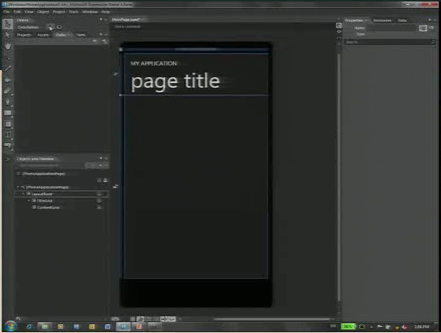
imageWe’re released the Beta of Microsoft Expression Blend 4, which can be used for authoring applications for Windows Phone 7.

Expression Blend 4 enables you to create websites and applications based on Silverlight 3 and Silverlight 4, and desktop applications based on Windows Presentation Foundation (WPF) 3.5 with Service Pack 1 (SP1) and WPF 4.

Expression Blend provides support for prototyping, interactivity through behaviors, special Silverlight functionality, and on-the-fly sample data generation.

Expression Blend includes new behaviors that are quickly and easily configured. To support the development of line-of-business (LOB) applications, Expression Blend introduces support for the Model-View-ViewModel pattern.

Find out more about what’s new in Expression Blend 4 Beta.
Help us improve Expression Blend 4 Beta by reporting any technical issues. For more insight into Expression Blend, please see the Expression team blog.

Posted by: kurtsh | April 4, 2010

DOWNLOAD: BizTalk ESB Toolkit Architecture Poster

This poster depicts the architecture of the BizTalk ESB Toolkit. It shows the toolkit’s core components, and how these integrate with BizTalk Server. The poster is intended to be printed, and measures 26"x28".

image

image

A new version of the Productivity Hub SharePoint Server site collection and two new content packs are now available for download! The new content covers Windows 7, Internet Explorer 8, and various Office products.

The v2 Productivity Hub does not have any new functionality, so if you have already installed the Hub there is no reason to download the v2. The new version removes the orange and blue branding colors to make it easier to customize for your intranet, and adds all the products in a fly-out navigation. The v2 Hub has all content up to date added, with the exception of the new March content.

So regardless of whether you upgrade the core Hub or not, you should install the new March content packs (also available as part of the Productivity Hub download).

Windows7_IE8_Mar10_HubContent.EXE 19.6 MB

  • Windows 7 (140 Quick Reference Tutorials)
  • Internet Explorer 8 (16 Quick Reference Tutorials)

ProductivityHub_Mar10Content.EXE 157.9 MB

  • 80 Quick Reference Tutorials for the following products:
    • Access
    • Excel
    • Powerpoint
    • Project
    • Publisher
    • Visio
    • Word
  • image8 Videos for the following products:
    • Project
    • Excel
    • Publisher
    • Visio

DOWNLOAD:  Productivity Hub Update & Windows 7/Internet Explorer 8.0 – March 2010 Content Packs
http://www.microsoft.com/downloads/details.aspx?displaylang=en&FamilyID=277fefca-d62f-41bc-943d-79002254cfee

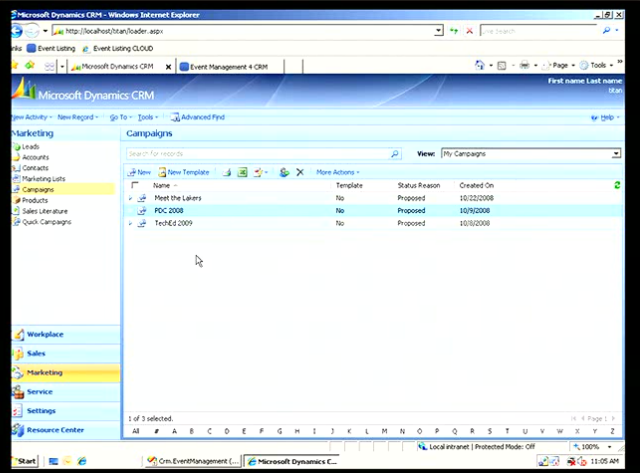
image Microsoft Corp. announced the Community Technical Preview 3 (CTP3) for the next generation of Microsoft Dynamics CRM, code-named “CRM5.” This CTP is primarily aimed at software developers within the broad partner base of Microsoft Dynamics CRM, including independent software vendors (ISVs), global system integrators (GSIs), hosting partners and value-added resellers (VARs), giving them an opportunity to start early development and testing of their solutions for this new release.

The CTP software is available as on-premises software, as well as through pre-release versions of Microsoft Dynamics CRM Online running in datacenters in North America; Europe, the Middle East and Africa (EMEA); and Asia Pacific (APAC). The availability in international datacenters is in preparation for the global expansion of the Microsoft Dynamics CRM Online service beyond the U.S. and Canada today and into EMEA, APAC and Latin America. The next generation of Microsoft Dynamics CRM will support more than 40 languages, and will be offered as an online service, as on-premises software and via partner-hosted offerings. Availability of the new product will begin in the second half of 2010.

More information about “CRM5” is available at the Microsoft Dynamics CRM team blog. For more information on partner opportunities with Microsoft Dynamics CRM go to the Microsoft Partner Network Web site.

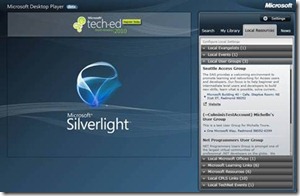
clip_image002Quietly, we released the beta of the “Microsoft Desktop Player” the other day.

The player delivers contextual technical content (webcasts, podcasts, whitepapers) aggregated across Microsoft assets that are relevant to the IT Pro adoption lifecycle. In addition, it also provides links to  local resources and news for the Developers and IT Pros based on their local settings.

Simply enter in your ZIP code and look to see what sort of Microsoft events, Microsoft Technology user groups, and Microsoft Training Centers are local to you.

Some interesting features include:

  • Offline and Online Player
  • Contextual relevant content surfaced  depending on IT Adoption Lifecycle by selecting the right filters.
  • Local IT Evangelist and Developer Evangelist connection – The player surfaces your local IT Evangelist or Developer Evangelist based on the user profile
  • MSDN and TechNet Events integration www.msdnevents.com, www.technetevents.com
  • Local Community events integration
  • Local CPLS integration to find the best place to get your Microsoft Training


horizontal

image

Wow.  We announced just this week that customers will be able to host Virtual Machines within Windows Azure.  And of all places, this was announced/posted on the Microsoft ISV Developer Blog.  Here’s the relevant content:

—————————————————–

VM Support in Windows Azure

Microsoft has committed to enabling customers to purchase Windows Azure through a combination of existing and new licensing agreements. Additionally they will also ensure that they support a centralized seamless and consistent purchasing experience that existing multi-year commercial customers enjoy. Microsoft will have more specific details on this process later in the year.

Below you will find the FAQ for questions related to the pilot program. If you have additional questions please let feel free to comment on this post. I can answer those individually.

1. Will Windows Azure offer VM support?

Yes, Microsoft will add Virtual Machine functionality to Windows Azure to expand the set of existing applications that can be run on it. This Virtual Machine deployment functionality will enable developers to run a wide range of Windows applications in Windows Azure, while taking full advantage of the built in automated service management.

2. What is the pricing for this proposed VM functionality in Windows Azure?

We are not announcing pricing for the proposed Windows Azure VM functionality right now. However, this pricing will be consistent with our current Windows Azure pricing model.

3. How does this proposed VM functionality in Windows Azure differ from Amazon hosting Windows Server VMs?

While Windows Azure is a cloud service that uses (and charges via) computation resources that are analogous to physical computers, it differs in important ways from platforms such as AWS that offer VMs on demand. With a purely VM-based platform, the situation is much like hosting: You bear full responsibility for configuring and managing the VMs and the software they contain. With the proposed VM functionality in Windows Azure, while developers have the flexibility to customize the Windows Azure VM and incorporate it in service models, the platform itself takes care of everything else.

4. When will Windows Azure offer VM capability/support?

We are still engaged in the planning and prioritization for additional functionality in Windows Azure based on customer feedback. As we announced at PDC we will enable customers to migrate existing Windows Server applications through the managed virtual machine (VM) functionality in 2010.

5. Will Windows Azure enable similar Windows Server-license mobility in the future?

The Windows Azure team regularly evaluates new licensing models that could better serve customer needs. We look forward to customer and partner feedback on the Windows Server License Mobility pilot. We will take this feedback into consideration as we structure future licensing models.

6. When will Windows Azure be available in the Enterprise customer programs like the Enterprise Agreement & Select?

In the future, Microsoft will provide the ability for Windows Azure licensing agreements to be integrated into Enterprise customer programs such as Enterprise Agreement and Select.  We will provide specifics about the licensing model and pricing details in calendar year 2010. 

7. When will Windows Azure platform volume licensing pricing details be available?

We will provide volume licensing details in calendar year 2010.  We don’t have specifics to share at this time. 
[taken from the Microsoft ISV Developer Blog]

image

Hyper-V™ in Windows Server® 2008 R2 is a powerful virtualization technology that corporations can use to consolidate servers and thus lower total cost of ownership (TCO). An RD Session Host server-based deployment consists of several role services: RD Session Host, RD Licensing, RD Gateway, RD Connection Broker, and RD Web Access.

For a small to medium scale deployment, there are many advantages in deploying the Remote Desktop Services role services on virtual machines. This document presents the advantages and recommendations for deploying Remote Desktop role services on virtual machines. It also presents scalability data for a given hardware and virtual machine configuration by using Knowledge Worker scenario.

RD Session Host server-based deployment
A Windows Server 2008 R2 RD Session Host server-based deployment provides session-based desktops and RemoteApp programs to client computers. An RD Session Host server-based deployment consists of the following:

  • An RD Session Host server
  • An RD Licensing server
  • An RD Gateway server
  • An RD Connection Broker server
  • An RD Web Access server
  • Roaming profiles

This document provides guidance on deploying Remote Desktop Session Host (RD Session Host) and other Remote Desktop Services role services in a virtualized environment with minimal hardware resources. The document also provides scalability information for a virtualized Remote Desktop Services role configuration by using the Knowledge Worker scenario to help size hardware for similar workloads.

image Development environments are typically complex and dynamic. Systems are built and torn down, software is installed and uninstalled, and systems may be isolated from other organizational IT services and resources.  

In this webcast we provide insights and recommendations to infrastructure architects and decision makers that should help minimize the impact of Windows operating system activation in a development environment.

Join us as we walk through a high-level view of relevant Windows activation policies, including the relationship between Windows activation and Windows licensing; introduce five principles that should guide Windows activation planning, including a discussion of activation methods; and share recommendations for activating Windows operating systems in common development environment scenarios.

« Newer Posts - Older Posts »

Categories