image Product(s): Hyper-V,Microsoft technologies.

Audience(s): IT Decision Maker,IT Generalist.

Duration: 60 Minutes

Event Overview

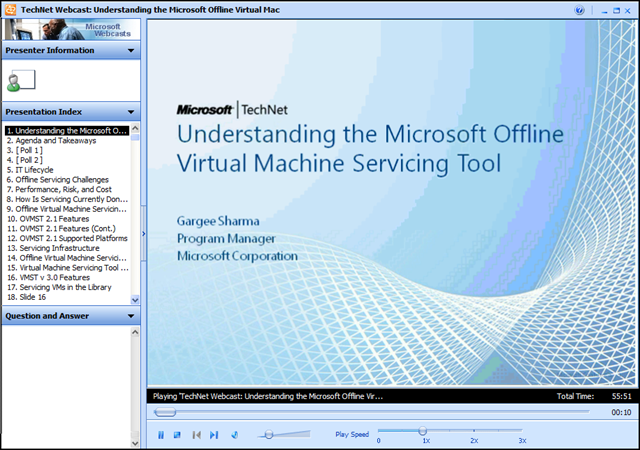
The Microsoft Offline Virtual Machine Servicing Tool (OVMST) provides guidance and automated tools to keep your offline virtualized environment up to date with the latest updates and safe from attackers. The Offline Virtual Machine Servicing Tool now supports Microsoft Hyper-V Server 2008 R2, Microsoft Virtual Machine Manager (VMM) 2008 R2, Microsoft System Center Configuration Manager (SCCM) 2007 Service Pack 2 (SP2), and Windows Server Update Services (WSUS) 3.0 SP2. OVMST 2.1 also supports updates to Windows 7 and Windows Server 2008 R2 virtual machines. In this  webcast, we provide an overview of the features in Offline Virtual Machine Servicing Tool 2.1, and we preview the key features for the next version of the tool.

Presenter: Gargee Sharma, Program Manager, Microsoft Corporation

What is Hilo?

Project “Hilo” is an effort to tell the story of building high performing, responsive rich Windows applications using C++. We will do this by walking you through our own experience of building some sample applications which we believe provide differentiated user experiences. We will tell you everything from setting up the development environment to taking advantage of the feature set of Windows 7.

The Samples

The first of these sample applications is a photo browser that implements a touch-enabled user interface for browsing photos on your computer. We call it the Hilo Browser.  Below is a screenshot:

hilo_vcblog_screenshot

This application illustrates how to take advantage of the following Windows functionalities:

  • Direct2D: For high performance and high-quality rendering of graphics.
  • Windows Animation Manager: To give the application a unique personality and to improve the user experience.
  • Windows Touch: To provide a more natu
  •  

  • ral user interface through which the user can just “point” and “do”.
  • Libraries: To enable the application to provide users with a single, coherent view of their files.
  • Shell API: To navigate the images, to optimize by using the pre-built thumbnail cache and also to provide folder icons from their actual content.

You can download the source code for this application from the Hilo Code Gallery Page.

Over the coming weeks, we’ll be publishing a series of articles on MSDN Library (here) that will provide the walkthrough promised above. The introductory article is already up.

If you have questions or comments about the sample code, the usage of technologies or anything in general, please feel free to let us know through the Hilo Discussions Page.

You can also follow Hilo updates on Twitter @projecthilo.

We’ll soon be publishing the next article in the series, which will describe in detail how to prepare your development environment for Windows development.

[taken from the Visual C++ blog]

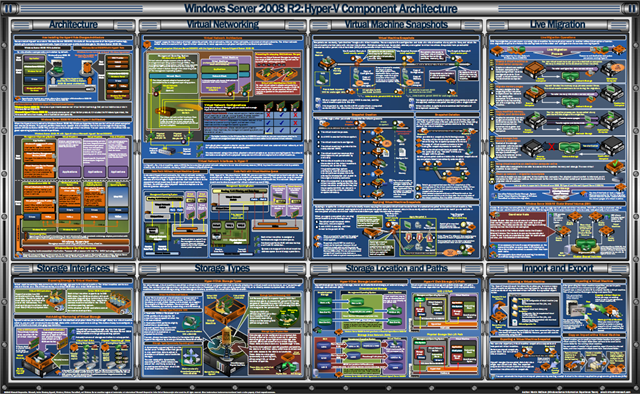
image We’ve released a digital copy of the Windows Server 2008 R2 Hyper-V Component Architecture Poster

The poster is a great visual tool to help in the understanding of the key features and components of the Hyper-V in Windows Server 2008 R2. It highlights key Hyper-V components including:

  • Architecture
  • Virtual Networking
  • Virtual Machine Snapshots
  • Live Migration
  • Storage Interfaces
  • Storage Types
  • Storage Location and Paths
  • Import and Export

This large-format poster provides practical visual depictions of the Windows Hypervisor, live migration process, cluster shared volumes architecture, VMQ data paths, disk storage I/O path, and much more.

You can use this poster in conjunction with the previously published Windows Server 2008 and Windows Server 2008 R2 component posters (see http://go.microsoft.com/fwlink/?LinkId=193499 and http://go.microsoft.com/fwlink/?LinkId=179116).

DOWNLOAD:  Hyper-V Component Architecture Poster
http://www.microsoft.com/downloads/details.aspx?displaylang=en&FamilyID=5567b22a-8c47-4840-a88d-23146fd93151

Posted by: kurtsh | June 18, 2010

NEWS: Microsoft introduces Cloud Guide for IT Leaders

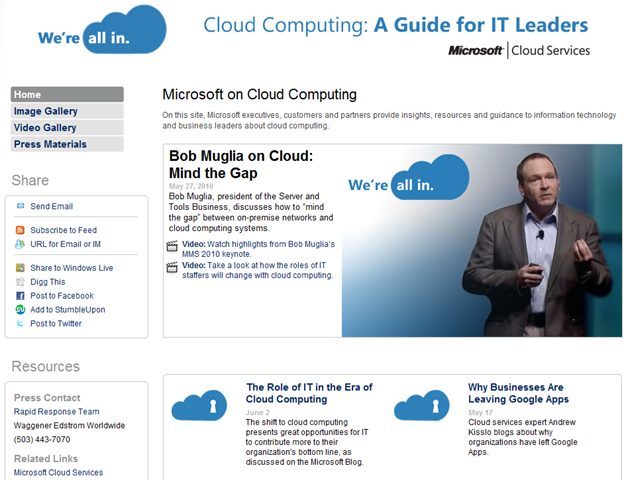
image Microsoft launched its Cloud Guide for IT Leaders, an online digital resource for information technology and business leaders interested in cloud computing.

Wondering how the roles of IT staffers will change with cloud computing? Curious why organizations have left Google Apps? The Cloud Guide for IT Leaders provides access to a steady stream of rich content—highlight videos, executive interviews, images, blog entries and keynote replays—addressing those issues.

Learn more by visiting the Cloud Guide at http://www.microsoft.com/presspass/presskits/cloud/ and follow us on Twitter via http://twitter.com/STBNewsBytes.

[taken from the Dynamic Data Center Alliance Blog]

image Join Flexera Software™, the leading provider in Windows® 7 and App-V™ application readiness solutions, for a discussion of how you can automate and standardize application migration projects to ensure a fast and successful application deployment. This Webinar will explore an end-to-end process for Windows 7 and App-V application migration projects, strategies to reduce cost and complexity, and how a continuous application readiness process creates a repeatable and reliable standard for your next migration project.

In this Webinar you learn the “6 Steps to Faster Windows 7 and App-V Application Migration” and how to:

  • Drive down the cost and complexity of preparing for a Windows 7 migration
  • Speed conversion time to App-V and other virtualized formats
  • Shift from reactive to proactive application management
  • Better understand your application estate
  • Make sure your applications are ready to move when you are
  • Reduce manual migration to save time and resources

Register To Attend A
Live Webinar:

The Fastest Way to Windows 7 and App-V: Automated End-to-End Application Readiness for Application Migration Projects

Date:
Thursday, June 24, 2010

Time:
11:00 CT (12:00 noon EST)

Link:
http://mktg.flexerasoftware.com/mk/get?_EC=SYBKrlXRBw2j7Paa0whGBU

Posted by: kurtsh | June 16, 2010

NEWS: E3 Announcements from Microsoft

image Did you miss E3?  Wanna know what it is that we announced?

  • Microsoft-Activision Call of Duty Agreement:  All Call of Duty Add-ons – including those for COD: Black Ops – will be released EXCLUSIVELY on Xbox 360 first from now through 2012
  • Metal Gear: Rising from Hideo Kojima, Xbox 360 Exclusive Title:  Showcased; “ultra-violent, very attractive for the hard core gamer”
  • Gears of War 3, Xbox 360 Exclusive Title:  New 4-player co-op online, female Gears, gun swapping in-game, new mysterious “Beast” mode announced by CliffyB!
  • Fable 3, Xbox 360 Exclusive Title:  Shipping October 26th announced by Peter Molyneux
  • Codename: Kingdoms from Crytek, Xbox 360 Exclusive Title:  From the makers of the award-winning Crysis 1 & 2; bloody gladiators!
  • Halo: Reach, Xbox 360 Exclusive title:  Feat. space combat with vehicles!  The last Halo title from Bungie after 34M Halo games have been sold.
  • Kinect – formerly codename “Project Natal”:
    • Control:  Watch movies without a remote; play games without a controller
    • Authenticate:  Sign in by simply waving at the camera [facial recognition]
    • NEW Kinect Hub shows Kinect specific games, friends, Netflix, Zune, Facebook, last.fm
    • Speak:  Voice recognition starts games: “If you can see it, just say it”.
    • See:  Video Kinect:  Video chat with friends from Xbox Live & Windows Live Messenge
    • ESPN-Xbox 360 agreement:  On-demand access to 3400 games next year; integrated realtime polls/trivia; on-screen stats; free to Xbox Live Gold members
    • Kinectamals, Kinect launch title: Play with an interactive digital pet
    • Kinect Sports, Kinect launch title:  7 different sports – Soccer, bowling, javelin, long jump, ping pong, boxing, volleyball; playable over Xbox Live against others
    • Joy Ride, Kinect launch title:  Kart racer
    • Kinect Adventures, Kinect launch title:  River rafting/Mine cart riding w/ split screen for 2 players; takes photos during game ala Disneyland
    • Your Shape:  Fitness Evolved, Kinect launch title:  Developed by Ubisoft, includes kickboxing, yoga
    • Dance Central, Kinect launch title:  Developed by Harmonix (makers of Rock Band) & MTV Games; feat. 600 moves, 90 routines; Lady Gaga, No Doubt, Beastie Boys
    • Available November 4th
    • “Unnamed Star Wars Title” – feat. Light Saber battles using Kinect
    • “Unnamed racer” – developed by Turn 10, the folks that brought you Forza Motorsport 3
  • NEW Xbox 360 model: “Xbox 360 250GB” (Actual marketing name)
    • Black, smaller
    • 250GB HD (removable), Built-in WiFi-N, 5 USB ports, HDMI/Optical out, Ethernet port
    • “Whisper quiet” w/ 1 large fan
    • integrated CPU/GPU 45nm chipset
    • Custom “Kinect” port on back (Dedicated to Kinect; has extra wattage to support power needs of Kinect; older Xboxes will need Y cable to bond power from 2 USB ports)
    • New much much smaller power supply
    • $300 – available today!

Here’s a few lessons on App-V Sequencing that are invaluable and you won’t find in the normal papers.

  • image App-V: Sequencing Deep Dive: Efficiently Making Your Applications Virtual
    This is an in-depth overview of the sequencing process during which you learn how an application is transformed from an installed entity into a virtualized application using the Microsoft Application Virtualization (App-V) Sequencer tool. See an application virtualized from beginning to end, learn the best practices of the process and how to identify what applications can be virtualized within your application library. The session takes you behind the scenes to show you how to create the virtual environment for an application, define dependencies to a package, manage files in the Virtual File System and the Virtual Registry; and demonstrates how it relates to the Windows OS. Learn how to enable different levels of interaction between the virtual application and other sub-systems with what App-V 4.5 offers, along with good tenets for determining what makes an application a good candidate for virtualization.
    VIEW:  http://www.msteched.com/2010/NorthAmerica/VIR320
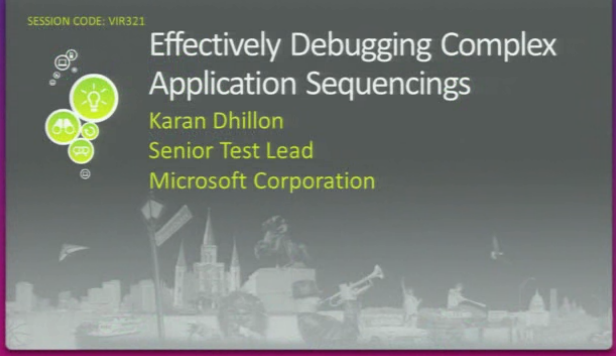
  • App-V: Effectively Debugging Complex Application Sequencings
    This is an in-depth view of basic and advanced troubleshooting techniques for easily creating virtual packages of complex applications. The App-V sequencer will virtualize the majority of the applications thrown at it, but sometimes you will need to use some advance features to complete creating a virtual package for a complex app. We’ll show you how to use builtin log files and external tools such as Procmon to understand why a virtual package is not working as expected and how to make changes to enable it to work as expected. Areas covered: Sequencing, Client Deployment, Application Deployment
    VIEW: http://www.msteched.com/2010/NorthAmerica/VIR321
Posted by: kurtsh | June 12, 2010

RELEASE: IIS Smooth Streaming Client (SDK)

Ever wonder why, with all the supposed plans around HTML5’s capabilities Silverlight and Flash bother to continue to develop their own streaming media capabilities?

It’s because contrary to what the media seems to believe, HTML5 is going to have only the most basic media capabilities, and for most organizations streaming content, it lacks all the most important functions that allow for the monetization of content.  All you have to do is look at the features in the new IIS Smooth Streaming Client to see all the important features – such as CONTENT PROTECTION, REAL TIME AD PLAYBACK & INSERTION, ANALYTICAL REPORTING OF USAGE STATISTICS, etc.

—————

The IIS Smooth Streaming Client allows you to build rich Silverlight user experiences that take full advantage of live and on-demand IIS Smooth Streaming capabilities. Examples of available client-side features include simple controls, such as Play, Pause, and Stop, as well as more complex functionality, such as Instant Replay, Live Ad Insertion, Multiple Camera Angles, and Fast Forward / Rewind.

The Smooth Streaming Client consists of the Smooth Streaming Media Element (SSME) SDK. It enables developers and designers to build rich IIS Smooth Streaming player experiences using a .NET Framework-based SDK for Silverlight with full XAML support. It is a core component of the broader open source Silverlight Media Framework. The Smooth Streaming Client APIs provide an easy interface for developers and designers to create rich Smooth Streaming experiences using the Silverlight platform. Documentation for the Smooth Streaming Client APIs is available on MSDN.

For most scenarios, the Silverlight Media Framework is the simplest, most robust way to build a new Silverlight player that supports Smooth Streaming, skinning, analytics, live ad insertion, etc. The Smooth Streaming Client may be ideal for some scenarios, however, such as adding rich Smooth Streaming features to a Silverlight media player based on a different framework, or where unique scenarios cannot otherwise be addressed.

The Smooth Streaming Client supports these high-level features:

  • Basic Playback controls
    • APIs such as Play, Pause, Stop, etc.
    • Events for Playback and Diagnostics
    • Properties to track position, etc.
  • Advanced Playback support
    • DVR support for Live Smooth Streaming
      • Support for keeping track of the Live event while in DVR mode
    • Trick Play: Slow Motion
    • Trick Play: Fast Forward / Rewind
  • H.264 / AAC support
  • Monetization
    • Ad Playback integration – scheduling capabilities, tracking Ad progress
    • Live Ad Insertion with Live Smooth Streaming
    • Rich Analytics with IIS Advanced Logging
    • Support for specifying markers and ad ingestion points outside the main manifest
  • Content Protection – PlayReady integration for VC1 content
  • Composite Manifest Support for scenarios such as Rough Cut Editing
  • Selecting Tracks for playback (e.g., restrict the bit-rates available, support multiple camera angles in a single stream, etc.)
  • Support for progressive download ads and content

DOWNLOAD:  IIS Smooth Streaming Client
http://www.microsoft.com/downloads/details.aspx?familyid=C12FD70B-4297-47F1-9898-8879716ECDF8&displaylang=en

[taken from http://www.iis.net/download/SmoothClient]
Whether you have libraries of content or a steady stream of user-generated content that you want to convert from one video format to another, IIS Transform Manager can help. Transform Manager, part of the upcoming IIS Media Services 4.0, provides simple integrated video encoding and batch conversion of video files to the IIS Smooth Streaming format and the MPEG-2 Transport Stream adaptive streaming format supported by Apple devices.

Transform Manager integrates directly with Expression Encoder 4 to allow you to use “watch folders” to queue up multiple encode jobs on your server and deliver them directly to IIS Media Services 4.0 Web folders as IIS Smooth Streaming presentations, complete with Silverlight player templates. Transform Manager can also convert your IIS Smooth Streaming presentations directly into MPEG-2 Transport Streams and .m3u8 manifests for delivering content to Apple devices. An SDK comes with Transform Manager, allowing you to write your own plug-in Tasks that can be used with Transform Manager to support custom actions, third-party encoders, or your own encoding applications.

Scenarios
Transform Manager 1.0 Alpha has been designed and tested for the following scenarios:

  • Convert existing content library. Using the integrated Expression Encoder 4 task, transcode an existing content library of Windows Media Video (WMV) or MP4 files and schedule for multiple-bit rate (MBR) encoding to the IIS Smooth Streaming file format. Using this workflow, you can set up watch folders that point to existing content, transcode, and deliver full Smooth Streaming and Silverlight player experiences to your Web server.
  • Constant ingest/ transcode. Create a new watch folder that allows an incoming run rate of up to 100 files per minute to be queued and encode to Smooth Streaming file format with the integrated Expression Encoder 4 task, using a configurable preset and a Smooth Streaming player template. This scenario assumes files continuously arrive at the watch folder at a fairly constant incoming rate.
  • Transmux to Apple HTTP Live for on-demand. Drop existing Smooth Streaming presentations into a watch folder to batch-transmux the Smooth Streams to MPEG-2 TS format and convert the Smooth Stream manifest to an .m3u8 playlist file, enabling delivery from the IIS Smooth Streaming module in IIS to Apple mobile devices.
  • Task-chaining. Create custom job templates that combine multiple tasks into a unique workflow.
  • Custom tasks. Use the Transform Manager Task API to create custom tasks that integrate third-party encoding applications, media processing, asset upload, or Web services into the workflow.

Workflow
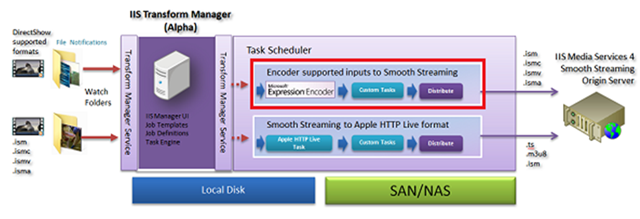
Several of the Transform Manager 1.0 Alpha scenarios listed above can be represented by the workflow diagram for the Expression Encoder 4 task shown in the following figure.

image
Figure 1. IIS Transform Manager Alpha Expression Encoder 4 task

Futures
The Alpha release of Transform Manager 1.0 only supports operating on a single IIS server and uses the local Task Scheduler for job management. In future releases, the capabilities of the scheduler will expand to support scaling out Transform Manager across multiple servers.

Posted by: kurtsh | June 12, 2010

RELEASE: Expression Encoder 4.0 now available

Encoder_4_256x256 Expression Encoder 4, released this week, includes encoding for IIS Live Smooth Streaming!  This was first demonstrated at the National Association of Broadcasters (NAB) Show in April.  There, we had a single Intel Xeon Processor X5680 (code name Westmere-EP) server running Expression Encoder 4 and IIS Media Services to deliver 10 IIS Live Smooth Streaming quality levels, ranging from 200 kbps to a top quality of 1080p at 6 Mbps, plus three more streams for iPhone.

Support for IIS Live Smooth Streaming, including support for H.264, VC-1, and PlayReady DRM, is part of Expression Encoder Pro, which is available today with Expression Studio 4 Ultimate.  You can also download the free version of Expression Encoder 4 today, which includes support for creating on-demand IIS Smooth Streaming content using the VC-1 video codec.  The standalone version of Expression Encoder 4 Pro will be available soon for $49.  

Purchase it now from http://www.microsoft.com/expression/products/EncoderPro_Overview.aspx.

« Newer Posts - Older Posts »

Categories