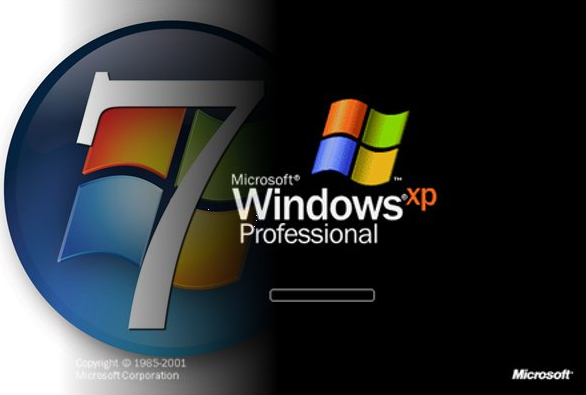
image I found a couple interesting posts that highlight why Windows 7 is a far superior operating system for customers considering VDI deployments.

Here’s a post about Task Priority Registers and how they are handled within Windows XP such that Hypervisors, ours or other vendors, are overtasked in handling them relative to Windows 7.  In fact, Intel designed a feature in SOME of their processing chips called vTPR which you really have to have to use Windows XP in VDI scenarios.  Without it, Windows XP performs too poorly so if you’re going to use Windows XP as a VDI OS, be really really sure you have an Intel chip w/ vTPR.

Here’s a post that talks about the value of RDP7 for customers that are considering deploying Windows in VDI.  RDP7 is designed to redirect various visual technologies like video, audio, high end graphicsl like Aero effects, and multimonitor sessions.  Windows XP does not have this technology and instead resorts to using RDP 5.2, a 9 year old protocol.

image I know many of you have tried this – replicating user profile data between geographies for the purposes of improving the end user experience during log in while still providing geographic synchronicity for execs and other users that move between two different sites.

Well, lo and behold, we have an official statement about folks that do this and there are supported scenarios and non-supported scenarios because things can obviously get squirrelly.

Here are the scenarios that are described.

  • Deployment scenario 1: Single file server, replicated to enable centralized backup
    • Scenario 1A: DFS Namespace is not configured [SUPPORTED]
    • Scenario 1B: DFS Namespace is configured – single link target [SUPPORTED]
  • Deployment scenario 2: Multiple (replica) file servers for geo-location
    • Scenario 2A: DFS Namespaces is configured – multiple link target configuration [UNSUPPORTED]
    • Scenario 2B: DFS Namespaces is configured – multiple link targets, read-only replica on central/hub server [UNSUPPORTED]

To read the details behind these scenarios, you really have to read the entire post.  It’s a doozy.

Posted by: kurtsh | September 7, 2010

VIDEOS: New AGPM & DaRT training videos now available

This is such an epically awesome post that I’m not even going to repost it.  If you want to see the links, go to the original article’s link at the end of this post.  This post is chock full of differentiation goodness.

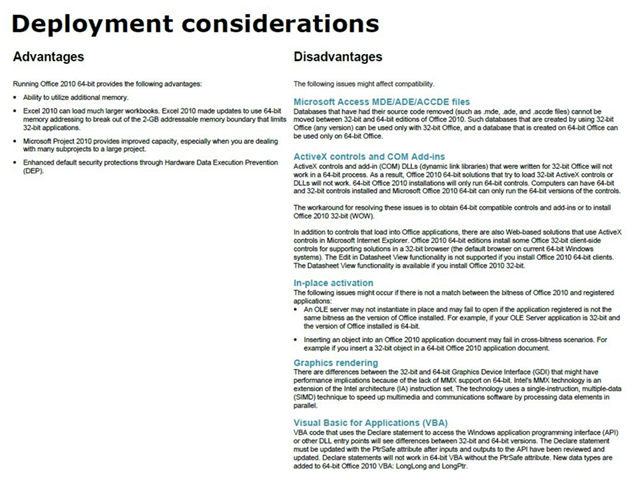
Understanding 64-bit versions of Office 2010 and related deployment considerations, advantages, and disadvantages

If you are considering the deployment of a 64-bit version of Microsoft Office 2010, it is important to understand the differences between the 32 and 64-bit versions, and be aware of the deployment considerations.

See the following blog posts and TechNet articles for related information:

  • Microsoft Office Product Development Group blog post, Understanding 64-Bit Office – LINK TO TECHNET BLOGS
  • 64-bit editions of Office 2010 – LINK TO TECHNET
  • Deployment considerations – LINK TO TECHNET
  • Blocking and nonblocking Office applications in 64-bit installations – LINK TO TECHNET

The images below are excerpts from a visual representation of the 64-bit Client Installation of Microsoft Office 2010

image

Posted by: kurtsh | September 7, 2010

BETA: Team Crossword… from Microsoft FUSE Labs

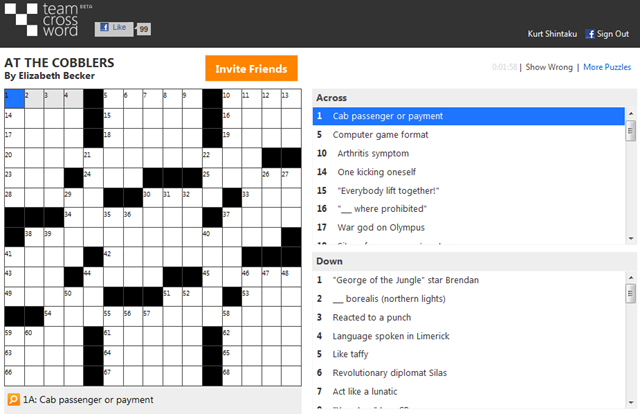
imageFUSE labs produced a new online software product called “Team Crossword” which is essentially a crossword game that you can play with others over Facebook.  It allows you and your friends to solve crossword puzzles much like how you might if the crossword was in front of both of you all the time.

There are some really cool features that the online management provides.  Besides playing collaboratively you can see how long you take to solve the puzzle, how you rank relative to other friends that have done the same puzzle, etc.  And because there’s a new puzzle released each day, it’s always fresh.

Sign into Facebook and start inviting your friends to play by going here:

imageIt’s begun!  Age of Empires BETA test notices have started to go out to people who signed up for the beta.  If you haven’t already done so, enroll in the beta registration to get on board with this great new release of Age of Empires… now a mix between a Real Time Strategy game (RTS) and a Massive Multiplayer Online game (MMO).

The most interesting aspect of the game is it’s now PERSISTENT – as in, stuff stays the same but still evolves even when you’re not logged in and playing.

The game feature list highlights the following:

  • Familiar Age of Empires gameplay
  • Download and play from almost anywhere
  • Game continues to evolve over time
  • Cooperative multiplayer quests and trading
  • Empire creation and resource management
  • Historical setting, easy-to-use RTS controls
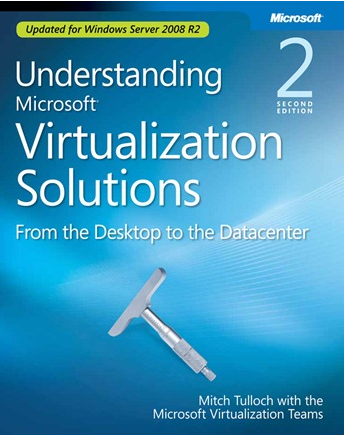
  • image Color me embarrassed.  I totally ignored this offer and maybe you did too.

    Apparently in 2010, we released a 2nd edition of “Understanding Microsoft Virtualization Solutions”.  This edition has a variety of changes to it since the first was published back in 2009.

    • Longer in page count:  466 pages (instead of 459)
    • Smaller in file size: 10.8MB vs 14.7MB
    • Updated for Windows Server 2008 R2/Hyper-V R2
      • Overview of Hyper-V R, System Requirements for Hyper-V R2
      • Chapter on Working with Live Migration
      • Review of Microsoft VDI
      • Overview of Virtual Machine Manager 2008 R, System Requirements for VMM 2008 R2
      • Chapter on Working with VMM 2008 R2
      • Overview of Windows Virtual PC Mode

    We made this 2nd edition available totally for FREE as an eBook. 

    Seriously – this is a MAJOR update to the book so if you haven’t grabbed it, I highly suggest that you do because it’s updated with all our latest virtualization technologies, including App-V 4.6, MED-V, etc.

    [Posted to the IEBlog at http://blogs.msdn.com/b/ie/archive/2010/08/16/add-ons-and-opting-out-of-google-analytics-without-them.aspx]

    image Add-ons, and Opting out of Google Analytics Without Them

    Recently, Google made available the “Google Analytics Opt-out Browser Add-on.” This add-on enables consumers to “indicate that information about the website visit should not be sent to Google Analytics.” We agree that making it easy for consumers to protect their privacy is good, and Internet Explorer offers a variety of features to help keep you in control of your information when visiting websites. In this post, we describe how to use some of these built in features to accomplish the same outcome without installing a Browser Helper Object and the Google Update Service.

    Users of Internet Explorer 7 and 8 (and soon 9) who wish to prevent Google Analytics’ script from running can follow these steps:

    1. In Internet Explorer, open the Tools tool icon menu and click Internet Options.
    2. Click the Security tab and then click the Restricted Sites icon.
    3. Click the Sites button.
    4. In the box at the top, add *.google-analytics.com and push the Add button.
    5. Click the Close button, and then the OK button to dismiss Internet Options.

    After this configuration change, script from the Google Analytics website will not run on any webpage, and cookies will never be sent to the Google Analytics server.

    NOTE:  THIS HAS NOTHING TO DO WITH PREVENTING ADVERTISEMENTS
    I’m going to reiterate something written in the comments:  This article has nothing to do with blocking advertisements:  Google Analytics is about tracking/tracing where you surf on the web and getting statistics about what sites you use, such as how long you stayed on a page, what information you entered into the site, etc.. 

    There has been some confusion about what this post is about:  It’s specifically there to ensure that Google doesn’t keep a record about your surfing habits, tendencies, and behaviors across Google Analytics enabled web sites – which is a good chunk of the Internet.

    i.e. It’s about privacy.  This is a simple method by which you can protect yourself in Internet Explorer without installing any “software” to do so.

    Posted by: kurtsh | September 7, 2010

    ANNOUNCEMENT: Polycom & Microsoft expand their relationship

    image Major announcement about Polycom & Microsoft’s partnership in Unified Communications technologies:

    (As taken from http://blogs.technet.com/b/uc/archive/2010/08/09/polycom-and-microsoft-expand-their-relationship.aspx)

    image We are announcing today that Polycom has signed a multi-year agreement with Microsoft, becoming one of our strategic partners to offer integrated solutions in the Unified Communications space.  Our goal is to deliver products to help our customers improve productivity, overcome communications challenges, and adjust their structure to the current economic environment, supporting things like: mobile workers, telepresence, and globally distributed teams. Both companies are committed to developing standards-based solutions that are interoperable and that protect customer investments and choices.

    As we approach the launch of Microsoft Communications Server “14”,  we are excited to deliver on this milestone. The benefits of our integrated solution are already being seen by our early adopter customers and partners. Many have been testing the new Polycom  IP phones and conferencing phones that will be available at launch.  Their feedback has been very positive. For the long-term, this relationship will bring a roadmap of new technologies centered around 3 pillars:

    • New and next-generation Polycom CX series endpoints optimized for Microsoft UC, featuring Polycom’s market-leading HD video and voice  technologies

    • New, innovative room-based video systems designed specifically for enabling direct integration with Microsoft Communications Server “14”

    • Additional interoperable solutions between Polycom’s existing and future  video conferencing solutions

    To help our channel partners, Polycom and Microsoft will provide joint go-to-market components that include an integrated solution selling message , combined sales and marketing support, and joint marketing campaigns, as well as training and technical resources. 

    If you’d like to learn more about how Polycom is working with Microsoft, please check out the video interview with Gurdeep Singh Pall (Microsoft Corporate VP, Unified Communications) and Andy Miller (Polycom CEO) on our Virtual Press Room Video Gallery: http://www.microsoft.com/presspass/presskits/2010office/videoGallery.aspx.

    You can also read the official press release on the Polycom website: http://www.polycom.com/company/news_room/press_releases/2010/20100809.html

    Kind regards,  

    Maura Hameroff
    Senior Marketing Manager
    Microsoft Communications Server

    image Brand new online virtual lab for the new Config Mgr Dashboard!

    WHAT’S THE CONFIG MGR DASHBOARD?
    The Dashboard provides the following features for users of Configuration Manager 2007:

    • Actionable information out of the box. The dashboard comes with a wide range of valuable, built-in reports that IT managers can access without using the Configuration Manager console.
    • Centralized, near-real-time access to key information. The graphical dashboard lets customers view any Configuration Manager data set in near-real time—without leaving their desk.
    • Easy to build and configure. The dashboard’s wizard-based tools let customers easily create new dashboards in minutes.
    • Easy to customize. The dashboard can easily be customized to meet the needs of different departments and other groups. Any data set in the Configuration Manager database can be presented on the dashboard, in chart, gauge, and table formats.
    • Flexible & interactive. Users can easily filter data and create ad hoc, custom views. Filters allow users to quickly drill down from high-level to more specific data.

    DOWNLOAD:  Microsoft System Center Configuration Manager 2007 Dashboard
    http://www.microsoft.com/downloads/details.aspx?FamilyID=27FE0D80-38C6-464A-953A-1C2EDCF35C2D

    WHAT’S THE TRAINING?
    After completing this lab, you will be better able to install and configure System Center Configuration Manager Dashboard, create and Customize Data sets, and control access and configure Data Displays in System Center Configuration Manager Dashboard.

    « Newer Posts - Older Posts »

    Categories