Posted by: kurtsh | February 3, 2011

BETA: System Center Configuration Manager 2012

imageSystem Center Configuration Manager 2012 (formerly known as Configuration Manager v.Next) now has a Beta 2 TAP nomination that is now open. 

Per the System Center blog:

The ConfigMgr team will be accepting new nominations for Beta 2 through this process only.  If your organization applied for the Beta 1 TAP program, but did not get accepted, it would be recommended to complete the survey.  This will ensure your participation in the program is reviewed with your latest status, deployment levels etc.

imageUPDATE 2/5/2011:
If you read the explanation I’ve written below, you can understand how Bing does not screen scrape search results from Google. 

We capture the URLs that users click on & the search terms they use to find that URL across searches made on Google, Ask, Bing or any engine… but only from people that authorize Microsoft to do so, i.e. there’s no privacy violations taking place here.

HOWEVER… apparently, Google is screen scraping Bing.  Yup.  You read that right:  They’re doing to Bing exactly what they falsely accused Microsoft of doing. 

And what’s worse, they’re ignoring Bing’s explicit instructions to other search engines not to crawl it’s search results.  The ROBOTS.TXT file, as described by Jacques, clearly states that indexing Bing is disallowed by other web crawlers.  And Google just goes right about ignoring the DISALLOW entry.

Wow.

—————–
ORIGINAL POST:

image_thumb2Let’s get this out of the way:  Google’s accusation that Bing steals Google’s search results are false and demonstrates their lack of understanding of how Bing’s makes use of authorized user behavior data collection. 

Microsoft does not screen scrape Google’s search results.

  1. If a user permits Microsoft to do so (via opt-in selection*), we capture user-entered search terms/key words entered into the search boxes in IE search field/Bing Toolbar
  2. We then collect the URLs that people click on after they see the search results.  Plain and simple. 

And it makes sense, right?  There’s no need to actually examine the result set that comes back from WHATEVER search engine is in use because, after all, all you need is what’s important to the user (i.e. what they clicked in the end), not the rest of the results.  And humans likely know what the ‘best selections” are from any returned list of search results regardless of where that list comes from – Ask.com, Baidu.com, Amazon.com, even BING.COM… so why not simply record the links they select, if, again, this is permitted by the user?

Here’s a list of links that explain this in more detail but the end result is the same:  Google just doesn’t get it.

* I believe the marketing name for the ‘opt-in’ option to share this data with Microsoft is known as the Customer Experience Improvement Program or the CEIP.  This is not on by default and is something the user manually enables to improve Microsoft products – including Bing.

We released something called the Windows Phone 7 Jumpstart, a set of recorded videos to help folks move to Internet Explorer 9.

imageBack in July we held a live training event called Windows Phone 7 Jump Start during which we had two lively presenters walk through building killer phone apps and games. We then released it as a series of videos and later followed it up with another live event in September that updated the content and covered even more advanced topics.

Now we’re happy to announce that all this great training content is available online. There are 19 sessions/videos total (most are less than an hour long), and we’ve also posted all the course materials you’ll need to follow along. Topics covered include Panorama & Pivots, Bing Maps, XNA, Planning & Optimizing for Performance, Design using Microsoft Blend, and many more. Plus, we recorded an "Ask the Experts" session, which was a live Q&A with lots of Windows Phone 7 Microsoft employees.

See below for a description of each session. As always, feedback is welcome. Feel free to leave comments if you have any questions.

Read more about this at:
More Free Training on Making Windows Phone 7 Apps & Games
http://borntolearn.mslearn.net/wp7/b/weblog/archive/2010/10/27/more-free-training-on-making-windows-phone-7-apps-amp-games.aspx

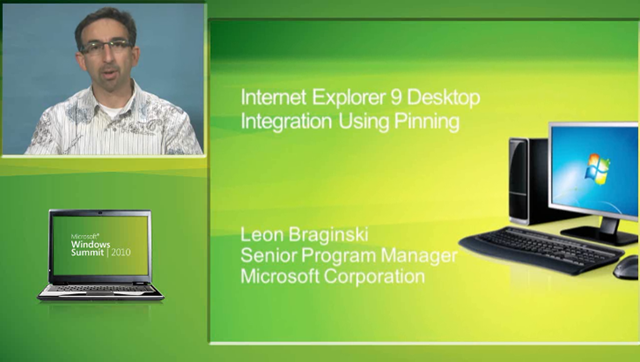
imageThe Windows Summit is a website designed for people who want to build solutions with Internet Explorer 9 or who engineer and test Windows 7 PCs, devices, and software. We just posted new IE9 sessions that highlight the latest web platform capabilities in IE9.

The eight presentations cover many aspects of building solutions in HTML5 using same markup and the rich features in IE9 to bring sites into Windows. In addition to the video recording, each session includes a PowerPoint deck and code samples in the Resources section. Here’s the list of all IE9 sessions:

  • imageOverview of IE9 (two sessions)
  • Easier Web development using IE9 developer tools
  • Desktop integration using pinning
  • Touch investments in IE9
  • Getting Started with SVG
  • Getting Started with Canvas
  • Best Practices for Creating Advanced Graphics in IE9

We hope you enjoy the sessions. We want your feedback so we can continue to refine our content offerings and help you create fantastic web sites that work great on Windows. So please fill out the evaluation form after you watch each session.

Posted by: kurtsh | February 2, 2011

OFFER: Free “Silverlight for Windows Phone 7” eBook

image

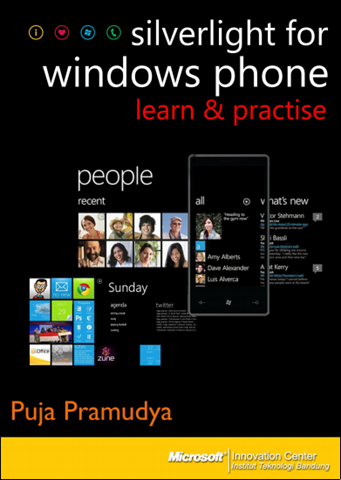
Puja Pramudya from the Microsoft Innovation Center in Indonesia produced a new FREE 157 page book on developing in Silverlight for Windows Phone 7.

Here’s an excerpt from the introduction:

The year 2010 may be a milestone for Microsoft, and also mobile platform. In the computing industry, what Microsoft had done is called reboot strategy. Microsoft  refers  to Windows Phone as  ‘a  revolutionary new platform’. Microsoft rebuilt the whole thing from the beginning, with a fresher, cleaner user interface. Using a design philosophy they call Metro, inspired by signs displayed in metro subways, Microsoft’s  interface shows distinctive characteristics, retrieves information easily, is intuitive, and uses user friendly symbols. Its integration with service available in Microsoft’s cloud—Bing, Xbox Live, Push Notification, and Office to name a few—and third party service has given a unique appeal, something Microsoft should have started long ago.

From the development platform point of view, Windows Phone offers an interesting developing experience for developers. A Windows Phone is bound to have 800×480 WGA or 480×320 HVGA resolution, touch screen, GPS sensor, accelerometer, compass, light, camera, multimedia, GPU with DirectX9, and three hardware buttons. As a developer, it is guaranteed that the whole specifications will be available in any
devices that support Windows Phone. Each and every device driver is created directly by Microsoft to ensure consistency. To develop application over a Windows Phone platform, you have two popular and modern options: Silverlight and XNA.

Silverlight is known to enable web developers to create stunning interfaces with the combination of controls, text, vector graphic, media, animation, and data binding that can run on a number of platforms and browsers. Meanwhile SNA is a gaming platform that supports 2D and 3D games meant for Xbox 360, console, and PC.

Now, all that we need is the apps 🙂

DOWNLOAD:  Silverlight for Windows Phone:  Learn & Practice
http://cid-3543a916eed05fb8.office.live.com/self.aspx/MIC-ITB%20Activities/Silverlight%5E_for%5E_WindowsPhone%5E_English.pdf?wa=wsignin1.0&sa=133767177

Posted by: kurtsh | February 2, 2011

WHITEPAPER: PSFK’s Future of Mobile Tagging

PSFK is a New York City based consultancy known for innovating new ideas for creative businesses.  Well known in the trends research & innovations business, PSFK reports on and consults around innovations that help companies get inspired.

Their latest “Future Of” report focuses on Mobile Tagging:

imagePSFK’s latest ‘Future Of’ report presents key trends in the mobile tagging space, so as to inspire marketers and their creative agencies about their future use of technologies that include QR codes, barcodes and Microsoft Tags in their branding activity and communication campaigns.

Mobile tags offer a unique opportunity for brands and their agencies to interact with potential and existing customers. These two dimensional barcodes can be applied to almost any surface and the information contained within them can be leveraged to create incentives and drivers that lead consumers along the purchase path.

By bridging the online-offline divide with a click of a mobile phone button, mobile tags can drive a brand or product’s awareness. In this report we look at how companies are using competitions and gaming to engage a new audience.

When a shopper scans a mobile tag, they can also gather a deeper level of information that will help them decide about the purchase of a product. Marketers are using the technology to provide an insider’s view about a brand—and they are also using the mobile tag to provide immediate status updates sent directly to a customer’s phone.

Mobile tags can support the purchase stage. Opportunities being explored by brands and their agencies include the ability to scan-to- pay and also the offering of loyalty rewards.

Beyond the purchase, marketers can use the technology to enhance customer service. For example, how-to instructions can be made easily accessible with the simple capture of a mobile tag.

Mobile tags provide an exciting opportunity to interact with customers in ways not previously available to marketers. This report shines a light on to the work of other marketers to both inspire you and present some mobile tagging options as you consider your next campaign.

Get it free, here:

imageIn this lab you will learn how Microsoft SQL Server 2008 R2 delivers several breakthrough capabilities that will enable your organization to scale database operations with confidence and will improve IT and developer efficiency, as well as enable highly scalable and well-managed business intelligence on a self-service basis for your users. In this hands on lab, you will learn how to prepare and perform an upgrade to SQL Server 2008 R2, as well as go through new features including StreamInsight and Multi Server Management.

During this lab, we will cover:

  • Upgrading to SQL Server 2008 R2
  • Working with the Microsoft SQL Server 2008 R2 StreamInsight Event Flow Debugger
  • Querying Events in Microsoft SQL Server 2008 R2 StreamInsight Using LINQ
  • Microsoft SQL Server 2008 R2: Multi Server Management

Registration: This special, no charge training series will fill quickly and space is limited, so be sure to register as soon as possible to reserve your seat.

CONTACT ME IF YOU’RE A CUSTOMER OF MINE INTERESTED IN REGISTERING 

What is a virtual hands-on-lab:
This isn’t your typical IT class. A hands-on lab online is an invite only event that combines LiveMeeting with a virtual lab. Attendees and presenters login from anywhere. Attendees watch a brief LiveMeeting presentation, then spend most of the time getting hands-on experience working through all, or just self-selected modules of the entire lab – at their own pace, and receive real–time, personal, one-on-one attention from the presenter. In addition, there’s a proctor available for technical support and to answer more attendee questions.

Date:  Wednesday, February 9th, 2011
Time:  9:00am – 1:00pm Pacific Time
Location: Virtual Hands On Lab Classroom.
Target Audience: IT Pro, IT Manager

Before the Event:

imageHere’s a conference that we are co-sponsoring with Quest Software and damn, if it doesn’t look good.

Welcome to The Experts Conference (TEC) 2011 in Las Vegas, where we’ll venture beyond the boundaries to convey cutting edge expertise on the most vital Microsoft technologies.

Celebrating our 10th year of advanced education and networking, TEC 2011 will deliver expert-led, 400-level training on vital Microsoft technologies. In addition to its highly-acclaimed agenda on Microsoft Directory & Identity technologies, TEC 2011 will also bring back a full lineup of Microsoft Exchange and SharePoint training. And, this year, for the first time ever, we are pleased to introduce an entirely new TEC for Virtualization & Cloud conference!

Join us at TEC 2011 for world-class training and networking – for the experts, by the experts – and learn innovative ways to run and manage the technologies that drive your organization.

Focusing specifically on the following:

  • Directory & Identity Training: Join Gil Kirkpatrick for advanced training on Active Directory and Forefront Identity Manager.
  • Exchange Training: Unified Communications expert David Sengupta leads multiple tracks on Microsoft’s Exchange Server platform.
  • SharePoint Training: Join Joel Oleson, as well as other leading gurus and MVPs, for a deep dive into SharePoint.
  • Virtualization & Cloud Training: Join Scott Herold and other experts on deep instruction on server and desktop virtualization and cloud computing.

DISCOUNT:
Toldja it looked good.  What’s more, I have a Microsoft discount code that I can share that will get you $345 off the registration price to knock it down to $1300/registration.  Contact me if you’re a customer of mine, for information about the discount.

Date:  April 17-20th

Location:  Red Rock Hotel & Casino, Las Vegas

Registration:  http://www.theexpertsconference.com/us/2011/

image

Microsoft Lync Unified Communications Overview & Demo Featuring Microsoft IT

Learn how Microsoft is saving more than $215 million annually— Increasing employee productivity, and replacing its PBX infrastructure with Microsoft® Lync

clip_image003

Overview
Success in today’s business world hinges on collaboration —whether it’s with other employees, clients, partners, or vendors. Now there’s a way for your organization to transform every communication into an interaction that is more collaborative, engaging, and accessible from anywhere.

Learn how the streamlined communications performance you’ve come to rely on with Microsoft Office Communicator 2007 R2 and Microsoft Office Communications Server 2007 R2 has just gotten better. Improve collaboration, facilitate easier management, and lower the cost of ownership of your communications systems.

clip_image001

Get details on how Microsoft’s internal Information Technology (MSIT) team has deployed the UC solution across Microsoft providing communication accounts to a total of 166,000 users, helped the company save more than $215 million US annually and improved the way that employees work . Microsoft employees conduct more than 7.6 million calls a month by using the voice capabilities of the Microsoft UC solution.

Please join us for a free online conference sponsored by Microsoft and Plantronics.

Speakers: Bill Shelly, Enterprise Voice Technology Specialist, and Johnny Bowman, Microsoft Field IT Manager

Registration— Choose from two dates in February:

Start Date:

Feb 10, 2011

February 15, 2011

Start Time:

12:00 PM Pacific Time (US & Canada)

9:00 AM Pacific Time (US & Canada)

Registration:

Please contact me if you’re a customer of mine for registration details.

Please contact me if you’re a customer of mine for registration details.

Language(s):

English

Product(s):

Microsoft Lync Server 2010

Audience(s):

Non-Tech Influencing BDM, Tech Influencing BDM

Duration:

60 minutes

Agenda (All times PST)

30 min

Introduction to and Demo of Microsoft® Lync™

20 min

Microsoft IT Presentation of Microsoft Internal Deployment

10 min

Close and Q&A

The first 100 Conference attendees who complete an evaluation form will receive a FREE headset from Plantronics!

imageI am very excited to see the growth of our Opalis community, and today I would like to show you some examples of this.

Charles Joy, one of our resident Opalis uber-smart guys (and one half of the “Opalis Guys”) has posted 3 new Integration Packs to Codeplex.  You can read his post here which describes in more detail what the IP’s do.

The new IP’s he has posted are:

Here is an example of some of the automated tasks that can now be integrated into Opalis workflows:

  • Text Manipulation:
    • Blank Line Search and Destroy
    • Count Character Occurrence Text
    • Find Character Occurrence Text
    • In File Replace Text
    • Keyword Range Search and Destroy Text
    • Keyword Search and Destroy Text
    • Passthrough Text
    • Replace Text
  • MSSQL Tasks:
    • Test MSSQL Connection
    • Deploy MSSQL Scripts
    • Get OIS Variable Info
    • Update OIS Variable Value
    • Generate XML from MSSQL
  • Windows Tasks:
    • File and Directory maintenance
      • extends the functionality of the Delete File, Delete Folder, and Get File Status Objects
    • Multi-Server WMI Query
      • extends the functionality of the Query WMI, and Get Process Status Objects

[taken from http://blogs.technet.com/b/systemcenter/archive/2011/01/19/3-new-integration-packs-for-opalis-posted.aspx]

« Newer Posts - Older Posts »

Categories