Posted by: kurtsh | August 6, 2011

DOWNLOAD: SharePoint 2010 Technical Diagrams & Posters

WOW.  A huge cache of 24 downloadable digital posters for SharePoint 2010.  Foundation and Server.  Grab the ones you need below!

Tips for printing posters
If you have a plotter, you can print these posters in their full size. If you don’t have plotter, use the following steps to print on smaller paper.

Print posters on smaller paper

  1. Open the poster in Visio.
  2. On the File menu, click Page Setup.
  3. On the Print Setup tab, in the Printer paper section, select the size of paper you want to print on.
  4. On the Print Setup tab, in the Print zoom section, click Fit to, and then enter 1 sheet across by 1 sheet down.
  5. On the Page Size tab, click Size to fit drawing contents, and then click OK.
  6. On the File menu, click Print.

If you want to create posters that use the same symbols as these posters, you can download Visio stencils for posters (http://www.microsoft.com/downloads/en/details.aspx?FamilyID=88e03d22-8f42-4c9d-94ef-d8e48322d677).

DOWNLOADABLE POSTERS:

  • imageDesign Sample: Corporate Portal with Classic Authentication
  • Design Sample: Corporate Portal with Claims-based Authentication
  • SharePoint 2010 Products Deployment
  • Services in SharePoint 2010 Products
  • Cross-farm Services in SharePoint 2010 Products
  • Topologies for SharePoint Server 2010
  • Extranet Topologies for SharePoint 2010 Products
  • Hosting Environments in SharePoint 2010 Products
  • Search Technologies for SharePoint 2010 Products
  • Search Environment Planning for Microsoft SharePoint Server 2010
  • Search Architectures for Microsoft SharePoint Server 2010
  • Design Search Architectures for Microsoft SharePoint Server 2010
  • Global Solutions for SharePoint 2010 Products
  • Business Connectivity Services Model
  • Content Deployment in SharePoint Server 2010
  • Microsoft SharePoint Server 2010 Upgrade Planning
  • Microsoft SharePoint Server 2010 Upgrade Approaches
  • imageMicrosoft SharePoint Server 2010 — Test Your Upgrade Process
  • Microsoft SharePoint Server 2010 — Services Upgrade
  • Microsoft SharePoint Server 2010 — Upgrading Parent and Child Farms
  • Getting started with business intelligence in SharePoint Server 2010
  • Databases That Support SharePoint 2010 Products
  • SharePoint 2010 Products: Virtualization Process
  • Governance for SharePoint Server 2010
  • Duet Enterprise for Microsoft SharePoint and SAP Poster

DOWNLOAD:  Technical diagrams (SharePoint Server 2010)
http://technet.microsoft.com/en-us/library/cc263199.aspx

imageLearn how you can lay a deep foundation for your SharePoint Server 2010 Business Composites skills in this training course.

This course covers a SharePoint Server 2010 Composites overview, and all of these aspects for SharePoint Server 2010:

  • Access Services
  • InfoPath Forms Services
  • Workflows in SharePoint Server 2010
  • Business Connectivity Services
  • SharePoint Business Intelligence
  • Composites Service Application Configuration

Download the lab manuals for this course here. To view the entire course, visit:

imageMicrosoft SQL Server 2008 Service Pack 2 (SP2) is now available for download. These packages may be used to upgrade any edition of SQL Server 2008. We remain committed to providing our customers with essential changes via Service packs.

  • Service Pack 2 contains updates for SQL Server Utility, Data-Tier Application (DAC), as well as integration capability for Microsoft Reporting Services with the Microsoft SharePoint 2010 Technologies.
  • Service Pack 2 introduces support for a maximum of 15,000 partitions in a database, and includes SQL Server 2008 SP1 Cumulative Update 1 to 8.
  • While keeping product changes contained, we have made significant investments to ease deployment and management of Service Packs. Microsoft SQL Server 2008 Service Pack 1 is not a prerequisite for installing SQL Server 2008 Service Pack 2.

For more information about SQL Server 2008 Service Pack 2, please visit our Release Notes.

What’s New:

  • Reporting Services in SharePoint Integrated Mode. SQL Server 2008 SP2 provides updates for Reporting Services integration with SharePoint products. SQL Server 2008 SP2 report servers can integrate with SharePoint 2010 products. SQL Server 2008 SP2 also provides a new add-in to support the integration of SQL Server 2008 R2 report servers with SharePoint 2007 products. For more information see the “What’s New in SharePoint Integration and SQL Server 2008 Service Pack 2 (SP2)” section in What’s New (Reporting Services).
  • SQL Server 2008 R2 Application and Multi-Server Management Compatibility with SQL Server 2008.
    • SQL Server 2008 Instance Management.With SP2 applied, an instance of the SQL Server 2008 Database Engine can be enrolled with a SQL Server 2008 R2 Utility Control Point as a managed instance of SQL Server. For more information, see Overview of SQL Server Utility in SQL Server 2008 R2 Books Online.
    • Data-tier Application (DAC) Support.Instances of the SQL Server 2008 Database Engine support all DAC operations delivered in SQL Server 2008 R2 after SP2 has been applied. You can deploy, upgrade, register, extract, and delete DACs. SP2 does not upgrade the SQL Server 2008 client tools to support DACs. You must use the SQL Server 2008 R2 client tools, such as SQL Server Management Studio, to perform DAC operations. A data-tier application is an entity that contains all of the database objects and instance objects used by an application. A DAC provides a single unit for authoring, deploying, and managing the data-tier objects. For more information, see Designing and Implementing Data-tier Applications.

Please Note: SQL Server 2008 SP2 applies only to the SQL Server 2008 release. This service pack can not be applied on top of SQL Server 2008 R2.

Posted by: kurtsh | August 2, 2011

INFO: Xbox 360 Kinect… as a Baby Monitor!

imageI thought this was funny yet cool enough to post.  Especially since I’m a new newly minted father. 

Imagine using your Xbox 360 Kinect as a baby monitor.  What, with it’s infrared camera and it’s 3D depth movement recognition… it makes sense over a typical cheap IP-camera.

In less than an hour I was watching my little boy in infrared while he slept in his bedroom. It wasn’t that hard to setup as I relied on one Kinect device and two generic laptops, capable of 40 FPS.

In this post I will take about the architecture and how you can setup Kinect quickly and easily. Even in complete darkness you can see the outline of your child asleep in bed. And if anyone walks in the room they are immediately visible, thanks to the depth sensor which consists of an infrared laser projector combined with a monochrome CMOS sensor, which captures video data in 3D under any ambient light conditions.

Wanna know more?  Read the original post:

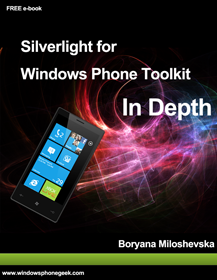
imageThe Windows Phone 7 platform contains great out of the box integration with SharePoint under the Office Hub.

But what if you want to create your own custom applications on the phone that leverage SharePoint 2010 data and services?

This training course will take you through the process of creating your custom Windows Phone 7 applications that consume SharePoint and Windows Azure data and Services. You will learn how to setup your development environment. You will also see how to secure and publish your applications to the marketplace.

What if the founding fathers had Microsoft Office available to them?

History Reimagined: Declaration of Independence

[taken from http://www.microsoft.com/showcase/en/us/details/8b2da3d1-28fa-4652-b2e5-de84a1bc4121]

I don’t normally repost stuff like this but this is important.  Here’s the first part of the announcement:

imageMicrosoft Corp. today announced updates to its software donation program that make it easier for nonprofit organizations to get access to affordable technology. The program, which has already provided more than $3.9 billion worth of software to nonprofits around the world since 1998, is being expanded to enable more nonprofit organizations to request software donations when they need them at any point in the year.

The updates to the Microsoft Software Donation program, which is currently available in more than 100 countries around the world, include the following:

  • The number of different Microsoft software products that can be requested has been expanded from six to 10 to allow nonprofits to get the software they need, such as Windows 7, Microsoft Office 2010 and Microsoft SharePoint 2010.
  • Three new categories of nonprofit organizations are now eligible for software donations, including medical research organizations, private foundations, and amateur sports and recreational organizations.
  • The donations program includes a new Get Genuine offering so nonprofits can ensure their existing computers are running genuine versions of Microsoft operating systems to help keep their software up-to-date and security-enhanced.
  • Nonprofits can now request a software donation from Microsoft through the TechSoup Global Network whenever they need it instead of the previous limit of only one request per year.
  • Nonprofit organizations ordering their donations through the TechSoup Global Network can now easily get key donations details in one place with the Microsoft Donations Center, a new website where organizations can review their donation history and identify products their organizations can request.

For more details on how to take advantage of this, read the rest of the announcement at:

imageThis book provides how-to information: the recommended steps to execute specific deployment tasks, such as customizing the installation, installing Microsoft Office 2010 system on users’ computers, implementing the deployment in many languages, and migrating to the new file format.

The audiences for this book are IT professionals who plan, implement, and maintain Office installations in their organizations.

WARNING:  This eBook/whitepaper is 212 pages long.

Posted by: kurtsh | August 1, 2011

BETA: System Center Advisor Release Candidate

imageSystem Center Advisor (formerly codenamed “Atlanta”) is a heck of technology.

In a nutshell, what it is is the “Best Practices Analyzer Cloud Service”.  It installs an agent on datacenter servers and monitors them on a daily basis for adherence to a manifest of best practices as dictated by the product group within Microsoft that produces the product running.

This data is securely (SSL) transmitted to Microsoft’s datacenter where it is stored for a short period of time – in a form that secured to the customer.  The customer or anyone else with access to the portal (below for the URL) can log in and review the “alerts” about non-compliance with best practices. 

Currently, in the beta, the best practices for Windows Server 2008 & 2008 R2 are supported as are SQL Server 2008 and 20087 R2.  These best practices are generally updated on a monthly basis but may vary.

System Requirements

The System Center Advisor agent and gateway require either 32-bit or 64-bit versions of:

  • Windows Server 2008 or later

The System Center Advisor agent analyzes both 32-bit and 64-bit versions of:

  • Microsoft SQL Server 2008 or later
  • Windows Server 2008 or later

To access the System Center Advisor web portal you will need a browser that supports Silverlight 4.0, such as Internet Explorer 7.0 or later.

imageFunny, how I missed this.

This is a head-to-head comparison of just what people used to Office on the desktop should expect when they try to move to Google Documents.  They load a document with some very basic formatting in it.

No – I’m serious.  The formatting is ludicrously basic; the same stuff that virtually EVERY SINGLE BUSINESS USES for their documentation in Word or any other Office application:

  • Office fonts
  • Headers/Footers
  • Watermarks
  • SmartArt
  • Embedded charts/graphs
  • Table formatting

People expect existing Word documents from their desktop to look identical when they share them in the cloud. In this demo, you will see completely different results when viewing the same document using Word Web App and using Google Documents.

image

« Newer Posts - Older Posts »

Categories