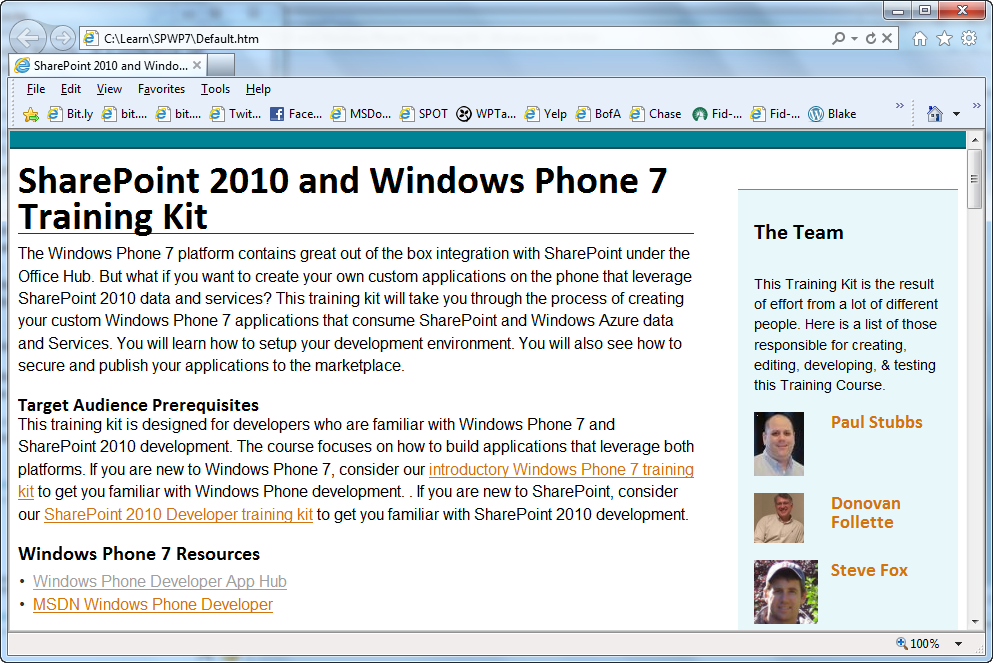
imageThe Windows Phone 7 platform contains great out of the box integration with SharePoint under the Office Hub.

But what if you want to create your own custom applications on the phone that leverage SharePoint 2010 data and services?

This training course will take you through the process of creating your custom Windows Phone 7 applications that consume SharePoint and Windows Azure data and Services. You will learn how to setup your development environment. You will also see how to secure and publish your applications to the marketplace.

What if the founding fathers had Microsoft Office available to them?

History Reimagined: Declaration of Independence

[taken from http://www.microsoft.com/showcase/en/us/details/8b2da3d1-28fa-4652-b2e5-de84a1bc4121]

I don’t normally repost stuff like this but this is important.  Here’s the first part of the announcement:

imageMicrosoft Corp. today announced updates to its software donation program that make it easier for nonprofit organizations to get access to affordable technology. The program, which has already provided more than $3.9 billion worth of software to nonprofits around the world since 1998, is being expanded to enable more nonprofit organizations to request software donations when they need them at any point in the year.

The updates to the Microsoft Software Donation program, which is currently available in more than 100 countries around the world, include the following:

  • The number of different Microsoft software products that can be requested has been expanded from six to 10 to allow nonprofits to get the software they need, such as Windows 7, Microsoft Office 2010 and Microsoft SharePoint 2010.
  • Three new categories of nonprofit organizations are now eligible for software donations, including medical research organizations, private foundations, and amateur sports and recreational organizations.
  • The donations program includes a new Get Genuine offering so nonprofits can ensure their existing computers are running genuine versions of Microsoft operating systems to help keep their software up-to-date and security-enhanced.
  • Nonprofits can now request a software donation from Microsoft through the TechSoup Global Network whenever they need it instead of the previous limit of only one request per year.
  • Nonprofit organizations ordering their donations through the TechSoup Global Network can now easily get key donations details in one place with the Microsoft Donations Center, a new website where organizations can review their donation history and identify products their organizations can request.

For more details on how to take advantage of this, read the rest of the announcement at:

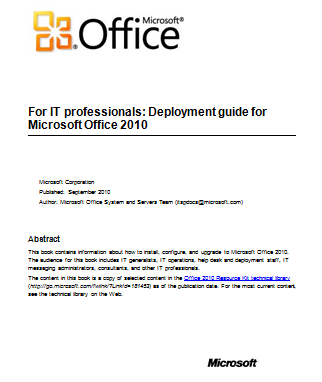
imageThis book provides how-to information: the recommended steps to execute specific deployment tasks, such as customizing the installation, installing Microsoft Office 2010 system on users’ computers, implementing the deployment in many languages, and migrating to the new file format.

The audiences for this book are IT professionals who plan, implement, and maintain Office installations in their organizations.

WARNING:  This eBook/whitepaper is 212 pages long.

Posted by: kurtsh | August 1, 2011

BETA: System Center Advisor Release Candidate

imageSystem Center Advisor (formerly codenamed “Atlanta”) is a heck of technology.

In a nutshell, what it is is the “Best Practices Analyzer Cloud Service”.  It installs an agent on datacenter servers and monitors them on a daily basis for adherence to a manifest of best practices as dictated by the product group within Microsoft that produces the product running.

This data is securely (SSL) transmitted to Microsoft’s datacenter where it is stored for a short period of time – in a form that secured to the customer.  The customer or anyone else with access to the portal (below for the URL) can log in and review the “alerts” about non-compliance with best practices. 

Currently, in the beta, the best practices for Windows Server 2008 & 2008 R2 are supported as are SQL Server 2008 and 20087 R2.  These best practices are generally updated on a monthly basis but may vary.

System Requirements

The System Center Advisor agent and gateway require either 32-bit or 64-bit versions of:

  • Windows Server 2008 or later

The System Center Advisor agent analyzes both 32-bit and 64-bit versions of:

  • Microsoft SQL Server 2008 or later
  • Windows Server 2008 or later

To access the System Center Advisor web portal you will need a browser that supports Silverlight 4.0, such as Internet Explorer 7.0 or later.

imageFunny, how I missed this.

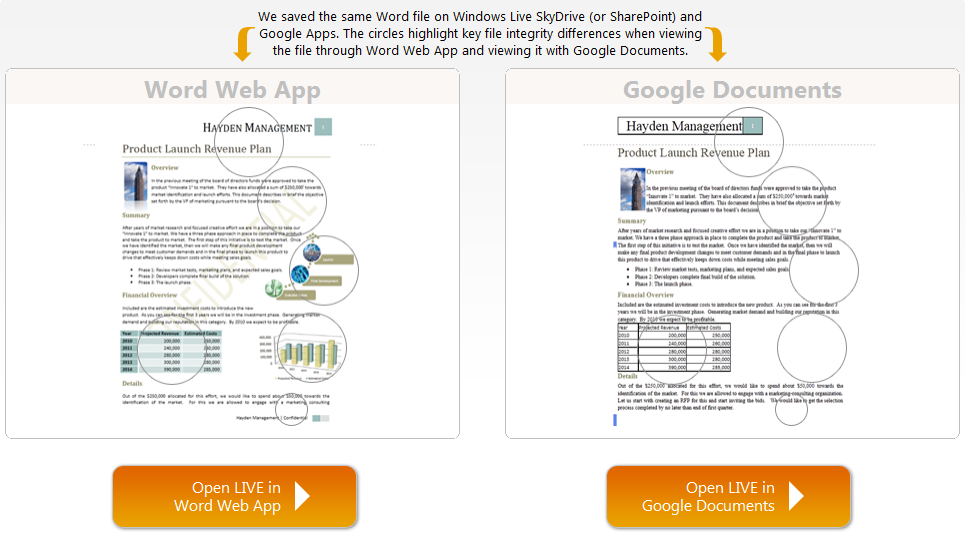
This is a head-to-head comparison of just what people used to Office on the desktop should expect when they try to move to Google Documents.  They load a document with some very basic formatting in it.

No – I’m serious.  The formatting is ludicrously basic; the same stuff that virtually EVERY SINGLE BUSINESS USES for their documentation in Word or any other Office application:

  • Office fonts
  • Headers/Footers
  • Watermarks
  • SmartArt
  • Embedded charts/graphs
  • Table formatting

People expect existing Word documents from their desktop to look identical when they share them in the cloud. In this demo, you will see completely different results when viewing the same document using Word Web App and using Google Documents.

image

Posted by: kurtsh | August 1, 2011

RELEASE: MDOP 2011 R2 Now Available for Download

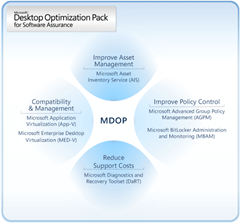
imageYAY!  The Microsoft Desktop Optimization Pack 2011 R2’s out and available to download!

[as taken from the Windows Blog]

A couple of weeks ago at the Microsoft Worldwide Partner Conference, we announced that the Microsoft Desktop Optimization Pack (MDOP) 2011 R2 would be released in August. Today, I am excited to tell you that MDOP 2011 R2 is now available for download from the Microsoft Volume Licensing site. Customers who do not have access to the Volume Licensing site have the option to download it from TechNet or MSDN and Windows Intune customers have access to MDOP as an addition to their subscription.

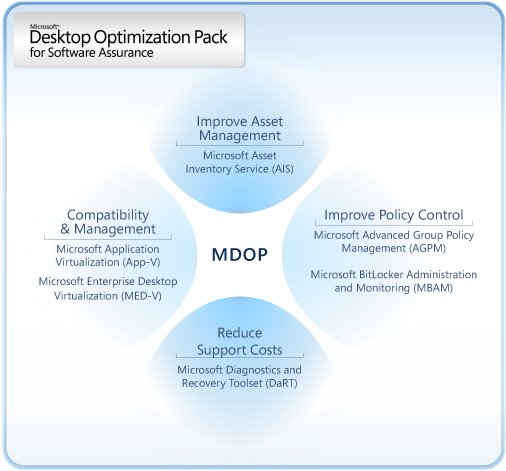
The Microsoft Desktop Optimization Pack (MDOP) is a suite of technologies that helps improve compatibility and management, reduce support costs, increase asset management and improve policy control. MDOP technologies give customers’ better control of the desktop, accelerate and simplify application deployments and management, and enable IT to provide highly responsive service. This can significantly reduce the total cost of ownership of the operating system and entire application management lifecycle.

With MDOP 2011 R2, we have added Microsoft BitLocker Administration and Monitoring (MBAM), Microsoft Diagnostics and Recovery Toolkit (DaRT) 7.0, and Microsoft Asset Inventory Service (AIS) 2.0. This release builds upon the foundation of MDOP 2011, which was released in March and included Microsoft Application Virtualization (App-V) 4.6 SP1, Microsoft Enterprise Desktop Virtualization (MED-V) 2.0, Advanced Group Policy Management (AGPM) 4.0, AIS 1.5, DaRT 6.5, and Microsoft Desktop Error Monitoring (DEM) 3.5.

As a quick refresher, here are the details on the new products available with MDOP 2011 R2:

Microsoft BitLocker Administration and Monitoring (MBAM) will simplify deployment and key recovery, centralize provisioning, monitoring, and reporting of encryption status for fixed and removable drives, and also minimize support costs. Key features include:

  • Streamline BitLocker Provisioning: IT professionals can simplify BitLocker provisioning as part of their Windows 7 deployment or they can have the user enable it after their deployment.
  • Generate out of box reports: Users can easily generate compliance reports with out of box reporting.
  • Retrieve recovery keys: IT professionals can quickly and easily retrieve recovery keys via a webpage specifically designed for helpdesk use.
  • Protect recovery keys: By storing recovery keys in an encrypted database you can be sure that they are protected.

Microsoft Diagnostic and Recovery Toolkit (DaRT) 7.0 is a set of tools that helps easily recover unusable PCs, rapidly diagnose problem causes of issues, and quickly repair unbootable or locked-out systems. Key updates include:

  • Remote diagnostics and recovery: Software based remoting means that helpdesk staff can securely diagnose and recover PCs with DaRT without ever visiting the user’s PC or having to reimage the PC.
  • Flexible deployment option: You will have the option to choose the right deployment option, or combination of options, to their individual needs. DaRT can deploy via PXE, USB, CD, DVD, or to the local recovery partition.
  • Increased customization: IT professionals have the ability to create DaRT images that restrict end-user access to tools while making these same tools available to Helpdesk and IT staff.

Microsoft Asset Inventory Service (AIS) 2.0 is a cloud based asset management service that can help make good inventory management decisions and has some of the most requested features customers asked for:

  • Updated/localized UI and improved software reporting: Offers users improved inventory capabilities, with include a more intuitive user interface and reports that are easier to read.
  • Increased scalability and language support: Updates will allow for 100,000 clients to be supported per account and will also now be available in 11 different languages.
  • Comprehensive view of software installation: Customers get a complete view of the software installed on enterprise PCs, manage software and hardware assets, and forecast future needs. The service also analyzes how Microsoft Volume License agreements are deployed to help more easily manage true-ups, renewals, and license reallocation.

To learn more about MDOP, visit the Microsoft MDOP TechCenter site at:
http://technet.microsoft.com/en-us/windows/bb899442

To download the software, use the appropriate location:

Posted by: kurtsh | August 1, 2011

BETA: Windows Phone 7 Screen Redirector/Screenshot tool

image

This is funny.

Some guy wrote a tool on XDA-Developers that essentially redirects the display out to a JPEG file every second and displays it in a Win32-window on your desktop.

Then some other guy went and optimized the code so that it worked at basically a 4-7fps clip. 

He also wrote some extensions so that the program worked wirelessly between the device (over WiFi) and your desktop computer to provide something akin to a display redirector.

Then he ranted about how bad the original code was.  LMAO!

image

And it’s official:

Kinect Confirmed As Fastest-Selling Consumer Electronics Device

New Kinect Device sells quicker than the iPhone and iPad

Guinness World Records, the global authority on record breaking, today confirm that the Kinect for the Xbox 360 is the Fastest-Selling Consumer Electronics Device. The hardware, that allows controller-free gaming, sold through an average of 133,333 units per day, for a total of 8 million units in its first 60 days on sale from 4 November 2010 to 3 January 2011.

The sales figures outstrip both the iPhone and the iPad for the equivalent periods after launch.

READ MORE AT:
http://community.guinnessworldrecords.com/_Kinect-Confirmed-As-Fastest-Selling-Consumer-Electronics-Device/blog/3376939/7691.html

Posted by: kurtsh | August 1, 2011

INFO: Additional Accessories for the Samsung Series 9

Here’s a list of accessories that I have bought for my Samsung Series 9 to augment it’s capabilities for the better.

imageUSB Flash Drive Reader

image32GB MicroSD Flash Card

  • Lexar 32GB MicroSD Class 10 ($88)
    http://www.amazon.com/gp/product/B004AM610M
    (You can get cheaper but you don’t want you flash memory to fail.  And you need FAST flash memory – not slow stuff.  Lexar is a very reputable company with very high quality, FAST flash.)

imageAC Power Adapter

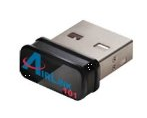
imageUSB Network Adapter

  • AirLink101 AWLL5088 Wireless N 150 Ultra Mini USB Adapter ($17)
    http://www.amazon.com/gp/product/B003X26PMO
    (The weak wireless Ethernet signal is due to a poor antenna in the Samsung Series 9.  If you install a simple $17 Airlink Wireless Ethernet dongle you’ll find you get 5-bars in signal.  Keep it just in case.)

Gigabit Ethernet Dongle

imageWireless Ethernet Adapter + Bluetooth

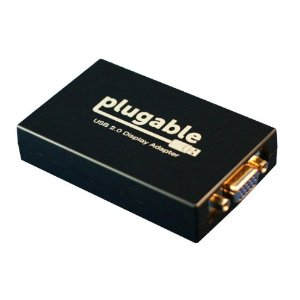
imageUSB VGA Display Adapter

  • Plugable USB-VGA-165 USB to VGA Adapter ($45)
    http://www.amazon.com/gp/product/B004D0QC0A
    (I selected the “Plugable” (sic) brand because of the consistently good reviews I’ve seen about their products. You can also install multiple Plugable adapters on a single computer to get up to 6 additional displays)

« Newer Posts - Older Posts »

Categories