In case you forgot how awesomesauce this game was, here’s a reminder to GET YOUR BUTT DOWN TO THE MIDNIGHT LAUNCH IN CENTURY CITY!  It’s gonna be ‘wrapped in bacon… & fried in butter’! 

Four days left!

———————
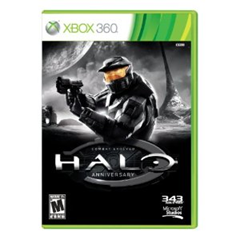
image_thumb1Join us beginning at 10:00PM as we celebrate the launch of “Halo: Combat Evolved – 10th Anniversary Edition”

Show off your skills in tournaments and enter to win great prizes. Bonus: The first 100 gamers attending a launch event will receive a complimentary gift bag.

Pre-order and score $25!
Pre-order Halo: Combat Evolved – 10th Anniversary Edition and get a $25 gift card per title when you pick up your purchases. **

* Open to guests 17 years and older with proof of age. Guests under 17 no admitted without parent or legal guardian.

** Limited-time offer value with pre-order of eligible products through 11/14 or while supplies last. Requires pre-order deposit, which is non-refundable if pre-ordered product is not purchased or refund is not requested within 120days of the product release date. Offer cannot be redeemed for cash or combined with any other offer or promotion. Not available online. Limit one gift card per pre-order game title. Value of gift card may not be applied to purchased of the eligible products. Pre-order and gift card terms and conditions apply. See an associate for details.

Halo Combat Evolved Anniversary E3 2011 Debut Trailer

DATE/TIME:
November 14th 10:00PM-1:00AM

LOCATION:
Westfield Century City
10250 Santa Monica Blvd
Los Angeles, CA 90067
3102283550
http://microsoftstore.com/losangeles

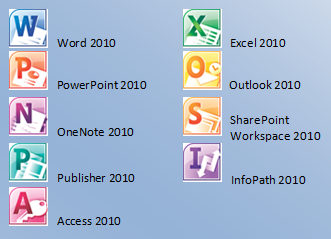
imageAre you familiar with the Microsoft Software Assurance Home Use Program?

Probably.  Customers with Microsoft Office on Software Assurance (also known in some circles as ‘license maintenance’) have a benefit called the Home Use Program that allows corporate employees covered by the Microsoft licensing agreement to purchase 1 home copy of Office Professional Plus 2010 for $9.95.  This includes the activation key and the software as a download.

imageWhat is HUP with Digital Bulk Order?
The Home Use Program Digital Bulk Order allows Software Assurance benefit administrators to purchase multiple copies of Microsoft Office Professional Plus 2010 in bulk for their employees to use on home PCs. 

Instead of employees individually purchasing and downloading the software/activation key for $9.95, they can get the software and the key from their corporate administrator of the benefit if the company ‘fronts the $9.95/copy bill’.

This is useful if your organization wants to buy and gift the Office HUP software for the holidays for example as a benefit of working at the company.

What do you need to do:

  • Tell your users about the option to buy Office Professional Plus 2010 at $9.95 per employee, if you have Software Assurance and the HUP benefit.
  • Contact me for details on marketing materials, posters, emails and more if you are a customer of mine.
  • Contact me for details on how to sign up for the Digital Bulk Order program if you are a customer of mine.
Posted by: kurtsh | November 4, 2011

DOWNLOAD: Office 365 for Enterprise Service Descriptions

imageOffice 365 is a suite of Internet-based services that are designed to help meet your needs for robust security, 24/7 reliability, and user productivity. This set of documents provides service descriptions for the components of the suite.

  • Microsoft Exchange Online for Enterprises Service Description – Microsoft® Exchange Online is a hosted messaging solution that delivers the capabilities of Microsoft Exchange Server as a cloud-based service. It gives users rich and familiar access to email, calendar, contacts, and tasks across PCs, the web, and mobile devices.
  • Microsoft SharePoint Online for Enterprises Service Description – Microsoft SharePoint Online is a Microsoft Office 365 service for businesses of all sizes. Instead of installing and deploying Microsoft SharePoint Server on-premises, any business can now simply subscribe to SharePoint Online to provide their employees with an enterprise grade solution for creating sites to share documents and information with colleagues and customers.
  • Microsoft Lync Online for Enterprises Service Description – Microsoft® Lync™ Online is a next-generation cloud communications service that connects people in new ways, anytime, from virtually anywhere. Lync Online provides intuitive communications capabilities across presence, instant messaging, audio/video calling and a rich online meeting experience including PC-audio, video and web conferencing. Transform your interactions with colleagues, customers and partners from today’s hit-and-miss communication to a more collaborative, engaging, and effective experience.
  • Microsoft Office Professional Plus Service Description – With Office Professional Plus, users get the latest version of the Microsoft Office applications, seamlessly connected and delivered with cloud services, so they can access their documents, email, and calendars from virtually any device. Office Professional Plus includes the new Office Web Apps—online companions to Microsoft Word, Microsoft Excel®, Microsoft PowerPoint®, and Microsoft OneNote®—which let users review and make minor edits to documents directly from a browser.
  • Microsoft Office 365 Apple Devices Service Description – The Microsoft Office 365 Apple Devices Service Description provides customers with an overview of Office 365 capabilities on the Mac and iOS (iPhone and iPad) devices.
  • Microsoft Exchange Online Archiving Service Description – Microsoft Exchange Online Archiving is a cloud-based archiving solution for organizations that have deployed Microsoft Exchange Server 2010 on-premises. Exchange Online Archiving is an enterprise-class service that assists these organizations with their archiving, compliance, regulatory, and e-discovery challenges while simplifying their on-premises infrastructure, thereby saving costs and easing the information technology (IT) burden.
  • Microsoft Office 365 for Enterprises Support Service Description – Microsoft® Office 365 for enterprises Support Service Description provides information to customers about the technical and nontechnical support included in their subscription fee to Microsoft Office 365 for enterprises.
  • Microsoft Office 365 Mobility Services Description – The Microsoft Office 365 Mobility Services Description provides customers with information on mobility solutions—access to services from phones and devices—that are available for two online services in this current release namely, Microsoft Exchange Online and Microsoft SharePoint® Online.
  • Microsoft Office Web Apps Service Description – Microsoft® Office Web Apps is the online companion to Microsoft Word, Microsoft Excel®, Microsoft PowerPoint®, and Microsoft OneNote® applications that helps users access documents from almost anywhere. Users can view, share, and work on documents online with other users across personal computers, mobile devices, and the web.
  • Office 365 Security and Service Continuity Service Description – This service description describes the security, continuity, privacy, and compliance policies and controls for the Office 365 for enterprises service offerings. It is intended to provide Office 365 customers with an overview of how each of the Office 365 services is designed to provide a high degree of security, privacy, continuity, and compliance—service goals that are derived from the Microsoft Risk Management program.
  • Office 365 Identity Service Description – This document discusses the design, policies, and best practices related to Office 365 identity, including the creation of user accounts, password policy, co-existence, directory synchronization, and single sign-on ( identity federation). Users can gain access to Office 365 by authenticating to their Office 365 user accounts—either through a prompt to provide valid credentials or through a single sign-on process. Once authenticated, users’ identities refer to the user names associated with the Office 365 accounts.

DOWNLOAD: Office 365 for Enterprise Service Descriptions
http://www.microsoft.com/download/en/details.aspx?id=13602

imageThe Lync Server Administration Guide and the Windows PowerShell Supplement contain procedures and guidance for administering a Lync Server 2010 deployment.

  • The Lync Server Administration Guide (LS_Admin.doc) covers procedures that you can perform using the Lync Server Control Panel and some command-line procedures.
  • The Windows PowerShell Supplement (LS_Admin_Windows_PowerShell _Supplement.doc) contains guidance for using Windows PowerShell cmdlets to perform management tasks at the command line.

WARNING:  This is a 257 page document and very large to print out.

Posted by: kurtsh | November 4, 2011

RELEASE: Lync Server 2010 Resource Kit

imageThe Lync Server 2010 Resource Kit is the technical reference for the product. This book extends the product planning, deploying, and managing documentation in the Lync Technical Library. This book serves as a companion to the product documentation to learn how the product works under the hood.

The following chapters are available as separate Word documents.

  • Chapter_01_Address_Book_Service.doc
  • Chapter_02_Archiving_and_Monitoring.doc
  • Chapter_03_Client_Administration.doc
  • Chapter_04_Conferencing_and_Collaboration.doc
  • Chapter_05_Direct_SIP
  • Chapter_06_Enhanced_Presence.doc
  • Chapter_07_Enterprise_Voice.doc
  • Chapter_08_Exchange_UM_Integration.doc
  • Chapter_09_External_User_Access.doc
  • Chapter_10_Instant_Messaging.doc
  • Chapter_11_Interoperability_with_Asterisk_and_Skype.doc
  • Chapter_12_Interoperability_with_XMPP_Systems_Using_the_XMPP_Gateway.doc
  • Chapter_13_New_Features_Overview.doc
  • Chapter_14_Response_Group_Application.doc
  • Chapter_15_Server_Administration.doc
  • Chapter_16_SharePoint_Integration.doc
  • Chapter_17_Technical_Overview.doc
  • Chapter_18_Troubleshooting_Basics.doc
  • Chapter_19_Troubleshooting_Specific_Workloads.doc
  • Microsoft_Lync_Server_2010_Resource_Kit_Chapters.zip

These chapters are also available together in a .zip file.
The Microsoft Lync Server 2010 Resource Kit book is currently being developed. Chapters will be available for download while this book is being completed. For information about the continuing release of chapters, check DrRez.

imageThis book provides guidance to help you determine the aspects of a Microsoft SharePoint Server 2010 deployment to govern and the governance techniques to use.

Governance is the set of policies, roles, responsibilities, and processes that you establish in your enterprise to guide, direct, and control how it uses technologies to accomplish business goals.

To strike the right balance between the needs of the users of your SharePoint Server 2010 deployment and the IT professionals who deploy and operate SharePoint Server 2010, we recommend that you form a governance body that includes representatives of all stakeholders in the SharePoint Server 2010 deployment. This body can then create and enforce rules that govern the use of SharePoint Server 2010.

Presented in .XPS, .PDF, and .DOC format.  Also available in:

  • Kindle format (.MOBI)
  • Nook format (.ePUB)

DOWNLOAD: Free eBook–“Governance guide for Microsoft SharePoint Server 2010”
http://www.microsoft.com/download/en/details.aspx?id=25201

imageMicrosoft® Forefront Threat Management Gateway (TMG) 2010 Service Pack 2 (SP2) introduces new functionality to Forefront TMG 2010 Standard and Enterprise Editions.

The service pack includes the following new functionality and feature improvements:

New Reports

  • The new Site Activity report displays a report showing the data transfer between users and specific websites for any user.

Error Pages

  • A new look and feel has been created for error pages.
  • Error pages can be more easily customized and can include embedded objects.

Kerberos Authentication

  • You can now use Kerberos authentication when you deploy an array using network load balancing (NLB).

To read the release notes, see the Forefront TMG Release Notes (SP2).

Posted by: kurtsh | November 4, 2011

RELEASE: SQL Server® 2008 R2 Feature Pack

The Microsoft® SQL Server® 2008 R2 Feature Pack is a collection of stand-alone packages which provide additional value for Microsoft® SQL Server® 2008 R2. It includes the latest versions of:

  • Redistributable components for Microsoft® SQL Server® 2008 R2.
  • Add-on providers for Microsoft® SQL Server® 2008 R2.

Note: Some components in the Microsoft® SQL Server® 2008 R2 Feature Pack of SQL Server® have certain Internet-enabled features,including the Customer Experience Improvement Program and Error and Usage Reporting component, enabled by default to help us identify and address issues that you may encounter while using SQL Server®.For more information and instructions on how to disable these features,see the SQL Server® Privacy Statement

Note: Some components in the Microsoft® SQL Server® 2008 R2 Feature Pack of SQL Server® have two different methods to complete the installation process:

  • Attended Installation – an interactive user interface will guide you through the set-up process and obtain all of the information and consent required to complete the installation. This includes the displaying, acknowledgement, and archiving of the applicable SQL Server license terms.
  • Un-attend Installation – this is a DOS command Line set-up process that does not have an interactive user interface to guide you through the set-up process. In this case, you will be required to enter a parameter during installation that indicates your acceptance of the license terms.

DOWNLOAD: SQL Server® 2008 R2 Feature Pack
http://www.microsoft.com/download/en/details.aspx?id=16978

http://www.microsoft.com/download/en/confirmation.aspx?id=16978

imageThe Integration Pack for IBM Tivoli Netcool/OMNIbus is an add-on for System Center Orchestrator 2012 that enables you to automate actions in response to alerts that are raised within IBM Tivoli Netcool/OMNIbus.

The Integration Pack for IBM Tivoli Netcool/OMNIbus is an add-on for System Center Orchestrator 2012 that enables you to automate actions in response to alerts that are raised within IBM Tivoli Netcool/OMNIbus.

Feature Summary
The Integration Pack includes the following activities:

  • Create Alert
  • Delete Alert
  • Get Alerts
  • Monitor Alert
  • Update Alert

This integration pack includes the following features:

  • Activities now support connection to IBM Tivoli Netcool/OMNIbus v7.3
  • All activities now can connect to the Netcool Object Server using SSL Connection.
  • All components now use the same logging framework, so there is no need to for java specific logging information.
  • All activities will now publish UTC fields in 2 formats, namely original long timestamp (‘1269986359’), and converted to OIS standard format. (M/d/yyyy h:m:s tt)

DOWNLOAD: System Center Orchestrator 2012 Integration Pack for IBM Tivoli Netcool/OMNIbus RC
http://www.microsoft.com/download/en/details.aspx?id=27847

Posted by: kurtsh | November 4, 2011

WHITEPAPER: “Windows 7 on a Slate Device”

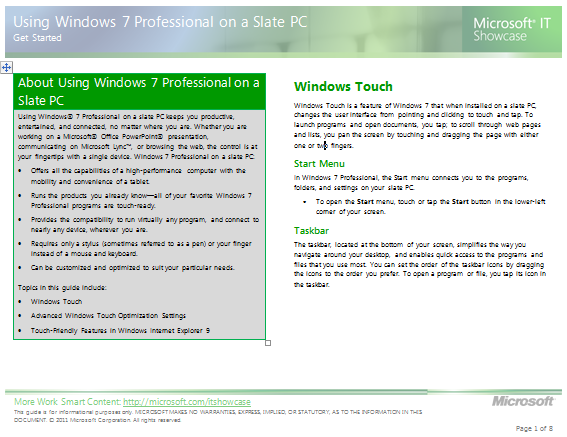
imageUsing Windows® 7 Professional on a slate PC keeps you productive, entertained, and connected, no matter where you are.

Whether you are working on a Microsoft® Office PowerPoint® presentation, communicating on Microsoft Lync™, or browsing the web, the control is at your fingertips with a single device. Windows 7 Professional on a slate PC:

  • Offers all the capabilities of a high-performance computer with the mobility and convenience of a tablet.
  • Runs the products you already know—all of your favorite Windows 7 Professional programs are touch-ready.
  • Provides the compatibility to run virtually any program, and connect to nearly any device, wherever you are.
  • Requires only a stylus (sometimes referred to as a pen) or your finger instead of a mouse and keyboard.
  • Can be customized and optimized to suit your particular needs.

Topics in this guide include:

  • Windows Touch
  • Advanced Windows Touch Optimization Settings
  • Touch-Friendly Features in Windows Internet Explorer 9

DOWNLOAD: Windows 7 on a Slate
http://www.microsoft.com/download/en/details.aspx?id=27585

« Newer Posts - Older Posts »

Categories