imageThe Lync Server Administration Guide and the Windows PowerShell Supplement contain procedures and guidance for administering a Lync Server 2010 deployment.

  • The Lync Server Administration Guide (LS_Admin.doc) covers procedures that you can perform using the Lync Server Control Panel and some command-line procedures.
  • The Windows PowerShell Supplement (LS_Admin_Windows_PowerShell _Supplement.doc) contains guidance for using Windows PowerShell cmdlets to perform management tasks at the command line.

WARNING:  This is a 257 page document and very large to print out.

Posted by: kurtsh | November 4, 2011

RELEASE: Lync Server 2010 Resource Kit

imageThe Lync Server 2010 Resource Kit is the technical reference for the product. This book extends the product planning, deploying, and managing documentation in the Lync Technical Library. This book serves as a companion to the product documentation to learn how the product works under the hood.

The following chapters are available as separate Word documents.

  • Chapter_01_Address_Book_Service.doc
  • Chapter_02_Archiving_and_Monitoring.doc
  • Chapter_03_Client_Administration.doc
  • Chapter_04_Conferencing_and_Collaboration.doc
  • Chapter_05_Direct_SIP
  • Chapter_06_Enhanced_Presence.doc
  • Chapter_07_Enterprise_Voice.doc
  • Chapter_08_Exchange_UM_Integration.doc
  • Chapter_09_External_User_Access.doc
  • Chapter_10_Instant_Messaging.doc
  • Chapter_11_Interoperability_with_Asterisk_and_Skype.doc
  • Chapter_12_Interoperability_with_XMPP_Systems_Using_the_XMPP_Gateway.doc
  • Chapter_13_New_Features_Overview.doc
  • Chapter_14_Response_Group_Application.doc
  • Chapter_15_Server_Administration.doc
  • Chapter_16_SharePoint_Integration.doc
  • Chapter_17_Technical_Overview.doc
  • Chapter_18_Troubleshooting_Basics.doc
  • Chapter_19_Troubleshooting_Specific_Workloads.doc
  • Microsoft_Lync_Server_2010_Resource_Kit_Chapters.zip

These chapters are also available together in a .zip file.
The Microsoft Lync Server 2010 Resource Kit book is currently being developed. Chapters will be available for download while this book is being completed. For information about the continuing release of chapters, check DrRez.

imageThis book provides guidance to help you determine the aspects of a Microsoft SharePoint Server 2010 deployment to govern and the governance techniques to use.

Governance is the set of policies, roles, responsibilities, and processes that you establish in your enterprise to guide, direct, and control how it uses technologies to accomplish business goals.

To strike the right balance between the needs of the users of your SharePoint Server 2010 deployment and the IT professionals who deploy and operate SharePoint Server 2010, we recommend that you form a governance body that includes representatives of all stakeholders in the SharePoint Server 2010 deployment. This body can then create and enforce rules that govern the use of SharePoint Server 2010.

Presented in .XPS, .PDF, and .DOC format.  Also available in:

  • Kindle format (.MOBI)
  • Nook format (.ePUB)

DOWNLOAD: Free eBook–“Governance guide for Microsoft SharePoint Server 2010”
http://www.microsoft.com/download/en/details.aspx?id=25201

imageMicrosoft® Forefront Threat Management Gateway (TMG) 2010 Service Pack 2 (SP2) introduces new functionality to Forefront TMG 2010 Standard and Enterprise Editions.

The service pack includes the following new functionality and feature improvements:

New Reports

  • The new Site Activity report displays a report showing the data transfer between users and specific websites for any user.

Error Pages

  • A new look and feel has been created for error pages.
  • Error pages can be more easily customized and can include embedded objects.

Kerberos Authentication

  • You can now use Kerberos authentication when you deploy an array using network load balancing (NLB).

To read the release notes, see the Forefront TMG Release Notes (SP2).

Posted by: kurtsh | November 4, 2011

RELEASE: SQL Server® 2008 R2 Feature Pack

The Microsoft® SQL Server® 2008 R2 Feature Pack is a collection of stand-alone packages which provide additional value for Microsoft® SQL Server® 2008 R2. It includes the latest versions of:

  • Redistributable components for Microsoft® SQL Server® 2008 R2.
  • Add-on providers for Microsoft® SQL Server® 2008 R2.

Note: Some components in the Microsoft® SQL Server® 2008 R2 Feature Pack of SQL Server® have certain Internet-enabled features,including the Customer Experience Improvement Program and Error and Usage Reporting component, enabled by default to help us identify and address issues that you may encounter while using SQL Server®.For more information and instructions on how to disable these features,see the SQL Server® Privacy Statement

Note: Some components in the Microsoft® SQL Server® 2008 R2 Feature Pack of SQL Server® have two different methods to complete the installation process:

  • Attended Installation – an interactive user interface will guide you through the set-up process and obtain all of the information and consent required to complete the installation. This includes the displaying, acknowledgement, and archiving of the applicable SQL Server license terms.
  • Un-attend Installation – this is a DOS command Line set-up process that does not have an interactive user interface to guide you through the set-up process. In this case, you will be required to enter a parameter during installation that indicates your acceptance of the license terms.

DOWNLOAD: SQL Server® 2008 R2 Feature Pack
http://www.microsoft.com/download/en/details.aspx?id=16978

http://www.microsoft.com/download/en/confirmation.aspx?id=16978

imageThe Integration Pack for IBM Tivoli Netcool/OMNIbus is an add-on for System Center Orchestrator 2012 that enables you to automate actions in response to alerts that are raised within IBM Tivoli Netcool/OMNIbus.

The Integration Pack for IBM Tivoli Netcool/OMNIbus is an add-on for System Center Orchestrator 2012 that enables you to automate actions in response to alerts that are raised within IBM Tivoli Netcool/OMNIbus.

Feature Summary
The Integration Pack includes the following activities:

  • Create Alert
  • Delete Alert
  • Get Alerts
  • Monitor Alert
  • Update Alert

This integration pack includes the following features:

  • Activities now support connection to IBM Tivoli Netcool/OMNIbus v7.3
  • All activities now can connect to the Netcool Object Server using SSL Connection.
  • All components now use the same logging framework, so there is no need to for java specific logging information.
  • All activities will now publish UTC fields in 2 formats, namely original long timestamp (‘1269986359’), and converted to OIS standard format. (M/d/yyyy h:m:s tt)

DOWNLOAD: System Center Orchestrator 2012 Integration Pack for IBM Tivoli Netcool/OMNIbus RC
http://www.microsoft.com/download/en/details.aspx?id=27847

Posted by: kurtsh | November 4, 2011

WHITEPAPER: “Windows 7 on a Slate Device”

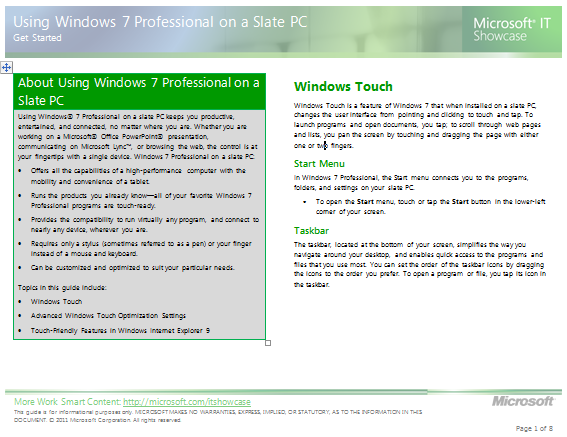
imageUsing Windows® 7 Professional on a slate PC keeps you productive, entertained, and connected, no matter where you are.

Whether you are working on a Microsoft® Office PowerPoint® presentation, communicating on Microsoft Lync™, or browsing the web, the control is at your fingertips with a single device. Windows 7 Professional on a slate PC:

  • Offers all the capabilities of a high-performance computer with the mobility and convenience of a tablet.
  • Runs the products you already know—all of your favorite Windows 7 Professional programs are touch-ready.
  • Provides the compatibility to run virtually any program, and connect to nearly any device, wherever you are.
  • Requires only a stylus (sometimes referred to as a pen) or your finger instead of a mouse and keyboard.
  • Can be customized and optimized to suit your particular needs.

Topics in this guide include:

  • Windows Touch
  • Advanced Windows Touch Optimization Settings
  • Touch-Friendly Features in Windows Internet Explorer 9

DOWNLOAD: Windows 7 on a Slate
http://www.microsoft.com/download/en/details.aspx?id=27585

Posted by: kurtsh | November 4, 2011

RELEASE: Office 2007 Service Pack 3

imageThe Office Product team is pleased to announce the availability of Service Pack 3 (SP3) for our 2007 family of products. This service pack contains all the Cumulative Updates and Public Updates for Office 2007 that has shipped since SP2 for both the Office client suites and applications, and the SharePoint server applications.

The Project Server updates are included along with the SharePoint updates in the Office Servers SP3 updates. SP3 also contains additional new fixes which are described here.

For a list of changes for each product, please refer to their individual KBs. The Downloads Table below provides links to the new packages for SP3. If you have installed all Office Automatic Updates, you will also see SP3 available as a manual download from Microsoft Update. After a 90 day period, SP3 will be offered as an automatic update through Microsoft Update. Our deployment guidance for 2007 servers remains consistent with the guidance we have provided in the past. Office Client deployment for SP3 will also remain consistent with prior guidance. You can read more information in our previous post here.

Download Links for 2007 Service Pack 3

2007 Microsoft Office Suite Service Pack 3 (SP3) and Microsoft Office Language Pack 2007 SP3

2526086

Suite: 32-bit ;
Language Pack (LPK): 32-bit

2007 Microsoft Office servers Service Pack 3 (SP3) and 2007 Microsoft Office servers Language Pack (SP3)

2526299

Server Suite: 32-bit; LPK: 32-bit ; Server Suite: 64-bit; LPK: 64-bit

Office SharePoint Designer 2007 Service Pack 3 (SP3) and of Office SharePoint Designer Language Pack 2007 SP3

2526089

SharePoint Designer: 32-bit;
LPK: 32bit

Office Project 2007 Service Pack 3 (SP3) and of Office Project Language Pack 2007 SP3

2526091

Project: 32-bit; Project LPK: 32-bit

Office Visio 2007 Service Pack 3 (SP3) and of Office Visio Language Pack 2007 SP3

2526291

Visio: 32-bit; Visio LPK: 32-bit

Office Proofing Tools 2007 Service Pack 3 (SP3)

2526293

32-bit

Microsoft Office Language Interface Pack 2007 Service Pack 3 (SP3)

2526307

32-bit

PowerPoint Viewer 2007 Service Pack 3 (SP3)

2526298

32-bit

Visio Viewer 2007 Service Pack 3 (SP3)

2526301

32-bit

Excel Viewer 2007 Service Pack 3 (SP3)

2526302

32-bit

Calendar Printing Assistant for Outlook 2007 Service Pack 3 (SP3)

2526294

32-bit

Microsoft Office InterConnect 2007 Service Pack 3 (SP3)

2526296

32-bit

Office Compatibility Pack Service Pack 3 (SP3)

2526297

32-bit

Microsoft Office Access Runtime and Data Connectivity Components 2007 Service Pack 3 (SP3)

2526310

32-bit

Windows SharePoint Services 3.0 Service Pack 3 (SP3) and of Windows SharePoint Services 3.0 Language Pack SP3

2526305

WSS 3.0: 32-bit; LPK: 32-bit ; WSS 3.0: 64-bit; LPK: 64-bit

Microsoft Expression Web 3 Service Pack 3 (SP3) and of Microsoft Expression Web Language Pack SP3

2575737

Expression Web : 32-bit; LPK: 32-bit

Known issues that you may experience when you install the 2007 Microsoft Office suite Service Pack 3 (SP3) and Windows SharePoint Services 3.0 SP3

2591067

n/a

List of all 2007 Office system Service Pack 3 and Windows SharePoint Services 3.0 Service Pack 3 packages

2591018

n/a

Technical details about the 2007 Microsoft Office System Service Pack 3 (SP3) releases

2591039

n/a

Technical details about the 2007 Microsoft Office Servers Service Pack 3 (SP3) releases

2591050

n/a

Technical details about the Windows SharePoint Services 3.0 Service Pack 3 (SP3) releases

2591054

n/a

Just got word:  The Microsoft Store is continuing the following anniversary discounts until January 3rd, 2012:

clip_image001[4]The Microsoft Stores are having an anniversary sale until October 31st.

  • Buy $100 at the store, get 15% off.
  • Buy $500 at the store, get 20% off.
  • Buy $1000 at the store, get 25% off.

One thing did show up however:  The offer has quantity limits for PC purchases of 2 per customer.   Here’s the original post about these discounts:
https://kurtsh.com/2011/10/23/news-microsoft-store-15-off-all-purchases-100-or-more-until-oct-31st-and-it-gets-better-the-more-you-buy/

So get down to your local Microsoft Store. If you live in Los Angeles:

UPDATE 11/10/11:
OOPS.  I was just informed that this deal is no longer available.  Sorry.

——————–
ORIGINAL POST:
With our Recycle for Rewards program, you can trade in an eligible Windows XP/Vista or Apple laptop at your local Microsoft Store and get a minimum $150 credit towards a new PC now through December 31st. 

Have an old gaming console, phone or media player? You can recycle those at your Microsoft Store, too.

« Newer Posts - Older Posts »

Categories