Posted by: kurtsh | October 17, 2012

INFO: Panos Panay’s Reddit AMA (from the Surface Team)

OMG.  Panos Panay, father of Microsoft Surface, did a REDDIT AMA.
http://www.reddit.com/r/IAmA/comments/11kyja/
iam_panos_panay_gm_of_microsoft_surface_amaa_ask/

There is so much in there that I’m going to try to cull it down:

  • STORAGE: 
    After all is said and done, there is 20GB of free space left on the 32GB model of Surface
  • NFC: 
    Not included due to the bar they set for quality antenna design & complications involving case enclosure, the VaporMg enclosure, etc.
  • DISPLAY RESOLUTION: 
    Hey this is Stevie. Screen resolution is one component of perceived detail. The true measure of resolvability of a screen called Modulation Transfer Function (MTF), not Pixels. MTF is a combination of both contrast and resolution. There are over a dozen subsystems that effect this MTF number.. Most folks just focus on one number out of dozens that effect perceived detail. Without good contrast resolution decreases. Check out contrast sensitivity of the human eye graph (http://www.telescope-optics.net/images/eye_contrast.PNG) and if you want more see the links below. Basically, as resolution/DPI increases the eye has becomes less sensitive. So as a result, the amount of light in a room and the reflections off the screen have a huge effect on the contrast of the display. In fact, a small amount of reflection can greatly reduce contrast and thus the perceived resolution of the display. With the ClearType Display technology we took a 3 pronged approach to maximize that perceived resolution and optimize for battery life, weight, and thickness. First prong, Microsoft has the best pixel rendering technology in the industry (cleartype 1.0 and 2.0) .. these are exclusive and unique to Windows, it smooths text regardless of pixel count. Second, we designed a custom 10.6” high-contrast wide-angle screen LCD screen. Lastly we optically bonded the screen with the thinnest optical stack anywhere on the market.. something which is more commonly done on phones we are doing on Surface. While this is not official, our current Cleartype measurements on the amount of light reflected off the screen is around 5.5%-6.2%, the new IPad has a measurement of 9.9% mirror reflections (see the displaymate link: http://www.displaymate.com/iPad_ShootOut_1.htm). Doing a side by side with the new iPad in a consistently lit room, we have had many people see more detail on Surface RT than on the Ipad with more resolution.
    Some more links to share if you want to know more… (http://www.normankoren.com/Tutorials/MTF.html)… Also This is a great book to read if you really want to get into it: http://www.amazon.com/Contrast-Sensitivity-Effects-Quality-Monograph/dp/0819434965 or more here http://alexandria.tue.nl/extra2/9901043.pdf
  • COVER DISABLING:
    Both TouchCover and TypeCover have sensors that understand orientation relative to Surface… in fact the Type and Touch Covers talk to Surface to figure out their relative position no matter the orientation of gravity of the device (pretty neat!). There are 3 positions modes: Closed (keys and mouse are off), Open to 180 degrees (keyboard and mousepad on), beyond 180 degrees to the back (keys and mouse off). That way you can flip back the covers and feel secure you are not pressing keys by mistake.
  • XBOX 360 CONTROLLERS:
    They work when connected via USB to Surface.
  • TYPE or TOUCH COVER:
    It depends on how you type. I have been using both for a while, and love them both. I love the sleekness of Touch Cover. Touch Cover has a very special digitizer that we invented.. it senses the impact force of your key presses. We designed super-fast electronics and smart algorithm in the keyboard so that Touch Cover can profile your key press down to a 1ms (1000 times a second). Using that information Touch Cover can infer if the user meant to press the key or not.. It is a smart key. So even though there is no key travel, the user can rest their hands on top of the keyboard and find home position without accidentally triggering keys.. pretty cool! The first time I typed on a full working version of Touch Cover, I typed just as fast as I do on a normal keyboard. I am confident you will be able to type significantly faster on Touch Cover than an onscreen keyboard. And with a little practice you will even do better (maybe even faster!) For folks who really love and really need keys that have travel, then Type Cover is one of the best keyboards I have ever used (desktop or other). It has a super awesome snappy key mechanism that feels great (has a strong hysteresis curve). Honestly both are great… try them both, actually get them both.
  • 3G/4G – WHY NOT?:
    We made what we feel is World Class WiFi connectivity. For 3G/4G we looked at several elements when deciding on what features to include. We knew that the primary use was going to be in the home, we looked at tablet sales data 2/3 WiFi, 1/3 Mobile Broadband. Of the 1/3 sold, 1/2 were activated. Phone hotspot / tethering use was also a consideration.
  • NON-ENGLISH KEYBOARDS:
    Of the primary launch Markets we are launching in, we have keyboards specific to those languages.  We are not announcing any new markets beyond what we said today. However, we will for sure be expanding to more markets in the future.
  • microSDXC:
    Yes, Surface for Windows RT will support microSDXC, contrary to prior announcements which stated microSD only.  It is behind the kickstand, and hidden.
  • USB DEVICE SUPPORT:
    Numerous reports of 100’s of millions existing USB devices supported. Printers, Keyboards, Cameras.  And phones can be charged on the USB port.
  • GPS:
    There is no GPS in Surface for Windows RT.  We use WiFi Location based services.
  • BLUETOOTH:
    Surface supports Bluetooth 4.0 and will work with Bluetooth headsets. We have built-in dual digital mics, stereo speakers in the device and front/rear facing HD cameras. You can also plug-in USB conferencing peripherals. Surface RT can certainly be used for video and audio calls with wife/family.
Posted by: kurtsh | October 16, 2012

VIDEO: Microsoft Surface for Windows RT Overview

A quick 1:37 overview of all the key features of Surface for Windows RT.  Yay!

Learn more about Surface
  • Sleek light durable – VaporMg casing
  • Flip out kickstand built in
  • Capacitive touch display
  • Music, movies, games
  • Touch cover keyboard – thin, touch sensitive cover
  • Type cover – scissor switch based just like classic keyboards
  • Office 2013 Home & Student built-in
  • MicroHDMI display port
  • Full size USB 2.0 port
  • Expand storage with microSD slot
  • Front & back LifeCam 720p video cameras
      • Rear camera is angled to record at kickstand tilt
  • Skype supported
  • Xbox Companion – Control movie playback on television
Posted by: kurtsh | October 16, 2012

NEWS: Surface for Windows RT 32GB…. SOLD OUT.

imageOops.  That was fast.  Surface unit pre-orders are gone.  Hope you got one while you could?  If not, oh well.

If you want the 64GB model, there might still be a few.  Then again, maybe not.

Microsoft Announces New Surface Details
Surface for Windows RT…  Available for pre-order today starting at $499.

imageREDMOND, Wash. — Oct. 16, 2012 — Microsoft Corp. today released new details about its highly anticipated Microsoft Surface, a tablet PC designed to be the ultimate stage for Windows. In addition to pricing and market availability, the company announced a special limited-quantity pre-order for Surface with Windows RT available 9 a.m. PDT. Those who want to learn more or pre-order can visit http://www.Surface.com.

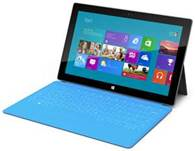
Surface delivers the power of amazing software and the feel of premium hardware in one exciting experience. Originally unveiled in June, Surface with Windows RT will initially be available in three SKUs: a 32GB version priced at US$499, a 32GB version bundled with a black Touch Cover priced at US$599, and a 64GB version bundled with a black Touch Cover priced at US$699.

A variety of accessories will also be available, including Touch Covers in five vibrant colors — black, white, magenta, cyan and red — priced at US$119.99 so customers can express their personal style (1). Customers will also have the option to purchase a Type Cover in black for US$129.99, which adds moving keys for a more traditional typing feel.

Read more at:
http://www.microsoft.com/en-us/news/Press/2012/Oct12/10-16announcementPR.aspx

Posted by: kurtsh | October 16, 2012

NEWS: Microsoft Reaches Agreement to Acquire StorSimple

Wow. Are you interested in archiving your last tier storage to the cloud and saving a TON of budget on archival costs?  Y’all just got yourself a REALLY inexpensive solution.

imageREDMOND, Wash., and MOUNTAIN VIEW, Calif. — Oct. 16, 2012 — Microsoft Corp. and StorSimple Inc. today announced that Microsoft has reached a definitive agreement to acquire StorSimple, a leader in Cloud-integrated Storage (CiS) solutions. The addition of CiS will advance Microsoft’s Cloud OS vision and help customers more efficiently embrace hybrid cloud computing.

“Customers faced with explosive growth in data are looking to the cloud to help them store, manage and archive that data. But, to be effective, cloud storage needs to integrate with IT’s current investments,” said Michael Park, corporate vice president, Server and Tools Division for Microsoft. “StorSimple’s approach helps customers seamlessly integrate on-premises storage with cloud storage through intelligent automation and management.”

Posted by: kurtsh | October 16, 2012

VIDEO: The Making of Surface

Get a more in-depth view of the making of Microsoft Surface.

The Making of Surface (1:40)

Pre-order now. http://surface.com

Posted by: kurtsh | October 16, 2012

Clicked. In.

image

Pre-order now.  http://surface.com

image

Just announced:

Those who say what happens in Vegas, stays in Vegas have got it right again. I am excited to announce that Microsoft will once again be hosting our annual management conference, Microsoft Management Summit 2013, in Las Vegas April 8-12, 2013 at the beautiful Mandalay Bay Resort and Casino.

We are planning a great week of technical training, content and networking that you can only get at MMS. If you want to be the first to know when registration opens, please like us on Facebook or send e-mail to mmsnotfy@microsoft.com.

Following on the heels of the releases of Windows Server 2012 and System Center 2012, I am really excited for the chance for everyone to learn more about our latest capabilities and share what’s ahead at our annual gathering. And remember, we had a very early sell-out last year so be on the look-out for registration information and be sure to secure your spot.

Big news for folks using VDI:

"RDP 8.0 Update for Windows 7 SP1:
Enabling a great WAN user experience for Windows 7 SP1 virtual desktops"

imageToday, on the Windows For Your Business Blog, Karri Alexion-Tiernan announced additional information on the Remote Desktop Protocol 8.0 Update for Windows 7 SP1. This is exciting news and I’d like to talk about some of the functionality you will see when it is available for download in late Q4 CY2012.

As many of you already know, a salient feature of Windows Server 2012 and Windows 8 is the ability to deliver a rich user experience for remote desktop users on corporate LAN and WAN networks. Thanks to RemoteFX and Remote Desktop Protocol 8.0 (RDP 8.0) in Windows 8, customers can deploy Windows 8 virtual desktops using Windows Server 2012 Remote Desktop Virtualization Host and support users on low bandwidth, high latency networks such as work from home users and branch office users.

Can customers deploy Windows 7 as the VDI guest operating system on Windows Server 2012 and deliver a great experience to users on WAN networks? Absolutely yes! Read on to learn how.

The RDP 8.0 update will enable RDP 8.0 (including all the RemoteFX enhancements in Windows 8 that make RDP 8.0 the protocol of choice for VDI) on Windows 7 Service Pack 1. Specifically, the update will provide the following capabilities.

Posted by: kurtsh | October 16, 2012

VIDEO: “Surface Movement”… and more.

In case you missed it, here’s the first Surface TV advertisement:

Surface Movement


Not surprisingly, with the release of this ad also came… the social networking:

I hope to see you at the Century City Microsoft Store on October 26th when we launch Surface for Windows RT.  I will be there all day and if you’re a customer of mine, I’d love to set up a special time on site to get our Enterprise “white glove” folks to give you the VIP treatment at the store… so let me know!

« Newer Posts - Older Posts »

Categories