UPDATE 11/1/12:
This post has gotten quite a bit of attention.  Please do not assume that what I’ve written is the end-all-be-all of Windows RT’s support for VPN technologies.  This post narrowly discusses “Cisco VPN connectivity for Windows RT”… that’s it.  I am not addressing anything else other than that because I don’t know the details of anything about other solutions like SSL VPNs or Citrix Access Gateway, Netscalar, etc.  The fact that Juniper is mentioned is a consequence of the response I got alone.

—————–

ORIGINAL POST:
imageThe TechEd 2012 session “Windows 8: Windows RT Devices for Business”  (http://channel9.msdn.com/
Events/TechEd/NorthAmerica/2012/WCL202
) stated at the 26 min mark that Microsoft incorporate the Cisco VPN client into Windows RT out of the box.

This of course had me intrigued given the number of people that are interested in Cisco VPN connectivity for Surface for Windows RT.  So I asked, and the short answer is that we provide a VPN client out of the box that is capable of connecting to Cisco or Juniper VPN solutions however specific conditions/configurations must be met & you may not have a configuration or version of these VPN vendors solutions that will fit the bill.

This is the response I got:

There is a standard VPN client included in Windows RT that is capable of connecting to the Cisco VPN server.  From http://technet.microsoft.com/en-us/library/jj613765, you can see this table that describes the capabilities of this client in regards to connections to Cisco and Juniper VPN devices:

3rd party VPN Server solution

OS version

Tunnels supported

Authentication methods supported

Crypto Suits supported

CISCO (2951 VPN Server)

IOS 15.1.4

  • PPTP
  • L2TP / IPSec with PSK
  • L2TP / IPSec with Cert
  • IPSec (IKEv2)
  • CHAP
  • PSK (over v4 and v6)
  • Machine Certificate
  • EAP1

IPSec:

AH auth: HMAC_SHA_1_96, HMAC_MD5_96

ESP Encryption: AES_128, CBC_3DES, CBC_DES, None

Juniper (SSG series)

6.2.0r5.0

  • L2TP / IPSec with PSK
  • L2TP / IPSec with Cert
  • IPSec (IKEv2)
  • CHAP
  • PSK (over v4 and v6)
  • Machine Certificate
  • EAP1

IKEv2:

Encryption: 3DES, AES_128, AES_192, AES_256

Integrity:SHA1, SHA_256, SHA_384

DH Group: DH2

You can then configure the in-box VPN client using PowerShell:
http://technet.microsoft.com/en-us/library/jj613766.aspx

For organizations with different versions than above, different authentication methods, or different VPN configurations, we don’t have additional guidance to offer at this point in time.

Posted by: kurtsh | October 30, 2012

VIDEO: The Making of the Design of Surface

Every aspect of Surface’s design was considered carefully throughout its 3 years development cycle.  And it was all done under the veil of secrecy.

The Making of the Design of Surface

Yup.  Already, these kids have more talent than you & I do.  Combined.  Now just let it go… and walk away.

Extended footage of the school girls from The Surface Movement

image

<stolen from the MSPress web site>

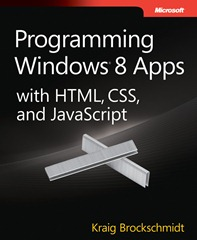
Hello, Kraig Brockschmidt here. To help celebrate //build/, I’m delighted to announce the completion of Programming Windows 8 Apps with HTML, CSS, and JavaScript!

This free ebook provides comprehensive coverage of the platform for Windows Store apps. Since its second preview in August, we’ve added the remaining chapters on live tiles, notifications, background tasks, background transfers, networking, devices, printing, WinRT components, accessibility, localization, and the Windows Store itself. The final ebook contains 17 chapters. And of course all of the earlier chapters have also been reviewed and refined—over 800 pages in total, along with new and updated companion content!

image

I’ve had this brought up by several people now (Brian, Dan) so I thought I’d write it up since many will likely find it useful.

SO YOU BOUGHT THE 32GB SURFACE
You booted it up and if you’re a tech you noticed that after all is said and done, the device has 20GB remaining on it after Office 2013 & all the other updatable apps are in storage & the system is updated.

What if you run out of storage?  Fortunately you have Skydrive but that doesn’t do you any good for installable apps or extending the VIDEO library, which lets face it, should point to the microSD flash card you installed.  (You DID buy a micro SD flash card, didn’t you?)

BRIDGING INTERNAL STORAGE & MICRO SD CARD WITH “SYMBOLIC LINKS”
It is possible to set up something called a ‘symbolic link’ between your internal Surface storage and the microSD card. 

This creates a directory that APPEARS to be on your internal storage but really routes to the microSD flash card allowing you to seamlessly use your microSD flash card as if it was an extension of your internal storage.

  1. Create a folder on your C drive – for example: “SD_CARD”
  2. Add that folder to your video library and set as the default save location
  3. Close out library management window
  4. Delete the folder (SD_CARD)
  5. Open command prompt w/admin rights
  6. Run the following command:

         mklink /D c:\SD_CARD d:\

    (Replace “SD_CARD” with the name of your directory and “d:\” with your card drive and folder)

  7. Download a movie/tv show and it will download and playback off your card!

[Thanks to my coworker Brian Larson for documenting the process of establishing a symbolic link on Windows RT]

———————-

UPDATE 10/29/12 10:31PM:
DIRECTORY JUNCTIONS ARE PREFERRED
My friend Dan, one of the guys that had originally brought this to my attention, notified me that Directory Junctions appear to work better as some programs seem to prefer it.  This is particularly true for services that work in the background & write to the SD flash card while you’re doing other things, like movie downloads and such.  For an explanation of the differences between Symbolic Links & Directory Junctions read Mark Russinovich’s article on the topic here:
http://technet.microsoft.com/en-us/magazine/2007.02.vistakernel.aspx

To use Directory Junctions, substitute the following command line below:

        mklink /J c:\SD_CARD d:\

———————-

UPDATE 11/4/12 9:40AM: 
SPACE IS CALCULATED BASED ON INTERNAL STORAGE ONLY
It would appear that there is a flaw to this technique – not a huge one if you’re a 64GB Surface owner like myself but it’s worth noting. 

If you try to download a movie that is larger than the free space available on internal storage alone, the movie will fail to download because the free space estimate that is done is based on internal storage alone, and does not microSD card capacity.

Takeaway:  Make sure you have a large amount of free space in your internal storage to ensure you can write any size file/download you’d like to the microSD flash.

clip_image001

clip_image002


Attend a free Developer Workshop and create your first-to-market app.
There’s never been a better time to build apps and games. With over 630 million licenses sold worldwide, Windows 8 represents the single biggest developer opportunity to date. Hardware manufacturers are introducing new devices, and millions of consumers are expected to upgrade. Here’s your chance to have your app or game be one of the first of its kind in the Windows Store.

Seizing the opportunity is easier than you think.

The Windows 8 Developer Workshops are designed to help you develop apps and games for Windows 8. Just bring your existing iOS, Android, XNA or HTML5 code and a healthy dose of creativity. We’ll provide the support you need to finish your first-to-market Windows 8 app. Best of all, you’ll use your existing development skills to create money-making apps that run on Windows 8 and other popular mobile platforms. Workshop topics include:

  • Windows 8 UX Design
  • Windows 8 Game Development
  • Windows 8 App Development
  • Monetization and Store Certification

Get the help and support you need to ensure your app or game is market-ready. Bring your laptop, your code and your creativity, and get started today.

For more information or to register, visit > www.msdnevents.com/workshops
OR CALL 1-877-MSEVENT

clip_image003

clip_image004

Need help getting started?

clip_image005
Your new Windows 8 app could be mere days away. Generation App is a bundle of tools and services that helps developers completely develop an app from start to finish in 30 days. Be part of Generation App >>


clip_image006

Posted by: kurtsh | October 29, 2012

DOWNLOAD: “Share Photo” for Facebook on Windows 8/RT

Have you noticed that y’can’t share photos to Facebook on Win 8/Surface (only text)? 

Fortunately that problem has been rectified with a free app in the Windows Store called “Share Photo” which specifically allows you to ‘share’ photos you have on your device or on Skydrive to Facebook.

Screenshot (7)Screenshot (8)

Get "Share Photo" app (FREE) & start posting pictures to your Facebook page!

Posted by: kurtsh | October 29, 2012

OFFER: Get Windows 8 Media Center Pack… FREE

imageDo you have Windows 8 Pro?  Interested in getting the Media Center Pack?  It’s essentially the same technology from the Windows 7 Media Center made available on Windows 8.  Normally a pay-for product, we are making it available for free for Windows 8 Pro users UNTIL JANUARY 31, 2013.

HOW DO I GET IT?
Here’s the instructions that are on the web site which I have the URL for below:

Add Windows Media Center to Windows 8 Pro

If your PC is running Windows 8 Pro and you’d like to get Windows 8 Media Center Pack so you can watch and record live TV with Windows Media Center, you can take advantage of the following special offer:

For a limited time, get Windows 8 Media Center Pack for free **

To receive a free product key and get Windows 8 Media Center Pack, provide a valid email address in the space provided. Once you receive your free product key through the email address you provided, follow the instructions for adding Windows 8 Media Center Pack that appear later on this page.

THE FINE PRINT

* Offer valid from October 26, 2012, until January 31, 2013, and is limited to five licenses per customer per promotion. To install Windows 8 Pro Pack, you must be running Windows 8. Internet access fees may apply. Prices shown are estimated retail prices; actual price may vary by retailer. If you purchase a new PC with Windows 8 preinstalled and you later upgrade that PC with Windows 8 Pro Pack, Windows 8 Media Center Pack, a volume license edition, or a retail edition, you will no longer be able to install apps that are provided exclusively from your PC manufacturer through the Windows Store. Get the full details on our special offers.

** Windows 8 Media Center Pack is available at no charge for a limited time only through this promotional page on Windows.com. If you obtain Windows 8 Media Center Pack through any other location fees might apply. Offer valid from October 26, 2012, until January 31, 2013, and is limited to one product key per email address. You qualify for this promotion if your PC is running Windows 8 Pro. Additional hardware may be required to watch and record live TV. You must provide a valid email address to receive your Windows 8 Media Center Pack product key. Your product key must be activated no later than January 31, 2013. Microsoft will only contact you at the email address you provide to send you your product key and to remind you when the activation period for your product key is ending. Catalysis Corporation is a third-party company we use to collect subscription information and process the delivery of these emails. If you purchase a new PC with Windows 8 preinstalled and you later upgrade that PC with Windows 8 Pro Pack, Windows 8 Media Center Pack, a volume license edition, or a retail edition, you will no longer be able to install apps that are provided exclusively from your PC manufacturer through the Windows Store. Get the full details on our special offers.

Posted by: kurtsh | October 29, 2012

HOWTO: Take screenshots with your Microsoft Surface

The folks at ShinySurface.com have instructions & a nice video explaining how to screen capture on your Surface.  It’s quite easy – it’s just “DOWN VOLUME + WINDOWS” at the same time and the screenshot will be saved in \pictures\screenshots.  (And be visible in the Photos app)

How to take screenshots with Microsoft Surface

Read more at:

Posted by: kurtsh | October 29, 2012

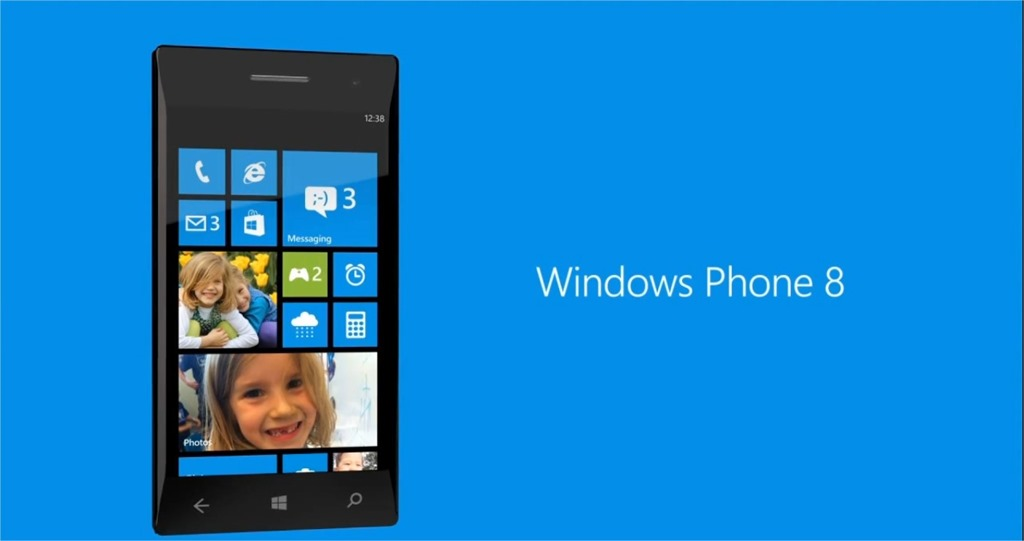
RELEASE: Windows Phone app for Windows 8/RT

image

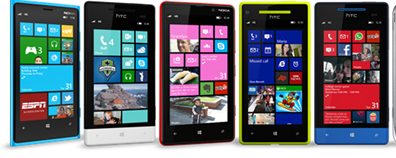
If you are using Windows 8 or Windows RT, you no longer need to use the outdated Zune software to manage and sync your Windows Phone. There is a "Windows Phone" app on the Windows Store for both Windows 8 and Windows RT. It’s a Metro-Style app that replaces the need for the Zune PC software to tether your Windows Phone to the PC.

[NOTE:  This is not for Windows Phone 7/7.5 based devices.  The software is targeted at Windows Phone 8 devices.]

Description
Your computer and your Windows Phone 8 work together seamlessly with the Windows Phone app so you always have your photos, videos, and music, and more where you want them.

What’s included

  • Get your music, photos, and videos from your computer to your phone (andvice versa).
  • Quickly share things from your phone with Windows 8 apps (like Photos, or Search). You don’t even have to open the Windows Phone app to move things around.
  • Automatically save photos and videos you take with your phone to your PC.
  • See at a glance how much space you’re using for each type of content, so it’s easy to make sure you never run out of room on your phone.
  • Get to WindowsPhone.com to download apps, learn more about your phone, or find it if it’s lost.

RELEASE: Windows Phone app for Windows 8/RT
http://apps.microsoft.com/webpdp/en-US/app/windows-phone/0e0fbaf6-fd99-4046-b494-9ce469ae3009

« Newer Posts - Older Posts »

Categories