image

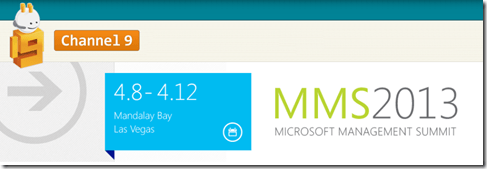
Microsoft Management Summit 2013 session recordings are now accessible on Channel 9:

KEYNOTE
This includes Brad Anderson’s keynote, “Cloud Optimize your Business with Microsoft Management Solutions,” where he describes Transforming the Data Center, Dev Ops, StorSimple (recent acquisition), People Centric IT, and more:

Here’s some other sessions of note:

Windows Deployment

Windows Maintenance

Virtual Desktop Infrastructure

Private Cloud

Datacenter Management

…and over 200+ more sessions!
image

60+ million Windows licenses sold. On May 2, learn the ‘why’ and ‘how’ of designing, building and marketing an app for Windows 8 and Windows Phone. Hear from developers who have done it and find out for yourself.

Speakers include:

  • Keynote: The Windows Opportunity
    Steve Guggenheimer, Corporate Vice President, Chief Evangelist at Microsoft
  • Show and Tell: Top Apps Development Revealed
    [Speaker to be announced]
  • "But I’m an iOS Developer…"
    Evan Kirchhoff, CTO at Qubop Inc.
  • Android Developers: Expand Your Portfolio
    [Speaker to be announced]
  • What can Windows 8 Development Frameworks do for you?
    [Speaker to be announced]
  • Designing for a New Digital Canvas
    [Speaker to be announced]
  • Monetizing your Windows 8 apps with Advertising
    Michael Johnson, Principal Technical Evangelist at Microsoft
  • The "Get Rich Pitch"
    Kevin Ashley, Microsoft Technical Evangelist

Date/Time: May 2 / 9am – 2pm PST

Register: http://build.windowsstore.com/virtualsummit

Posted by: kurtsh | April 9, 2013

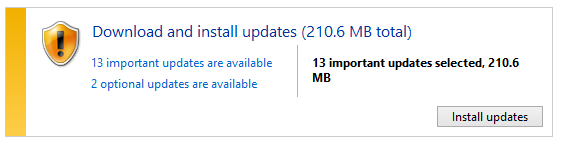
NEWS: It’s Patch Tuesday. (4/9/13)

Yeah, yeah… I know.  Just lock it down & get goin’.

image

  • MS13-028 Critical – Cumulative Security Update for Internet Explorer (KB2817183)
  • MS13-029 Critical – Vulnerability in Remote Desktop Client Could Allow Remote Code Execution (KB2828223)
  • MS13-030 Important – Vulnerability in SharePoint Could Allow Information Disclosure (KB2827663)
  • MS13-031 Important – Vulnerabilities in Windows Kernel Could Allow Elevation of Privilege (KB2813170)
  • MS13-032 Important – Vulnerability in Active Directory Could Lead to Denial of Service (KB2830914)
  • MS13-033 Important – Vulnerability in Windows Client/Server Run-time Subsystem (CSRSS) Could Allow Elevation of Privilege (KB2820917)
  • MS13-034 Important – Vulnerability in Microsoft Antimalware Client Could Allow Elevation of Privilege (KB2823482)
  • MS13-035 Important – Vulnerability in HTML Sanitization Component Could Allow Elevation of Privilege (KB2821818)
  • MS13-036 Important – Vulnerabilities in Kernel-Mode Driver Could Allow Elevation Of Privilege (KB2829996)

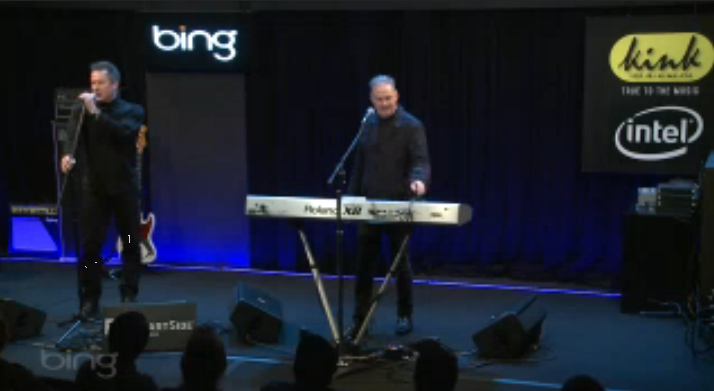
Admittedly, this is purely gratuitous but if you were a child of the 80’s, you may remember a little band called OMD.  They stopped by Microsoft’s “Bing Lounge” to do a live performance celebrating the release of their new album, “English Electric”.  (This is of particular interest to me being that my wife & I have seen them live in Hollywood every time they’ve come through Los Angeles, performing at the Nokia Theatre & the Music Box in Hollywood.)

Here they are performing their latest single, just released today, “Metroland”:

image

Here are the other on-demand performances from 4/8/13:

image

Join us on Friday, April 26, at 9:00 AM Pacific Time, for “Enabling Your Business Through Effective Asset Management.”

During this 60-minute webcast, we will outline how to promote greater business outcomes in your organization through precise asset management. We will also discuss key industry trends that can affect your licensing investment. Software Asset Management experts from Microsoft will talk about how to reduce challenges and improve business agility when faced with ever changing business events that take place in the enterprise.

Please register today.

Date: Friday April 26th, 2013
Time: 9:00-10:00 AM PST (Pacific Standard Time)
Register:
https://msevents.microsoft.com/CUI/EventDetail.aspx?EventID=1032545076&culture=en-us

They will be using Live Meeting for this session which requires the installation of the Live Meeting client:

If you’re interested in participating in additional licensing related sessions, please sign up for our “Microsoft Volume Licensing Communications and Events” newsletters:

Posted by: kurtsh | April 8, 2013

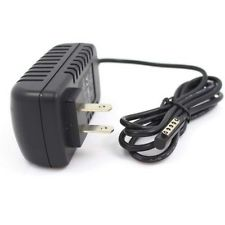
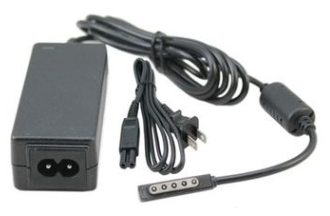
INFO: 3rd party Accessories for Surface RT & Pro

Well, it finally happened… and that’s probably a good thing.  There’s power adapters available from 3rd parties to power your Surface RT & Pro.


image

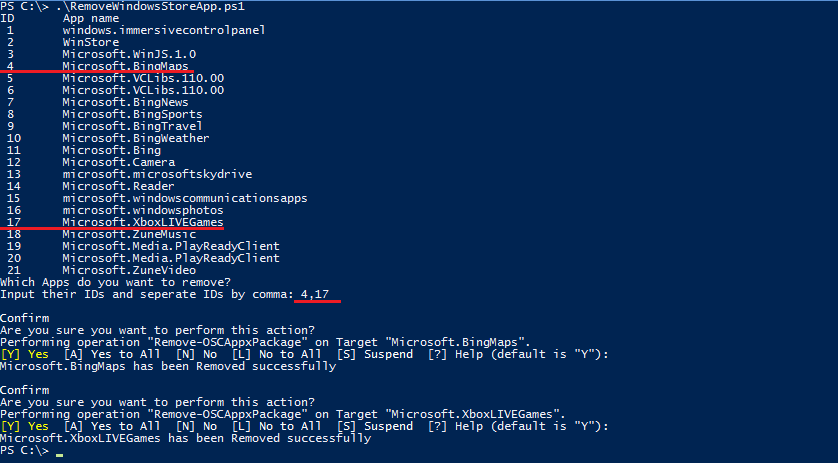
imageThis script can be used to remove multiple Windows Store apps from a user account in Windows 8. It provides a list of installed Windows Store apps. You can specify the application IDs, and remove them all at once.

The tool provides a text list of installed applications, each enumerated in the menu by app ID.  Select the app IDs you wish to uninstall, comma-delimited, and hit enter.  You’re done.

For more instructions on using the script, or for a quick video tutorial go to the TechNet download page:

Why Windows Surface RT? – An infographic by the team at Paul Thurrott’s SuperSite for Windows

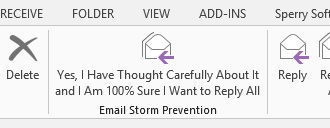
imageTry the new “Reply All” button by coworker, David Gorgone, created for Outlook!

To set it up in Outlook:

  1. Right click on the Ribbon
  2. Select "Customize the Ribbon"
  3. Click "Import/Export" to import the configuration file below

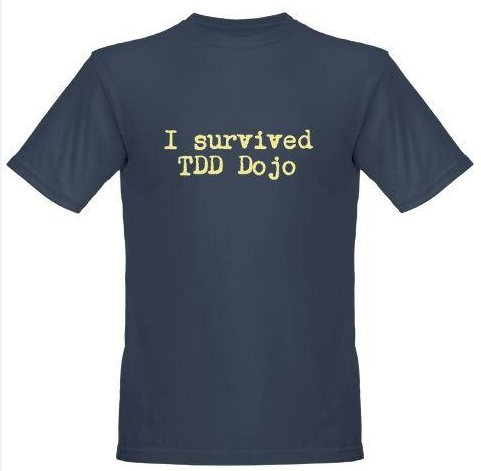
imageNow you’ll have a new Reply All button the reminds your users how they should use the ‘Reply All’ feature.  Use it or you’ll be printing t-shirts like this one:

This is a quick 10 min video course on using Outlook 2013 that is freely available to download and distribute within your company.

imageWatch these videos to make the switch to Outlook 2013. Get started with the new version to see how to do everyday tasks.

Get going fast (2:57)
This video gives you a quick overview of the major changes in Outlook 2013.

A first look at Outlook 2013 (2:16)
In this video, take an in depth look at Outlook 2013: from starting it up, to organizing and formatting your email. Also learn about the three major places to find things: in the workspace, on the ribbon, and in the Backstage.

A closer look at the ribbon (3:38)
Take a tour of the ribbon and learn where all your favorite buttons, menus, and commands are.

Import data files (1:56)
If you’re missing some old email in your folder list, you may be able to add it back to Outlook 2013 by importing a data file.

Also, take a look at these other “Make the switch” videos for Office 2013:

Make the switch to Word 2013 (60.4MB)

Make the switch to Excel 2013 (71.2MB)

Make the switch to PowerPoint 2013 (90.7MB)

Make the switch to OneNote 2013 (48.7MB)

« Newer Posts - Older Posts »

Categories