If you’re looking for improved, manageable protection & monitoring of

imageGreat news!  Today we are proud to announce a beta release of the next version of the Enhanced Mitigation Experience Toolkit (EMET) – EMET 4.0.  Download it here:

http://www.microsoft.com/en-us/download/details.aspx?id=38761

EMET is a free utility that helps prevent memory corruption vulnerabilities in software from being successfully exploited for code execution.  It does so by opting in software to the latest security mitigation techniques.  The result is that a wide variety of software is made significantly more resistant to exploitation – even against zero day vulnerabilities and vulnerabilities for which an available update has not yet been applied.  We encourage you to test out the beta release by downloading and installing it, asking questions about the new features, and reporting any issues you find for us to address before the final release.  We plan to officially release EMET 4.0 on May 14, 2013.

Read more at:

imageHave you ever wanted to hand out a bunch of Windows tablets to an executive audience to allow them to view a PowerPoint presentation you were delivering from the tablets?

It’s not really that hard to set up.  The key is the ability to efficiently share your desktop screen across all the tablets over a wireless network.  This isn’t a problem if you have good bandwidth to the Internet & have a Lync 2013 infrastructure since delivering PowerPoint presentations over Lync is an inherent feature of the product.  But what if you don’t have good bandwidth (or ANY bandwidth to the Internet)… or maybe you don’t have the luxury of having access to a Lync infrastructure?

imageINTRODUCING TIGHT PROJECTOR:  MULTI-BROADCAST SCREEN SHARING
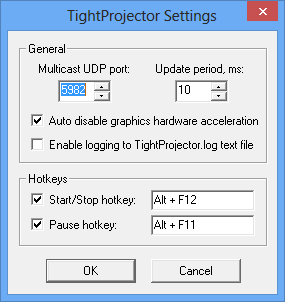
There’s a product called TightProjector that allows you to share your Windows desktop screen in real-time to multiple computers.

It is a very lightweight VNC-based solution that has a Windows ‘host’ agent and a Windows ‘client’ agent that installs on the respective PCs.  It lurks in the SysTray of your Windows computers and operates over a multicast UDP port. 

This has the benefit of:

  • Unlimited Recipients: A single display stream can serve as many clients as you want on one network segment without degrading the quality of the transmission
  • Client Auto-start:  When you begin transmitting from your ‘presenter’ PC, all clients can automatically clear their screens & switch to your display FULL SCREEN, effectively allowing you to “take command” what your clients see on their screens regardless of what they were doing previously.
  • Display Only:  This transmits the display to all clients/recipients:  It does NOT allow clients to ‘take control’ of your PowerPoint or mess around with your desktop from their client screens.  It forces the viewer to watch what you’re displaying and follow along like a classroom.
  • Works on all Windows:  To date, I’ve found this to work on Windows XP, Windows Vista, Windows 7, AND Windows 8.  All work equally well and stream fine.

KNOWN ISSUES
It’s not a flawless configuration but it’s still very good. 

  • Windows 8 Start Page: The only catch has been that since this is a desktop application, Windows 8 clients/recipients must be in the ‘desktop’ itself to see the screen broadcast, of course.  If the user goes to the Windows 8 “Start Page”, they will of course, no longer see the content you are broadcasting until they return to the desktop.
  • Wireless Network:  You’ll obviously need a wireless network.  This can be rectified by bringing your own wireless access point with it’s own pre-tested DHCP server & having all the clients pre-configured to use it.  I have a Portable/Travel TrendNet Wireless Access Point that I use. 
    (WARNING:  Do NOT attempt to use a Portable/Cellular MiFi Access Point.  This should be obvious but in my experience, these devices sometimes don’t transmit Multicast UDP packets and more importantly, the lag from transmitting all the way to your cellular providers network and back is horrendous.)
  • Lag/Frame Rate:  The frame rate over even the fastest networks will show a bit of lag and operates at ~10fps – not 30fps.  This is noticeable particularly during PowerPoint animations & transitions so be aware of this when planning.
  • Esc key:  Users can ‘get out’ of the viewing session if they press ‘Escape’.  I’m working on a workaround for this however be aware that this can happen. 
  • Client Hyper-V:  The virtual networking that is installed when the Client Hypervisor is installed on Windows 8 messes with Multicast UDP transmission specifically over WiFi.  In other words, you can’t ‘project’ or be the host if you have Client Hyper-V installed, but you can be a receiver.  I haven’t quite figured out why yet.

NOTE: THIS IS NOT FREE
For the “frugal” types, I’m sorry to say, this isn’t a free product but good things frankly usually aren’t.  If unregistered, the software will allow you to use it for 20min then it will shutdown.  If registered for $29, you can use a single host “projector” and an unlimited number of clients. 

Also remember:  This is ‘multicast UDP’ meaning that it will only likely work on a SINGLE LAN SEGMENT in your organization if you’re connected to a LAN.  It is in fact possible that your organization is passing multicast UDP across routers, but be aware that it is unlikely.

Wow.  Look what I uncovered.

Lync Conference 2013

You’ve been waiting for it and now it’s here!

We’re excited to announce that all of the great content from Lync Conference 2013 is now available for FREE! Go to LyncConf.com and click on Get Access Now to see all the session recordings and PowerPoints that made Lync Conference a bigger hit than we imagined.

Get Access Now

Posted by: kurtsh | April 16, 2013

TRAINING: Project 2013 QuickStart Training

clip_image001

Regardless if you are a novice user of Microsoft Project 2013 or you want to learn about IT Professional or developer topics, please consider our new quick start training for Project 2013 – it’s free and available on-demand!

Its over 9 hours content is divided into 13 modules and each module is broken down into individual videos so it’s even easier to pick the desired content – demos, slides or the entire module.

clip_image002

Modules 2 through 4 are providing overview of the new capabilities of Microsoft Project 2013 while modules 7 to 13 go deeper into IT Professional and developer topics. Please find the detailed description of individual modules below.

Module

Name

Description

1

What is the New Project Quick Start Training

Introductory module for the Training Recording, sets expectations for the training and points to key resources.

2

What’s new in Project Pro for Office365 and Sync to SharePoint Online

Highlights the key investments in the Project Professional 2013 and Project Pro for Office 365 and the new exciting capabilities of building the schedule in a SharePoint list and seamlessly connecting the two – giving the Project Manager instant insight and additional tools to successfully manage the project.

3

What’s new with Microsoft’s Project Portfolio Management (PPM) solution

Provide an overview and demonstrations of both the online and on-premise capabilities of Microsoft’s *latest* Project Portfolio Management (PPM) solution.

4

Project Online Overview

This module will provide: an overview of Office 365, introduce Project Online and Project pro for Office 365, demonstrate how to get started with Project Online, and discuss Online frequently asked questions.

5

Business Intelligence in Microsoft Project

We will explain and demo the BI investments on the Project Desktop as well as the Project Server and Project Online. We will demonstrate technologies like PowerView and OData that Project is now using.

6

Timesheet and statusing

Overview of timesheet and statusing improvements in Project Online and Project Server 2013.

7

What’s new for IT Professionals – part 1 – Architecture

This module discusses Project Server 2013 architectural, administration and security changes.

8

What’s new for IT Professionals – part 2 – Deployment & Upgrade

Overview of procedure to deploy Project Server 2013, as well as upgrade methodologies from prior versions.

9

What’s new for IT Professionals – part 3 – Operations

Discuss Project Server 2013 operations improvements including Windows PowerShell, Active Directory Synchronization, Log Level Manager and Queue Stats Manager.

10

Demand Management

Demand management is a key process for many customers in the Project lifecycle – from initiation, selection to planning and managing. Typically follows the customer business process or methodology requirements Consists of Phases, Stages, Project Detail Pages (SharePoint page with Web Parts), Specific Custom Fields and Workflow. This session will discuss creation of a typical Demand Management process and showcase workflow creation in the Microsoft SharePoint Designer and Microsoft Visio!

11

Office Store opportunity

Apps that are extending the product functionality could be published and acquired by customer directly from the Office Store. Join us to learn how you can benefit from publishing your Apps, Trainings or Solutions. We will also highlight the process and showcase some of the Apps from the Office Store.

12

What’s new for Developers – part 1 – Project Desktop Extensibility

Project desktop is a popular tool for millions of Project Managers. It now incorporates the Web Extensibility Framework and allows you to build Apps for Office that display contextual contents right in Project. The demonstration will show how to build App for Office that runs in Project.

13

What’s new for Developers – part 2 – Project Online and Server Extensibility

This module goes deeper into Project Server’s extensibility and covers Client Side Object Model (CSOM), JavaScript Object Model (JSOM), Event Receivers and other key extensibility components.

To review the training go here:

[Hat tip to Angie Li-Clevenger, Microsoft Premier TAM, for forwarding this to me]

imageWe just released Windows Azure IaaS.  IaaS empowers you to run Virtual Machines of the Windows Server or Linux in the cloud.  Upload them or provision them online.  Throttle their usage & manage them on virtual networks. 

And provide connectivity to your corporate Active Directory – extending your infrastructure securely into the cloud.

Today is an exciting day for Microsoft, Windows Azure and all of our customers around the world.  I am very pleased to announce the general availability of Windows Azure Infrastructure Services. This new service now makes it possible for customers to move applications into the cloud.

Our announcement today is a significant step in our cloud computing strategy, which has been influenced directly by our discussions with customers and partners around the world.  Throughout these conversations, one thing holds true in every discussion – enterprises know that success with the cloud lies in the power of “and.”  Customers don’t want to rip and replace their current infrastructure to benefit from the cloud; they want the strengths of their on-premises investments and the flexibility of the cloud. It’s not only about Infrastructure as a Service (IaaS) or Platform as a Service (PaaS), it’s about Infrastructure Services and Platform Services and hybrid scenarios.  The cloud should be an enabler for innovation, and an extension of your organization’s IT fabric, not just a fancier way to describe cheap infrastructure and application hosting

Customers have also told me that they don’t want to have to choose either a low price or good performance; they want a low price and good performance. That’s why today we are also announcing a commitment to match Amazon Web Services prices for commodity services such as compute, storage and bandwidth.  This starts with reducing our GA prices on Virtual Machines and Cloud Services by 21-33%.  Regardless of how you choose to buy Windows Azure, you’ll get the benefit of this price reduction. As our operations GM Steven Martin said, “If you had concerns that Windows Azure was more expensive, we’re putting those concerns to rest today.”

By listening to customer feedback, we learned a lot about the workloads you want to run. As part of our new Infrastructure Services release, we’ve added in new high memory VM instances (28GB/4 core and 56 GB/8 core) to run your most demanding workloads.  We also learned more about the apps you want to run so we’ve added in a number of new Microsoft validated instances to our list including SQL Server, SharePoint, BizTalk Server, and Dynamics NAV to name a few.

It’s gratifying to see our customers already using our unique hybrid solution to innovate. For example, automotive marketing and social media firm Digital Air Strike have utilized Windows Azure’s Infrastructure Services and Platform Services to create an instant feedback mechanism for all car purchases and service transactions for automotive giant General Motors. This enables GM to monitor the health of their customer relationships in near real time, providing deep and valuable business insights.

Read the rest of the article here:

imageMark your calendars!  With BUILD 2013 (Microsoft’s developer’s conference) at Moscone Center in San Francisco sold out completely, folks that would like to hear about what is being shown & discussed should at least tune into the live stream on June 26 – 28.

(Note: There is a waitlist for registrations.  I suspect, like in past events, that these are held-back slots for VIPs that have been invited and once the deadline for availability hits those open registrations, they will be released and made available to the public but I don’t believe there are very many of these so check in or follow the Twitter feed for BUILD, @bldwin.)

Posted by: kurtsh | April 14, 2013

INFO: “Why Windows 8 over Windows 7?”

imageYeah, everyone knows about the touch-capable interface that Windows 8 has.

But what else has it got? 

Here’s a quick list of differentiators between Windows 7 & Windows 8:

  • MOBILITY-ENABLED
      • Optimized for touch & stylus
      • Longer battery life (Optimized for Ivy Bridge)
      • Faster WiFi negotiation, reconnection
      • Integrated 3G/4G cellular support, makes WWAN connectivity as easy as WiFi
      • Windows-to-Go, your PC environment on a USB stick
      • Cloud-connected (Configuration, files, profile, favorites… stored in the cloud)
  • PERFORMANCE-OPTIMIZED
      • Faster boot & shutdown times
      • Better performance of disk, networking, computation
  • SECURITY-FOCUSED
      • Microsoft-managed Adobe Flash (Updated by Microsoft, through Microsoft Update)
      • Trusted Boot, highly rootkit/malware resistant through hardware
      • Enhanced BitLocker, including deploying in an encrypted state
      • “Do-Not-Track” within Internet Explorer 10
  • PRODUCTIVITY-REFINED
      • Multi-monitor improvements
      • More powerful & intuitive file management through Ribbon-powered File Explorer
      • Improved troubleshooting & task management

For an explanation of any of these, go to the TechNet site for Windows 8 at
http://technet.microsoft.com/en-us/library/hh832030.aspx
For more details on “What’s New in Windows 8” specifically, go to:
http://technet.microsoft.com/en-us/library/hh832028.aspx

Posted by: kurtsh | April 14, 2013

NEWS: Ericsson to acquire Microsoft Mediaroom

imageSo we’re in the process of selling Microsoft Mediaroom to Ericsson. 

Microsoft Mediaroom is an array of technologies – not just one – it incorporates IPTV, console software & designs, & back-end server technology to deliver an end-to-end content delivery experience from provider to consumer.  In other words, it’s the set-top box, the datacenter technology that streams TV shows/movies, and the protocols used over TCP/IP.

This was something of a surprise to me… until I read these rumors, and it suddenly, if any of this is true, things became clearer:

Official coverage:

Other Coverage:

imageQ: Why does the media keep looking at the ‘supposed’ drop in PC sales… & ignore tablet sales? 

Virtually all articles written on the “shrinking PC” market have ignored a very important fact:  PC tablets driven by Windows (Windows 8 likely) are not included in PC shipment figures as calculated by the industry’s benchmarking firms.

This means that without any tablet sales numbers factored in, any Windows-based tablet is considered a ‘loss’ to PC sales.

Tablets are being broadly generalized by most of these metrics firms, and as a result low-to-mid range products like those listed below aren’t likely factored into PC sales:

  • Surface RT/Surface Pro
  • HP ElitePad/HP EliteBook
  • Dell Latitude 10/Dell XPS 10
  • Acer Iconia Tab W510/710
  • Asus Vivo Tab/Transformer Book TX300CA
  • Lenovo ThinkPad Tablet 2/Helix

…in fact, very few, if any, of the PCs I’d listed in my ‘Next-gen Windows tablets spreadsheet’ would be included in these numbers. 

imageWELL, AT LEAST FORRESTER CAUGHT IT.
The only folks that seem to have caught on to this is Forrester.  In a few blog articles they’ve written their observations, analyzing how the tablet market has blurred and aren’t a dividing line between PCs & non-PCs some make it out to be and considering the category as such is inaccurate.  They also debunk the declaration that the PC market has crashed by citing the lack of numbers around PC Tablet sales.

Some choice quotes:

  • “This week, the newswires are blazing with the news that PC shipments dropped 14% year-over-year…. But when I look at the fine print, I draw a different conclusion. Note that tablets – including the ones with detachable keyboards – are *not* included in the PC shipments figure.”
  • “We know that the primary investment strategy for Microsoft with Windows 8 is tablets, and so unless the news is accompanied by Windows 8 tablet sales data, any conclusions are meaningless.”
  • “A more accurate assessment: tablets are killing laptop and desktop sales… Apple reported last quarter that they see a lot of cannibalization of Mac sales with iPads, so what’s changing is a shift in spending away from traditional form factors to tablets. And like Ted, I argue that this is temporary.”
  • “Computers don’t go away, they just aren’t replaced as often. There is no post-PC era. There’s only a multi-device, "right tool for the job" era.”

Here’s the original blog posts that are very much worth reading to be more educated than the typical tech new reader:

imageI read just an unbelievably ‘from-the-hip’ article from a muckraking finger-waver that shall remain nameless, claiming essentially that Lenovo’s success in the past year is tied to:

  • ‘selling PC’s without Windows’
  • ‘focusing on downgrading Windows 8 to Windows 7’

…time to crank up the blog post editor.

re: ‘selling PC’s without Windows’
The first point about ‘selling PCs without Windows’ being the reason they’re successful is just patently false.  There’s a lot that folks don’t know about the relationship between Microsoft & OEM PC manufacturer’s that I don’t dare discuss, however two things should be readily obvious, at least to anyone who isn’t trying to sell ads for their online tech articles: 

  1. Lenovo’s client device revenues are primarily driven by Windows–based PCs & these devices are successful because of the cooperative investment that both Lenovo & Microsoft make in these devices
  2. Lenovo knows that Windows tablets are the key to success in Enterprise volume sales, because they don’t make iPads and there’s very few non-Windows tablet manufacturers that have been successful in the business market.

re: ‘focusing on downgrading Windows 8 to Windows 7’
Again – totally misleading.  Every OEM makes Windows 7 available on a subset of their PCs & Lenovo is no different.  They neither market their PCs differently, nor do they have any special programs or web sites that somehow make it easier. 

Again, there’s no difference between what Lenovo offers in terms of Windows 7 support & HP, Dell, Toshiba, etc.  Don’t believe me?  You’ll need to take my word for it on the Enterprise side of the house that Windows 7 is READILY available to any customer that wants it but I’d think it’d be obvious that any OEM that didn’t ship PCs with the OS chosen by their customer, be it Vista, 7, or 8, would find themselves with a very disgruntled customer. 

But as for consumer sales, Lenovo offers the exact same types of offerings as their competitors.  Some devices are Windows 8 ONLY, others are available with either Win7 or Win8, and some are Windows 7 only… just like other Windows OEMs.  Just look at the following links.  Windows 7 is an offering available at all of these OEMs:

imageSOME HINTS AROUND THE REASONS FOR LENOVO’S SUCCESS
Y’see unlike some people, I actually work with Enterprise customers & that’s the primary customer base for Lenovo, so I think I have a fairly good idea about where Lenovo’s success comes from.

The real reasons for Lenovo’s success?  Well, Occam’s Razor comes to mind:  THEIR PRODUCTS ARE STUNNINGLY GOOD.  Just look at what they’re selling, who they’re selling to, and what their competition is selling:

      • Lenovo ThinkPad Tablet 2
        The lightest & thinnest Windows 8 TOUCH tablet available– complete with 10pt capacitive touch Gorilla Glass, active digitizer/stylus, 3G/4G, & TPM security chip.
      • Lenovo ThinkPad Carbon X1 (Touch) 
        The lightest & thinnest 14" TOUCH ultrabook on the market – and adheres to MilSpec for rugged use.
      • Lenovo ThinkPad Twist
        The most versatile convertible Windows 8 TOUCH Tablet, including both 3G/4G, TPM security chip at a low price point.
      • Lenovo ThinkPad Helix
        Won over a dozen “Best of CES 2013” awards, with all the capabilities of the Carbon X1 except a tablet with two batteries in the keyboard & the tablet/display.

imageFORRESTER: “THE PC’S DEATH HAS BEEN GREATLY EXAGGERATED”
It appears that Forrester has taken a better look at the so-called reports on PCs claiming that there was a 14% drop in PC sales that were published and came to the realization that:

  • This was statistics being used ‘opportunistically’
  • No one can come to the conclusion that there was a 14% drop in PC sales because the quoted PC sales figures don’t include PC-based tablets

In other words, none of the amazing Windows PCs from Lenovo above classified as tablets are included in the survey.  Read the post from Forrester yourself.

« Newer Posts - Older Posts »

Categories