image

The poster depicts the workflow for Windows Azure Media Services, from media creation to media processing to delivery and then consumption. It summarizes common development scenarios. It also lists supported Player SDKs and frameworks, APIs, and video codecs.

Windows Azure Media Services is a scalable media platform for distributing content to any screen, on any network.

Based on REST APIs, you can encode, protect, and stream media to web, Windows, iOS, Android, TVs, game consoles, and other devices.

You can use Microsoft or 3rd party components for ingestions, encoding, DRM, origin service, and CDN when developing media workflows for consumers or the enterprise.

imageThe poster describes Infrastructure Services and common scenarios: dev and test, app hosting, infrastructure for SQL Server, single sign-on for hybrid apps, and SharePoint farms. The poster is intended to be printed and measures 26" x 39”.

Virtual Machines and Virtual Network deliver cloud infrastructure that will quickly adapt to your changing business needs.  You get scalable, on-demand compute, network, and storage while paying only for what you use – by the minute.  And you can easily move apps between Windows Azure, hosted clouds, and on-premises.

  • Bring your existing app as-is, no changes required
  • Extend your datacenter to the cloud with Virtual Network
  • Manage with System Center as you do on-premises
  • Authenticate with Active Directory

Download the poster here:

Posted by: kurtsh | June 15, 2013

POSTER: "Quick guide to Office editions"

image

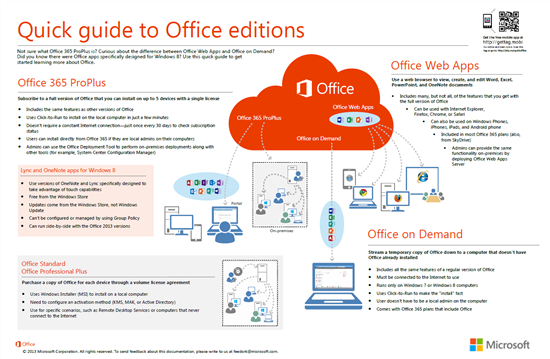
Download a copy of the "Quick guide to Office editions" poster and get links to additional information about what’s covered in the poster.

Not sure what Office 365 ProPlus is? Curious about the difference between Office Web Apps and Office on Demand? Did you know there are Office apps specifically designed for Windows 8?

We’ve created a quick guide to help you learn more about the different options you have for providing Office to the users in your organization.

Read more here about the poster as well as:

  • Office 365 ProPlus
  • Office Web Apps
  • Office on Demand
  • Office on Windows 8
  • Office Standard & Office Professional Plus

Original post:

imageMicrosoft BitLocker Administration and Monitoring (MBAM) is an enterprise-scalable solution for managing BitLocker technologies, such as BitLocker Drive Encryption and BitLocker To Go.

MBAM, which is part of the Microsoft Desktop Optimization Pack, helps you improve security compliance on devices by simplifying the process of provisioning, managing, and supporting BitLocker-protected devices.

This guide describes how to deploy MBAM, with a focus on automating the deployment and configuration of the MBAM client to managed devices. It first describes the MBAM components. Then, it shows you how to prepare for deployment and provides step-by-step instructions for deploying the MBAM client by using the following tools and technologies: Group Policy software installation, Microsoft Deployment Toolkit (MDT) 2012, Microsoft System Center 2012 Configuration Manager, and scripted installation (e.g., command prompt).

Posted by: kurtsh | June 14, 2013

RELEASE: Bing Translator for Windows 8

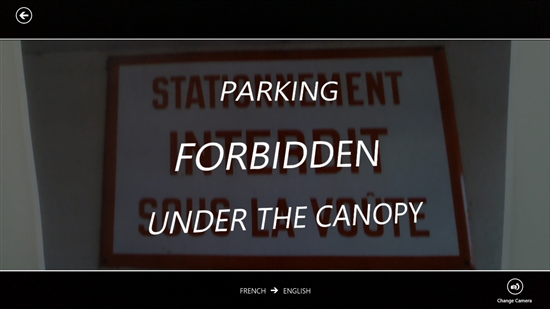
imageThe Bing Translator App for Windows is your companion when you need to quickly translate what you are looking at. Use your camera or just type the text you want to translate. Text and camera translation work offline with downloadable language packs, so you can get the power of Bing Translator on-the-go, even when you don’t have an Internet connection.

Features

  • Text translation – Type and translate text into more than 40 languages.
  • Camera translation – Translate signs, menus, newspapers, or any printed text with your device’s camera in an instant.
  • Text to speech – Hear translations spoken with a native speaker’s accent.
  • Offline translation – Translate when you are not connected to the Internet and when you want to avoid expensive data roaming charges by using downloadable offline language packs.
  • Translate from anywhere – Translate text from other Windows Store apps using the Share charm. Just select and share
  • Multitask with Snap View – Translate quickly while doing other tasks by snapping Bing Translator to the right or left of your screen.

image


To download this free tool for Windows 8, click below:

Did you ever wish you could report a piece of email as SPAM so that you could fight back against spammers and make a difference in other people’s email experience by tagging it as SPAM so that others might not have to receive it?

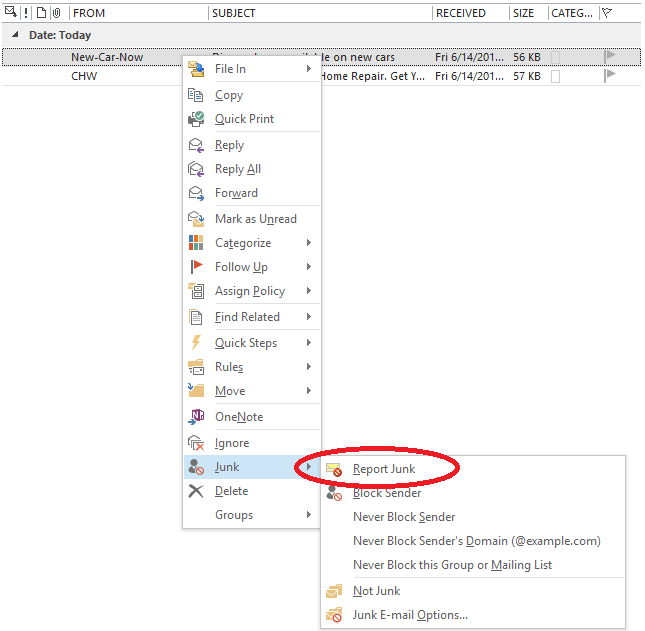
That’s where the “Junk Email Reporting Add-in for Microsoft Outlook” comes in.  Add this add-in to your Outlook configuration and when you use it on a piece of email in your inbox, that email:

  • Automatically gets moved to the “Junk Email” folder
  • Gets submitted back to Microsoft’s anti-spam service for analysis

Note:  This will also work for multi-selected emails & has multi-language support.

image

Read the following to understand & download the Junk Email Reporting add-in:

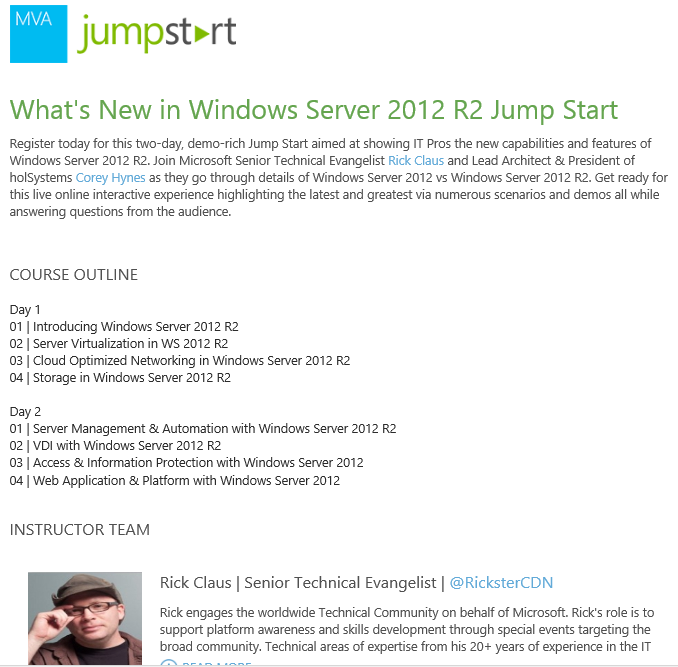
imageA lot of training on the upcoming R2 releases has been released… and it’s free so check it out!

  • Free expert-led training: Introducing System Center 2012 R2
    Join this live MVA Jumpstart online event with Microsoft Senior Technical Evangelist Symon Perriman to learn how the next version of System Center will deliver an end-to-end cloud stack through advanced integration with Windows Server 2012 R2 and Windows Azure. You will discover the new capabilities in infrastructure provisioning and monitoring, automation and self-service, IT service management, and application monitoring. Sign up today.

Posted by: kurtsh | June 10, 2013

DEAL: Free “Fable 3” on Xbox Live Games on Demand

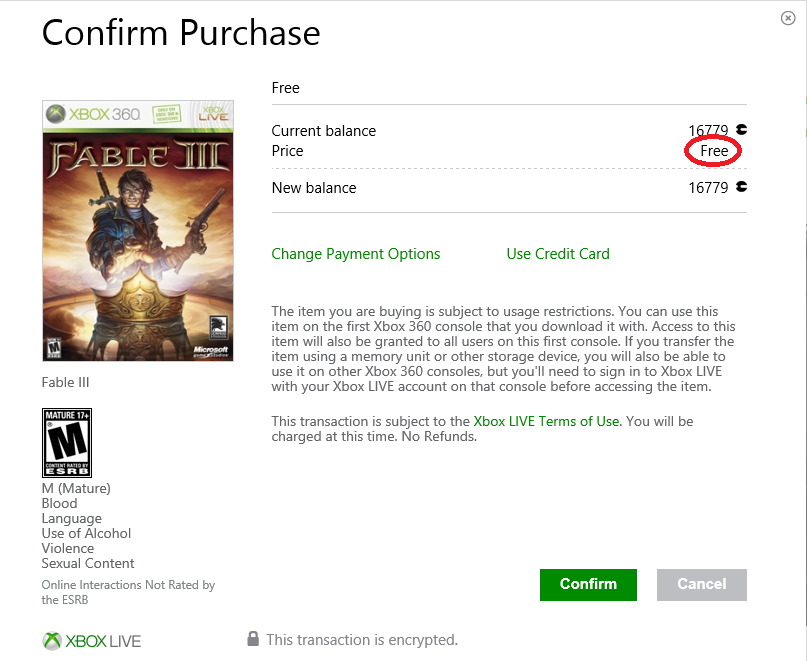
"Fable 3" by Microsoft Studios appears to be a free 5.6GB download on Xbox Live right now per WPCentral’s post.  It lists as $19.99… but the key is selecting “Microsoft Points” and suddenly, it’s free.

These are the steps I followed:

  1. Go to the URL below.
    http://marketplace.xbox.com/en-US/Product/Fable-III/66acd000-77fe-1000-9115-d8024d5308d6?noSplash=1
  2. Click "Download to Xbox 360" button on "Fable 3". (Note: Don’t select "Fable 3 Demo" – be sure to select “Fable 3”).  It will be listed at $19.99.
  3. Click "Use Microsoft Points" link on the "Confirm Purchase" dialog box. The price should now list as "FREE".
  4. Click "Confirm".

No points were taken from my account.

(Source: WPCentral)

image

image

image

image

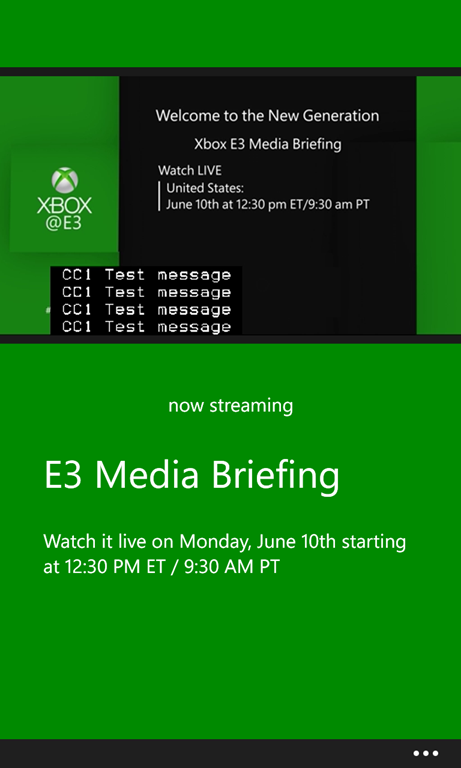
wp_ss_20130610_0001Major was good enough to summarize where one can view the E3 media briefing at Galen Center from the Xbox team.

Windows Phone Playback
It seems that folks are forgetting that there is also the video player on the Windows Phone that you can take advantage of:  If you have a Windows Phone 8 device, download this special app to watch the Xbox E3 2013 Media briefing tomorrow.  It works in both portrait & landscape!

Posted by: kurtsh | June 9, 2013

NEWS: Microsoft in (good) Financial News

Wow.  It’s been a banner week for Microsoft in the financial press this week.  All this an Xbox One’s second announcement phase begins on Monday with the E3 press conference… and more later in the week!  (Stay tuned)

FORBES: Microsoft a Top 25 Dividend Giant With 2.64% Yield
http://www.forbes.com/sites/dividendchannel/2013/06/07/microsoft-a-top-25-dividend-giant-with-2-64-yield/

MOTLEY FOOL: Microsoft: The Tech Play of 2013?
http://beta.fool.com/nmaithya/2013/06/06/microsoft-the-tech-play-of/35752/?source=eogyholnk0000001

MIDEAST TIMES: Microsoft Corporation given new $39 price target at Oppenheimer
http://www.mideasttime.com/microsoft-corp-given-new-39-00-price-target-at-oppenheimer-msft/24596/

SEEKING ALPHA: Where Will Microsoft Shares go?
http://seekingalpha.com/article/1479731-where-will-microsoft-shares-go

INSIDER MONKEY: You May Not Want to Hear It, but the Microsoft Corporation (MSFT)-Nokia Corporation (ADR) (NOK) Deal IS Working
http://www.insidermonkey.com/blog/you-may-not-want-to-hear-it-but-the-microsoft-corporation-msft-nokia-corporation-adr-nok-deal-is-working-161364/

MOTLEY FOOL: Tablet Roundup: One Stock to Buy, One to Avoid, and One to Watch
http://beta.fool.com/pon555587/2013/06/07/tablet-roundup-what-to-buy-and-what-to-sell/36367/

MOTLEY FOOL: Windows 8 Is Doing Just Fine
http://beta.fool.com/reubengbrewer/2013/06/07/windows-8-is-doing-just-fine/36487/

« Newer Posts - Older Posts »

Categories