(courtesy of Mark Simos, Microsoft Lead Cybersecurity Architect) The SAF documentation site and June 2026 MCRA just went live on Microsoft Learn! Check it out and let us know what you think! Note: This is the first release and we will be continuing to add to it. Send us your feedback, requests, and ideas.
Microsoft just released 200+ pages of documentation for the Microsoft Security Adoption Framework (SAF) that includes and is built on the MCRA, CISO Workshop, and other SAF workshops.
SAF also ties together all of Microsoft’s historical guidance (SDL, IR playbooks, Immutable laws of security, etc.) into a single organized framework that guides your security modernization journey.
This is based on the workshops we deliver to Microsoft Unified customers (SecOps/SOC, Data Security, Infrastructure and Development, Access and Identity, and more).
Comments Off on DOWNLOAD: Microsoft Security Adoption Framework & Microsoft Cybersecurity Reference Architecture (June 2026)
When emailing out Outlook Meeting Invites to groups of people who don’t know each other, you may not want their email addresses exposed on the To: line of the Outlook invite to maintain the privacy of those you’ve invited – especially if the invitees are from different organizations.
Additionally, for Teams Meetings, you may want to hide the identities of the people that have joined so others can’t see their names or email addresses.
Both of these privacy-protecting features are available through Microsoft 365.
HIDE ATTENDEE LIST IN OUTLOOK MEETING INVITE
To “Hide Attendee List” for an Outlook Meeting Invite to protect customer privacy, you MUST first use “Outlook Web Access” or the “New Outlook”.
Create the Outlook meeting from the Outlook Web/New Outlook Calendar. (Again, you cannot do this from “Classic Outlook”)
Turn on the “Teams Meeting” switch.
Enter in the attendee names in the Attendee field
Click the dropdown next to the Attendees field and select “Hide attendee list”
Now customers will only see their email address in the To: line when they receive the invite.
Before you SEND, you should also “Hide attendee names” in the actual Teams Meeting options for customer privacy during the meeting.
1. Go the Outlook meeting from the Calendar from “Outlook Web Access” or the “New Outlook”. (You cannot do this from “Classic Outlook”)
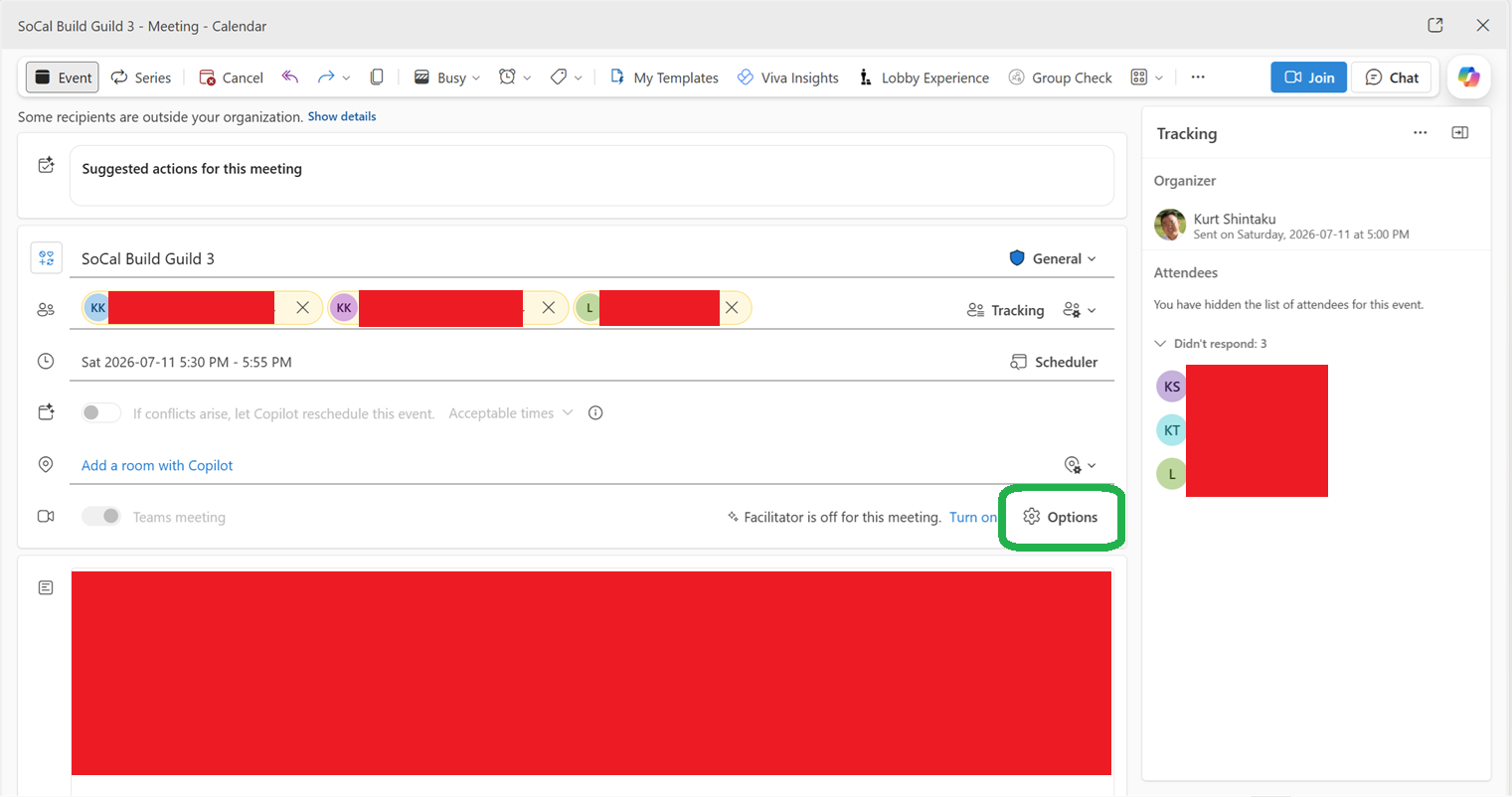
2. Go to the Click the “Options” button for the Teams Meeting.
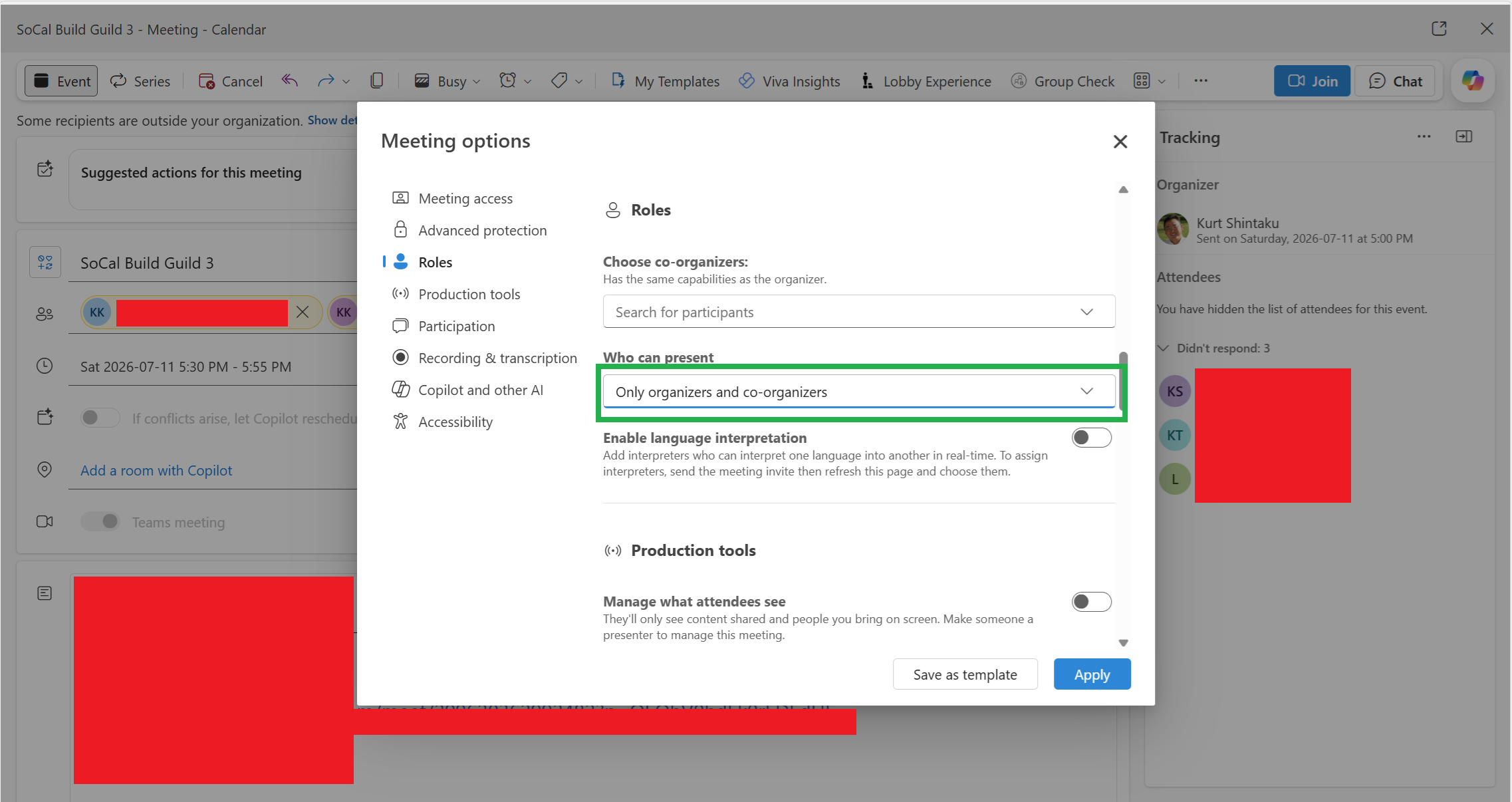
3. Under “Roles”, set “Who can present” to “Only organizers and co-organizers”
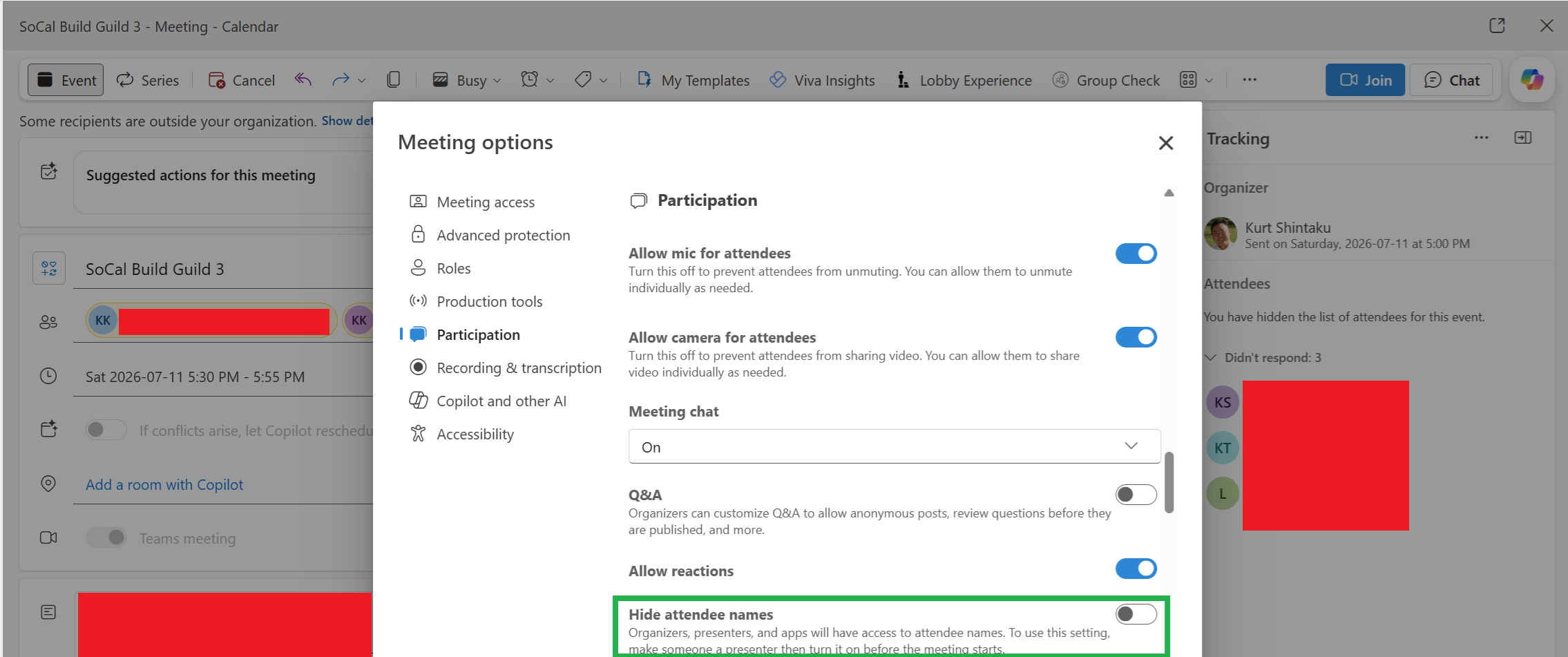
4. Under “Participation”, turn on “Hide attendee names”
Now customers will not see other attendee’s email addresses/identities. They will only see their own email address & the identities of the Presenters/Organizers.
Comments Off on HOWTO: Hide Attendee Lists in Outlook Meeting Invites & Teams Meetings
Hotpatching, the ability to patch a Windows OS without requiring a reboot for the patch/update to take effect, is now available at no cost for Azure Arc-enabled machines running Windows Server 2025.
<taken from Azure Update Manager docs>
As of May 19, 2026, Hotpatch on Azure Arc-enabled machines running Windows Server 2025 Standard or Datacenter is available at no additional cost. There is no per-core meter, no hourly charge, and no separate Hotpatch line item on your invoice.
Existing enrolled servers: Billing has been stopped for all servers previously enrolled in Hotpatch. No action is required. These machines remain enrolled and continue to receive hotpatch updates when available.
New enrollments: Enabling Hotpatch on eligible Windows Server 2025 Arc-enabled machines incurs no Hotpatch charges, regardless of the underlying environment (VMware, Hyper-V, AWS, GCP, or other on-premises and multicloud environments) or edition (Standard or Datacenter).
Pure Virtual C++ is back! For the 7th year running, we’re hosting a free, one-day virtual conference for the whole C++ community. Whether you joined us back in 2020 when we first launched or you’re discovering the event for the first time, we’d love to have you.
Mark your calendar: Tuesday, July 21, 2026, starting at 16:00 UTC (9:00 AM in Seattle/Los Angeles, 1:00 PM in Buenos Aires, 12:00 AM in Hong Kong). The conference runs approximately 2 hours and will be streamed live on both YouTube and Twitch, so you can watch from anywhere in the world.
The full speaker lineup and detailed schedule will be announced in follow-up posts — stay tuned.
The conference is completely free. Register here to save your spot and get notified when the schedule goes live. Can’t make it live? All sessions will be available on-demand on the Visual Studio YouTube channel after the event.
Comments Off on EVENT: “Pure Virtual C++ Conference 2026” – Virtual – July 21, 2026
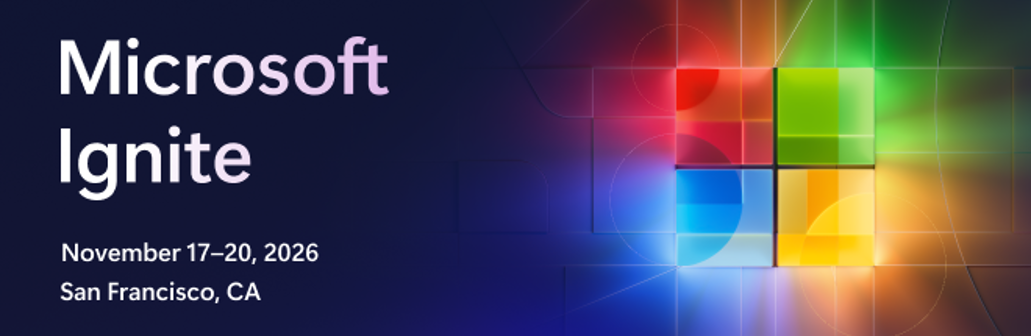
Great news! Registration is officially open to Microsoft Ignite 2026. Secure your spot at Microsoft’s flagship event of the year.
At Microsoft Ignite, you’ll discover the latest innovations, practical insights, and build skills you can apply immediately. Join business and IT professionals, developers, and partners to explore important announcements and learn from real-world implementations.
Hear directly from Microsoft leaders shaping the future of cloud and AI:
Arun Ulag, Executive Vice President, Azure Data, Microsoft
Nicole Herskowitz, CVP, Microsoft 365 and Copilot
Omar Shahine, CVP, Microsoft Scout
Bryan Goode, CVP, Business Applications
Vasu Jakkal, CVP, Marketing Security
Jared Spataro, CMO, AI at Work
Mark Russinovich, CTO, Deputy CISO, and Technical Fellow, Microsoft Azure
Cyril Belikoff, Vice President Cloud and AI
Nitasha Chopra, Vice President and Chief Operating Officer, Copilot Studio
Seth Juarez, Staff Developer Advocate
From expert-led sessions and hands-on learning to immersive Hub experiences and valuable community connections, Microsoft Ignite is designed to help you turn discovery into action and move forward with confidence.
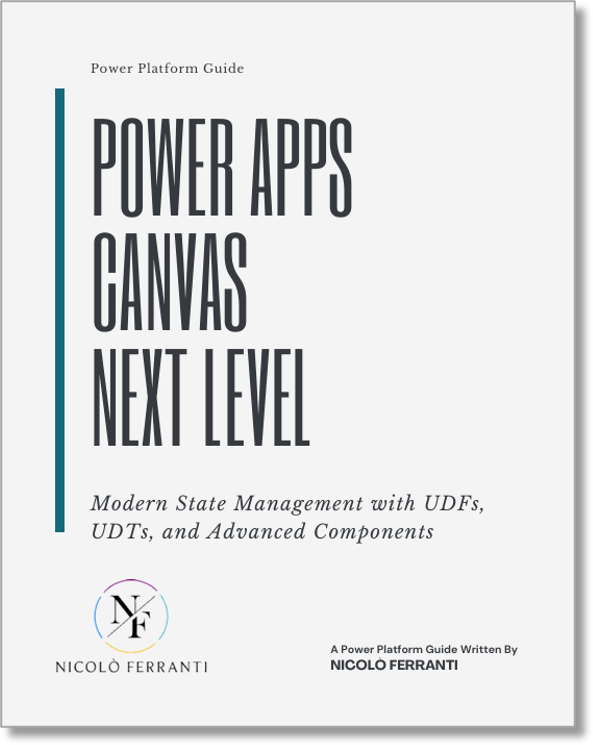
Time to change the way you build your Power Apps Canvas Apps. Low-code development can no longer be the Wild West.
Drag & drop apps thrown together without structure just don’t cut it anymore.
Development without architecture leads to technical debt, inconsistency, and maintenance nightmares.
And the worst part? The hidden waste in your apps.
Duplicated logic
Repeated controls
Poorly managed state
The result? Apps that are hard to maintain, slow to evolve, and frustrating to adapt to growing complexity.
That’s exactly why Nicolo Ferranti, Microsoft Power Platform MVP, wrote this new, free guide:
User Defined Functions (UDFs) and User Defined Types (UDTs) → to write cleaner, reusable, and more maintainable code
Centralised state management → for clear, predictable app behaviour
A structured architectural approach → to prevent chaos before it starts
If you’re building with Power Apps and ready to move beyond copy-paste development, this guide is for you. This guide aims to demonstrate how these new features can help you build Power Apps Canvas applications with greater accuracy and architectural discipline.
Download the full eBook by Microsoft Power Platform MVP, Nicolo Ferranti, here:
The National Health Service of England is rolling out Microsoft 365 Copilot to 505,000 clinicians & support staff.
More than half a million NHS staff are being given access to new artificial intelligence (AI) tools that could free up an average of 2 days every month from admin duties, freeing up more time for the duties that matter most for patients and staff.
NHS England announced today that it is significantly accelerating AI adoption across healthcare services by providing 505,000 clinicians and support staff with access to Microsoft 365 Copilot.
The AI personal assistant helps clinicians to draft documents and analyse data more efficiently to focus more time on patient care.
The agreement follows the largest AI trial of its kind globally in healthcare, which provided more than 30,000 NHS workers across 90 NHS organisations with access to Microsoft 365 Copilot.
It found that AI-powered administrative support could save an average of 43 minutes per staff member per day or more, which equates to 5 weeks of time per person annually.
Results from the trial showed that a full rollout of Microsoft 365 Copilot could save millions of hours of staff time per month.
KPMG and Microsoft are expanding their partnership to help clients manage, monitor and securely deploy AI at scale across their own organisations with Agent 365 and Copilot. At the same time, KPMG’s member firms will roll out Microsoft 365 Copilot to 276,000 employees worldwide.
The expansion is the latest move to embed Microsoft technology into KPMG’s global client service delivery platforms and enable organisations to monitor, govern and control AI agents from a central location. The deal enables KPMG to use Microsoft Agent 365 to enhance how services are delivered in its audit, tax and advisory services, including smart audit platform KPMG Clara, while helping clients build agent-powered operating models to securely deploy AI agents across their own organisations.
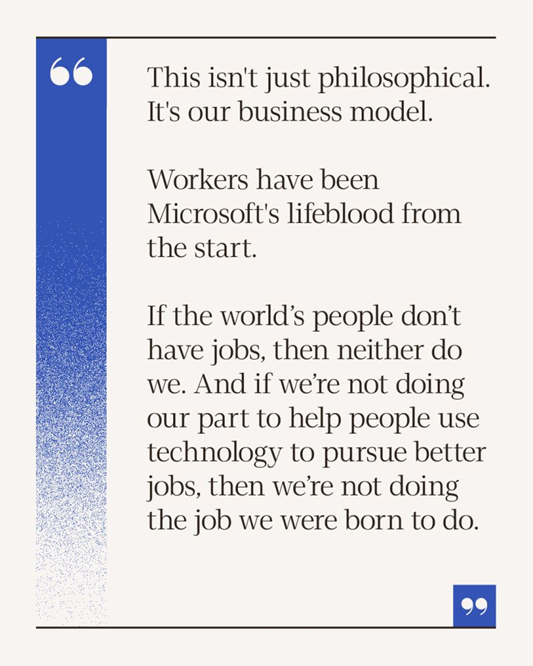
Brad Smith, Microsoft’s President, recently had a post to technology leaders about the message students are sending to those in the AI industry:
“This year’s graduates are sending a clear message about AI and jobs. We should listen. They’re reminding us that AI should serve people, not replace them. Microsoft’s mission is to empower every person and organization to achieve more. That means helping people build the skills to use technology to create new opportunities. If we’re not doing that, we’re not doing our job.”
He expands on our company’s sentiment at “Microsoft On The Issues“. For obvious reasons, this is a very important article to our community & our company & will help people understanding our philosophy & values around AI, people & technology’s place in the future.
“I would add a second message for today’s graduates: you’re in a unique position to have a positive impact. You’ve lived through significant challenges. While it may feel unfair that the job market is so uncertain, you were made for this moment. Technology is second nature to your generation. Constant change has taught you how to adapt quickly. As AI reshapes how we work, you don’t need to unlearn decades of habits the way some of us do. You are better equipped to move forward.
Technology will change, but you can stand firmly and speak loudly for values that are timeless. Agency. Ambition. Dignity. All fulfilled through work and technology that gives us purpose.
Do everything you can to help advance these values.“
All the announcements from the keynote are summarized on the Build 2026 Live Blogwhich has short synopses of each event. I highly encourage taking a look at the live blog because frankly, it can be overwhelming – the amount of information that was announced!
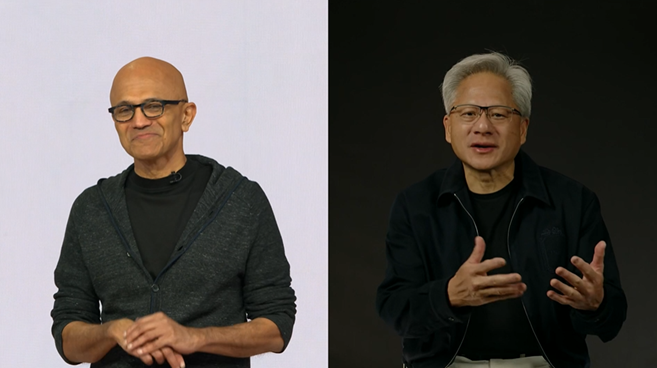
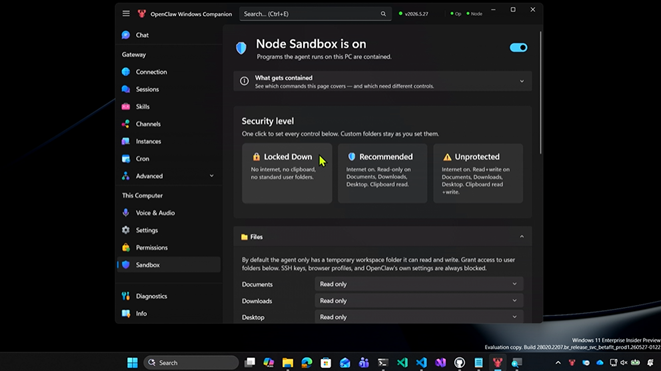
If you watch Satya Nadella’s Build 2026 keynote in it’s entirety, here’s a list of all the shortcuts they posted in the video: (I’ll put descriptions of each later but I wanted to get these into the post before I forget)




 kurtsh


You must be logged in to post a comment.