image

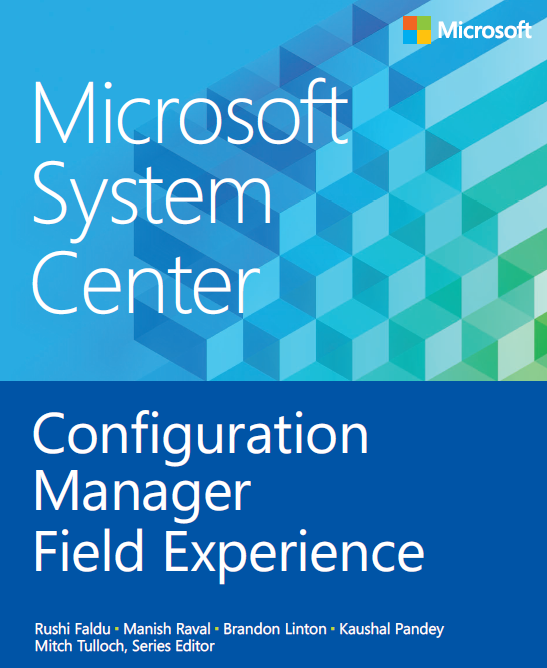
Hey!  We released yet another new eBook that we’re making available for free: “Microsoft System Center: Configuration Manager Field Experience”.

We’re very excited to announce another free ebook offering in our System Center series from Microsoft Press: These unique (and free) ebooks bring System Center experts together to discuss designing, deploying, and troubleshooting some of the most complex and mission critical aspects of key System Center capabilities.

The second title in this series, Microsoft System Center: Configuration Manager Field Experience (ISBN 9780735683044) by Rushi Faldu, Manish Raval, Brandon Linton, Kaushal Pandey and the System Center series editor Mitch Tulloch, is now available here. This title’s companion content is here. If you’d like to order a print version of this free ebook, you can do so here.

imageSoooo… I just realized that I have a ton of notes from the Xbox One Announcement on June 12th, 2013 that I never published.  So since it’s coming up on the release (Nov 22nd) I figure it might still be worthwhile to summarize what I saw during the Press event.

  • INTRODUCTION
      • OPENING VIDEO:
        Konami’s Open World “Metal Gear Solid 5: The Phantom Pain” (Hideo Kojima) – Appears to use Microsoft cloud computing
      • OPENING SPEAKER:
        Don Mattrick on stage: ”13 Next Gen titles only on Xbox One”
        ———
  • WHAT’S NEXT ON XBOX 360:
    Yusef Mehdi on stage: “New Xbox 360 based on Xbox One Styling”
      • Gold member Promotion:
          • July 1st to release of Xbox One
          • “2 free game downloads yours to keep”
            Halo 3, Assassin’s Creed 2… Fable 3
      • Releases coming to Xbox 360:
          • Splinter Cell Blacklist
          • Lightning Returns – Final Fantasy 13
          • Batman Arkham Origins
          • Grand Theft Auto 5
          • ONLINE:  World of Tanks: Xbox 360 Edition (Wargaming.com) Online gaming w/ Microsoft Studios
              • Team-based 15 v 15 team warfare
              • Xbox Live integration
              • Download for FREE with Gold
                2) PressPlay Max the Curse of Brotherhood
                3) Bandai, From Software Dark Souls II
  • COMING WITH XBOX ONE:
    Phil Spencer – Head of Microsoft Studios on stage:
    ”New & Original Games – More titles than ever in history”
      • Crytek’s “Ryse: Son of Rome” (Exclusively on Xbox One – playable at E3)
      • “Killer Instinct” (Exclusively on Xbox One)
      • Insomniac’s “Sunset Overdrive”  – Open, LIVE,  world
        Exclusively for XBox One, led by Insomniac’s Ted Price (Resistance, Spyro)
      • Turn10’s “Forza Motorsport 5” – feat McClaren
        Cloud processing – Drivatar ‘learns behaviors’
      • INDIE GAME DEVELOPMENT
        Phil Harrison- “Indie Game Development is a $1B industry that Microsoft is very committed to” (contrary to media conjecture)
          • MineCraft – Xbox One Edition
      • Remedy’s “Quantum Break”
        Exclusively on Xbox One (Microsoft Studios)
      • Swery65 “D4” (Cell shaded adventure)
      • Microsoft Studios “Project Spark”
  • COMING FOR XBOX LIVE
    Marc Whitten – Head of Xbox Live
      • SmartGlass
      • SmartMatch
      • Game DVR
          • DVR & Sharing:  Demonstration using “Killer Instinct”
            Twitch for instant, live broadcasting, including your voice & video
          • All of your friends – no 100 limit
      • Local currency – no Microsoft Points
        Xbox Live Gold Sharing
      • Crimson Dragon – Exclusive on Xbox One (No audio for some reason… production/technical challenges during the event)
  • MORE SHOWCASE TITLES
    (NEXT-GEN COMPUTE, SMARTGLASS, CLOUD COMPUTING)
      • Capcom Vancouver’s open world Dead Rising 3 – Exclusively for Xbox One
        No loadtimes.  Massive scale world, leveraging cloud computing
        SmartGlass for Artillery Support
      • The Witcher 3: Wild Hunt.
        Open world, leveraging cloud computing
        Voice commands – Exclusive to Xbox One
        Xbox SmartGlass – Inventory & Character Dev
      • EA Dice Battlefield 4:
        60fps FrostBite 3 Engine
        Second Assault Map Pack on Xbox Live first
      • What lies "Below": Exclusively on Xbox One (Indie)
      • 5 new studios
        Blacktusk – AAA Exclusive game
      • 343 Industries “Halo Intellectual Property
          • Halo Spartan Assault
          • Halo TV Series with Steven Spielberg
          • ‘Halo for Xbox One” – New engine, cloud computing, 60fps
            2014
  • XBOX ONE RELEASE
      • November 22nd
      • $499
  • CLOSING SHOWCASE:
    Respawn’s “TitanFall”
      • From the people that brought you “Call of Duty”
        (And these guys are pissed at Activision.  They look like they’re really looking to really advance the state of the art of combat.)
          • On-ground combat
          • Mech-based combat
          • Kurt’s Comment: “OMG, this game looks unbelievable… like Ryse.”
          • Cloud computing-enabled multiplayer gameplay
      • Spring 2014 Exclusive to Xbox One
Posted by: kurtsh | October 9, 2013

RELEASE: Lync Mobile (Update 3) for Windows Phone & iOS

Big news from this past week for Lync users on mobile devices, specifically Windows Phone, iPhone and iPad.

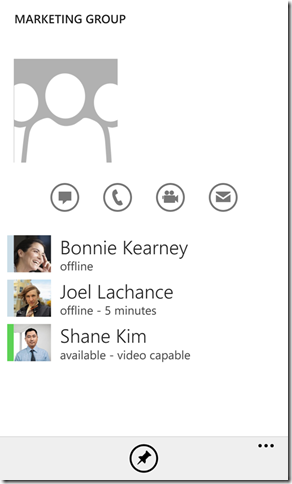
imageI’m happy to share today that we’ve delivered our third update for Windows Phone, iPhone and iPad this year alone and that they are now available for download from their respective app stores. This release delivers two main improvements for users that I’ll explain in more detail below:

  • Join and participate in a Lync Meeting without having to own a Lync account.
  • Start an unscheduled (impromptu) Lync Meeting (either IM or video) directly from your mobile device with multiple participants.

Read more here:

image

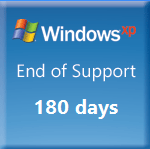
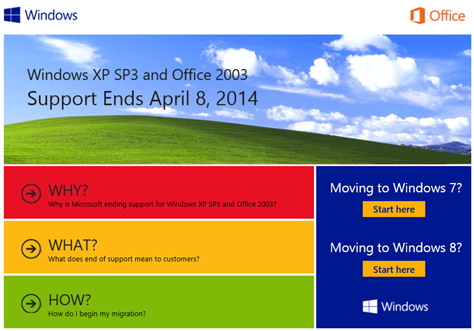
See the snapshot of the Windows XP Countdown Gadget to the right there?  I think this is all that needs to be said.

WHAT ARE MY OPTIONS?
There are three options for Enterprise customers:

  1. Upgrade to a supported version of Windows (like Windows 7 or Windows 8 since Windows Vista is already into Extended Support, i.e. only security hotfixes are being produced for it)
  2. Discuss signing a Custom Support Agreement if you have a Premier Services Agreement with Microsoft (which is typically very expensive – $500,000+ & $50k per custom hotfix – however maybe an option for you if it’s less expensive relative to the costs of transitioning to a newer version of Windows, i.e. medical equipment manufacturer’s etc.)
  3. Remain on Windows XP & prepare to be unprotected from zero-day vulnerabilities that launch after April 8th, 2014 (bearing in mind that Microsoft will no longer be a source of vulnerability intelligence to 3rd parties as we have for the past 13 years)

WHAT SHOULD I DO?
Now, in case you don’t know what sort of services exist to assist in transitioning from Windows XP to a better support, here’s one place you should definitely look:

image

Windows XP End of Support Web Site:
http://www.microsoft.com/en-us/windows/endofsupport.aspx

People complained a lot that our advertising & showcase videos didn’t highlight what you could actually DO that was special, distinctive, and competitive on Surface.

So we listened.  And here’s 3 videos that show precisely that.

Surface 2 — from Microsoft

Surface Pro 2 — from Microsoft

Surface Frames
Posted by: kurtsh | October 8, 2013

VIDEO: “The Making of Surface”

A quick 1:34 clip that talks about some of the technological improvements made in Surface 2, featuring Panos Panay, Ralf Groene, Steve Bathiche.  Touch Cover & Type Cover improvements & design changes.

The Making of Surface 2

imageWe wrote one of our most confusing posts ever on the Windows Blog regarding Windows 8.1 Enterprise Edition, so just to be clear:

FOR VOLUME LICENSING CUSTOMERS: 

  • Windows 8.1 Enterprise Edition software is NOT AVAILABLE in the traditional ‘Software Assurance’ section of the Downloads & Keys area of the Volume Licensing Service Center.  It’ll be posted there on October 18th.
  • Windows 8.1 Enterprise Edition software IS AVAILABLE TO DOWNLOAD as part of a TechNet Subscription. 
  • If you have Software Assurance on Windows as a Volume Licensing customer, you are granted a TechNet Subscription as a Software Assurance benefit, therefore, if you activate this TechNet Subscription benefit, you can then access the TechNet Downloads site and download it from there.

Yeahyeahyeah, I know.  However, it’s at least available & hopefully this clears this matter up.  I don’t know for certain why things were done this way however from past experience, I suspect it likely has something to do with the exhaustive process required of posting the .ISO on VLSC Downloads, replicating it through our Content Distribution Network (CDN), and storing it redundantly with the TechNet copy of the .ISO.  Understand that these two ‘networks’ are completely & totally separate (there is no overlap at all) and we actually outsource the VLSC to a different company, whereas I believe TechNet is handled internally and consequently a lot more agile.

Anyway, here’s the original post.

Here’s a few of the things (but not nearly all) that I learned during the Panos Panay briefing here at Microsoft.

  • The new covers flash the backlight upon connecting with the Surface to indicate a proper connection.
  • The 8GB models (256GB/512GB) will be a bit faster due to the fact that there are twice as many lanes to the memory.
  • I don’t know that the Surface Music Kit/Remix Project will be available for sale – this wasn’t clear to me.  While it will be available on 10/22 with the rest of Surface 2’s launch products, it is a limited production release of 5,000 to 10,000 units.  The existing units will be going to select individuals through the SurfaceRemixProject.com web site.
  • Touch Cover 2, along with it’s new 1092 sensors, is now carbon fiber filled & pretty much unbreakable.  It can also be disinfected with chlorine wipes for medical scenarios.
  • Power Cover will charge the Surface device it’s connected to.  If left connected to a Surface while turned off, the Power Cover will transfer power to the Surface’s battery.
  • The Surface Dock will charge both the Surface Pro & the Power Cover at the same time.

[This is part 2 of a post about NFC for Windows Phone & Windows 7/8.]

NFC is a really interesting and potentially useful technology that Windows Phone 8 & Windows 7/8 users can harness.  In this post, I go over starting to use NFC specifically for Windows 7/8, because if you read to the end, you’ll understand that even with Windows Phone 8, you might still need to have a Windows desktop to write some NFC tags.

imageNFC FOR MY WINDOWS DESKTOP/LAPTOP
There’s lots of options for desktop/laptop users.  This will become important to understand in just a second.  Here are the places I went to for my hardware & software:

There is also a tool from a company called TagStand.  I have no idea if it’s any good but they charge $30 for what appears to be built into the the GoToTags Windows NFC app… but the tools is command line which may make it useful for scripting so who knows.

  • TagStand: NFC Writer for Windows
    Introducing Beta software to read and write to NFC tags for Windows using ACR122U readers. (supports making Ultralight tags read-only (write-protection))
    http://writer.tagstand.com/windows

A WORD ON LOCKING/READ-ONLY NFC TAGS
When an NFC tag is locked, the data cannot be modified. Locking a tag is a permanent action and cannot be undone.  This is important because without locking a tag however, anyone can change it’s contents when you’re not looking.  Imagine the embarrassment of someone changing one of your tags to, say, redirect people to your competitor’s web site.  Or overwriting your business card’s tag with something other than your vCard as a prank.

The issue is, locking/Read-only NFC tags is not possible from Windows Phone 8 as the operating system’s libraries don’t support the feature.  Therefore in order to create locked, unmodifiable NFC tags, you must do so from another device.  This can be accomplished using an USB-connected NFC reader/writer for Windows.

SO… HOW DO I LOCK NFC TAGS USING WINDOWS?
What I did was really simple.  I got a USB NFC Reader/Writer – the cheapest one I’ve found is the ACS ACR122U NFC USB Reader and Writer ($45) from GoToTags – and download the FREE GoToTags NFC Windows App.

Then I used my Windows Phone & an NFC writing app to write the NFC tag I wanted.  I encoded an NFC tag with a vCard with my contact information in it which was derived by my contact card in Outlook on my Windows Phone.  NFC Interactor & Nokia NFC Writer makes doing this very easy. 

At this point however, the NFC tag can still be overwritten, so I took the NFC Tag I wrote and used my desktop to read it using the USB Reader I bought & the GoToTags software.  The software immediately picked up and loaded the NFC tag’s contents (my vCard) into memory.  By default, when you write/encode NFC tags using the GoToTags software, it writes a “read only” NFC tag (something Windows Phone can’t do), so I just simply rewrote what was loaded into memory, write back out to the NFC tag – but this time, it was written “read only”, meaning the tag can’t be changed.

And there you have it.  You might ask, why I didn’t just write the vCard on to my NFC tag directly in the first place skipping the Windows Phone process.  Well, the GoToTags software doesn’t connect into Outlook so pulling contact data from an Outlook record isn’t possible.  Windows Phone’s NFC writing apps however makes that easy.

OTHER WINDOWS PHONE 8 APPS FOR NFC

REFERENCES:

Posted by: kurtsh | October 6, 2013

RELEASE: Windows Azure Multi-Factor Authentication

imageRemember PhoneFactor?  That two factor cell phone based authentication solution that we acquired that everyone liked?  Ever wonder where Microsoft’s first implementation was?

Enter Windows Azure Multi-Factor Authentication.

Identity and access management is an anchor for security and top of mind for enterprise IT departments. It is key to extending anytime, anywhere access to employees, partners, and customers. Today, we are pleased to announce the General Availability of Windows Azure Multi-Factor Authentication – delivering increased access security and convenience for IT and end users.

Multi-Factor Authentication quickly enables an additional layer security for users signing in from around the globe. In addition to a username and password, users may authenticate via: 1) An application on their mobile device. 2) Automated voice call. 3) Text message with a passcode. It’s easy and meets user demand for a simple sign-in experience.

Windows Azure Multi-Factor Authentication can be configured in minutes for the many applications that require additional security, including:

    • On-Premises VPNs, Web Applications, and More — Run the Multi-Factor Authentication Server on your existing hardware or in a Windows Azure Virtual Machine. Synchronize with your Windows Server Active Directory for automated user set up.
    • Cloud Applications like Windows Azure, Office 365, and Dynamics CRM — Enable Multi-Factor Authentication for Windows Azure AD identities with the flip of a switch, and users will be prompted to set up multi-factor the next time they sign-in. 
    • Custom Applications — Use our SDK to build Multi-Factor Authentication phone call and text message authentication into your application’s sign-in or transaction processes.
Best of both worlds with Multi-Factor Authentication


For more details, read here:
http://blogs.msdn.com/b/windowsazure/archive/2013/09/26/announcing-general-availability-of-windows-azure-multi-factor-authentication.aspx

« Newer Posts - Older Posts »

Categories