Posted by: kurtsh | February 26, 2014

EVENT: Upcoming Microsoft Conferences for 2014

imageimageimage

For those of you involved with Microsoft technologies, looking to budget & book for the upcoming year’s educational & networking events, this is my list of upcoming conferences, registration URLs, and their locations in order of execution based on my own knowledge:

Posted by: kurtsh | February 26, 2014

NEWS: Live game broadcasting coming to Xbox One, March 11

imageIf you’ve ever wanted to broadcast the live audio & video of the video game you’re playing on your Xbox One, you will have the opportunity to do so on March 11.

Xbox One will be introducing Twitch.TV broadcast capability, allowing anyone with an Xbox One & a Xbox Live Gold subscription to showcase their skills live on the Internet and broadcast their gameplay to viewers such as friends, relatives, or anyone really.

All it takes is to utter, “Xbox, Broadcast.”

How’s that for easy?  This capability is a platform defining function that has long been in the works and looks to be a a great way for people to follow others, create better social gaming, and learn how to play. 

Join in on the fun on your Xbox One!

Posted by: kurtsh | February 26, 2014

RELEASE: Office 2013 Service Pack 1

imageMicrosoft Office 2013 Service Pack 1 (SP1) provides the latest updates for Office 2013. This service pack includes two kinds of fixes:

  • Previously unreleased fixes that are included in this service pack. In addition to general product fixes, these fixes include improvements in stability, performance, and security.
  • All the monthly security updates that were released through January 2014, and all the Cumulative Updates that were released through December 2013.

The following files are available for download from the Microsoft Download Center:
Note If you have a 32-bit version of Office 2013 installed on a 64-bit version of Windows, you should install the Office 2013 SP1 32-bit package.

For more information about the service pack, visit:

For those of you looking to make Windows more resistant to zero-day vulnerabilities for which anti-malware definitions have not been created, the Enhanced Mitigation Experience Toolkit maybe for you.  It is a free set of technologies for helping to protect your clients.

Here’s a view that shows a little bit about the EMET 5.0 Tech Preview:

EMET 5.0 Technical Preview

Today at RSA Conference 2014, Microsoft released a new version of its Enhanced Mitigation Experience Toolkit (EMET), “EMET 5.0 Technical Preview.” EMET is one of our most popular free security tools that helps IT Professionals and Developers manage risk for their organizations.  Typically it is used by IT Professionals and Developers to help protect systems from exploitation via software vulnerabilities.

EMET helps to protect software applications by using the latest security mitigation technologies built into Windows.  This tool can be very effective in cases where a developer might not have turned on Windows security features by default. Running EMET enables a wide variety of software to be made significantly more resistant to exploitation – even against zero day vulnerabilities and vulnerabilities for which an update has not yet been applied. This can give organizations that have deployed EMET more time to test and deploy security updates for applications that they run in their environment.

In this latest version, EMET 5.0 Technical Preview, there are new protections for enterprises that build on the 12 security mitigations included in version 4.1.  For example, in the Technical Preview of EMET 5.0 there is a new Attack Surface Reduction security mitigation.  This feature allows security professionals to better protect third party and custom-built JAVA line of business applications by selectively enabling JAVA, flash, and Windows embedded controls only within their company intranets.  This new Technical Preview also includes further refinements to the existing Export Address Table Access Filtering (EAF) security mitigation that adds more heuristics and filtering functionality, called EAF+, to improve the detection of exploit shell code running in memory. For more information on the latest release, I encourage you to check out our Security Research and Defense blog.

Because of its effectiveness, EMET has been a very popular tool among the customers I talk to, who are responsible for managing application security for their organizations.  If you are responsible for managing risk in your organization then I encourage you to check out the latest version of EMET.  Protect your enterprise. Deploy EMET today. www.microsoft.com/emet.

For more information, visit:

Posted by: kurtsh | February 25, 2014

NEWS: Dell Venue 11 Pro 4G LTE edition now available!

imageLooking for a lightweight business class Windows tablet with built-in cellular connectivity in it?

Dell has available for sale the “Dell Venue 11 Pro 4G LTE edition” as of today.  It is available for use with Verizon Wireless, AT&T, or Sprint for $999.

Check out the link for more information:
http://www.dell.com/us/business/p/dell-venue-11-pro/fs

Posted by: kurtsh | February 25, 2014

RELEASE: Microsoft Products Portfolio 3.3 as of 1/17/14

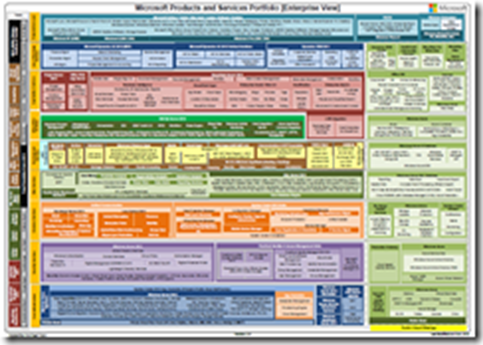
Ever wanted a visual that shows all the different products & services Microsoft offers in a single view?

imageHere’s the most recent release of the Microsoft Products Portfolio, the Microsoft Technology “Stack” Visual in Acrobat as released 1/17/14.

What’s New

  • New Services/features in Azure like Disk Shipping, ‘Apiphany’ API Management, Auto scaling, MFA, Scheduler. TFS Service renamed to Visual Studio Online
  • Office 365 – new features – Power BI Data Management Gateway
  • System Center Global Service Monitor

Download

There’s going to be a webcast on how the 2014 Winter Olympics were successfully streamed live worldwide over the Internet using Windows Azure, Microsoft’s cloud services platform.

imageThe live streaming of NBC’s coverage of the 2014 Olympics represented an important milestone in the automation and virtualization of the live video workflow. The cloud-based solution created by Microsoft, iStreamPlanet, Adobe and NBC powered 41 live streaming channels running continuously for 18 days, ultimately delivering over 3000 hours of high definition, adaptive bitrate, multi format live content to a broad spectrum of devices on the iOS, Android and Windows platforms.

Join Microsoft and iStreamPlanet for a live, in depth discussion of the 2014 Olympics live video workflow and the advantages of moving media processing to the cloud. In this session you will learn how the solution was implemented with Windows Azure Media Services, and iStreamPlanet’s Aventus live video workflow to help NBC expand their digital audience while simultaneously reducing the cost and complexity involved in delivering a first rate viewing experience to all connected devices.

Streaming the Olympics: A case study in moving media processing to the cloud
TUESDAY, MARCH 4, 2014
11:00am PT / 2:00pm ET

REGISTRATION:

Just released: Forrester Consulting “Lync 2013 Total Economic Impact” study, February 2014.

imageTo better understand the benefits, costs, and risks associated with a Lync implementation, Forrester interviewed five customers and received survey responses from an additional seven organizations that have deployed Lync 2013. Lync is a unified communications platform that provides webconferencing, instant messaging, collaboration, VoIP, video, private branch exchange (PBX) replacements, and other services.

Prior to Lync 2013, customers reported that they had various solutions in place, including previous versions of Lync, competing products, or no unified communications solution at all. The customers were looking for a solution to improve employee collaboration and efficiency as well as lower the total cost of ownership (TCO). With Lync, customers were able to achieve incremental benefits over their previous solutions, including the elimination of other technologies, increasing business and IT efficiency, and lower telephony costs. Said one IT director, “We achieved many additional benefits above and beyond what we realized with our previous unified communications tools. The service quality was also much better.”

Get the whitepaper here:

Posted by: kurtsh | February 20, 2014

BETA: Visual Studio 2013 Update 2 CTP1

imageVisual Studio 2013 Updates provide continuous value to customers, adding new capabilities year-round to features in the main product release. These releases will be aligned with the core software development trends in the market, ensuring developers and development teams always have access to the best solution for building modern applications.

This is a Community Technology Preview (CTP) for Visual Studio 2013 Update 2. These cumulative updates to Visual Studio 2013 include a variety of bug fixes and capability improvements. More details can be found here.

Posted by: kurtsh | February 19, 2014

RELEASE: Introducing Visual Studio Online

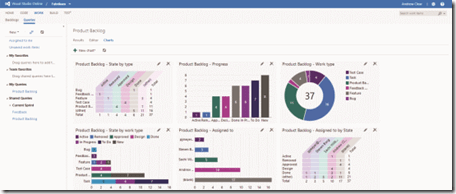
Visual Studio Online released and is available to basically anyone with an MSDN subscription, (there are different levels of functionality depending on the edition of MSDN subscribed to) providing in some sense Team Foundation Server in the cloud.
image

Introducing Visual Studio Online

Whether you’re part of a team or you’re a team of one, with Visual Studio Online you can easily plan, create, construct, build, test, and monitor seriously demanding applications, from anywhere. You don’t need a large infrastructure team, and you don’t need to touch a single server. As someone who has performed hundreds of Team Foundation Server (TFS) installations and upgrades as a consultant, I love how the drudgery of that kind of routine maintenance is now a thing of the past. Visual Studio Online is updated with the newest features automatically and continuously, so you can focus on what you need to do most: construct your applications!

What’s New?

I’m often asked, “Isn’t Visual Studio Online just TFS in the cloud?” The answer is yes and no.

TFS was introduced eight years ago, and began the move to a cloud-hosted application lifecycle management (ALM) service in 2012 with the launch of Team Foundation Service. There has been great adoption from day one, with individual development teams starting up and even midsize companies choosing to leave their on-premises infrastructure behind. The big deal is this: every few weeks, new features appear to your team as the TFS product group wraps them up in their internal development iterations. Account holders can find out what’s new by watching the Features Timeline at bit.ly/17DV8Yl or by following social media like VSOnline on Twitter (twitter.com/vsonline).

So, yes, Visual Studio Online is the next evolution of TFS and Team Foundation Service, bringing you the fundamentals of ALM in the cloud. And no, it’s not exactly the same thing.

As Microsoft transforms to a devices and services company, many of you have asked, “What does this mean to me as a developer?” With Visual Studio Online, Microsoft now has a platform of services you can take advantage of whether you’re moonlighting on your own personal projects or working on larger systems with your team. I’ll explore a few of those services.

read more here

For more information on Visual Studio Online, visit:

« Newer Posts - Older Posts »

Categories