Posted by: kurtsh | February 12, 2014

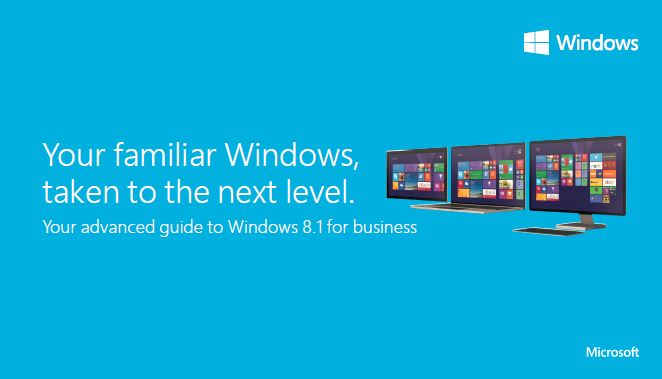
DOWNLOAD: Windows 8.1 Power User Guide for Business

imageLearn about the advanced features of Windows 8.1 from this Power User Guide. This package allows you to produce your own hard copies of the Windows 8.1 Power User for Business and give it away as training assets to end-users.

This zip file includes the content in PDF, PowerPoint, and Adobe InDesign formats that you can use as-is or customize to match the requirements of your organization.

Posted by: kurtsh | February 11, 2014

DOWNLOAD: Lync Meeting Update Tool (64 bit) and (32 bit)

The Lync Meeting Update Tool helps you update your Lync meetings. When your account switches servers, your Lync Meeting links need to be updated so others can join your meeting. This tool finds your meetings with outdated links and automatically sends updated meeting invitations to participants.

  • When a user account switches servers, the Lync Meeting links will be updated. You can update the meeting links by running this tool.
  • If you are an admin for your boss and wants to update meeting links when your boss account switches servers, run this tool to update your boss’s meetings.

Yeah, this seems mildly important for Lync environments.
Smile

Download the tools here:

Posted by: kurtsh | February 11, 2014

WHITEPAPER(S): Documenting the Value of Data Classification

imageTo help business leaders understand the importance of data classification, Microsoft Trustworthy Computing has just released two new papers outlining the process and its benefits.

  • Data Classification for Cloud Readiness” outlines the risks and issues that can be mitigated to ensure a smoother transition to a cloud service. The paper also considers technologies such as encryption, rights management, and data loss prevention solutions and how their implementation has evolved in the cloud era.
  • CISO Perspectives on Data Classification” provides insight from the chief information security officers (CISOs) of three organizations about key data classification issues and challenges, as well as how they have implemented data classification.

Both papers can also be downloaded from www.microsoft.com/trustedcloud, where you will also find a variety of additional cloud security resources, including the CSRT – a survey-based tool based on the Cloud Security Alliance’s Cloud Controls Matrix. The CSRT helps organizations assess their current IT state and whether cloud adoption will meet their business needs.

Read more at:
http://blogs.technet.com/b/trustworthycomputing/archive/2014/01/28/two-new-papers-help-show-the-value-of-data-classification.aspx

Posted by: kurtsh | February 11, 2014

DOWNLOAD: Protect your Devices & Documents Security Kit

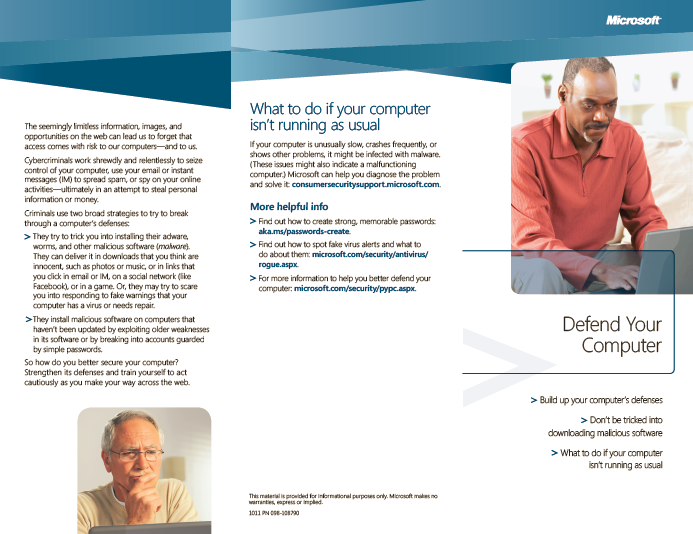
imageThese resources – brochures, flyers, videos, and posters — provide an insight into how employees can protect their devices and documents. Also included is a quiz for testing a person’s internet security understanding, a white paper on Consumerization of IT@Microsoft, a list of helpful web sites and additional resources, and several educational videos that are ideal for team and company meetings.

Several of the flyers and posters are provided as PowerPoint so they can be customized with company logo and contacts. The flyers can be turned into a single documents, and used for employee training.

Complementing these security resources is a:

Download these resources at:

imageUPDATE 12/7/15:
I believe we took this document down several months ago.  The original content in TechNet was updated back in April 2015 from the original content back in March 2014.  Visit TechNet for the most recent publishing.
http://www.microsoft.com/en-us/download/details.aspx?id=41671

——————
ORIGINAL POST:
Full-volume encryption using BitLocker Drive Encryption is vital for protecting data and system integrity on devices running the Windows 8.1, Windows 8, or Windows 7 operating system. It is equally important to protect the BitLocker encryption key.

This guide provides detailed information that will help you understand the circumstances under which the use of pre-boot authentication is recommended and when it can be safely omitted from the configuration of a device that is running on Windows 8.1, Windows 8, or Windows 7 operating systems.

image

The Yammer App for SharePoint lets you add a real-time social layer to your SharePoint site, and now an updated version of the app takes advantage of SharePoint security enhancements to improve sign-in reliability, writes Christophe Fiessinger on the Office Blogs.

“If you’re a SharePoint site owner and you’re using the Yammer App for SharePoint on your SharePoint Online or SharePoint on-premises team site, upgrade to the latest version now,” Fiessinger writes.

To upgrade the app to the latest version, on the SharePoint site with a Yammer App for SharePoint, click the Settings icon at the top of the page, and then click Site contents. The Site contents page shows you all of the apps available for that particular site. If your Yammer app needs an update, a link to update it appears under the name.

When you use Yammer and SharePoint together, you can “encourage team and company-wide conversations, facilitate collaboration around files and projects, and make it easier for people to connect,” Fiessinger writes. “This helps make collaborating a more social, mobile, and engaging experience.”

Read more about the update here:
http://blogs.office.com/2014/02/11/update-to-the-latest-yammer-app-for-sharepoint/

To add the Yammer app for SharePoint, go to:
http://office.microsoft.com/en-us/sharepoint-foundation-help/set-up-the-yammer-app-for-sharepoint-HA104079146.aspx

Posted by: kurtsh | February 11, 2014

RELEASE: Windows Azure Rights Management Connector

imageThe Microsoft Rights Management (RMS) connector lets you quickly enable existing on-premises servers, such as Microsoft Exchange, Microsoft SharePoint, or file servers running Windows Server to use their Information Rights Management (IRM) functionality with the cloud-based Microsoft Rights Management services. With this functionality, IT and users can easily protect documents and pictures both inside your organization and outside, without having to install additional infrastructure or establish trust relationships with other organizations.

The RMS connector is a small-footprint service that you install on-premises on servers that run Windows Server 2012 R2, Windows Server 2012, or Windows Server 2008 R2. After you install and configure the connector, it acts as a communications interface between the on-premises IRM-enabled servers and the cloud service.

Download the RMS connector at:
http://www.microsoft.com/en-us/download/details.aspx?id=40839

Learn more about the RMS connector at:
http://technet.microsoft.com/en-us/library/dn375964.aspx

Posted by: kurtsh | February 10, 2014

WHITEPAPER: Windows Azure Network Security

imageTo build and manage solutions in the cloud that comply with industry standards and regulations, IT administrators should understand the security mechanisms within Windows Azure—both those that are automatic and those that require configuration.

In particular, Windows Azure networking provides the infrastructure necessary to securely connect your virtual machines to one another, as well as bridge between the cloud and your on-premises datacenter.

The overall architecture and operation of Windows Azure’s network services have been designed for flexibility, security, and integrity. This white paper seeks to uncover these inner-workings and give insights on how customers can take advantage of the platform’s native features to best protect their information assets.

Read more here:

image

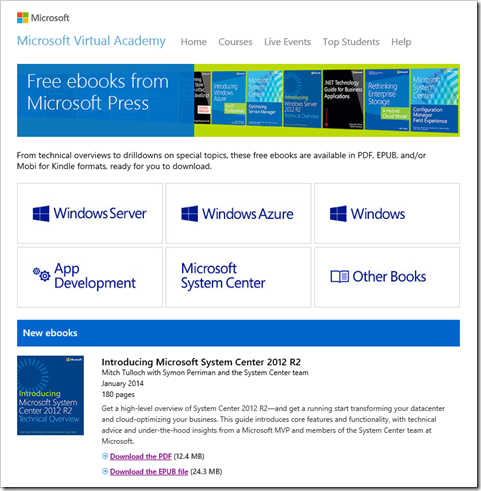
The infamous free eBook repository from Microsoft Press has been relocated to Microsoft Virtual Academy.

So if you’re looking for newly published eBooks that don’t cost a dime, check out the site below.  All newly posted free eBooks will also be placed here as well moving forward.

  • Free ebooks from Microsoft Press
    From technical overviews to drilldowns on special topics, these free ebooks are available in PDF, EPUB, and/or Mobi for Kindle formats, ready for you to download.
    http://www.microsoftvirtualacademy.com/
    ebooks

image[Normally, I don’t blatantly point folks to a summary like this but this was really well done and a nice time saver.]

Bill Gates did an AMA (Ask Me Anything) session on Reddit today and these is a transcript of the questions he answered from the public.  Questions like:

  • Can you describe your new role at Microsoft?
  • How will your time be divided up between the foundation and Microsoft now that the CEO has asked you to step up?
  • How does Mr. Nadella’s vision differ from yours and Mr Ballmer’s?
  • What is your favorite project you have ever worked on at Microsoft?
  • Is the Desktop computer really dead? What does that say for the future of computer programming?

Intrigued? 

Here’s the Geekwire summary:
http://www.geekwire.com/2014/full-reddit-ama-transcript-bill-gates-new-gig-guilty-pleasures-financial-advice/

And here’s the original AMA on Reddit:
http://www.reddit.com/r/IAmA/comments/1xj56q/hello_reddit_im_bill_gates_cochair_of_the_bill/

« Newer Posts - Older Posts »

Categories