image

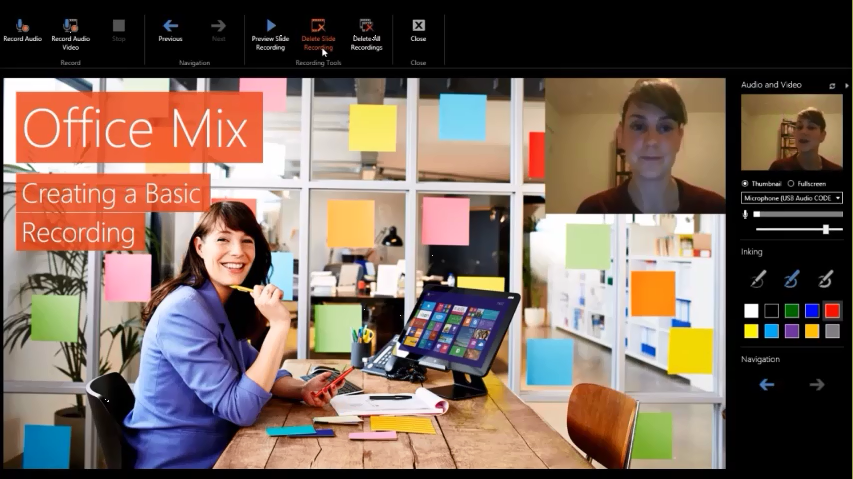
Office Mix, formerly codenamed “Athena”, allows you to turn your PowerPoint 2013 SP1 presentations into interactive online lessons or presentations. We install an add-in that gives you the ability to:

  • record audio, video, and handwriting
  • insert interactive elements like quizzes and CK12 exercises
  • retrieve & analyze quiz results online
  • screen capture so you can record anything on your PC

Once your presentation is ready just click “Create Mix.” We work our magic to mix it into an interactive document complete with analytics, and place it in the cloud. From there, just share the link, and your students can watch it on just about any device with a web browser. You can then check student progress online, see who watched the presentation, and see how they did on your quizzes.

Best of all, Office Mix is free! The website, data analytics, and add-in are all free. Office Mix does, however, require Office 2013. You can try Office for free if you don’t have the latest version.
image
Screenshot of the Office Mix too incorporated into PowerPoint 2013

System Requirements:

  • Computer: 2 gigahertz (GHz) or faster x86-bit or x64-bit processor with SSE2;
  • Memory: 2 GB RAM
  • Hard disk: 1.0 GB available disk space
  • Display: 1024 x 768 screen resolution; Graphics: DirectX 10 or 11 graphics card
  • Operating system: Windows 7, Windows 8, or Windows 8.1
  • Microsoft Office: PowerPoint 2013 w/ SP1, Office 2013 (w/ SP1) or Office 365
  • .Net version: 4.5
  • Other: Microphone or other sound input device for recording, webcam for video recording.

Downloads/Links:

imageSharePoint Conference 2014 (SPC14) now offers the main keynote and all 230+ recorded breakouts for Developers, IT Professionals, and Executives.  These session recordings will help you transform your business and reimagine the way you build SharePoint solutions. SPC14 took place March 3-6, 2014

The sessions cover Search, Security, Yammer, Office, OneDrive for Business, Portals, ECM, BI, operations, Office 365, Azure, SQL Server, and many others. The primary goal is to help you learn how to create and design apps that will drive innovation and be better positioned for the future.

imageThe recorded sessions from the Microsoft Exchange Conference 2014 (MEC2014) are now available!

MEC is the premier global event for Microsoft Exchange and Office 365 professionals. The MEC sessions will help you understand the future of Exchange and learn from people who build and maintain the product.  MEC allows administrators, IT Pros, and Developers to elevate their career potential and enhance their overall knowledge of Microsoft Exchange.  MEC2014 took place March 31-April 2, 2014 in Austin, TX.

Content is delivered across tracks including: Architecture; Deployment & Migration; eDiscovery and Compliance; Exchange Extensibility; Manageability and Support; Outlook, OWA, and Mobility; and Security and Protection.

The sessions are available through the following  link:

Posted by: kurtsh | April 28, 2014

NEWS: OneDrive for Business now provides 1TB/user

clip_image004OneDrive for Business has been part of Office 365 for some time, but earlier this month we announced a new standalone offer for OneDrive for Business, making it even easier for our business customers to get the file sync and share service that’s designed to meet the anywhere access, storage, scale, data security and compliance requirements organizations need.  OneDrive for Business is unique because it offers the flexibility of a reliable and secure standalone service, but is also a tightly integrated Office 365 service, offering enterprise-class productivity.

Today we’re announcing the following:

  • Microsoft will be increasing OneDrive for Business storage from 25GB to 1TB per user.
  • All Office 365 ProPlus customers will get 1TB of OneDrive for Business storage per user as part of their Office 365 ProPlus subscription.
  • We’ll help organizations migrate data from their existing solutions to OneDrive for Business

For more information read the blog post here.

Posted by: kurtsh | April 28, 2014

INFO: Windows Phone 8.1 Links, Tips & Tricks

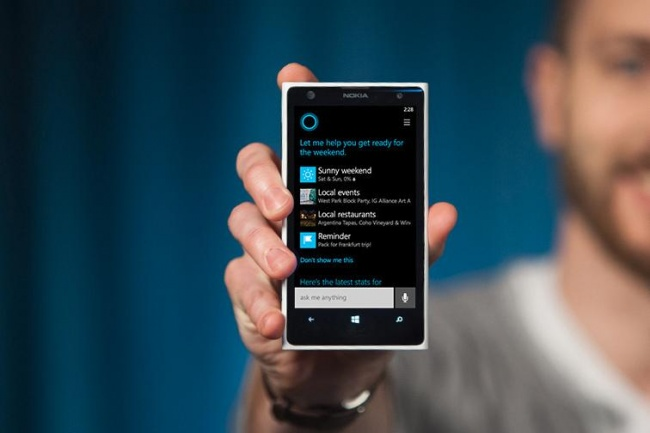
imageHere’s a few things to keep in mind as you explore Windows Phone 8.1:

Annnnd I also found this list of tips that might be useful for those of you that are just now getting interested in Windows Phone 8.1.

// Update

Q: How can I update my Windows Phone to 8.1 now?
A: Visit the App Studio site and register with your Microsoft Account details. Once that’s done, download the Preview for Developers app  from the Store. Once installed, open the app, sign in with the same Microsoft Account credentials and tick the ‘Enable Preview for Developers’ box. Then go to Setting > Phone Update > Check for Updates.
Q: What’s new on Windows Phone 8.1?
A: Look here to get started, continue here, and then look here if you want to go deep.


// Where did it go?

Q: Where did podcasts go?
A: Look for the dedicated Podcasts app on your phone.
Q: Where did Vision search go? (QR Code scanning)
A: Start the camera, select lenses and look for the Bing Vision lens.
Q: Where did Bing Music search go?
A: In Cortana, tap on the music note icon on the top right corner.
Q: Where did Background Apps go?
A: Look for the Battery Saver app or in settings.
Q: Where did the comma go?
A: You can bring it back by going to Settings > Keyboard > Advanced > Enable the option to "Show a comma key when available".
Q: Where did the screenshot button combo go?
A: Press and hold the Power and Volume Up buttons at the same time.


// Cortana

Q: What is Cortana?
A: Cortana is a personal smartphone assistant powered by Bing. She replaces the Search functionality from previous versions of Windows Phone.
Q: How do I bring up Cortana?
A: Just press the Search button on your phone.
Q: I don’t see Cortana? And Search just looks like a Bing page?
A: If Cortana isn’t in the list of applications or on the Home screen, chances are she’s not available for your region yet. If you’re happy to experiment, in Settings, you can add the United States Language and Region, and Cortana should appear.


// Music and Video

Q: Where are my podcasts?
A: The podcasts have moved from the Xbox Music app into a separate app named Podcasts.
Q: What happened to Bing Music search?
A: You can now use Cortana to find out what music you’re currently listening to. Just bring up Cortana by pressing the Search button on your phone and then tap on the music note icon on the top right corner.
Q: What’s new in music?
A: You can now edit playlists directly on the phone. It’s under music>collections>playlists, then press "+" to add a playlist or tap a playlist to add songs to it.


// Shortcuts

Q: What’s the new screenshot button combo?
A: The screenshot button combo has changed. Press and hold the Power and Volume Up buttons at the same time to capture whatever is currently on your screen.


// Keyboard

Q: How can I bring back the comma?
A: Settings > Keyboard > Advanced > Enable the option to "Show a comma key when available".


// Settings

Q: Where can I manage background tasks?
A: Look for the Battery Saver app or in Settings.
Q: How does project my screen work?
A: http://download.microsoft.com/download/A/2/7/A271EFFF-6C9E-4E9B-9259-0F72FDEDD153/ProjectMyScreenApp.msi


// Notifications

Q: How do I acknowledge specific or single notifications in the notification center?
A: Swipe down to get to Notification Center, then swipe right on each notification that you want to acknowledge.

imageIntroducing Microsoft SQL Server 2014
Ross Mistry and Stacia Misner
April 2014
125 pages

In this book, the authors explain how SQL Server 2014 incorporates in-memory technology to boost performance in online transactional processing (OLTP) and data-warehouse solutions. They also describe how it eases the transition from on-premises solutions to the cloud with added support for hybrid environments.

imageMicrosoft System Center: Integrated Cloud Platform
David Ziembicki and Mitch Tulloch, Series Editor
April 2014
80 pages

This book is organized by cloud type and begins with a short overview of the Cloud OS strategy from Microsoft and a high-level hybrid cloud architecture. It also covers the design and deployment of private cloud solutions using Windows and System Center to deliver the software-defined datacenter where storage, network, compute, and management are all virtualized and delivered by the Microsoft platform.

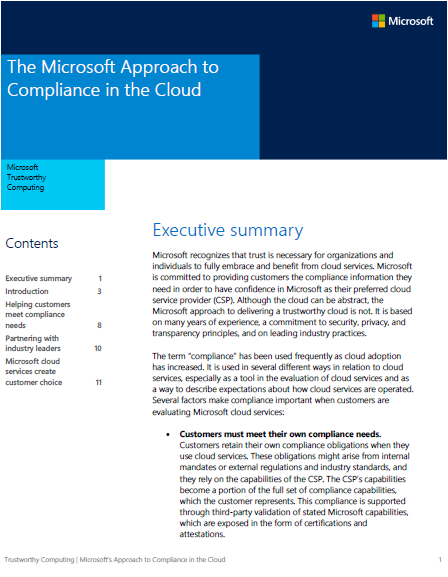
imageWe just released a new paper developed by contributors across the company, including Azure, O365, GFS, CRM, WWPS, and others which discusses how Microsoft handles compliance for cloud services and provides customers compliance information they need in order to have confidence in Microsoft as their preferred cloud service provider (CSP).

The paper is 12 pages long, 506K.

More information can be found at the TwC Blog.

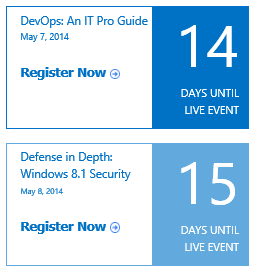
imageWe have an on going schedule of LIVE training events delivered by the Microsoft Virtual Academy – all FREE.  And the content is recorded for on-demand access after the event is over.

Again, these a LIVE events, presented online via a trainer, consultant, or support engineer.

Here’s a few of the upcoming LIVE events:

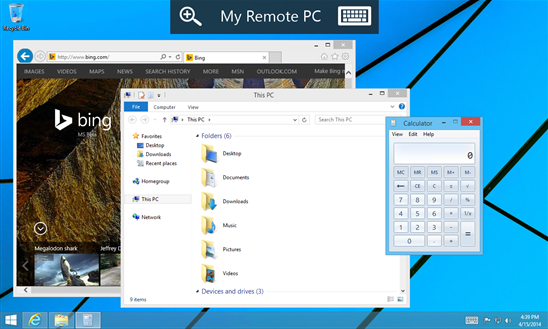
imageI guess some hooks needed to be added to support the current revision of RDP on Windows Phone because we recently released a Preview build of Remote Desktop exclusively for Windows Phone 8.1 users.

With the Microsoft Remote Desktop app, you can connect to a remote PC and experience the power of Windows with RemoteFX in a Remote Desktop client designed to help you get your work done wherever you are. Features

  • Rich multi-touch experience with remote desktop protocol (RDP) and RemoteFX supporting Windows gestures
  • Secure connection to your data and applications with breakthrough Network Level Authentication (NLA) technology
  • Simple management of all remote connections from the connection center
  • High quality video and sound streaming with improved compression and bandwidth usage

« Newer Posts - Older Posts »

Categories